Uvod
This manual provides detailed instructions for the safe and effective operation, maintenance, and troubleshooting of your CAT 3-in-1 Professional Power Station. This versatile unit combines a jump starter, an air compressor, and a portable power source, designed to assist with various automotive and power needs.
The product features 500 instantaneous amps i vrhunac 1000. amps of battery starting power, capable of jump-starting most 120V vehicles. It also includes a 120-volt AC outlet and 2-amp USB ports for charging and powering devices such as phones, tablets, and laptops. The integrated 120 psi air compressor, equipped with a heavy-duty bronze safety nipple, securely connects to tires, sports equipment, and more.
Sigurnosne informacije
Uvijek pročitajte i razumite sva sigurnosna upozorenja i upute prije upotrebe ovog proizvoda. Nepoštivanje ovih uputa može dovesti do strujnog udara, požara i/ili ozbiljnih ozljeda.
- Držite djecu i neovlaštene osobe podalje od radnog područja.
- Nosite odgovarajuću ličnu zaštitnu opremu, uključujući zaštitu za oči.
- Nemojte koristiti jedinicu u eksplozivnoj atmosferi, kao što je prisustvo zapaljivih tečnosti, gasova ili prašine.
- Ensure proper ventilation when operating the air compressor.
- Ne izlažite uređaj kiši ili vlažnim uslovima.
- Always disconnect the unit from the power source before performing any maintenance or cleaning.
- Do not use the unit if it has been dropped or damaged.
- Refer to your vehicle's owner's manual for specific jump-starting procedures and precautions.
Setup
Before first use, fully charge the power station. It should be charged regularly when not in use to maintain battery health.
- Raspakivanje: Carefully remove the power station and all accessories from the packaging. Inspect for any damage.
- Početna naplata: Connect the power station to a standard AC wall outlet using the integrated AC charging adapter. Allow the unit to charge until the battery indicator shows a full charge. This may take several hours.
- upoznavanje: Identify the main components: jump starter cables, air compressor hose, AC outlet, USB ports, control panel, and light.

Slika 1: Prednja strana view of the CAT 3-in-1 Professional Power Station, showing the control panel, USB ports, AC outlet, and jump starter clamps.

Figure 2: Packaging of the CAT 3-in-1 Professional Power Station, highlighting key features and components such as the jump starter switch, LCD display, USB ports, AC outlet, and air compressor hose storage.
Uputstvo za upotrebu
Skoči sa pokretanjem vozila
- Priprema: Ensure the vehicle's ignition is off and all accessories are turned off. Place the power station on a flat, stable surface near the vehicle's battery.
- Poveži pozitivno: Spojite crveni (pozitivni, +) polamp of the power station to the positive (+) terminal of the vehicle's battery.
- Poveži negativno: Spojite crni (negativni, -) clamp to a non-moving metal part of the vehicle's engine block or chassis, away from the battery and fuel lines. Do not connect directly to the negative battery terminal.
- Activate Jump Start: Turn the jump starter switch on the power station to the "ON" position.
- Pokreni vozilo: Attempt to start the vehicle. If it does not start within 5-8 seconds, wait at least 1 minute before trying again.
- Prekini vezu: Once the vehicle starts, immediately turn the jump starter switch to "OFF". Disconnect the black (negative) clamp prvo, zatim crveni (pozitivni) clamp.

Figure 3: The power station positioned next to a car engine, with jump starter clamps connected to the vehicle's battery terminals, ready for jump-starting.
Korišćenje vazdušnog kompresora
- Pričvrstite crijevo: Remove the air compressor hose from its storage compartment and securely attach the bronze safety nipple to the tire valve stem or sports equipment valve.
- Postavite pritisak: Use the control panel to set the desired pressure (in PSI).
- Pokretanje kompresora: Press the "AIR" button to start the compressor. The unit will automatically shut off once the set pressure is reached.
- Monitor: Observe the pressure gauge on the display during inflation.
- Prekini vezu: Once inflation is complete, disconnect the hose from the valve and return it to its storage.
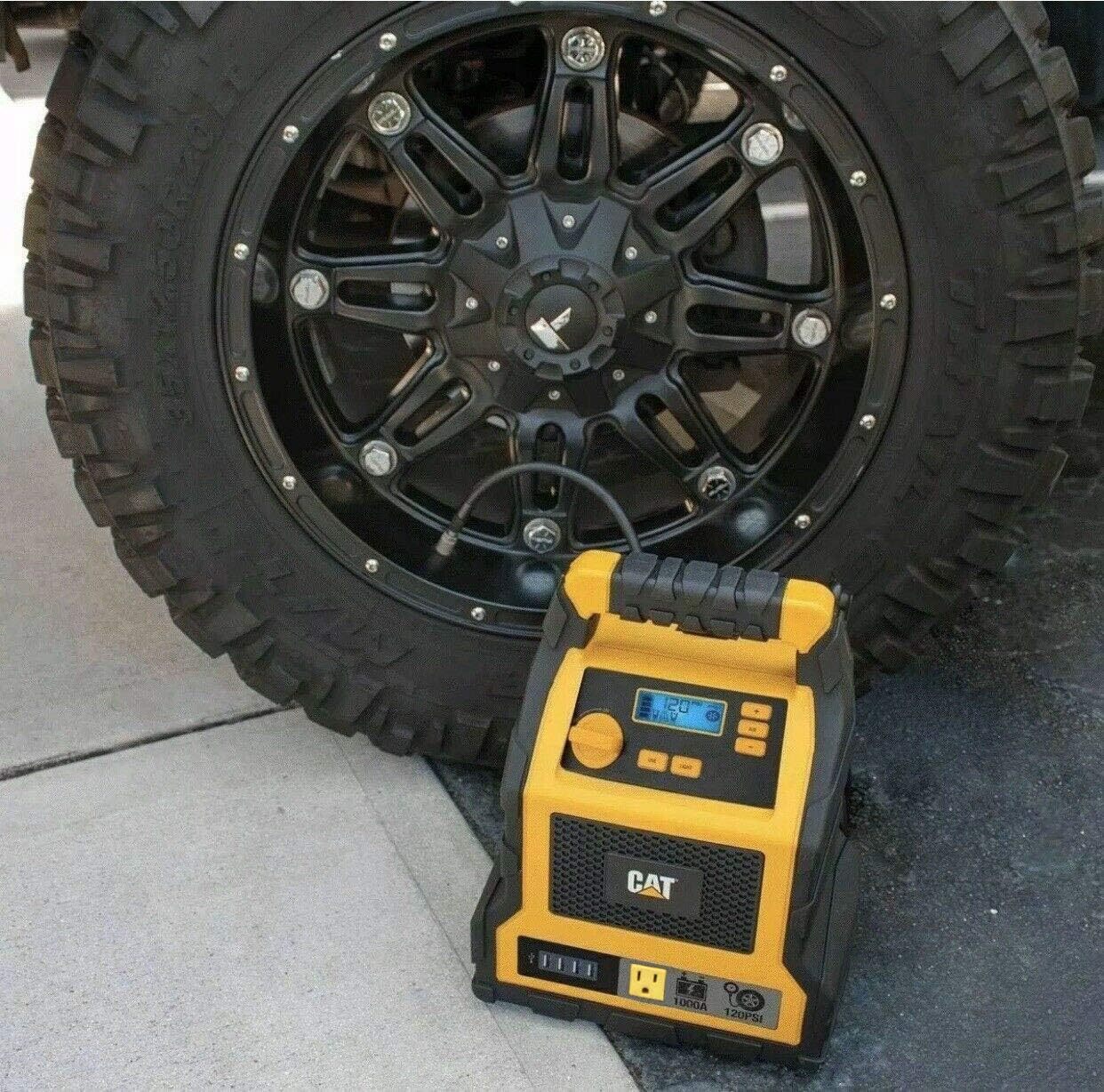
Figure 4: The power station placed next to a vehicle tire, with the air compressor hose connected to the tire valve for inflation.
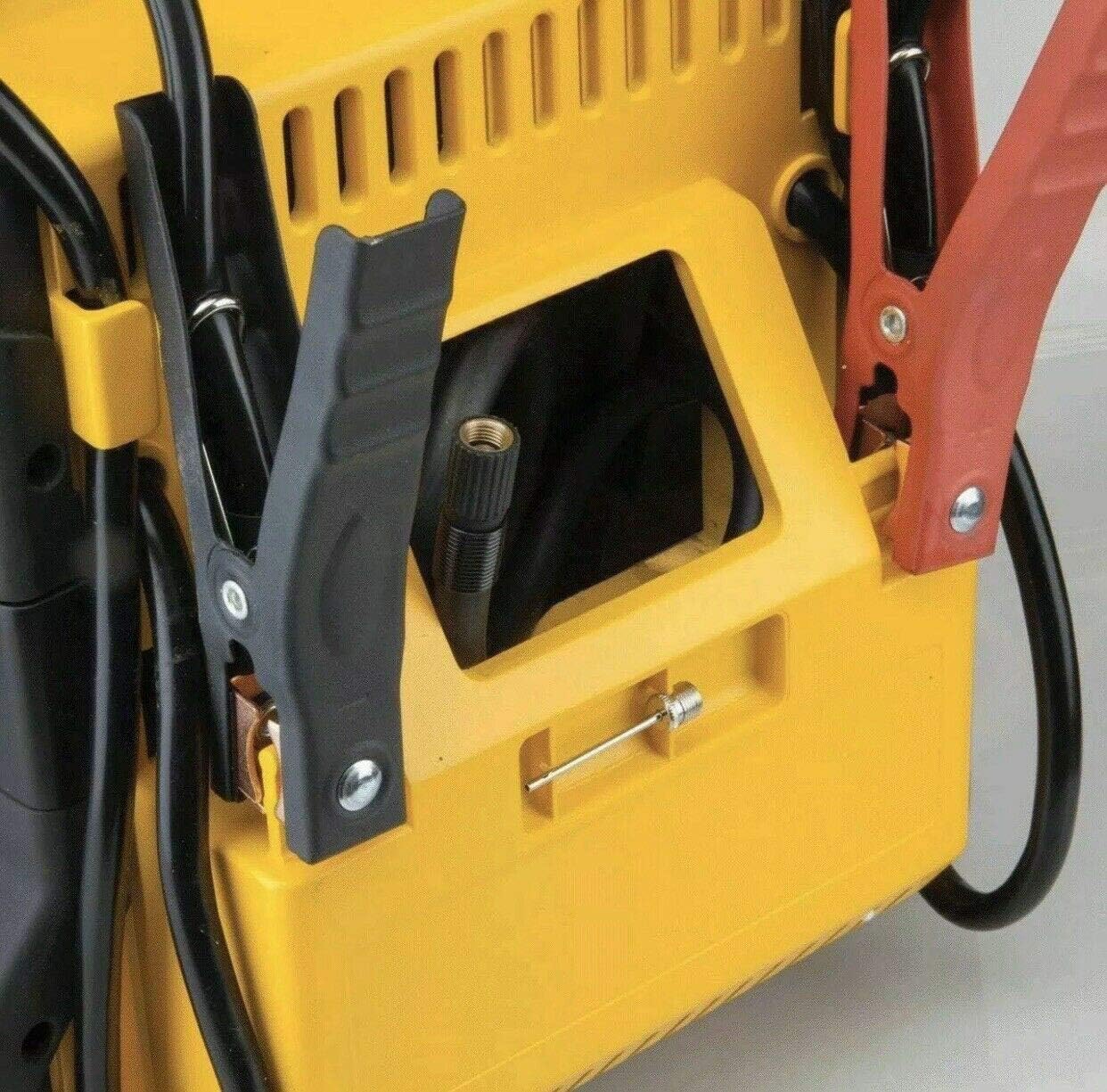
Slika 5: Detaljan view of the side of the power station, showing the integrated storage for the air compressor hose and the nozzle adapter.
Using the AC Outlet and USB Ports
- AC utičnica: Plug your 120-volt AC device into the AC outlet. Press the "AC POWER" button to activate the outlet. Ensure the device's power consumption does not exceed the unit's maximum output (200W).
- USB portovi: Connect your USB-powered devices (e.g., phones, tablets) to any of the four USB ports. The USB ports provide 2-amp izlaz za efikasno punjenje.

Figure 6: A composite image showing various uses of the power station, including charging a smartphone via its USB ports.
Održavanje
Proper maintenance ensures the longevity and optimal performance of your CAT Professional Power Station.
- Redovno punjenje: The internal battery should be charged regularly, especially when not in use. It is recommended to fully charge the unit every 3 months to maintain battery health and extend its lifespan.
- čišćenje: Use a dry, soft cloth to wipe down the unit. Do not use abrasive cleaners or solvents.
- Skladištenje: Store the unit in a cool, dry place, away from direct sunlight and extreme temperatures. Ensure all cables and accessories are neatly stored.
Rješavanje problema
Ovaj odjeljak se bavi uobičajenim problemima na koje možete naići. Za probleme koji nisu ovdje navedeni, obratite se korisničkoj podršci.
| Problem | Mogući uzrok | Rješenje |
|---|---|---|
| Jedinica se ne uključuje. | Baterija je potpuno ispražnjena. | Potpuno napunite uređaj. |
| Vozilo se ne pokreće pomoću kablova. | Netačan clamp connection; Vehicle battery severely discharged; Power station battery low. | Check connections; Allow power station to charge vehicle battery for a few minutes before attempting to start; Recharge power station. |
| Kompresor zraka se ne napuhava. | Hose not securely attached; Desired pressure already reached; Compressor malfunction. | Ensure secure connection; Check current tire pressure; Contact customer support if malfunction is suspected. |
| AC outlet or USB ports not providing power. | AC/USB power not activated; Device draws too much power; Power station battery low. | Press the respective power button; Check device's power requirements; Recharge power station. |
Specifikacije
| Feature | Detalj |
|---|---|
| Brand | CAT |
| Broj modela | CJ10000DCP |
| Vrhunac skoka u početnoj fazi Amps | 1000 Amps |
| Jump Start Instantaneous Amps | 500 Amps |
| Pritisak kompresora zraka | 120 PSI |
| AC utičnica | 120 volti AC |
| USB portovi | 4 USB Ports, 2-amp izlaz |
| Težina artikla | 19.1 funte |
| Dimenzije proizvoda | 154"D x 12"Š x 10"H |
| Datum prve dostupnosti | 18. maja 2020 |
Garancija
The product packaging indicates a 1 godina garancije. Please retain your proof of purchase for warranty claims. For specific warranty terms and conditions, refer to the documentation included with your product or contact the manufacturer directly.
Podrška
For technical assistance, replacement parts, or further inquiries, please contact CAT customer support. Visit the official CAT webstranicu za najnovije kontakt informacije.
Također možete posjetiti CAT Store on Amazon za više informacija o proizvodu.