1. Uvod
Thank you for choosing the HANMATEK S1 DM20 Digital Multimeter. This intelligent multimeter is designed for safe and accurate measurements of various electrical parameters. Please read this manual thoroughly before use to ensure proper operation and to prevent potential hazards.
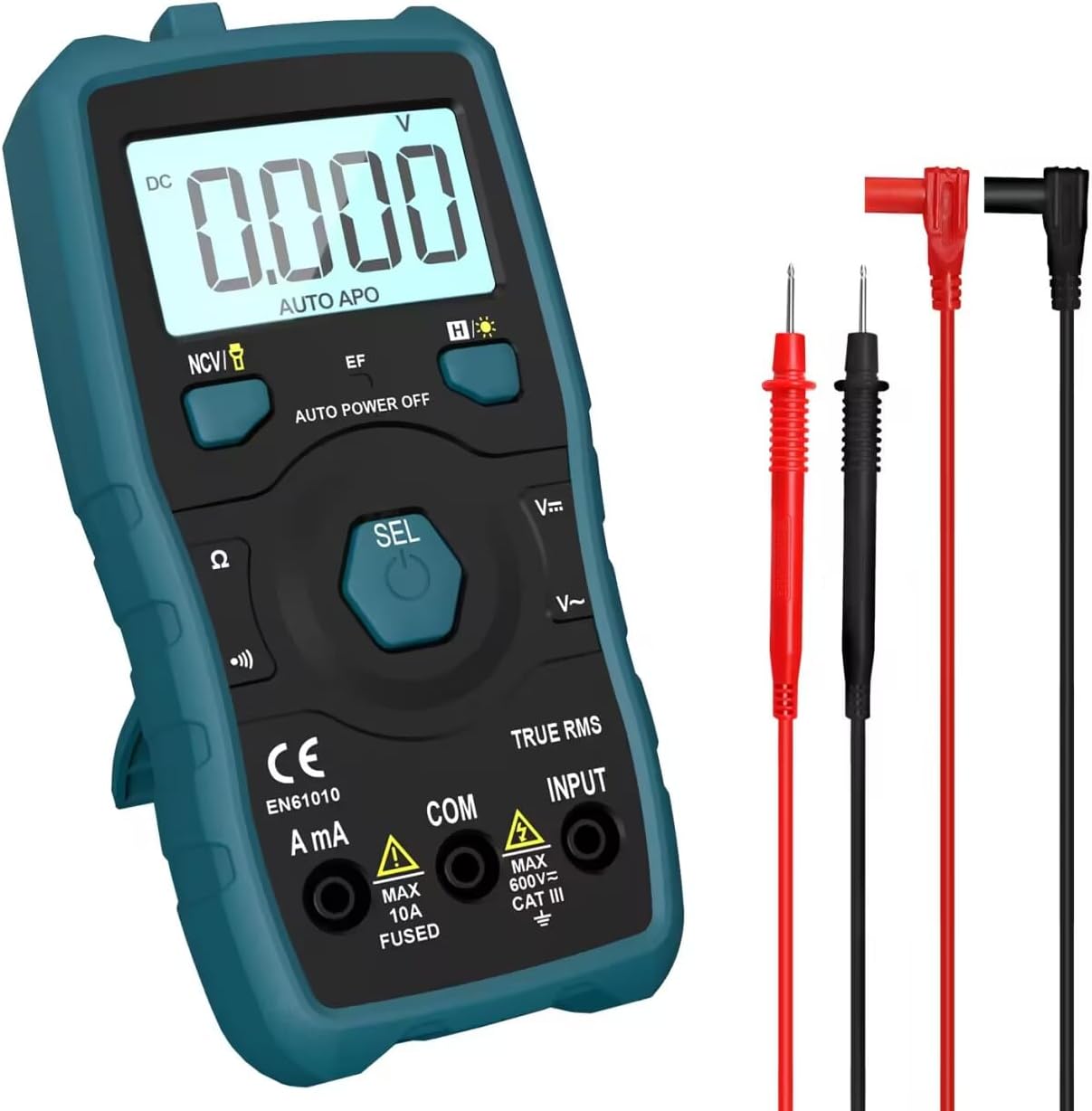
Image 1.1: HANMATEK S1 DM20 Digital Multimeter with included test leads.
2. Sigurnosne informacije
UPOZORENJE: Nepoštivanje ovih sigurnosnih uputa može dovesti do strujnog udara, požara ili tjelesnih ozljeda.
- To prevent erroneous readings and avoid electric shock or personal injury, replace the battery as soon as the low battery voltage symbol appears.
- To prevent electric shock or personal injury, turn off the device and ensure test leads are disconnected from the circuit under test before opening the battery cover to replace the battery.
- Do not measure any AC or DC voltage exceeding 600V to prevent electric shock or damage to the instrument.
- Always inspect the multimeter and test leads for any damage before use. Do not use if damaged.
- Ensure your hands are dry when operating the multimeter.
- Ne koristite multimetar u okruženjima s eksplozivnim plinovima, parama ili prašinom.
3. Karakteristike i komponente proizvoda
The HANMATEK S1 DM20 Digital Multimeter is equipped with several features for versatile measurements. Familiarize yourself with the components shown below.
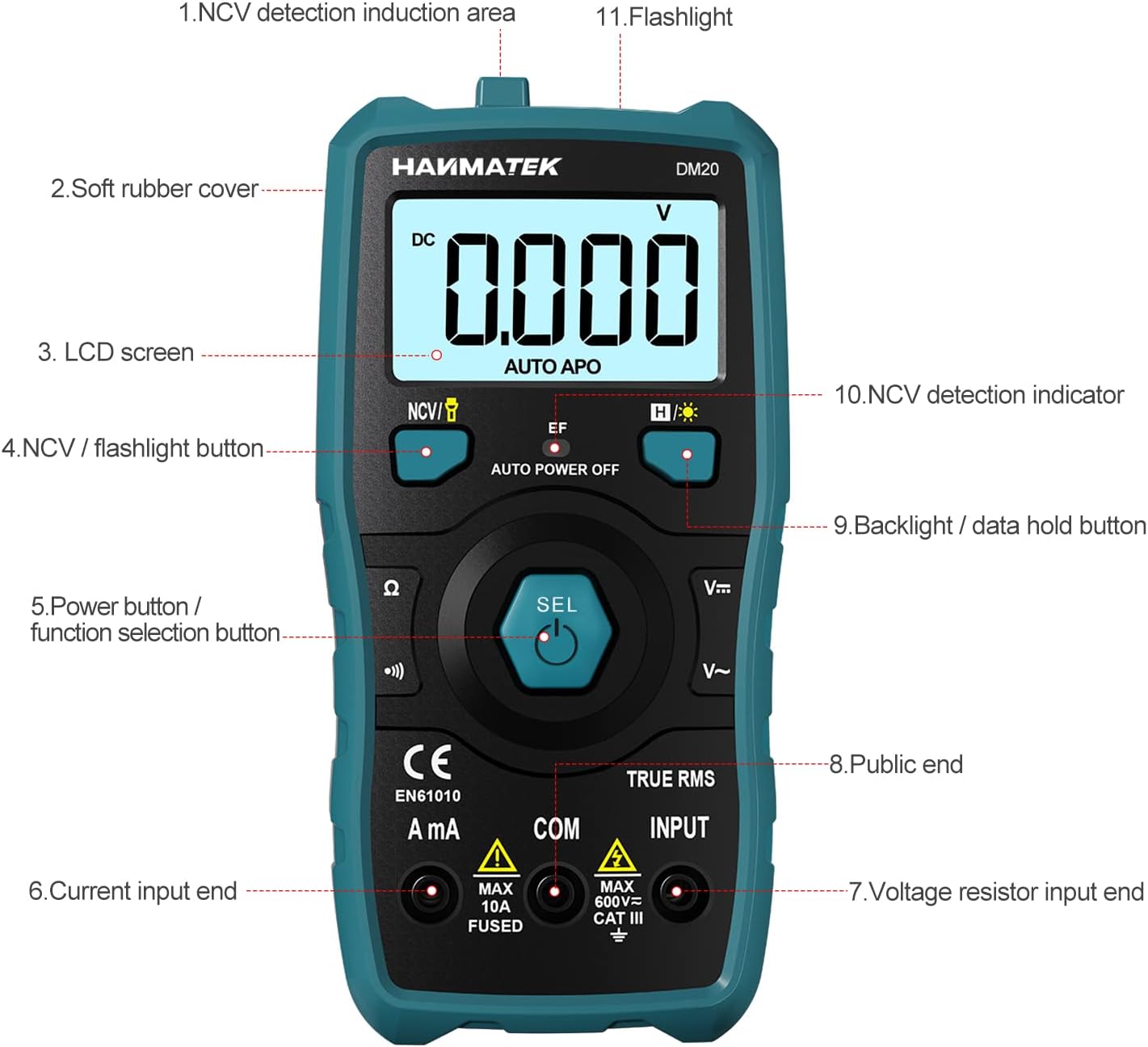
Slika 3.1: Prednja strana view of the multimeter with labeled components.
- NCV Detection Induction Area
- Soft Rubber Cover
- LCD ekran
- NCV / Flashlight Button
- Power Button / Function Selection Button (SEL)
- Current Input End (A mA)
- Voltage Resistor Input End (INPUT)
- Public End (COM)
- Backlight / Data Hold Button
- NCV Detection Indicator
- Lampica

Slika 3.2: Gotovoview of multimeter functions including AC/DC Voltage, AC/DC Current, Resistance, Continuity, Backlight, Data Hold, NCV, Flashlight, and 6000 Count display.
4. Podešavanje
4.1 Sadržaj paketa
Prije početka, provjerite da li su sve stavke prisutne u paketu:
- HANMATEK S1 DM20 Digital Multimeter
- 3 x 1.5V AAA baterije
- Ispitni kablovi (crveni i crni)
- Uputstvo za upotrebu

Image 4.1: Package contents including the multimeter, batteries, test leads, and manual.
4.2 Instalacija baterije
The multimeter requires 3 x 1.5V AAA batteries. Follow these steps to install them:
- Provjerite je li multimetar isključen iz napajanja i da li su mjerni kablovi odvojene.
- Pronađite odeljak za baterije na poleđini multimetra.
- Koristite odvijač da otvorite poklopac baterije.
- Insert the 3 AAA batteries, observing the correct polarity (+/-).
- Vratite poklopac baterije i pričvrstite ga vijkom.

Slika 4.2: Detaljno view of the multimeter's rear, showing the battery bay and stable holder.
5. Uputstvo za upotrebu
The HANMATEK S1 DM20 features auto-ranging for most measurements, simplifying operation.
5.1 Uključivanje/isključivanje napajanja
- Pritisnite SEL button to power on the multimeter.
- Multimetar će se automatski isključiti nakon određenog perioda neaktivnosti kako bi se uštedio vijek trajanja baterije.
- Za ručno isključivanje, pritisnite i držite SEL dugme.
5.2 Odabir funkcije
The multimeter automatically detects the measurement type (voltage, resistance, continuity) when test leads are connected. For specific functions or to switch between AC/DC, press the SEL dugme nakratko.
5.3 Osnovna mjerenja
Priključite crveni ispitni vod na INPUT terminal i crni ispitni vod do COM terminal for most measurements.
- Voltage (AC/DC): Connect test leads in parallel to the circuit or component. The multimeter will automatically detect AC or DC voltage.
- Struja (AC/DC): Connect test leads in series with the circuit. Use the A mA terminal for current measurements. Ensure the circuit is de-energized before connecting.
- Otpor: Connect test leads across the component. Ensure the component is isolated from power.
- Kontinuitet: Connect test leads across the circuit. A buzzer will sound if continuity is detected.
- Diode: Connect test leads across the diode.
- Frekvencija: Connect test leads to the signal source.

Image 5.1: Demonstrations of NCV testing, resistance test, current measuring, voltage measuring, and on-off test.
5.4 Non-Contact Voltage (NCV) Detekcija
NCV funkcija omogućava detekciju AC volumnatage bez direktnog kontakta.
- Pritisnite NCV / Flashlight button to activate NCV mode.
- Place the NCV detection area (top of the multimeter) near the conductor.
- Ako je AC voltage is detected, the NCV LED will flash, and the buzzer will sound. The LCD screen will display segments ('-' to '----') indicating signal strength.

Image 5.2: NCV function detecting voltage in a live line versus a null line.
5.5 Pozadinsko osvjetljenje i zadržavanje podataka
- Pozadinsko osvetljenje: Pritisnite Backlight / Data Hold button briefly to turn the LCD backlight on/off.
- Zadržavanje podataka: Pritisnite i držite Backlight / Data Hold dugme za zamrzavanje trenutnog očitavanja na ekranu. Pritisnite ponovo za otpuštanje.
5.6 Lampa
- Pritisnite i držite NCV / Flashlight dugme za uključivanje/isključivanje ugrađene svjetiljke.
6. Održavanje
- Čišćenje: Wipe the multimeter with a damp krpa i blagi deterdžent. Ne koristite abrazive ili otapala.
- Skladištenje: Store the multimeter in a dry, cool place away from direct sunlight. If storing for extended periods, remove the batteries to prevent leakage.
- Zamjena baterije: Replace batteries promptly when the low battery indicator appears to ensure accurate readings. Refer to Section 4.2 for instructions.
7. Otkrivanje problema
- Nema prikaza/Uključeno: Check battery installation and ensure batteries are not depleted. Replace if necessary.
- Inaccurate Readings: Ensure test leads are properly connected and not damaged. Verify the correct measurement function is selected (though auto-ranging handles most). Check battery level.
- No NCV Detection: Ensure NCV mode is activated. The detection area must be close to the AC voltage izvor.
- Auto Power Off Too Soon: This is a power-saving feature. The device will power off after a period of inactivity.
8. Specifikacije
| Feature | Specifikacija |
|---|---|
| Broj modela | DM20 |
| Display Counts | 4000 |
| Safety Rating | 600V CAT II, Pollution Degree 2, IEC61010 |
| Izvor napajanja | 3 x 1.5V AAA baterije |
| Dimenzije | 147 mm x 71 mm x 45 mm (7.1 x 4.5 x 14.7 cm) |
| Težina | 220 g |
| Posebne karakteristike | NCV, Auto-Ranging, Data Hold, Auto Power-Off, Backlight, Flashlight |
9. Garancija i podrška
The HANMATEK S1 DM20 Digital Multimeter comes with a 24-mjesečna garancija od datuma kupovine. Ova garancija pokriva proizvodne nedostatke pri normalnoj upotrebi.
For technical support, warranty claims, or any inquiries, please contact HANMATEK customer service through their official channels or the retailer where the product was purchased. You can find more information on the HANMATEK Brand Store.


