1. Važna sigurnosna uputstva
Please read all instructions carefully before using this fan and retain them for future reference. Failure to follow these instructions may result in electric shock, fire, or serious injury.
- Uvijek isključite ventilator iz struje prije čišćenja ili bilo kakvog održavanja.
- Nemojte koristiti ventilator sa oštećenim kablom ili utikačem.
- Keep fingers and other objects away from the fan blades and openings.
- Nemojte koristiti ventilator na mokrom ili damp lokacijama.
- Osigurajte da ventilator bude postavljen na stabilnu, ravnu površinu kako biste spriječili prevrtanje.
- Ovaj ventilator je namijenjen samo za upotrebu u zatvorenom prostoru.
2. Sadržaj paketa
Prije montaže provjerite da li su sve komponente prisutne:
- Sklop glave ventilatora (motor, lopatice, prednja i zadnja rešetka)
- Podesivi štand
- Okrugla baza
- Daljinski upravljač
- Uputstvo za upotrebu
3. Postavljanje i montaža
Slijedite ove korake za sastavljanje vašeg PELONIS ventilatora na postolju:
- Pričvrstite bazu: Secure the adjustable stand pole to the round base. Ensure it is firmly tightened for stability.
- Podesite visinu: Loosen the height adjustment knob on the stand pole, extend the pole to your desired height, and then tighten the knob securely.
- Montaža glave ventilatora: Attach the fan head assembly to the top of the adjustable stand pole. Ensure it clicks into place or is securely fastened according to the specific model's mechanism.
- Sigurni roštilji: Ensure both the front and rear fan grills are properly aligned and securely fastened to prevent access to the blades during operation.

Figure 3.1: Step-by-step assembly guide for the Pelonis 16-inch Pedestal Fan.

Figure 3.2: The fan features a sturdy, weighted base for enhanced stability.
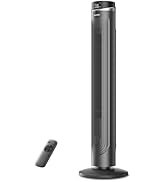
Figure 3.3: The fan's height can be adjusted to suit various needs, ranging from 3.5 feet to 4 feet.
4. Uputstvo za upotrebu
Your PELONIS Pedestal Fan offers multiple settings for personalized comfort.
4.1 Uključivanje/isključivanje napajanja
- Pritisnite Dugme za napajanje on the control panel or remote control to turn the fan on or off.
4.2 Podešavanja brzine
- The fan features 12 speed settings. Use the Gumbi za brzinu (usually '+' and '-') on the control panel or remote to adjust the airflow intensity.

Figure 4.1: The fan offers 12 customizable speed settings for varied airflow.
4.3 Funkcija oscilacije
- Pritisnite Dugme za oscilaciju (often an icon with arrows) on the control panel or remote to activate or deactivate the oscillation feature. This allows the fan head to sweep from side to side, distributing air across a wider area.

Figure 4.2: The fan provides 90-degree widespread oscillation for comprehensive air circulation.
4.4 Podešavanje tajmera
- The fan includes a 12-hour timer. Press the Dugme tajmera to set the fan to automatically turn off after a specified duration. Each press typically increases the timer by one hour.
4.5 Daljinski upravljač
- The included remote control allows convenient operation of all fan functions from a distance. Ensure the remote has working batteries.

Figure 4.3: Operate all fan functions conveniently with the included remote control.
5. Održavanje
Redovno čišćenje osigurava optimalne performanse i dugotrajnost vašeg ventilatora.
5.1 Čišćenje ventilatora
- Uvijek isključite ventilator iz električne utičnice prije čišćenja.
- Koristite meku, damp krpu za brisanje vanjskih površina ventilatora. Ne koristite abrazivna sredstva za čišćenje ili rastvarače.
- To clean the fan blades, carefully remove the front grill. Wipe the blades with a soft, damp cloth. Ensure the blades are completely dry before reattaching the grill.
- Ne uranjajte ventilator u vodu i nemojte dozvoliti da voda kapne u kućište motora.

Figure 5.1: The fan features an intensive fence design for safety, which can be disassembled for cleaning.
6. Otkrivanje problema
Ako naiđete na probleme s ventilatorom, pogledajte sljedeće uobičajene probleme i rješenja:
- Ventilator se ne uključuje: Provjerite je li kabel za napajanje sigurno uključen u ispravnu električnu utičnicu. Provjerite je li pritisnut gumb za napajanje.
- Slab protok vazduha: Verify that the fan speed is set to a higher level. Check for any obstructions around the fan grills.
- Ventilator je bučan: Ensure all parts are securely assembled. Check for any loose components or debris caught in the blades.
- Oscillation not working: Confirm the oscillation button has been pressed. Check for any obstructions preventing the fan head from rotating.
- Daljinski upravljač ne radi: Replace the batteries in the remote control. Ensure there are no obstructions between the remote and the fan's receiver.
7. Specifikacije
| Feature | Specifikacija |
|---|---|
| Naziv modela | PFS40D6ABB |
| Brand | PELONIS |
| Dizajn električnog ventilatora | Podni ventilator |
| Izvor napajanja | Corded Electric |
| Dimenzije proizvoda | 15.75"D x 15.75"Š x 51.18"H |
| Posebna karakteristika | Adjustable Height, Oscillating, Remote Control |
| Nivo buke | 38 decibela |
| Wattage | 2.7 vati |
| Broj oštrica | 5 |
| Kapacitet protoka zraka | 2520 kubnih stopa u minuti |
| Blade Length | 16 inča |
| Voltage | 110 Volts |
| Broj nivoa snage | 12 |
| Tip motora | DC |
| Unutrašnja/vanjska upotreba | Indoor |

Figure 7.1: Illustration of the fan's powerful and energy-efficient DC motor.
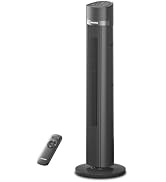
Figure 7.2: The fan operates at a low noise level of 38 dB, making it suitable for quiet environments like bedrooms.
8. Garancija i podrška
PELONIS products are designed for reliability and performance. This product comes with a 1-year limited warranty from the date of purchase. For warranty claims or technical support, please contact PELONIS customer service.
- Služba za korisnike: Refer to the contact information provided on the PELONIS official webweb-mjesto ili pakovanje vašeg proizvoda.
- Online resursi: Posjetite PELONIS Store on Amazon za dodatne informacije o proizvodima i podršku.


