Uvod
This manual provides comprehensive instructions for the safe and efficient use of your TUINYO TP19 Bluetooth Wireless Over-Ear Headphones. Please read this manual thoroughly before operating the device and retain it for future reference.

Image: TUINYO TP19 Bluetooth Wireless Over-Ear Headphones, showcasing the sleek design in black and blue.
Sigurnosne informacije
- Izbjegavajte produženo izlaganje visokim nivoima glasnoće kako biste spriječili oštećenje sluha.
- Ne koristite slušalice tokom vožnje automobila, bicikla ili u situacijama u kojima bi nemogućnost slušanja ambijentalnih zvukova mogla biti opasna.
- Držite uređaj dalje od vode, vlage i ekstremnih temperatura.
- Ne pokušavajte rastavljati ili modificirati slušalice. To može poništiti garanciju i uzrokovati oštećenje.
- Clean the headphones with a soft, dry cloth. Avoid using harsh chemicals.
Sadržaj paketa
- TUINYO TP19 Bluetooth Wireless Over-Ear Headphones
- Micro USB kabl za punjenje
- 3.5 mm audio kabl
- Zaštitna torbica
- Korisnički priručnik (ovaj dokument)

Image: All items included in the TUINYO TP19 headphone package: the headphones, a protective case, a micro USB charging cable, and a 3.5mm audio cable.
Product Overview
The TUINYO TP19 headphones feature a comfortable over-ear design with soft memory-protein earmuffs and an adjustable stainless steel headband for a perfect fit. Controls are intuitively placed on the earcup.

Slika: Detaljna view of the headphone's ergonomic features: leather-padded headband, adjustable headband mechanism, soft memory-protein earmuffs, and the equalizer (EQ) button.
Ključne karakteristike:
- High Fidelity Stereo Sound: Powered by 40mm neodymium drivers for immersive audio.
- Udoban dizajn: Memory-protein ear cushions and adjustable headband for extended wear.
- Dvostruki način rada: Supports both wireless Bluetooth and wired 3.5mm audio connections.
- Dug vijek trajanja baterije: Do 40 sati reprodukcije sa jednim punjenjem.
- Ugrađeni mikrofon: Za hands-free pozive i glasovne komande.
- Sklopivi dizajn: Za lako prenošenje i skladištenje.
Setup
1. Punjenje slušalica
- Connect the micro USB charging cable to the charging port on the headphones.
- Drugi kraj kabla priključite na USB adapter za napajanje (nije uključen) ili na USB port računara.
- The LED indicator will show charging status (typically red while charging, off or blue when fully charged).
- A full charge takes approximately 2-2.5 hours and provides up to 40 hours of music playtime.

Image: Graphic illustrating the impressive battery duration, highlighting up to 35 hours of battery life and a quick charge feature where 15 minutes of charging provides 3 hours of playtime.
2. Uključivanje/isključivanje
- Uključeno: Press and hold the Power button (usually the multi-function button) for a few seconds until the LED indicator lights up and you hear a power-on prompt.
- Iskljuciti: Press and hold the Power button again for a few seconds until the LED indicator turns off and you hear a power-off prompt.
3. Bluetooth uparivanje
- Uvjerite se da su slušalice isključene.
- Pritisnite i držite dugme za napajanje otprilike 5-7 sekundi dok LED indikator ne počne naizmjenično treperiti crveno i plavo, što označava režim uparivanja.
- Na svom uređaju (pametnom telefonu, tabletu, računaru) omogućite Bluetooth i potražite dostupne uređaje.
- Select "TP 19" from the list of devices.
- Once paired, the LED indicator will flash blue slowly, and you will hear a connection confirmation.
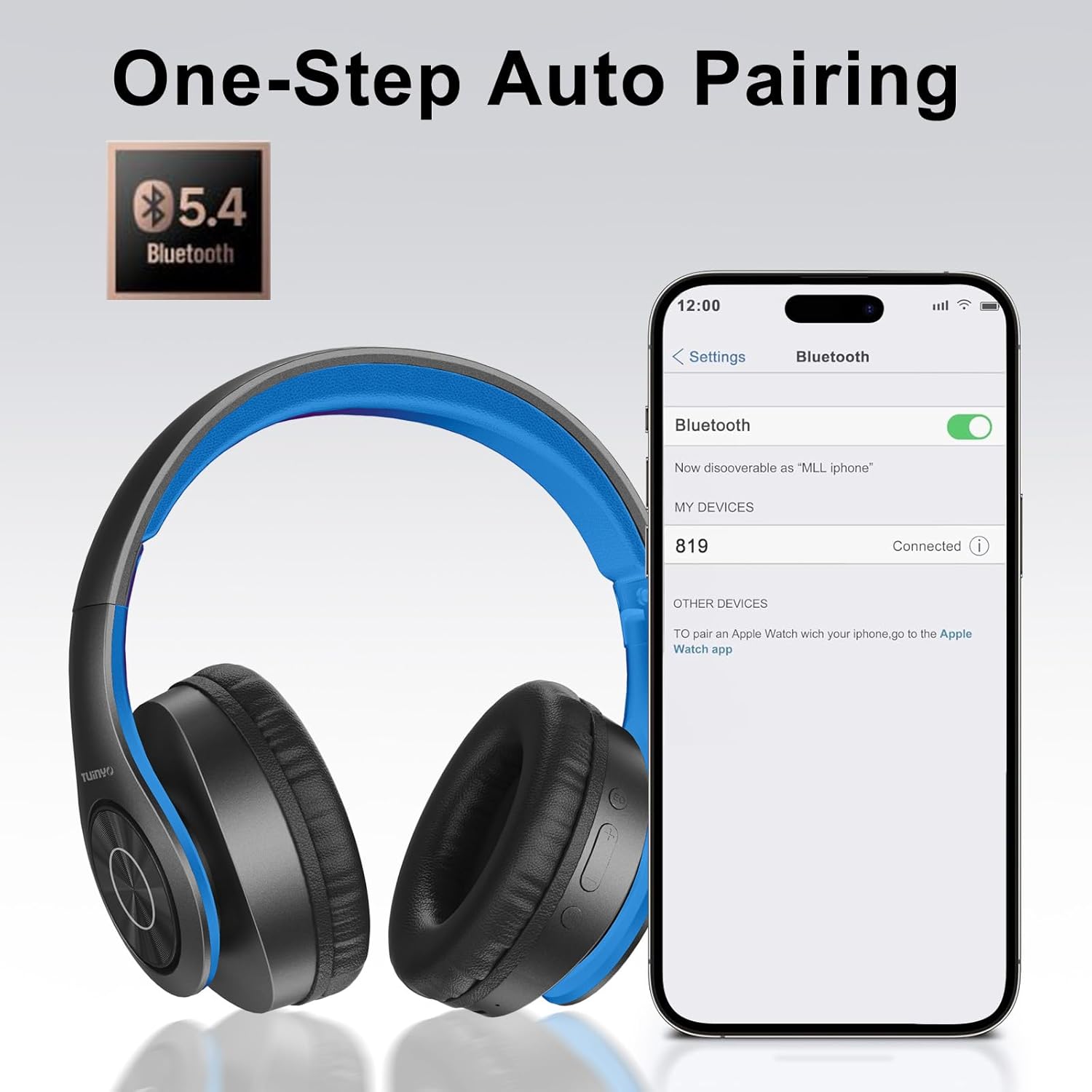
Image: A smartphone screen displaying the Bluetooth settings, showing the "819" (representing the TP19 headphones) successfully connected, illustrating the one-step auto pairing feature.
Video: An official TUINYO video demonstrating the Bluetooth pairing process and showing the headphones in use. This video highlights the ease of connecting the headphones to a device.
Uputstvo za upotrebu
1. Wireless Mode
- Pusti/pauza: Pritisnite višenamjenski taster jednom.
- Povećavanje glasnoće: Pritisnite dugme "+".
- Smanjivanje jačine zvuka: Pritisnite dugme "-".
- Sljedeća pjesma: Pritisnite i držite dugme "+".
- Prethodni zapis: Pritisnite i držite dugme "-".
2. Žičani način rada
When the battery is low or if you prefer a wired connection, you can use the included 3.5mm audio cable.
- Spojite jedan kraj 3.5 mm audio kabela na audio ulazni priključak na slušalicama.
- Connect the other end to your audio device's 3.5mm jack.
- In wired mode, controls on the headphones may be limited, and playback will be controlled by your connected device.
3. Pozivanje funkcija
- Odgovori/Završi poziv: Pritisnite višenamjenski taster jednom.
- odbiti poziv: Pritisnite i držite višenamensko dugme 2 sekunde.
- Ponovno biranje zadnjeg broja: Dvaput pritisnite višenamensko dugme.
4. Glasovni asistent
The headphones support voice-enabled assistants like Siri. Press the Multi-function button twice to activate your device's voice assistant.
5. Sound Effects (EQ Mode)
The headphones feature multiple sound effects (EQ modes) to customize your listening experience. Press the EQ button (often labeled "EQ" or a similar icon) to cycle through available modes such as Normal, Rock, Pop, Classic, Jazz, and Country.
Video: An official TUINYO video showcasing the various sound modes and controls on the headphones, demonstrating how to switch between different equalizer settings.
Održavanje
- Store the headphones in the protective case when not in use to prevent damage.
- Održavajte priključak za punjenje i audio priključak čistim od prašine i ostataka.
- Avoid exposing the headphones to direct sunlight or extreme heat for extended periods.
- Do not use abrasive cleaners or solvents on the headphones.
Rješavanje problema
| Problem | Rješenje |
|---|---|
| Slušalice se ne uključuju. | Provjerite jesu li slušalice potpuno napunjene. Spojite ih na izvor napajanja i pokušajte ponovo. |
| Nije moguće uparivanje s uređajem. |
|
| Nema zvuka u bežičnom režimu. |
|
| Nema zvuka u žičanom režimu. |
|
Specifikacije
| Feature | Detalj |
|---|---|
| Naziv modela | TP 19 |
| Tehnologija povezivanja | bežični (Bluetooth) |
| Bežična komunikacijska tehnologija | Bluetooth 5.1 |
| Bluetooth domet | 10 metara |
| Vrsta audio drajvera | Dynamic Driver |
| Veličina audio drajvera | 40 milimetara |
| Frekvencijski odziv | 20 KHz |
| Impedansa | 32 Ohma |
| Trajanje baterije | 40 sata |
| Vrijeme punjenja | 2.5 sata |
| Priključak za slušalice | 3.5 mm Jack |
| Tip kontrole | Glasovno upravljanje, Dodir |
| Posebna karakteristika | Sklopivi |
| Težina artikla | 8.9 unci (251 grama) |
| Dimenzije proizvoda | 6.85 x 3.9 x 9.72 inča |
| Materijal | Plastika |
| Uključene komponente | Cable, Protective Case, micro usb cable |
Garancija i podrška
By choosing TUINYO, you are covered by a 30-day hassle-free return policy and a one-year warranty. For any inquiries or assistance, please contact our prompt and friendly customer service, available 24/7.
For further support, visit the official TUINYO store: TUINYO Store


