1. Uvod
Thank you for choosing the Prtukyt 8S Wireless Bluetooth Headset. This manual provides detailed instructions on how to set up, operate, and maintain your new headset. Please read this manual carefully before use to ensure optimal performance and longevity of your device.
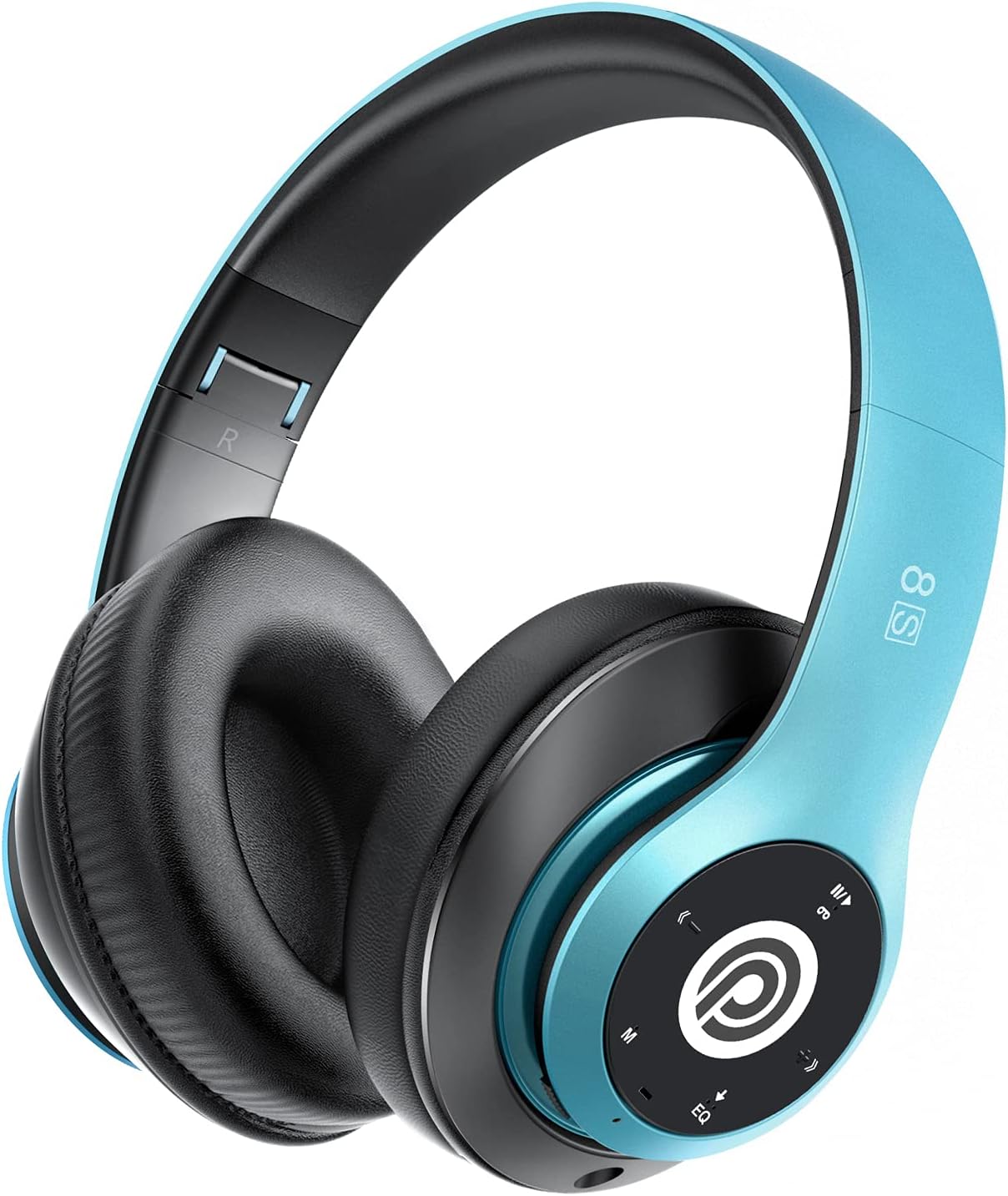
Image: The Prtukyt 8S Wireless Bluetooth Headset in blue, showcasing its sleek design and comfortable earcups.
2. Sigurnosne informacije
To ensure safe and proper use, please observe the following guidelines:
- Ne izlažite slušalice ekstremnim temperaturama, vlazi ili korozivnim supstancama.
- Izbjegavajte ispuštanje ili izlaganje slušalica jakim udarcima.
- Do not disassemble or modify the headset. This will void the warranty and may cause damage.
- Keep the headset away from water and liquids as it is not waterproof.
- Dugotrajno slušanje na visokim nivoima jačine zvuka može uzrokovati oštećenje sluha. Podesite jačinu zvuka na umjeren nivo.
- Proizvod i njegovu bateriju odložite odgovorno u skladu s lokalnim propisima.
3. Sadržaj paketa
Molimo Vas da provjerite paket za sljedeće stavke:
- 1 x Prtukyt 8S Wireless Bluetooth Headset
- 1 x Audio Cable (3.5mm Jack)
- 1 x USB kabl za punjenje
- 1 x Uputstvo za upotrebu
4. Proizvod je gotovview
Familiarize yourself with the various parts and controls of your Prtukyt 8S headset.
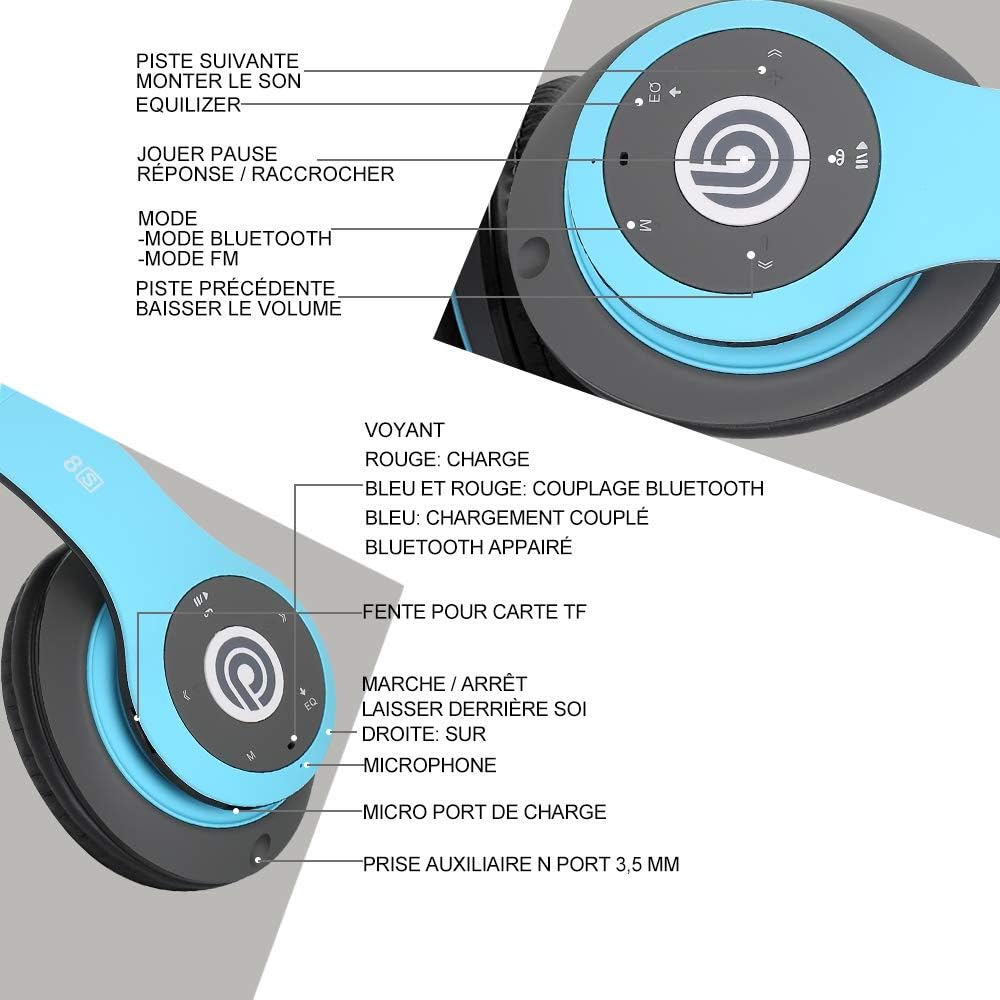
Slika: Detaljna view of the Prtukyt 8S headset's control panel and ports, including buttons, indicator light, TF card slot, microphone, charging port, and 3.5mm AUX port.
Kontrolna ploča i portovi:
- 1. Next Track / Volume Up: Kratki pritisak za sljedeću pjesmu, dugi pritisak za povećanje jačine zvuka.
- 2. EQ Button: Press to cycle through equalizer sound effects.
- 3. Play / Pause / Answer / Hang Up: Multi-function button for music and calls.
- 4. Dugme za izbor načina rada (M): Short press to switch between Bluetooth, FM Radio, and TF Card modes.
- 5. Previous Track / Volume Down: Kratki pritisak za prethodnu pjesmu, dugi pritisak za smanjenje jačine zvuka.
- 6. Lampica indikatora: Shows charging status, Bluetooth pairing, and connection status.
- 7. Utor za TF karticu: Insert a Micro SD/TF card for direct music playback.
- 8. Power On/Off Switch: Povucite da uključite ili isključite slušalice.
- 9. Mikrofon: Za hands-free pozive.
- 10. Micro USB priključak za punjenje: Ovdje priključite USB kabel za punjenje.
- 11. 3.5mm AUX Port: Za žično povezivanje s audio uređajima.
Karakteristike dizajna:
- Sklopivi dizajn: The headset features a unique foldable design for easy portability and storage, saving space.

Image: The Prtukyt 8S headset demonstrating its multi-angle rotation and adjustable headband for ultimate comfort.
- Comfortable Earcups: Super soft foam earcups and an adjustable headband ensure a comfortable fit for extended listening sessions.
- Audio visoke vjernosti: Equipped with powerful 57mm stereo drivers and Bluetooth 5.0 chip for deep bass and clear sound.

Slika: Interni view highlighting the large aperture drivers and Bluetooth 5.0 chip for powerful performance.
5. Podešavanje
5.1 Početno punjenje
Before first use, fully charge the headset. Connect the USB charging cable to the Micro USB charging port on the headset and the other end to a USB power adapter (not included) or a computer's USB port.
- Indikatorska lampica će biti RED tokom punjenja.
- Indikatorska lampica će se upaliti PLAVA kada je punjenje završeno.
- Potpuno punjenje obično traje otprilike 2-3 sata.
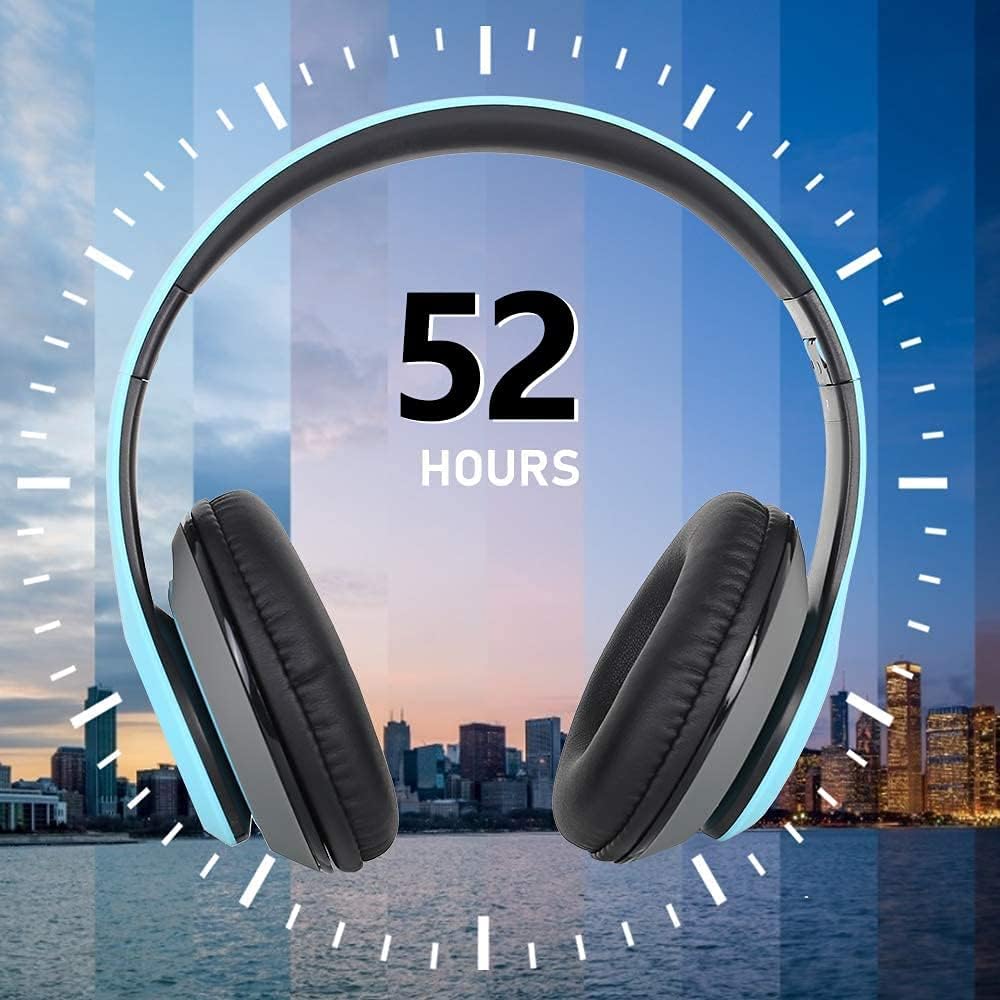
Image: The Prtukyt 8S headset illustrating its impressive 52-hour battery life on a single charge.
6. Uputstvo za upotrebu
6.1 Uključivanje/isključivanje napajanja
- Uključeno: Slide the Power On/Off switch to the "ON" position. The indicator light will flash blue, indicating it's ready for pairing or connecting.
- Iskljuciti: Slide the Power On/Off switch to the "OFF" position. The indicator light will turn off.
6.2 Bluetooth uparivanje
- Provjerite jesu li slušalice isključene.
- Slide the Power On/Off switch to the "ON" position. The headset will enter pairing mode, and the indicator light will flash PLAVA i RED naizmenično.
- Enable Bluetooth on your device (smartphone, tablet, PC, etc.).
- Traži "Prtukyt 8S" or "PT-1088" in the list of available Bluetooth devices.
- Select "Prtukyt 8S" to connect. Once successfully paired, the indicator light will flash PLAVA polako.
- Ako se od vas zatraži lozinka, unesite "0000".
Note: The headset will automatically attempt to reconnect to the last paired device when powered on.
6.3 Music Playback (Bluetooth Mode)
- Pusti/pauza: Kratko pritisnite Pusti/Pauza dugme.
- Sljedeća pjesma: Kratko pritisnite Sljedeća pjesma / pojačavanje zvuka dugme.
- Prethodni zapis: Kratko pritisnite Prethodna pjesma/Stišavanje zvuka dugme.
- Povećavanje glasnoće: Dugo pritisnite Sljedeća pjesma / pojačavanje zvuka dugme.
- Smanjivanje jačine zvuka: Dugo pritisnite Prethodna pjesma/Stišavanje zvuka dugme.
6.4 Funkcije poziva
- Odgovori na poziv: Kratko pritisnite Pusti/Pauziraj/Odgovori/Prekini vezu dugme kada zazvoni dolazni poziv.
- Završi poziv: Kratko pritisnite Pusti/Pauziraj/Odgovori/Prekini vezu dugme tokom poziva.
- odbiti poziv: Dugo pritisnite Pusti/Pauziraj/Odgovori/Prekini vezu dugme kada zazvoni dolazni poziv.
- Ponovno biranje zadnjeg broja: Dvaput pritisnite Pusti/Pauziraj/Odgovori/Prekini vezu dugme.
6.5 Režim FM radija
- Uključite slušalice.
- Kratko pritisnite Način rada (M) button to switch to FM Radio mode. You will hear a voice prompt indicating the mode change.
- Kratko pritisnite Pusti/Pauza dugme za automatsko skeniranje i spremanje dostupnih FM stanica.
- Koristite Next Track i Previous Track dugmad za navigaciju između sačuvanih stanica.
6.6 Režim TF kartice
- Insert a Micro SD/TF card (with MP3 audio files) into the TF Card Slot.
- Turn on the headset. It should automatically switch to TF Card mode and begin playing music. If not, short press the Način rada (M) button to select TF Card mode.
- Koristite Pusti/Pauza, Next Track, Previous Track, and volume buttons as in Bluetooth mode.
6.7 EQ funkcija
The headset features an equalizer function to customize your listening experience.
- Kratko pritisnite EQ button to cycle through different equalizer presets (e.g., Pop, Rock, Jazz, Classic, Bass, Normal).
6.8 Žični način rada (AUX)
You can use the headset with non-Bluetooth devices via the included 3.5mm audio cable.
- Connect one end of the 3.5mm audio cable to the 3.5mm AUX Port on the headset.
- Connect the other end to the audio output jack of your device (e.g., computer, MP3 player).
- In wired mode, the headset's buttons (except volume control on some devices) will not function. Control playback and volume directly from your connected device.
7. Održavanje
- Redovno čistite slušalice mekom, suhom krpom. Nemojte koristiti abrazivna sredstva za čišćenje ili rastvarače.
- Store the headset in a cool, dry place when not in use. The foldable design helps save space.
- Izbjegavajte produženo izlaganje direktnoj sunčevoj svjetlosti ili ekstremnim temperaturama.
- Do not expose the headset to water or moisture.
8. Otkrivanje problema
| Problem | Mogući uzrok | Rješenje |
|---|---|---|
| Headset won't turn on. | Baterija je slaba ili mrtva. | Potpuno napunite slušalice. |
| Nije moguće upariti s Bluetooth uređajem. | Bluetooth is off on device; headset not in pairing mode; too far from device. | Ensure Bluetooth is enabled on your device. Put headset in pairing mode (flashing blue/red). Keep devices within 10 meters. Clear previous pairings on your device. |
| Nema zvuka ili je jačina zvuka niska. | Volume too low on headset or device; incorrect mode selected; loose cable in wired mode. | Increase volume on both headset and connected device. Ensure correct mode (Bluetooth, FM, TF, AUX) is selected. Check 3.5mm cable connection. |
| Prijem FM radija je slab. | Slab signal; smetnje iz okoline. | Try moving to a different location. The audio cable can act as an antenna; ensure it's connected if using FM. |
| TF kartica ne reprodukuje. | Kartica nije pravilno umetnuta; nije podržana file format; oštećena kartica. | Reinsert TF card firmly. Ensure music files are in MP3 format. Try a different TF card. |
9. Specifikacije
| Naziv modela | Prtukyt 8S |
| Broj modela | PT-1088 |
| Tehnologija povezivanja | Bežično (Bluetooth 5.0), Žično (3.5 mm priključak) |
| Frekvencijski opseg | 20 Hz - 20,000 Hz |
| Driver Size | 57mm Stereo Drivers |
| Karakteristike | Integrated Microphone, FM Radio, TF Card Playback, EQ Function, Foldable Design |
| Trajanje baterije (približno) | Up to 52 hours (Music/Talk time) |
| Port za punjenje | Micro USB |
| Otpornost na vodu | Nije vodootporan |
| Boja | Plava |
10. Jamstvo i podrška
Prtukyt is committed to providing an excellent customer experience. If you encounter any quality issues with your product, please contact us immediately. Our customer support team is ready to assist you with any questions or concerns regarding your Prtukyt 8S Wireless Bluetooth Headset.
For support, please refer to the contact information provided on your purchase platform or the official Prtukyt website.


