1. Uvod
Thank you for choosing the eKids Kids Bluetooth Wireless Headphones. These headphones are designed to provide a safe and enjoyable audio experience for children, featuring volume-limiting technology to protect young ears. They offer versatile connectivity options, comfortable wear, and a durable, foldable design for easy portability.
This manual provides detailed instructions on how to set up, operate, and maintain your headphones, ensuring optimal performance and longevity.
2. Sadržaj paketa
- eKids Kids Bluetooth Wireless Headphones
- USB kabl za punjenje
- 3.5 mm audio kabl
3. Proizvod je gotovview

Slika 1: Prednja strana view of the eKids Kids Bluetooth Wireless Headphones, showcasing the white design with black ear cushions.

Slika 2: Detaljno view highlighting key features such as the adjustable headband, foldable design for portability, soft ear cushions, charging port, and line-in audio port.

Figure 3: Illustration of the headphone controls including power/pairing/charging LED indicators, USB charging port, AUX jack, microphone, volume up/skip forward, play/pause/power on/off, hang up/answer phone, and volume down/skip back buttons. Also shows product dimensions.
Ključne karakteristike:
- Bluetooth povezivanje: Wirelessly stream high-quality stereo sound from compatible devices.
- Volume Reduced for Child Safety: Incorporates volume-limiting technology to protect young ears.
- Ugrađeni mikrofon: Facilitates clear communication for video calls and online learning.
- Ožičena opcija: Includes a 3.5mm audio cable for listening when Bluetooth is unavailable or the battery is low.
- Dug vijek trajanja baterije: Up to 18 hours of continuous Bluetooth playtime.
- Prilagođeno uklapanje: Adjustable headband and soft ear cushions for comfortable wear.
- Sklopivi dizajn: Ensures easy storage and portability.
4. Getting Started
4.1 Punjenje slušalica
Before first use, fully charge the headphones. Connect the included USB charging cable to the USB charging port on the headphones (refer to Figure 3 for location) and plug the other end into a USB power source (e.g., computer USB port, USB wall adapter). The LED indicator will show charging status.
- Vrijeme punjenja: Otprilike 2-3 sata za potpuno punjenje.
- LED indikator: Red light indicates charging; light turns off when fully charged.
4.2 Uključivanje/isključivanje
- Za uključivanje: Press and hold the Power/Play/Pause button (refer to Figure 3) for approximately 3 seconds until the LED indicator flashes.
- Za isključivanje: Press and hold the Power/Play/Pause button for approximately 3 seconds until the LED indicator turns off.
4.3 Bluetooth uparivanje
Da biste bežično povezali slušalice s uređajem:
- Uvjerite se da su slušalice isključene.
- Press and hold the Power/Play/Pause button for approximately 5-7 seconds until the LED indicator flashes red and blue alternately. This indicates pairing mode.
- Na svom uređaju (pametnom telefonu, tabletu, računaru) omogućite Bluetooth i potražite dostupne uređaje.
- Select "eKids Headphones" from the list of found devices.
- Nakon uparivanja, LED indikator na slušalicama će polako treptati plavo.
4.4 Žičano povezivanje
You can use the headphones with the included 3.5mm audio cable when Bluetooth is not desired or the battery is depleted.
- Plug one end of the 3.5mm audio cable into the AUX jack on the headphones (refer to Figure 3).
- Plug the other end into the headphone jack of your audio device.
- Slušalice će se automatski prebaciti u žičani način rada.

Figure 4: Illustration demonstrating the flexibility of switching between wired mode (using the 3.5mm audio cable) and wireless Bluetooth mode, highlighting the battery life for wireless use.
5. Upravljanje slušalicama
5.1 Kontrole reprodukcije muzike
Use the control buttons on the headphones (refer to Figure 3) to manage your audio:
- Pusti/pauza: Pritisnite dugme za napajanje/reprodukciju/pauzu jednom.
- Povećavanje glasnoće: Pritisnite dugme za pojačavanje zvuka.
- Smanjivanje jačine zvuka: Pritisnite dugme za smanjenje jačine zvuka.
- Preskoči naprijed: Pritisnite i držite dugme za pojačavanje jačine zvuka.
- Preskoči natrag: Pritisnite i držite tipku za smanjivanje jačine zvuka.
5.2 Phone Call Controls
Kada ste povezani putem Bluetootha, možete upravljati telefonskim pozivima:
- Odgovori/Završi poziv: Pritisnite dugme za napajanje/reprodukciju/pauzu jednom.
- odbiti poziv: Press and hold the Power/Play/Pause button for approximately 2 seconds.
5.3 Volume Limiting Feature
These headphones are designed with a built-in volume limiter to ensure safe listening levels for children. This feature cannot be disabled, providing peace of mind during extended use.
6. Kompatibilnost
The eKids Kids Bluetooth Wireless Headphones are compatible with a wide range of devices:
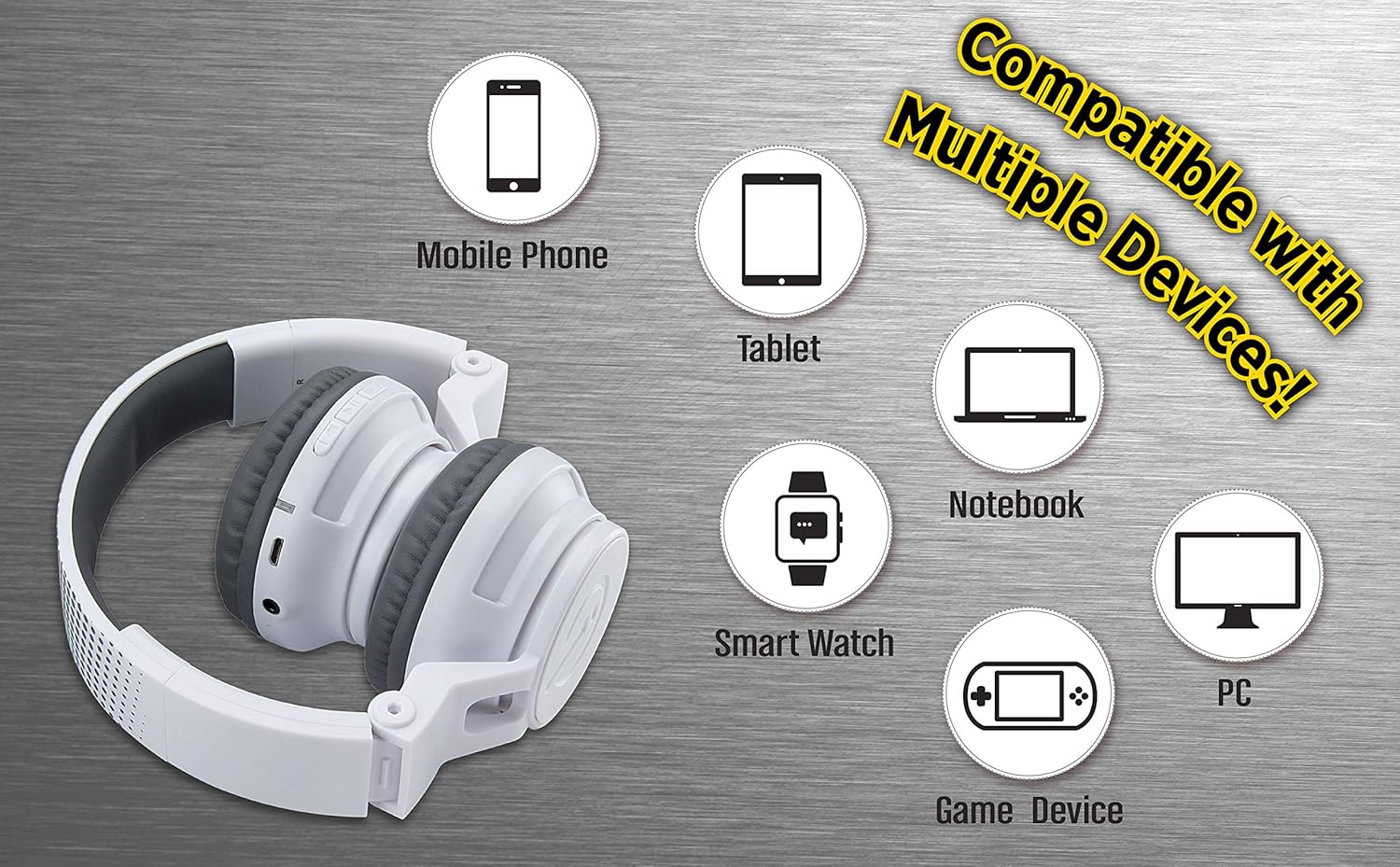
Figure 5: Visual representation of device compatibility, showing the headphones connecting to mobile phones, tablets, notebooks, smartwatches, PCs, and game devices.
- Pametni telefoni (iOS i Android)
- Tablete
- Computers (PC, Laptops)
- Gaming Devices (with 3.5mm audio jack)
7. Njega i održavanje
- čišćenje: Za čišćenje slušalica koristite meku, suhu krpu. Ne koristite tekuća sredstva za čišćenje ili aerosole.
- Skladištenje: When not in use, fold the headphones to their compact size and store them in a cool, dry place away from direct sunlight and extreme temperatures.
- Izbjegavajte vlagu: These headphones are not water-resistant. Keep them away from water and excessive moisture.
- Pažljivo rukujte: Izbjegavajte ispuštanje slušalica ili njihovo izlaganje jakim udarcima.
8. Otkrivanje problema
8.1 Nema napajanja
- Ensure the headphones are fully charged. Connect to a power source using the USB charging cable.
- Provjerite da li kabel za punjenje i izvor napajanja ispravno rade.
8.2 Nije moguće uparivanje putem Bluetootha
- Provjerite jesu li slušalice u načinu rada za uparivanje (LED lampica naizmjenično treperi crveno i plavo).
- Provjerite je li Bluetooth omogućen na vašem uređaju i je li unutar dometa (obično 10 metara).
- Zaboravite uređaj iz Bluetooth postavki vašeg uređaja i pokušajte ponovo upariti.
- Ponovo pokrenite i slušalice i uređaj.
8.3 No Sound in Wired Mode
- Ensure the 3.5mm audio cable is securely plugged into both the headphones and the audio device.
- Check the volume level on both the headphones and the audio device.
- Test the audio cable with another device if possible to rule out a faulty cable.
8.4 Niska jačina zvuka
- Remember that these headphones have a built-in volume limiter for child safety.
- Povećajte jačinu zvuka i na slušalicama i na povezanom uređaju.
9. Specifikacije
| Broj modela | EK-B50W.EXV0 |
| Tehnologija povezivanja | Bežično (Bluetooth), Žično (3.5 mm priključak) |
| Bežična komunikacijska tehnologija | Bluetooth |
| Trajanje baterije | Up to 18 hours (Bluetooth playtime) |
| Oblik slušalice | On Ear |
| Posebne karakteristike | Adjustable Headband, Foldable, Microphone Included, Volume Reduced |
| Kompatibilni uređaji | Smartphones, Tablets, Computers, TVs |
| Materijal | Plastika |
| Težina artikla | 14.7 unci (0.42 kilograma) |
| Dimenzije paketa | 8.5 x 8.5 x 3.75 inča |
| Nivo vodootpornosti | Nije vodootporan |
| UPC | 092298949741 |
10. Zvanični video proizvoda
Video: eKids Kids Bluetooth Wireless Headphones. This video provides a visual overview of the headphones' features and functionality, including their design, connectivity options, and child-safe volume limiting.
11. Garancija i podrška
For warranty information and customer support, please refer to the documentation included with your purchase or visit the official eKids webSačuvajte dokaz o kupovini za slučaj reklamacije.
Za dodatnu pomoć, možete posjetiti i eKids trgovina na Amazonu.


