Uvod
This manual provides detailed instructions for the safe and effective use of your OneOdio A70 Wireless Bluetooth Headphones. Please read this manual thoroughly before using the product and retain it for future reference.

Image: OneOdio A70 Wireless Bluetooth Headphones in red and black, shown with 3.5mm and 6.35mm audio cables.
Sadržaj paketa
Provjerite da li su sve stavke prisutne u paketu:
- OneOdio A70 Fusion Headphones
- 3.5mm to 3.5mm Jack Cable with Microphone (1.2 M)
- 3.5mm to 6.35mm Jack Cable with Spring Wire (2-3 M)
- Micro-USB Charging Cable (0.6 M)
- Zaštitna torbica
- Korisnički priručnik (ovaj dokument)

Slika: Prekoview of the OneOdio A70 package contents, including the headphones, various cables, and a carrying pouch.
Product Overview
The OneOdio A70 headphones feature a versatile design for both wireless and wired use, offering high-quality audio and comfortable wear.
- Audio drajveri: Equipped with 40mm drivers for powerful bass and clear treble.
- Povezivanje: Bluetooth 5.2 for wireless connection, and multiple wired options (3.5mm, 6.35mm).
- Trajanje baterije: Do 72 sati reprodukcije s jednim punjenjem (pri 50% jačine zvuka).
- mikrofon: Integrated CVC 8.0 noise-cancelling microphone for clear calls.
- Share Port: Allows two headphones to connect to one audio source for shared listening.
- udobnost: Thick foam ear pads and a foldable, adjustable headband for extended wear comfort.
- Jack Lock: Secure locking mechanism for the auxiliary stereo cable.
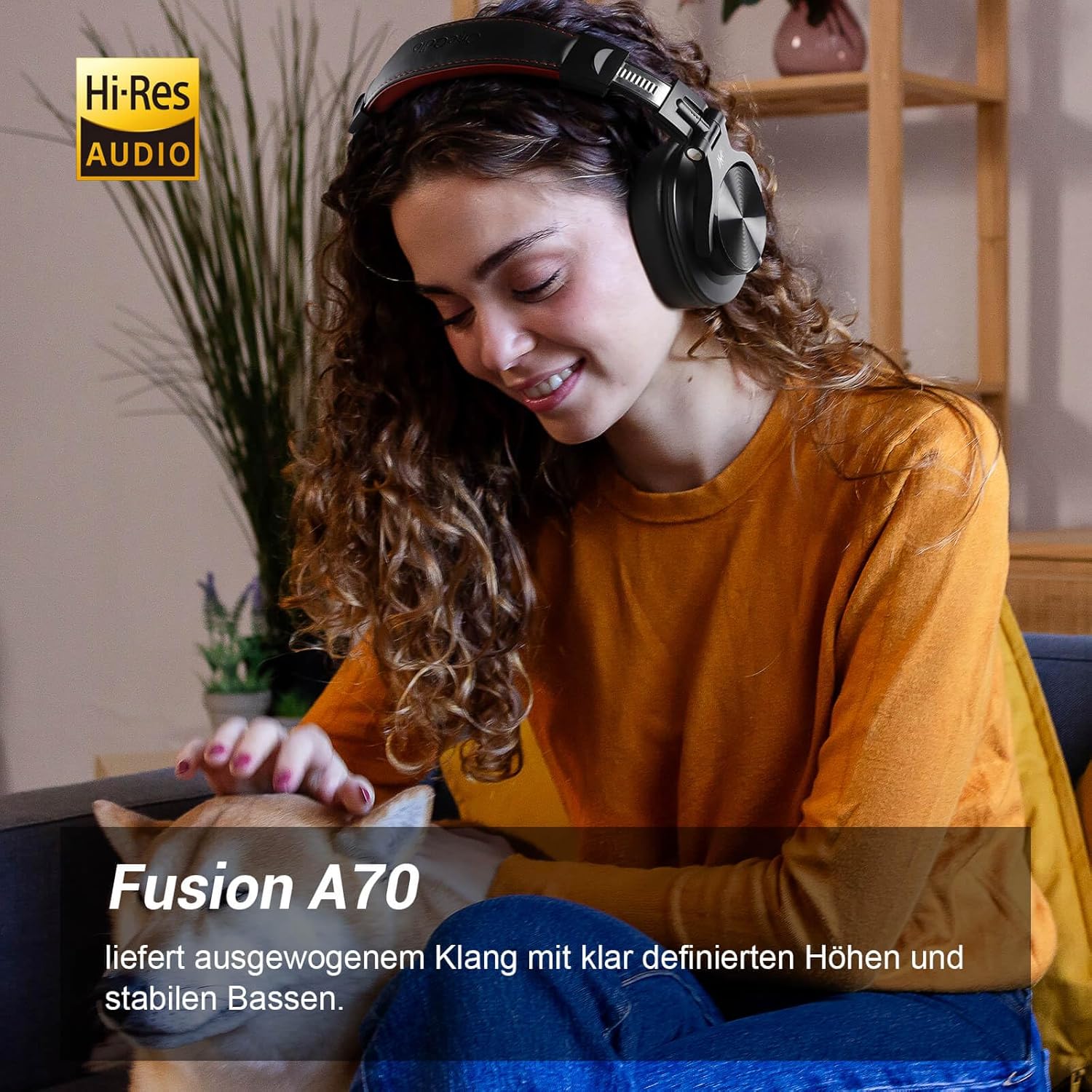
Image: A woman wearing the OneOdio A70 headphones, emphasizing the Hi-Res Audio capability.
Setup
Punjenje slušalica
Before first use, fully charge the headphones. Use the provided Micro-USB charging cable.
- Connect the Micro-USB end of the charging cable to the charging port on the headphone.
- Spojite USB-A kraj na USB adapter za napajanje (nije uključen) ili USB priključak računara.
- LED indikator će prikazivati status punjenja (npr. crvena za punjenje, plava za potpuno napunjeno).

Slika: Detaljna view of the headphone's side, showing the Micro-USB charging port and control buttons.
Bluetooth uparivanje
Za bežično povezivanje slušalica:
- Provjerite jesu li slušalice napunjene i isključene.
- Press and hold the Multi-function button (usually the power button) for approximately 5 seconds until the LED indicator flashes red and blue alternately, indicating pairing mode.
- Na svom uređaju (pametnom telefonu, tabletu, računaru) omogućite Bluetooth i potražite dostupne uređaje.
- Select "OneOdio A70" from the list of devices.
- Nakon povezivanja, LED indikator će svijetliti stalno plavo ili će polako treptati plavo.
Žična veza
The A70 headphones support two types of wired connections:
- 3.5mm to 3.5mm Cable: For connecting to smartphones, tablets, laptops, and other devices with a 3.5mm audio jack. This cable includes an in-line microphone for calls.
- 3.5mm to 6.35mm Cable: For connecting to professional audio equipment like DJ mixers, amplifiers, and guitars.
To use a wired connection, simply plug the appropriate cable into the headphone's corresponding port and the other end into your audio source. The headphones will automatically switch to wired mode when a cable is inserted.

Image: A visual guide illustrating the wide compatibility of the OneOdio A70 headphones with different devices using 3.5mm and 6.35mm cables.
Uputstvo za upotrebu
Basic Controls (Bluetooth Mode)
| Funkcija | Akcija |
|---|---|
| Uključivanje/isključivanje | Press and hold Multi-function button for 3 seconds. |
| Pusti/Pauza | Press Multi-function button once. |
| Volume Up | Press '+' button. |
| Utišavanje zvuka | Press '-' button. |
| Next Track | Press and hold '+' button. |
| Previous Track | Press and hold '-' button. |
| Odgovori/Završi poziv | Press Multi-function button once. |
| Odbiti poziv | Press and hold Multi-function button for 2 seconds. |
| Aktivirajte glasovnog asistenta | Double-press Multi-function button. |

Image: Controls for the in-line microphone on the 3.5mm cable, detailing functions like play, pause, answer, and end calls.
Share Port Function
The OneOdio A70 headphones feature a unique Share Port, allowing two headphones to share audio from one source.
- Connect the 3.5mm to 3.5mm cable to the 3.5mm input port on your A70 headphones.
- Connect the other end of this cable to the 3.5mm output port of another headphone (e.g., another A70 or compatible headphone).
- Ensure the primary A70 headphone is connected to your audio source (via Bluetooth or 6.35mm cable).
- Both headphones will now receive audio from the same source.

Image: Two individuals sharing audio from a single device using the Share Port technology of the OneOdio A70 headphones.
Održavanje i njega
- Redovno čistite slušalice mekom, suhom krpom. Ne koristite abrazivna sredstva za čišćenje ili rastvarače.
- Store the headphones in the provided protective pouch when not in use to prevent scratches and damage.
- Izbjegavajte izlaganje slušalica ekstremnim temperaturama, vlazi ili direktnoj sunčevoj svjetlosti.
- Ne pokušavajte rastavljati ili modificirati slušalice, jer će to poništiti garanciju.
- The headphones are not waterproof. Avoid contact with liquids.

Image: The OneOdio A70 headphones in their folded configuration, ready for storage in the protective pouch.
Rješavanje problema
| Problem | Mogući uzrok | Rješenje |
|---|---|---|
| No sound (Bluetooth) | Headphones not paired or connected. Low battery. Volume too low. | Ensure headphones are in pairing mode and connected. Recharge headphones. Increase volume on headphones and device. |
| No sound (Wired) | Cable not fully inserted. Incorrect cable used. Device volume too low. | Ensure cables are securely plugged in. Use the correct cable for your device. Increase volume on device. |
| Loš kvalitet zvuka | Interference (Bluetooth). Damaged cable. Low quality audio source. | Move closer to the Bluetooth device. Try a different cable. Test with a different audio source. |
| Mikrofon ne radi | Using wrong cable (only 3.5mm to 3.5mm has mic). Mic muted on device. | Ensure you are using the 3.5mm cable with the in-line microphone. Check microphone settings on your device. |
| Slušalice se ne uključuju | Baterija je potpuno ispražnjena. | Charge the headphones for at least 30 minutes before attempting to power on. |
Specifikacije
| Feature | Detalj |
|---|---|
| Naziv modela | OneOdio A70 Fusion |
| Tehnologija povezivanja | Bluetooth 5.2, Wired (3.5mm, 6.35mm) |
| Driver Size | 40mm |
| Frekvencijski opseg | 20 Hz - 20,000 Hz |
| Impedansa | 32 oma |
| Osjetljivost | 110 dB |
| Sastav baterije | Litijum-polimer |
| Trajanje baterije | Do 72 sati (pri 50% volumena) |
| Težina | 250 grama |
| Materijal | Leather (earpads/headband) |
| Posebne karakteristike | Volume Control, Noise Isolation, Built-in Microphone (CVC 8.0), Foldable Design, Share Port, Jack Lock |
Garancija i podrška
OneOdio products are designed and manufactured to the highest quality standards. For warranty information and customer support, please refer to the official OneOdio webweb-mjesto ili direktno kontaktirajte njihovu korisničku službu.
Proizvođač: OneOdio
prodavač: OneOdio EU (via Amazon.com.be)
Za dalju pomoć posjetite OneOdio Store on Amazon.


