1. Uvod
The Ring Alarm 5-Piece Kit provides a comprehensive wireless smart home security system designed for easy installation and mobile app control. This kit is suitable for various living spaces, including apartments and condos, offering expandable security solutions.
This manual provides detailed instructions for setting up, operating, maintaining, and troubleshooting your Ring Alarm system. Please read it thoroughly before installation and use.
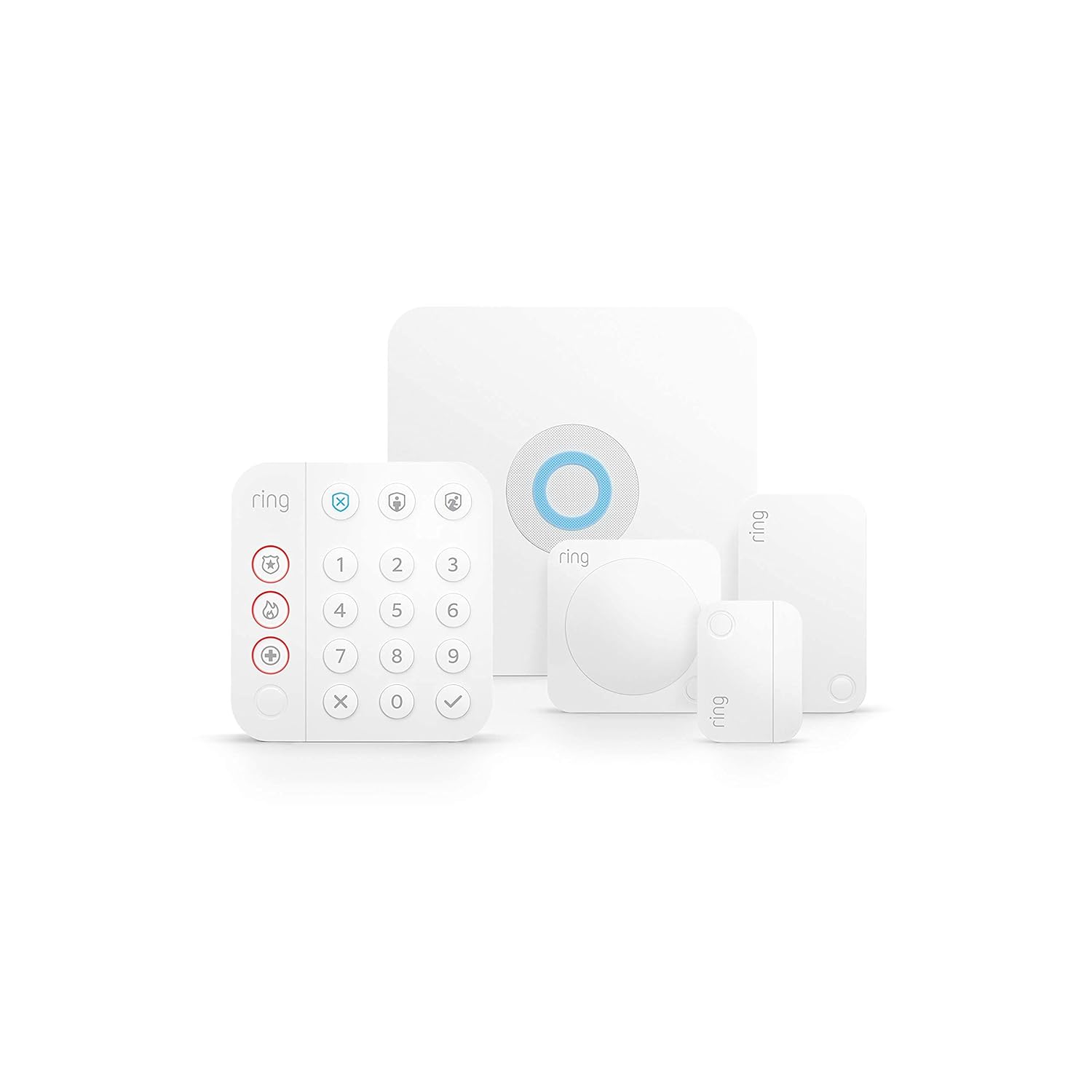
Slika 1.1: Gotovoview of the Ring Alarm 5-Piece Kit components.
2. Komponente kompleta
The Ring Alarm 5-Piece Kit includes the following essential components:
- bazna stanica: The central hub of your Ring Alarm system, connecting all devices and providing siren functionality.
- Tastatura: Used to arm and disarm your system, and to trigger emergency functions.
- Contact Sensor: Detects when a door or window is opened.
- Detektor pokreta: Senses movement within its detection area.
- Proširivač dometa: Extends the Z-Wave network range for other Ring Alarm devices.
3. Postavljanje i instalacija
The Ring Alarm system is designed for easy do-it-yourself installation. Follow these steps to set up your kit:
- Preuzmite aplikaciju Ring: Install the Ring app on your smartphone or tablet. The app will guide you through the setup process.
- Power the Base Station: Connect the Base Station to a power outlet using the included AC adapter. Ensure it has a stable internet connection via Ethernet or Wi-Fi.
- Uparivanje uređaja: Follow the in-app instructions to pair your Keypad, Contact Sensors, Motion Detector, and Range Extender with the Base Station.
- Instalirajte senzore:
- Contact Sensors: Mount these on doors and windows. Ensure the sensor and magnet are aligned and within 1 inch of each other when the door/window is closed.
- Detektor pokreta: Install in room corners or on flat walls where motion detection is desired. Avoid placing near heat sources or direct sunlight.
- Tastatura: Mount to a wall using the Quick-Release Bracket or place on any flat surface near an entry point.
- Proširivač dometa: Plug into a standard power outlet, ideally midway between the Base Station and your furthest Ring Alarm devices.
- Test Your System: Use the Ring app to test all sensors and ensure they are communicating correctly with the Base Station.

Slika 3.1: Primjerample of a Ring Alarm component installation.
4. Operating Your Ring Alarm System
Your Ring Alarm system offers various modes to secure your home:
- Isključeni način rada: All sensors are inactive. Use this mode when you are home and moving freely.
- Kućni način rada: Select sensors (typically perimeter doors and windows) are active. Use this mode when you are home and want to secure entry points.
- Način u gostima: All sensors are active. Use this mode when no one is home.
Naoružavanje i razoružavanje
You can arm and disarm your system using the Keypad, the Ring app, or voice commands with Alexa (requires compatible Ring Home Plan).

Image 4.1: Ring Alarm Keypad for system control.
Mobile Notifications
Receive instant mobile notifications through the Ring app when your system is triggered, or when sensors detect activity. This allows you to monitor all your Ring devices from anywhere.

Image 4.2: Controlling the Ring Alarm system via the Ring app.
Professional Monitoring (Subscription Required)
For enhanced security, subscribe to Ring Home Standard (sold separately). This plan allows you to arm your alarm remotely, keeps your system online if Wi-Fi is down, and offers additional features. Adding Alarm Professional Monitoring to an eligible plan provides emergency police, fire, and medical response.
5. Održavanje
Zamjena baterije
- Tastatura: Features a rechargeable battery. Recharge as needed using the provided power adapter.
- Contact Sensors: Use CR2032 coin cell batteries with an approximate life of 3 years. Replace when the app indicates low battery.
- Detektor pokreta: Uses 2 AA batteries. Replace when the app indicates low battery.
- bazna stanica: Includes a rechargeable 24-hour battery backup for power outages.
- Proširivač dometa: Features a 24-hour lithium-ion battery backup.
Sigurnosna ažuriranja softvera
This device receives guaranteed software security updates for at least four years after its last availability for purchase as a new unit on Ring websites. For specific device information, visit the Software Security Updates section in the Ring Control Center.
6. Otkrivanje problema
- Uređaj se ne povezuje: Ensure the device is within range of the Base Station or Range Extender. Check battery levels.
- Lažni alarmi: Review Motion Detector placement to avoid pets or environmental factors triggering it. Ensure Contact Sensors are properly aligned.
- Nema obavještenja: Verify your phone's notification settings for the Ring app. Check internet connectivity for the Base Station.
- Power Outage: The Base Station and Range Extender have battery backups to maintain system functionality during power interruptions.
- Prekid Wi-Fi veze: The Base Station can utilize cellular backup with a Ring Home Standard subscription to maintain connectivity.
7. Specifikacije
Base Station
| Feature | Detalj |
|---|---|
| Snaga | 100-240V 50/60Hz AC adapter uključen |
| Trajanje baterije | Rechargeable 24-hour battery backup |
| Uslovi rada | -4°F do 104°F (-20°C do 40°C) |
| Dimenzije | 6.65 in x 6.65 in x 1.46 in |
| Instalacija | Mount to walls or place on any flat surface |
| Povezivanje | Ethernet, Wi-Fi, Z-Wave, Bluetooth for setup (plus Cellular Backup with Ring Home Standard subscription) |
Tastatura
| Feature | Detalj |
|---|---|
| Snaga | AC adapter, punjiva baterija uključena |
| Sigurnosni režimi | Razoružan, daleko i kod kuće |
| Uslovi rada | Za upotrebu u zatvorenom prostoru, od 0°C do 40°C (od 32°F do 104°F) |
| Dimenzije | 4.13 in x 4.41 in x 0.75 in |
| Instalacija | Wall mount with Quick-Release Bracket or place on any flat surface |
| Povezivanje | Z-Wave (domet od 250 metara do bazne stanice na otvorenom, u liniji vidljivosti) |
Kontakt senzor
| Feature | Detalj |
|---|---|
| Snaga | CR2032 dugmaste baterije |
| Trajanje baterije | Otprilike 3 godina |
| Maksimalna udaljenost između senzora | 1 inch (leave ½” space on non-magnet side to access battery compartment) |
| Uslovi rada | Za upotrebu u zatvorenom prostoru, od 0°C do 49°C (od 32°F do 120°F) |
| Dimenzije | 1.56 in x 2.09 in x 0.55 in |
| Instalacija | Mounts to doors and windows |
Detektor pokreta
| Feature | Detalj |
|---|---|
| Snaga | 2 AA baterija |
| Dimenzije | 2.6 in x 2.6 in x 1.53 in |
| Instalacija | Mounts to room corners or flat walls |
Proširivač dometa
| Feature | Detalj |
|---|---|
| Snaga | 100-240V 60Hz |
| Trajanje baterije | 24-hr battery backup (lithium ion) |
| Uslovi rada | Za upotrebu u zatvorenom prostoru, od 0°C do 40°C (od 32°F do 104°F) |
| Dimenzije | 1.86 in x 3.19 in x 1.66 in |
| Instalacija | Plugs into standard power outlets |
| Povezivanje | Z-Wave (250-foot range to Base Station, extends Z-Wave a further 250 feet) |
8. Garancija i podrška
Garancija
The Ring Alarm Kit includes a 1-year limited warranty and service. Use of the Ring Alarm Kit is subject to specific terms and conditions.
Podrška
For more information and support, please visit the official Ring Alarm Kit support page. For monitoring licenses, refer to ring.com/licence.


