1. Uvod
Thank you for choosing the MeterMall HuntVision E3-W 3MP Indoor WiFi PT Camera. This camera is designed to provide reliable indoor surveillance with advanced features such as 3MP Full HD resolution, pan/tilt functionality, two-way audio, and smart AI detection. This manual will guide you through the setup, operation, and maintenance of your new security camera to ensure optimal performance.
The HuntVision E3-W camera offers industry-leading image quality with advanced 3MP Full HD resolution, smart AI features for accurate detection and reduced false alarms, flexible storage solutions including local and cloud options, an intuitive mobile app for complete control from anywhere, and reliable performance backed by professional-grade components.
2. Proizvod je gotovview
2.1 Ključne karakteristike
- Crystal-Clear 3MP Full HD Resolution: Enjoy sharp, detailed footage day and night with full-color vision.
- Two-Way Audio & Smart Alerts: Communicate via built-in microphone and speaker, plus trigger security camera alarms remotely through the HUNTVISION app.
- Easy Wi-Fi & Bluetooth Setup: Connects seamlessly via 2.4G WiFi and Bluetooth 4.2 for quick installation. Supports QR code or button reset.
- Fleksibilno Viewing & Storage Options: Switch between HD/ultra HD streams and customize playback. Supports local storage (TF card) and cloud options.
- Versatile & User-Friendly: Adjust day/night modes, flip views, and control OSD displays via app.

Figure 2.1: Key features of the HuntVision E3-W camera.
2.2 Komponente kamere
The HuntVision E3-W camera features a compact design with essential components for effective surveillance.
- Objektiv kamere: Snima video footage.
- Infracrvene LED diode: Za mogućnosti noćnog vida.
- mikrofon: Za audio ulaz i dvosmjernu komunikaciju.
- govornik: Za audio izlaz i dvosmjernu komunikaciju.
- Lampica indikatora statusa: Indicates camera status (e.g., power, connection).
- Dugme za resetiranje: Koristi se za vraćanje kamere na tvorničke postavke.
- Utor za mikro SD karticu: For local video storage (TF card).
- Napajanje: Za povezivanje strujnog adaptera.

Slika 2.2: Prednja strana view of the HuntVision E3-W Camera.
3. Vodič za postavljanje
3.1 Unboxing and Power On
- Carefully unbox your HuntVision E3-W camera and check for all included accessories.
- Connect the power adapter to the camera's power port and plug it into a wall outlet.
- Wait for the camera's status indicator light to begin flashing, indicating it is ready for setup.
3.2 Preuzimanje aplikacije i registracija računa
- Download the "Ivy Smart APP" from your mobile device's app store (App Store for iOS, Google Play Store for Android).
- Open the Ivy Smart APP and register a new account if you don't have one, or log in with your existing credentials.
3.3 Povezivanje kamere na Wi-Fi
- In the Ivy Smart APP, tap the "+" icon to add a new device.
- Sa liste uređaja odaberite "Sigurnosna kamera" ili "Pametna kamera".
- Follow the on-screen instructions to connect the camera. This typically involves selecting your 2.4GHz Wi-Fi network and entering the password. The camera supports Bluetooth for quick pairing.
- Scan the QR code displayed on your phone with the camera lens, or follow the voice prompts for button reset pairing.
- Once connected, the status indicator light will turn solid, and you will hear a confirmation sound from the camera.
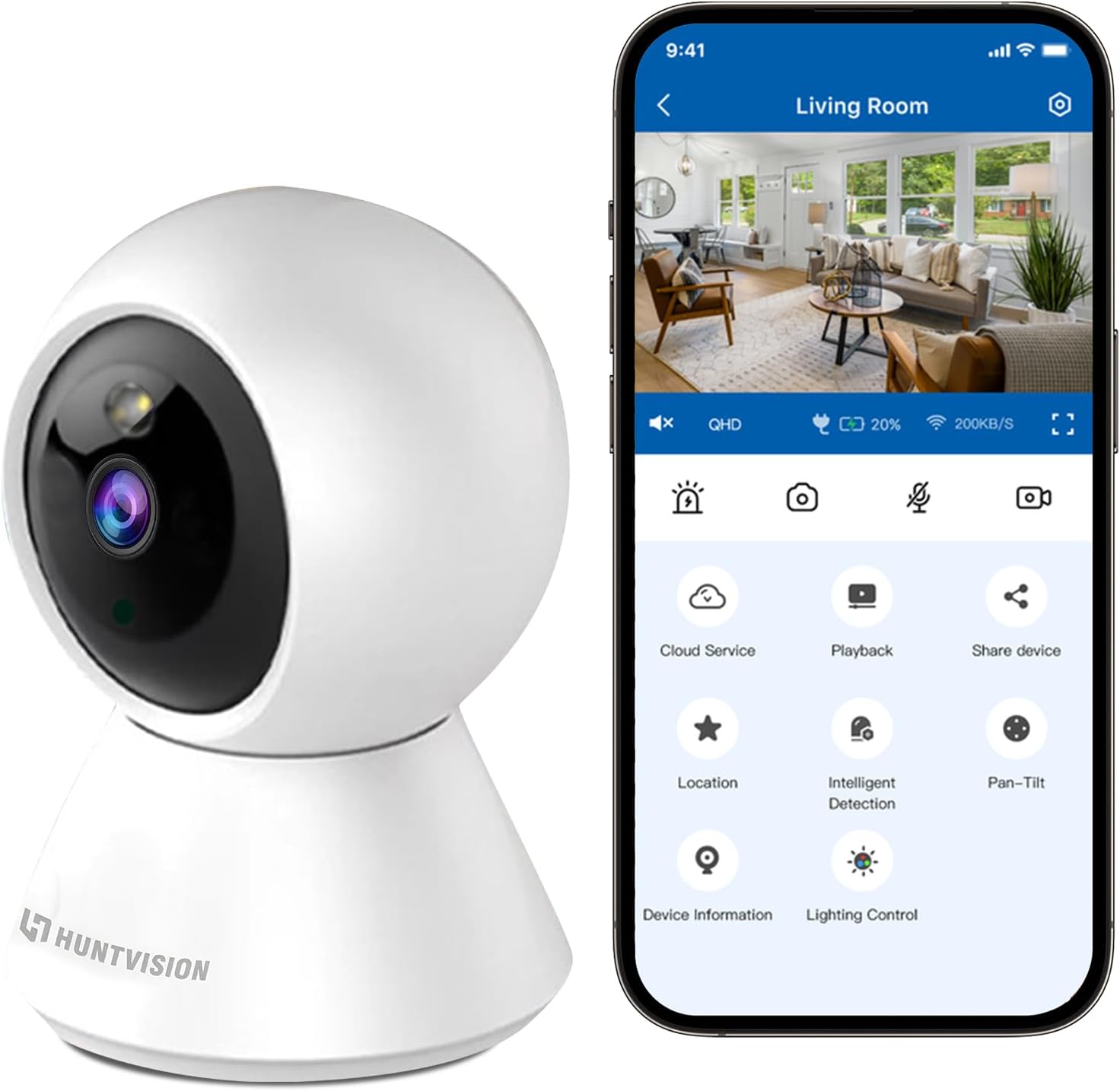
Figure 3.1: Connecting the camera via the Ivy Smart APP.
4. Uputstvo za upotrebu
4.1 Uživo View i kontrola panoramiranja/nagiba
- Open the Ivy Smart APP and select your E3-W camera from the device list to access the live view.
- Use the on-screen joystick or swipe gestures to control the camera's pan (355°) and tilt (85°) movements.
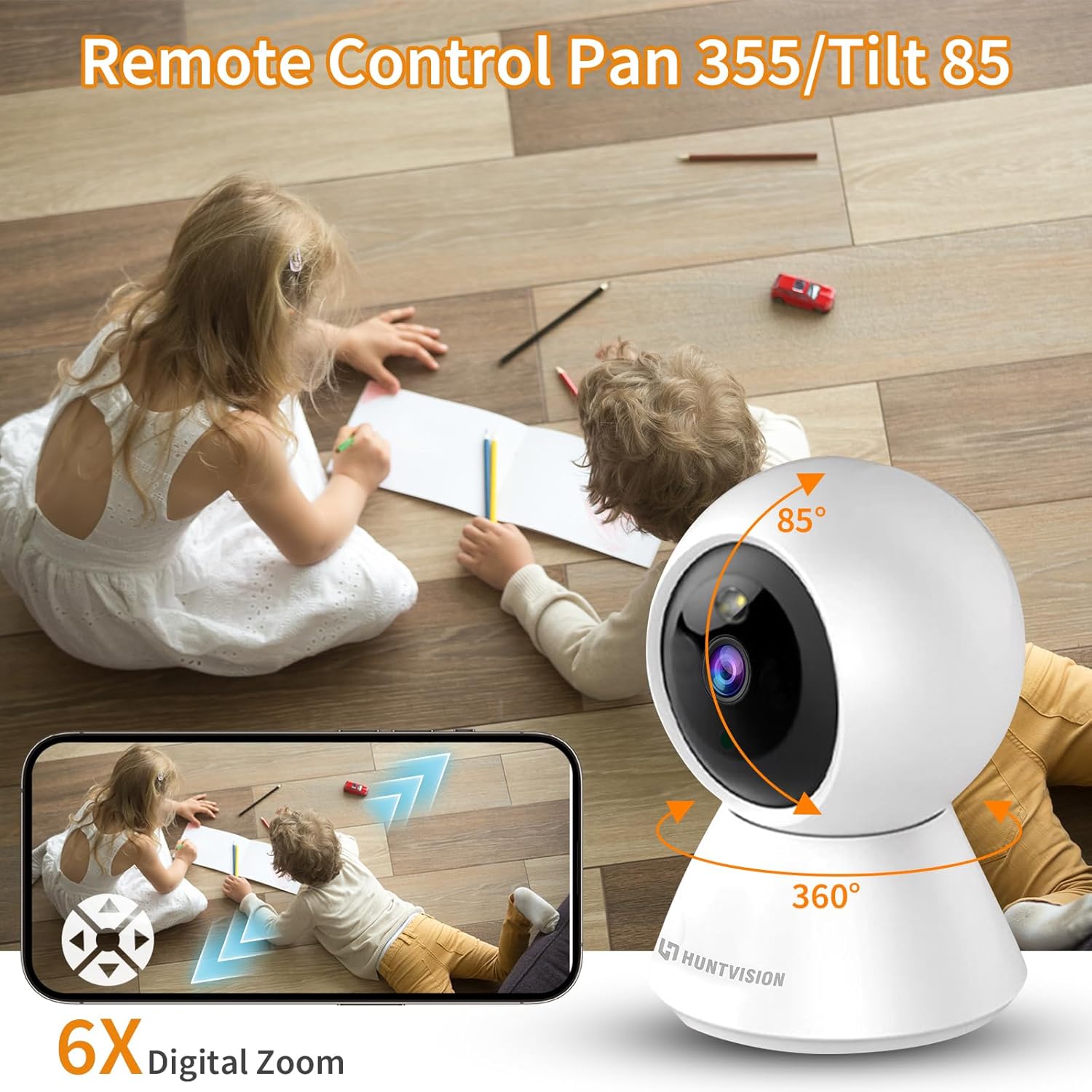
Figure 4.1: Remote Pan/Tilt control via the app.
4.2 Dvosmjerni audio
- Od uživo view interface, tap the microphone icon to enable two-way audio.
- Press and hold the talk button to speak through the camera's speaker. Release to listen.
4.3 Detekcija pokreta i upozorenja
- Navigate to the camera settings in the Ivy Smart APP.
- Enable "Motion Detection" and configure sensitivity levels and detection zones as needed.
- Set up push notifications to receive alerts on your mobile device when motion is detected.
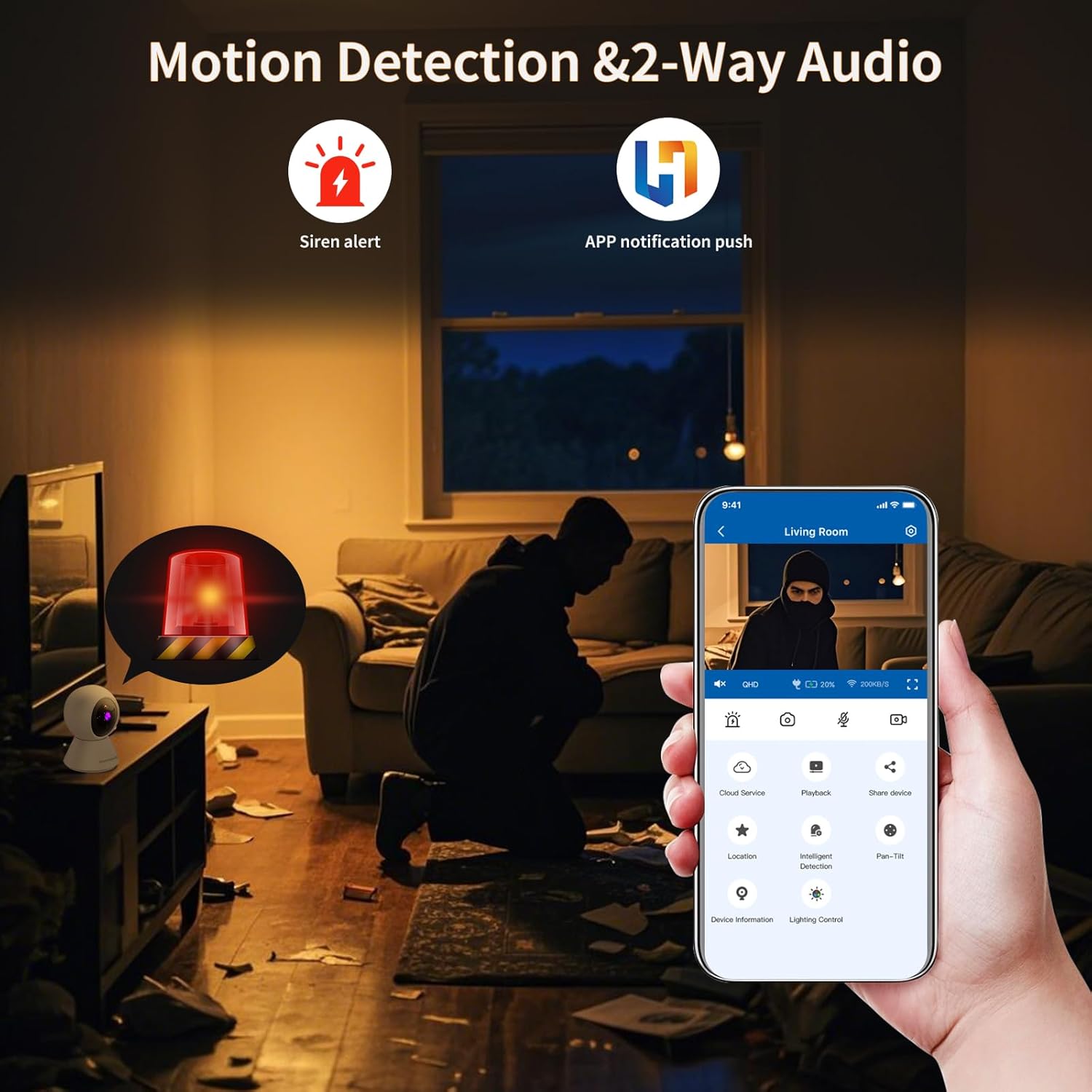
Figure 4.2: Motion detection and app notifications.
4.4 Noćni vid
- Kamera se automatski prebacuje u režim noćnog snimanja u uslovima slabog osvetljenja.
- You can manually adjust day/night modes within the app settings if desired.

Figure 4.3: Night vision capability of the camera.
4.5 Snimanje i reprodukcija videa
- Insert a Micro SD (TF) card (not included) into the camera's card slot for local storage. The camera supports continuous recording or event-triggered recording.
- Alternatively, subscribe to cloud storage services through the Ivy Smart APP for secure off-site storage.
- Pristup snimljen footage via the "Playback" option in the app.
5. Održavanje
- čišćenje: Pažljivo obrišite objektiv i kućište kamere mekom, suhom krpom. Ne koristite jake hemikalije ili abrazivna sredstva za čišćenje.
- Ažuriranja firmvera: Regularly check for and install firmware updates via the Ivy Smart APP to ensure optimal performance and security.
- Ciklus napajanja: If the camera becomes unresponsive, unplug it from the power source for 10 seconds, then plug it back in.
6. Otkrivanje problema
- Kamera van mreže: Ensure the camera is powered on and within range of your Wi-Fi router. Check your Wi-Fi network status. Try restarting the camera and your router.
- Povezivanje nije uspjelo: Verify your Wi-Fi password is correct and you are connecting to a 2.4GHz network. Ensure the camera's status light is flashing before pairing. Try resetting the camera.
- Loš kvalitet slike: Check your internet connection speed. Ensure the camera lens is clean and free from obstructions. Adjust video quality settings in the app.
- Nema zvuka: Check the microphone and speaker settings in the app. Ensure volume is not muted on your device or in the app.
- Obavještenja o kretanju nisu primljena: Verify motion detection is enabled and sensitivity is set appropriately. Check app notification settings on your phone.
7. Specifikacije
| Feature | Specifikacija |
|---|---|
| Naziv modela | E3-W |
| Unutrašnja/vanjska upotreba | Indoor |
| Izvor napajanja | Corded Electric |
| Vrsta montaže | Tabletop Mount |
| Rezolucija video snimanja | 1296p (3MP) |
| Dimenzije artikla (D x Š x V) | 3.15 x 3.15 x 4.73 inča |
| Težina artikla | 6.1 unce |
| Tehnologija povezivanja | Wireless (2.4G WiFi, Bluetooth 4.2) |
| Posebne karakteristike | Senzor pokreta, Noćni vid |
| Preporučena upotreba | Unutrašnja sigurnost |
| Proizvođač | Foscam Intelligent Technology Co., Ltd |
8. Garancija i podrška
8.1 Informacije o garanciji
The MeterMall HuntVision E3-W camera comes with a 2 godine garancije od datuma kupovine. Ova garancija pokriva proizvodne nedostatke i kvarove pri normalnoj upotrebi. Molimo sačuvajte dokaz o kupovini za reklamacije u slučaju garancije.
8.2 Korisnička podrška
For technical support, troubleshooting assistance, or warranty inquiries, please contact your retailer or the manufacturer's customer service. Refer to the product packaging or the Ivy Smart APP for specific contact details.
You can also visit the official HUNTVISION webstranica za često postavljana pitanja i dodatne resurse.


