1. Uvod
This manual provides essential information for setting up, operating, and maintaining your Acer Aspire 5 Slim Laptop, Model A515-54-59W2. Designed for everyday computing, this laptop combines a 15.6-inch Full HD IPS display with a 10th Generation Intel Core i5 processor, 8GB of DDR4 RAM, and a fast 256GB PCIe NVMe SSD. It features Intel Wi-Fi 6 for reliable connectivity, a fingerprint reader for secure access, and a backlit keyboard for comfortable typing in various lighting conditions.
2. Podešavanje
2.1. Raspakivanje i prvi pregled
Pažljivo izvadite sve predmete iz ambalaže. Provjerite da li su prisutne sljedeće komponente:
- Acer Aspire 5 Slim Laptop (Model A515-54-59W2)
- AC adapter
- Kabl za napajanje
Pregledajte laptop i dodatnu opremu na bilo kakve znakove oštećenja. Ako bilo koji dio nedostaje ili je oštećen, odmah se obratite prodavaču ili Acer podršci.
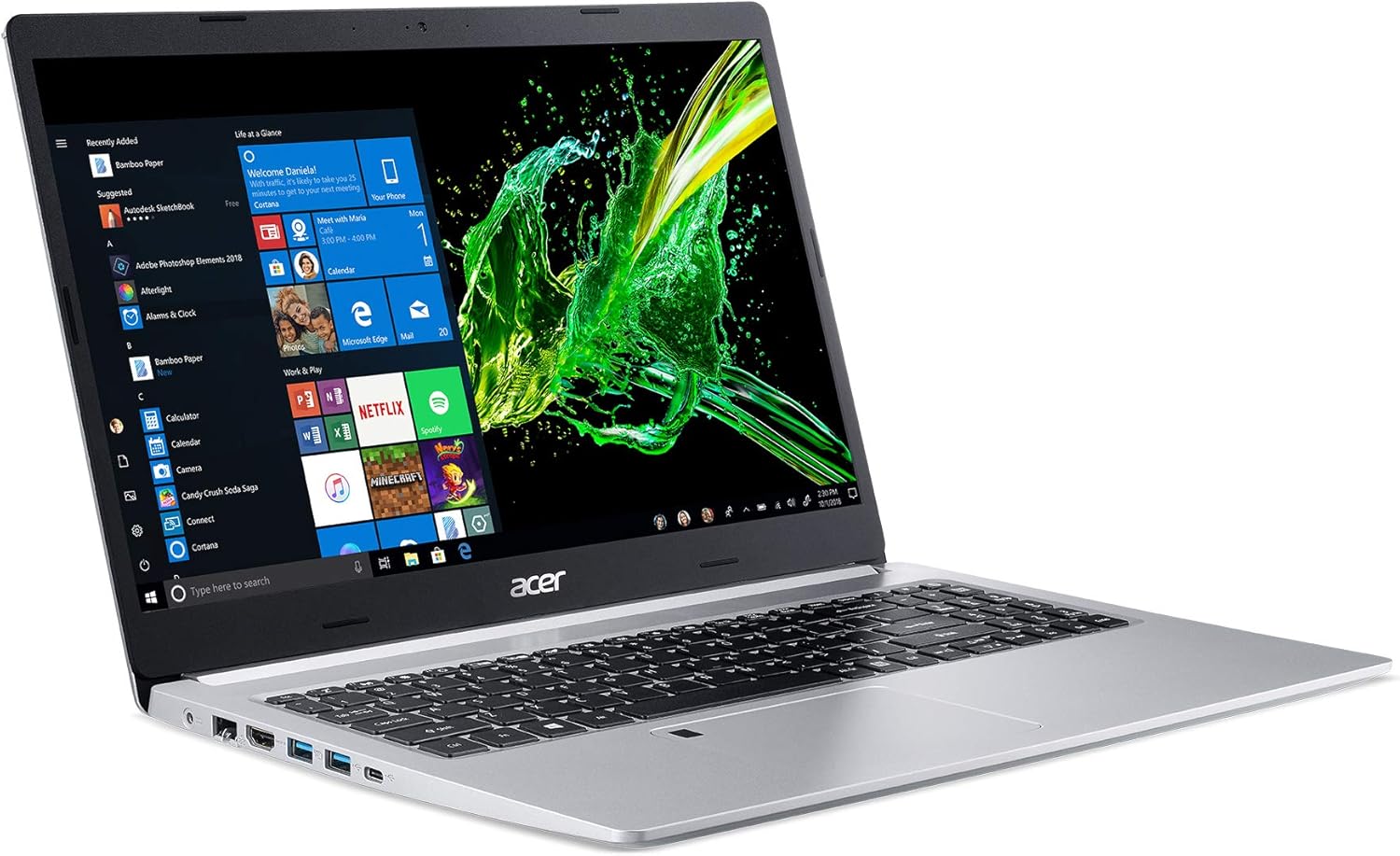
Figure 1: Acer Aspire 5 Slim Laptop
2.2. Početno uključivanje i podešavanje operativnog sistema
- Connect the AC adapter to the laptop's power port and then plug the power cord into an electrical outlet.
- Otvorite poklopac laptopa. Laptop se može automatski uključiti ili ćete možda morati pritisnuti dugme za napajanje koje se nalazi na tastaturi.
- Follow the on-screen instructions to complete the Windows 10 Home setup process. This typically includes selecting your region, language, connecting to a Wi-Fi network, and creating a user account.
3. Karakteristike
3.1. Displej
The Acer Aspire 5 features a vibrant 15.6-inch Full HD (1920 x 1080) widescreen LED-backlit IPS display. This display technology provides wide viewing angles and accurate color reproduction, enhancing your visual experience for work and entertainment.

Slika 2: Karakteristike ekrana
3.2. Performanse
Equipped with a 10th Generation Intel Core i5-10210U Processor, 8GB of DDR4 memory, and a 256GB PCIe NVMe SSD, the laptop delivers responsive performance for multitasking, productivity applications, and web browsing. The SSD ensures fast boot times and quick application loading.

Figure 3: Intel Core i5 10th Generation Processor
3.3. Povezivanje
The laptop offers comprehensive connectivity options:
- bežični: Intel Wireless Wi-Fi 6 AX201 (802.11ax) Dual-Band (2.4GHz and 5GHz) with 2x2 MU-MIMO technology, Bluetooth 4.2
- Ožičeno: 10/100/1000 Gigabit Ethernet LAN (RJ-45 port)
- USB portovi: 1 x USB 3.1 (Type-C) port (Gen 1 up to 5 Gbps), 2 x USB 3.1 Gen 1 Ports (one with Power-off Charging), 1 x USB 2.0 Port
- Video izlaz: 1 x HDMI Port with HDCP support

Figure 4: Extensive Connectivity Options
3.4. Trajanje baterije
Enjoy extended productivity with up to 9.5 hours of battery life, allowing you to work or stream on the go without frequent recharging.

Figure 5: Up to 9.5 Hours Battery Life
3.5. Tastatura i dodirna tabla
The laptop features a backlit keyboard for comfortable typing in dimly lit environments. The precision touchpad supports multi-gesture input, and an integrated Acer Fingerprint Reader provides secure and convenient login via Windows Hello.

Figure 6: Backlit Keyboard and Fingerprint Reader
3.6. 360 Degree View
Observe the design and port placement of the Acer Aspire 5 from various angles.
Video 1: Acer Aspire 5 A515-54 360 Degree View. This short video provides a comprehensive look at the laptop's exterior, showcasing njegov tanak profesionalnifile and port locations.
4. Uputstvo za upotrebu
4.1. Uključivanje/isključivanje
- Za uključivanje: Otvorite poklopac ili pritisnite dugme za napajanje.
- Za isključivanje: Kliknite na dugme Start u sistemu Windows, a zatim odaberite Napajanje > Isključi.
- Za ponovno pokretanje: Kliknite na dugme Start u sistemu Windows, a zatim izaberite Napajanje > Ponovo pokreni.
- Za spavanje: Close the lid or click the Windows Start button, then select Power > Sleep.
4.2. Korištenje tastature i dodirne table
- The backlit keyboard can be toggled on/off or adjusted using the dedicated function keys (Fn + F8, for example, depending on model configuration).
- The touchpad supports standard mouse functions (tap to click, two-finger scroll, pinch to zoom) and Windows gestures.
- The fingerprint reader, integrated into the touchpad, allows for quick and secure login. Follow Windows Hello setup instructions to configure.
4.3. Povezivanje perifernih uređaja
Utilize the various ports (USB, HDMI) to connect external devices such as mice, keyboards, external drives, or external monitors. For optimal performance, use USB 3.1 ports for high-speed devices.

Figure 7: Left Side Ports

Figure 8: Right Side Ports
4.4. Using Wi-Fi and Bluetooth
- Wi-Fi: Da biste se povezali na bežičnu mrežu, kliknite na ikonu Wi-Fi u programskoj traci, odaberite željenu mrežu i unesite lozinku ako se to od vas zatraži.
- Bluetooth: To pair a Bluetooth device, go to Windows Settings > Devices > Bluetooth & other devices, turn on Bluetooth, and select 'Add Bluetooth or other device'.
4.5. Podešavanje postavki ekrana
Right-click on the desktop and select 'Display settings' to adjust resolution, scale, and orientation. For color optimization, Acer Color Intelligence technology is pre-configured.
5. Održavanje
5.1. Čišćenje
- Use a soft, lint-free cloth to clean the screen and exterior surfaces. Avoid harsh chemicals.
- Redovno čistite tastaturu i touchpad kako biste uklonili prašinu i nečistoće.
- Osigurajte da ventilacijski otvori nisu začepljeni kako biste spriječili pregrijavanje.
5.2. Ažuriranja softvera
Keep your operating system and drivers updated to ensure optimal performance and security. Windows Update can be accessed via Settings > Update & Security > Windows Update.
5.3. Održavanje baterije
Da biste produžili vijek trajanja baterije, izbjegavajte često potpuno pražnjenje baterije. Čuvajte laptop na hladnom i suhom mjestu kada ga ne koristite duži period.
6. Otkrivanje problema
- Laptop se ne uključuje: Provjerite je li AC adapter sigurno priključen i je li utičnica funkcionalna. Pokušajte s drugom utičnicom.
- Spore performanse: Zatvorite nepotrebne aplikacije, provjerite ima li ažuriranja u pozadini ili ponovo pokrenite laptop.
- Problemi s Wi-Fi vezom: Restart your router and modem. Ensure Wi-Fi is enabled on the laptop and drivers are updated.
- Problemi sa ekranom: Adjust display settings. If the screen remains blank or distorted, contact support.
7. Specifikacije
| Feature | Detalj |
|---|---|
| Naziv modela | A515-54-59W2 |
| Veličina ekrana | 15.6 inča |
| Rezolucija ekrana | 1920 x 1080 piksela (Full HD IPS) |
| Procesor | 10th Gen Intel Core i5-10210U (up to 4.2 GHz) |
| RAM | 8 GB DDR4 |
| Skladištenje | 256 GB PCIe NVMe SSD |
| Grafika | Integrisana Intel UHD Graphics 620 |
| Operativni sistem | Windows 10 Home |
| Bežično povezivanje | Intel Wi-Fi 6 AX201 (802.11ax), Bluetooth 4.2 |
| Luke | 1x USB 3.1 Type-C, 2x USB 3.1 Gen 1, 1x USB 2.0, 1x HDMI, 1x RJ-45 Ethernet |
| Trajanje baterije | Do 9.5 sati |
| Težina | 3.97 funte (1.8 kg) |
| Dimenzije (DxŠxV) | 14.31 x 9.86 x 0.71 inča |
| Boja | Srebro |
| Posebna karakteristika | Numeric Keypad, Fingerprint Reader, Backlit Keyboard |
8. Garancija i podrška
Za informacije o garanciji i tehničkoj podršci, molimo pogledajte dokumentaciju koja je priložena uz vaš proizvod ili posjetite službenu Acer podršku. webSačuvajte dokaz o kupovini za slučaj reklamacije.


