1. Uvod
This manual provides detailed instructions for the setup, operation, and maintenance of your WiMiUS P21 Full HD 1080P LED Projector. Please read this manual thoroughly before using the projector to ensure proper function and longevity of the device.

Slika: Front view of the WiMiUS P21 Projector, showing the lens and control panel.
2. Sadržaj paketa
Provjerite da li se u vašem paketu nalaze sve dolje navedene stavke. Ako neke stavke nedostaju ili su oštećene, obratite se korisničkoj podršci.
- WiMiUS P21 Projector
- Daljinski upravljač
- Power Cable
- HDMI kabl
- VGA kabel
- AV kabel
- Poklopac objektiva
- Korisnički priručnik (ovaj dokument)

Image: The WiMiUS P21 Projector displayed with its remote control, power cable, HDMI cable, VGA cable, AV cable, and user manual.
3. Značajke proizvoda
The WiMiUS P21 Projector offers advanced features for an enhanced viewiskustvo:
- Visoka svjetlina i kontrast: 6500 Lumens brightness and an 8000:1 contrast ratio for clear and vivid images.
- Izvorna rezolucija od 1080P: Delivers a native resolution of 1920x1080 pixels, supporting 1080P at 60Hz and 4K input for detailed visuals.
- Flexible Projection Size: Adjustable projection size from 50 to 300 inches with a projection distance of 1.5 to 6.5 meters.
- Funkcija digitalnog zumiranja: Allows image size reduction from 100% to 75% via remote control without moving the projector.
- Integrirani audio: Dual built-in 5W stereo speakers provide clear sound.
- Opsežna povezanost: Equipped with 2 HDMI ports, 2 USB ports, 1 VGA port, and 1 AV port for connecting various devices.
- Long Lamp život: LED lamp designed for up to 100,000 hours of operation.

Image: Visual comparison illustrating the difference between 6500 lumens with 8000:1 contrast and lower specifications, highlighting improved clarity and color saturation.
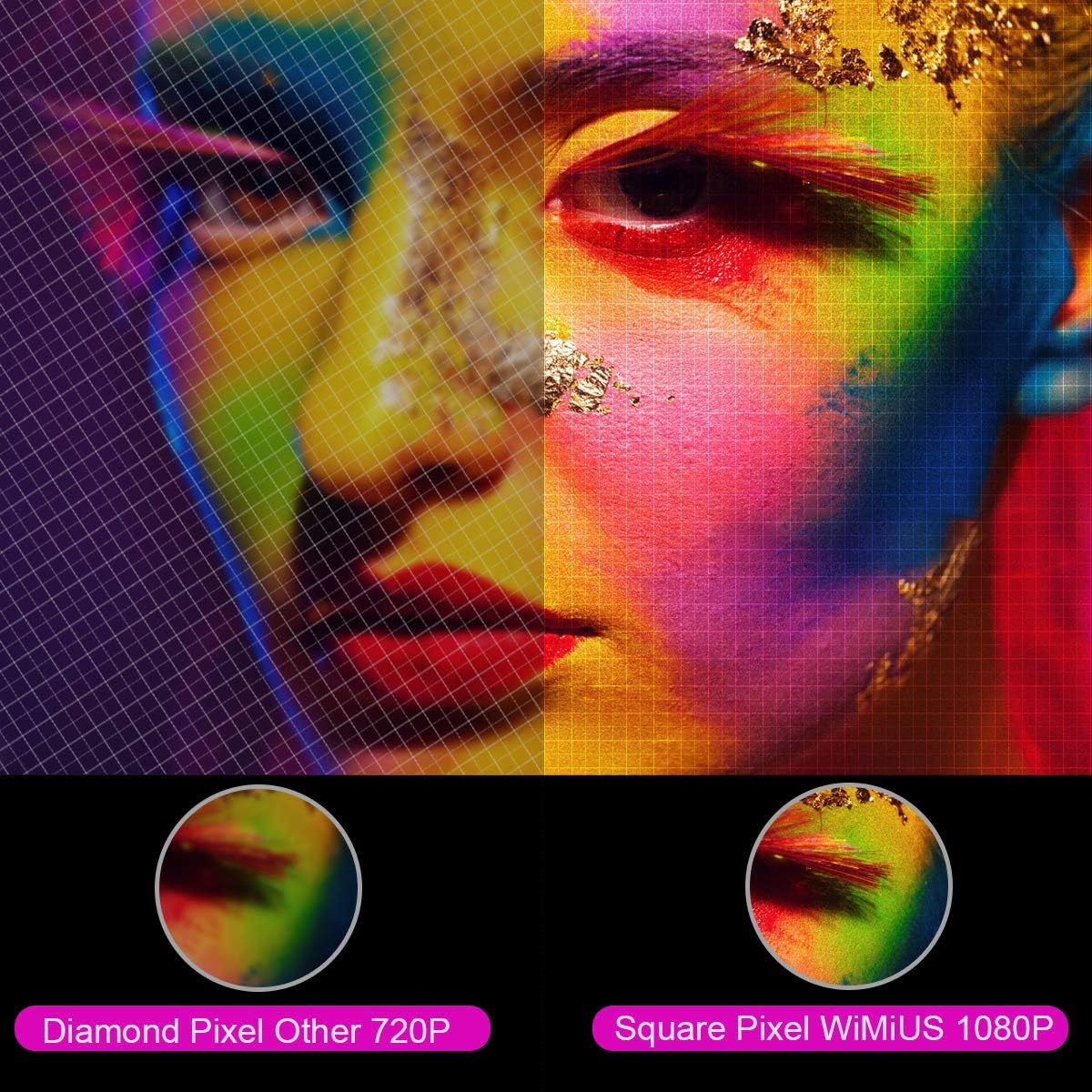
Slika: Uvećana view comparing the pixel structure of a 720P projector (diamond pixel) versus the WiMiUS 1080P projector (square pixel), demonstrating higher resolution.

Image: Diagram showing the projector with sound waves emanating from it, indicating the presence of built-in dual 5W speakers.
4. Podešavanje
4.1 Postavljanje
Place the projector on a stable, flat surface or mount it to a ceiling. Ensure there is adequate ventilation around the unit. The optimum projection distance is approximately 3 meters (9.8 feet) for a balanced image size and clarity.

Image: A diagram illustrating various projection sizes (50-300 inches) and corresponding projection distances (1.5m to 6.5m), with an optimal distance of 3m highlighted.
4.2 Priključak za napajanje
- Spojite kabel za napajanje na ulaz za napajanje projektora.
- Uključite drugi kraj kabla za napajanje u utičnicu.
- Pritisnite dugme za napajanje na projektoru ili daljinskom upravljaču da uključite uređaj.
4.3 Povezivanje vanjskih uređaja
The P21 projector supports multiple input sources. Refer to the diagram below for port locations.

Image: A detailed diagram highlighting the various connection ports on the projector, including HDMI (x2), USB (x2), AV, Audio Out, Y/Pb/Pr, and PC-RGB (VGA).
- HDMI: Connect devices like laptops, Blu-ray players, gaming consoles (PS3, PS4, Xbox), Chromecast, or Fire TV Stick using an HDMI cable.
- USB: Umetnite USB disk za reprodukciju medija files direktno.
- VGA (PC-RGB): Connect to a computer using a VGA cable.
- OD: Za povezivanje starijih uređaja koristite priloženi AV kabel.
- Audio izlaz: Connect external speakers or headphones if desired.
Note: If connecting a device and experiencing no sound, ensure that Dolby Digital output is turned off on the connected device, as the projector may not support it directly.
5. Uputstvo za upotrebu
5.1 Uključivanje/isključivanje napajanja
Pritisnite dugme za napajanje na projektoru ili daljinskom upravljaču da biste uključili ili isključili uređaj.
5.2 Odabir izvora
Use the "Source" button on the remote control or projector panel to select the desired input source (HDMI1, HDMI2, USB1, USB2, VGA, AV).
5.3 Fokus i korekcija trapezoidnog izobličenja
- Fokus: Rotate the focus ring near the lens until the image is clear.
- Keystone korekcija: Adjust the keystone ring or use the menu settings for vertical ±15° keystone correction to correct distorted images.
5.4 Funkcija zumiranja
The digital zoom function allows you to adjust the image size without moving the projector. Use the zoom controls on the remote control to reduce the image size from 100% down to 75%.

Image: A visual representation of the zoom function, showing a projected image shrinking from 100% to 75% on a screen, controlled by the projector.
5.5 Postavke menija
Press the "Menu" button on the remote to access settings for picture mode, sound mode, aspect ratio (4:3/16:9), and other advanced options.
6. Održavanje
6.1 Čišćenje objektiva
Use a soft, lint-free cloth specifically designed for optical lenses to gently clean the projector lens. Avoid using abrasive cleaners or excessive force.
6.2 Čišćenje filtera za zrak
Redovno provjeravajte i čistite filter za zrak kako biste spriječili nakupljanje prašine, što može utjecati na performanse iamp life. Refer to the projector's exterior for the air filter location and cleaning instructions.
6.3 Lamp Život
LED lamp in your WiMiUS P21 projector has an estimated lifespan of up to 100,000 hours. No user replacement is typically required during the product's operational life. If the lamp stops working, please contact customer support.
7. Otkrivanje problema
| Problem | Mogući uzrok | Rješenje |
|---|---|---|
| Nema prikazane slike | Kabl za napajanje isključen, pogrešan ulazni izvor, poklopac objektiva na mjestu. | Provjerite priključak za napajanje, odaberite ispravan ulazni izvor i skinite poklopac objektiva. |
| Slika je mutna | Focus not adjusted, projector too close/far from screen. | Adjust the focus ring, ensure optimal projection distance. |
| Slika je iskrivljena (trapezoidnog oblika) | Projektor nije okomit u odnosu na platno. | Adjust keystone correction. |
| Nema zvuka iz projektora | Volume too low, incorrect audio settings, Dolby Digital enabled on source device. | Increase volume, check audio settings, turn off Dolby Digital on the connected device. |
| Daljinski upravljač ne radi | Batteries depleted, obstruction between remote and projector. | Replace batteries, ensure clear line of sight to IR receiver. |
8. Specifikacije
| Feature | Detalj |
|---|---|
| Brand | WiMiUS |
| Model | P21 |
| Osvetljenost | 6500 lumena |
| Kontrast Ratio | 8000:1 |
| Native Resolution | 1920 x 1080 (Full HD) |
| Podrška za maksimalnu rezoluciju | 4K Ultra HD |
| Display Technology | LED |
| LED Lamp Život | 100,000 sata |
| Veličina projekcije | 50-300 inča |
| Udaljenost projekcije | 1.5 - 6.5 metara |
| Funkcija zumiranja | 100% - 75% (Reduced) |
| Aspect Ratio | 4:3 / 16:9 |
| Ispravka Keystone-a | Vertikalni ±15° |
| Zvučnici | Dual built-in stereo (2 x 5W) |
| Povezivanje | 2x HDMI, 2x USB, 1x VGA, 1x AV, Audio Out |
| Nivo buke | 30 decibela |
| Potrošnja energije | 140 vati |
| Dimenzije proizvoda | 32 x 24 x 11 cm |
| Težina | 2.5 kg |
9. Garancija i podrška
The WiMiUS P21 HD Projector comes with a lifetime warranty. If the LED lamp stops functioning or any other issues arise with the projector, please contact WiMiUS customer support for assistance or replacement. A repair center is available in the USA for service needs.
For further support, please refer to the official WiMiUS webstranice ili kontaktirajte njihov odjel za korisničku podršku.