1. Uvod
The ROFAVEZCO EZ-SP12 HDMI 2.0 Splitter is designed to distribute one HDMI source signal to two HDMI displays simultaneously. It supports advanced video and audio formats, including 4K 60Hz 4:4:4 8bit HDR, Dolby Vision, HDR10, and 1080p 120Hz. This device also features a down-scaler for HDMI output 2, allowing simultaneous display of 4K and 1080p content, and SPDIF 5.1ch audio extraction.
This splitter is ideal for various applications, including dual monitor setups, gaming (Xbox, PS5), and home theater systems requiring flexible video and audio distribution.
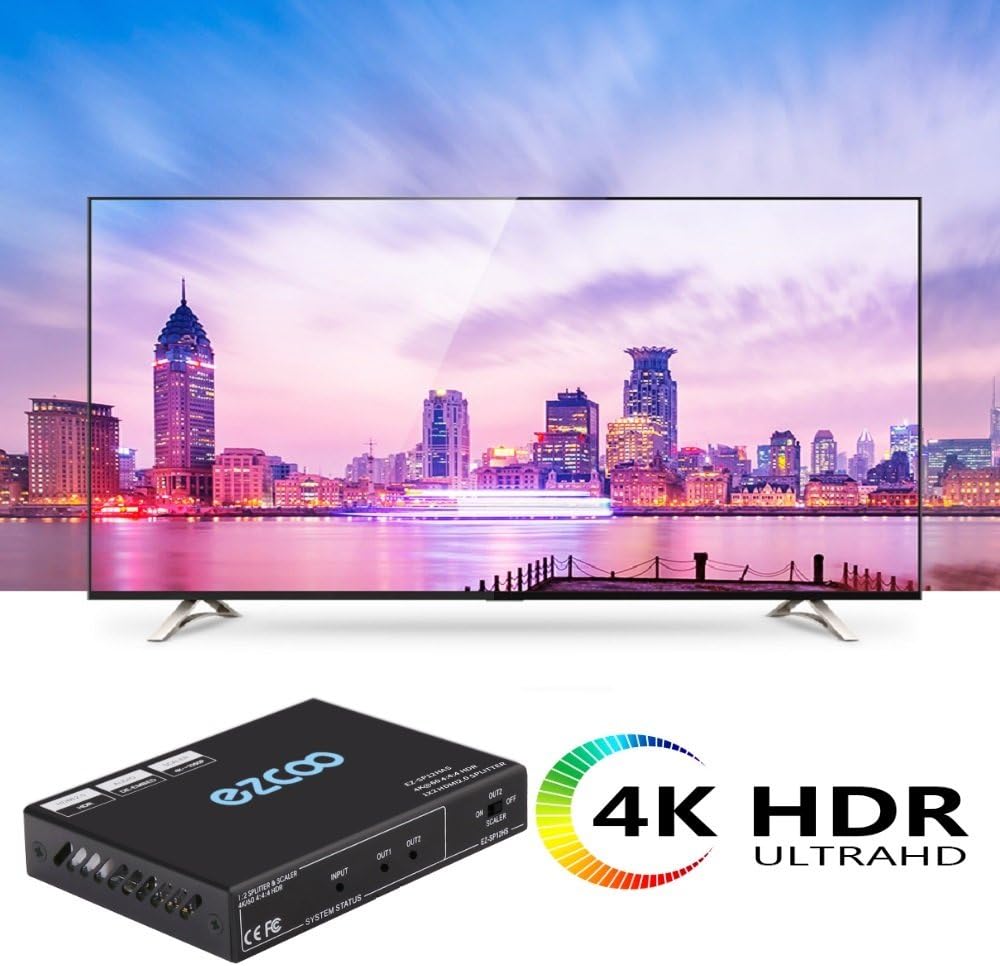
Figure 1: ROFAVEZCO EZ-SP12 HDMI Splitter in a typical 4K HDR setup.
2. Podešavanje
2.1 Sadržaj paketa
- 1x ROFAVEZCO EZ-SP12 HDMI Splitter
- 1x adapter za napajanje
- 2x uho za montažu
- 1x Hook Loop
- 1x uputstvo za upotrebu
- 2x vezica za višekratnu upotrebu

Figure 2: Package contents of the EZ-SP12 HDMI Splitter.
2.2 Dijagram povezivanja
Video 1: This video demonstrates the connection process and various features of the HDMI splitter, including how to connect a source device and multiple displays, and how to utilize the down-scaling and audio extraction capabilities.
2.3 Povezivanje korak po korak
- Priključak za napajanje: Connect the provided power adapter to the DC 5V port on the splitter and then to a power outlet. The power indicator light on the splitter should illuminate.
- HDMI ulaz: Connect your HDMI source device (e.g., PS5, Xbox, Fire TV, PC) to the HDMI IN port on the splitter using a high-quality HDMI 2.0 cable (less than 10 meters).
- HDMI Output 1 (Primary Display): Connect your primary display (e.g., 4K TV) to the HDMI OUT 1 port on the splitter using a high-quality HDMI 2.0 cable.
- HDMI Output 2 (Secondary Display with Down-scaler): Connect your secondary display (e.g., 1080p TV or capture card) to the HDMI OUT 2 port on the splitter. If connecting a 1080p display while the primary is 4K, ensure the OUT 2 SCALER switch is set to ON.
- SPDIF Audio Output (Optional): If you wish to extract 5.1ch audio, connect your soundbar or AV receiver to the SPDIF Optical OUT port. Note that SPDIF Optical 5.1CH follows the audio format of HDMI OUT 2.
- EDID Settings (Advanced): For specific audio/video synchronization (e.g., 4K 60Hz HDR Dolby Vision and 7.1ch Dolby Atmos), you may need to set the EDID via micro-USB using a PC. Refer to the EDID settings section in the operation guide for details.

Figure 3: Scaler function allowing simultaneous 4K and 1080p output.
3. Uputstvo za upotrebu
3.1 Osnovni rad
Once all connections are made and the splitter is powered on, the HDMI source signal will be duplicated and sent to both HDMI OUT 1 and HDMI OUT 2. The splitter automatically detects the optimal resolution for each connected display.
3.2 Down-scaling Function (OUT 2)
The HDMI OUT 2 port supports down-scaling from 4K (60Hz/50Hz/30Hz) to 1080p 60Hz. This feature is crucial when connecting a 4K source to a 4K display (OUT 1) and a 1080p display (OUT 2) simultaneously. To enable down-scaling, ensure the SCALER switch for OUT 2 is set to ON.
Važna napomena:
- The splitter OUT 2 down-scales 4K to 1080p ONLY; no other resolutions are supported for down-scaling.
- It does NOT down-scale HDR Dolby Vision (4K60 4:2:2) and Frequency. Attempting to do so may result in washed-out colors or an unusable signal.
Video 2: This video illustrates the down-scaling feature, showing how a 4K 120Hz signal can be simultaneously displayed on a 4K 120Hz TV and a 1080p 120Hz TV via the splitter.
3.3 EDID postavke
The EDID (Extended Display Identification Data) settings allow you to configure the splitter's behavior regarding video and audio formats. This is particularly useful for ensuring compatibility with various displays and audio devices.
Video 3: This video provides a detailed guide on how to set the EDID switches for various audio and video formats, including 4K 60Hz HDR Dolby Vision and 7.1ch Dolby Atmos.
To set EDID No.31 via micro-USB by PC, follow the instructions in the user manual or consult the provided video for detailed steps. This setting is recommended for achieving 4K 60Hz HDR Dolby Vision TV and 7.1ch Dolby Atmos soundbar synchronization.
3.4 CEC Control
CEC (Consumer Electronics Control) functionality is supported on HDMI OUT 1 only. This allows for unified control of connected devices through a single remote.
3.5 HDCP Bypass
The splitter supports HDCP 2.2. For specific scenarios, you may need to set HDCP bypass via PC. Refer to the user manual for advanced configurations.
4. Održavanje
- Uređaj držite na hladnom i suhom mjestu, dalje od direktne sunčeve svjetlosti i izvora toplote.
- Uređaj čistite mekom, suhom krpom. Ne koristite tekuća ili aerosolna sredstva za čišćenje.
- Provjerite jesu li svi kablovi sigurno spojeni kako biste spriječili gubitak ili oštećenje signala.
- The threaded power adapter is designed to prevent power loss; ensure it is tightened properly.
5. Otkrivanje problema
- No Display on 4K TV: Connect the 4K TV to HDMI Splitter OUT 1 first. After the 4K TV displays correctly, then connect the second TV to Splitter OUT 2.
- 1080p TV Not Displaying: If using a 4K and 1080p TV together, ensure the 1080p TV is connected to Splitter OUT 2 and the SCALER switch for OUT 2 is ON.
- Power Cycling Order: When turning off and on your TV and splitter, always turn on Splitter OUT 1 4K TV first, especially when 4K and 1080p TVs work together.
- HDR/Dolby Atmos Issues: If your HDMI source and TV support HDR Dolby Vision/Dolby Atmos, the splitter should support them accordingly. First, connect the HDMI source directly to the TV (without the splitter) to confirm the TV supports the HDMI source's HDR. If the TV does not display HDR correctly, it indicates a TV issue, not a splitter issue. After this test, set the HDMI source HDR feature to match the splitter's HDR settings.
- SPDIF audio izlaz: SPDIF Optical 5.1CH audio output follows the audio format of Splitter OUT 2.
- Dolby Vision Down-scaling: Splitter OUT 2 down-scales 4K to 1080p only. It does NOT down-scale Dolby Vision; attempting to do so will result in washed-out colors.
- Kvalitet kabla: Use good quality HDMI 2.0 standard cables less than 10 meters (33 feet) for optimal performance.
6. Specifikacije
| Feature | Detalj |
|---|---|
| Dimenzije proizvoda | 4 x 2.8 x 0.7 inča |
| Težina artikla | 6.4 unce |
| Broj modela | EZ-SP12 |
| HDMI usklađenost | HDMI 2.0, HDCP 2.2 |
| Video Rezolucija | 4K@60Hz (4:4:4 8bit), 4K@60Hz (4:2:2 10bit HDR10), 4K@60Hz (4:2:0 10-bit HDR), 1080p@120Hz/60Hz 3D, 1440p@60Hz |
| HDMI Bandwidth | 18Gbps |
| Audio formati | Dolby Atmos, Digital 7.1CH, DTS:X |
| Audio izlaz | SPDIF Optical 5.1CH (follows OUT 2) |
| Smanjenje | HDMI OUT 2: 4K to 1080p only (no Dolby Vision down-scaling) |
| CIK kontrola | On HDMI OUT 1 only |
| Kompatibilni uređaji | PS4, PS5, Xbox, Fire TV, Nvidia Shield, Roku, Apple TV, PC, Laptop, Monitor, Projector, Soundbar, AVR, Chromecast, Google TV, etc. |
7. Garancija i podrška
For technical support, warranty information, or any inquiries regarding your ROFAVEZCO EZ-SP12 HDMI Splitter, please refer to the included User Manual. You may also contact the seller directly through online messaging for assistance.


