Uvod
This manual provides detailed instructions for the installation, operation, and maintenance of your Foscam D2EP IP Camera. The D2EP is a high-definition 2-megapixel outdoor security camera designed for reliable surveillance with features such as infrared night vision, smart motion detection, and wired connectivity. Please read this manual thoroughly before using the product to ensure correct setup and optimal performance.
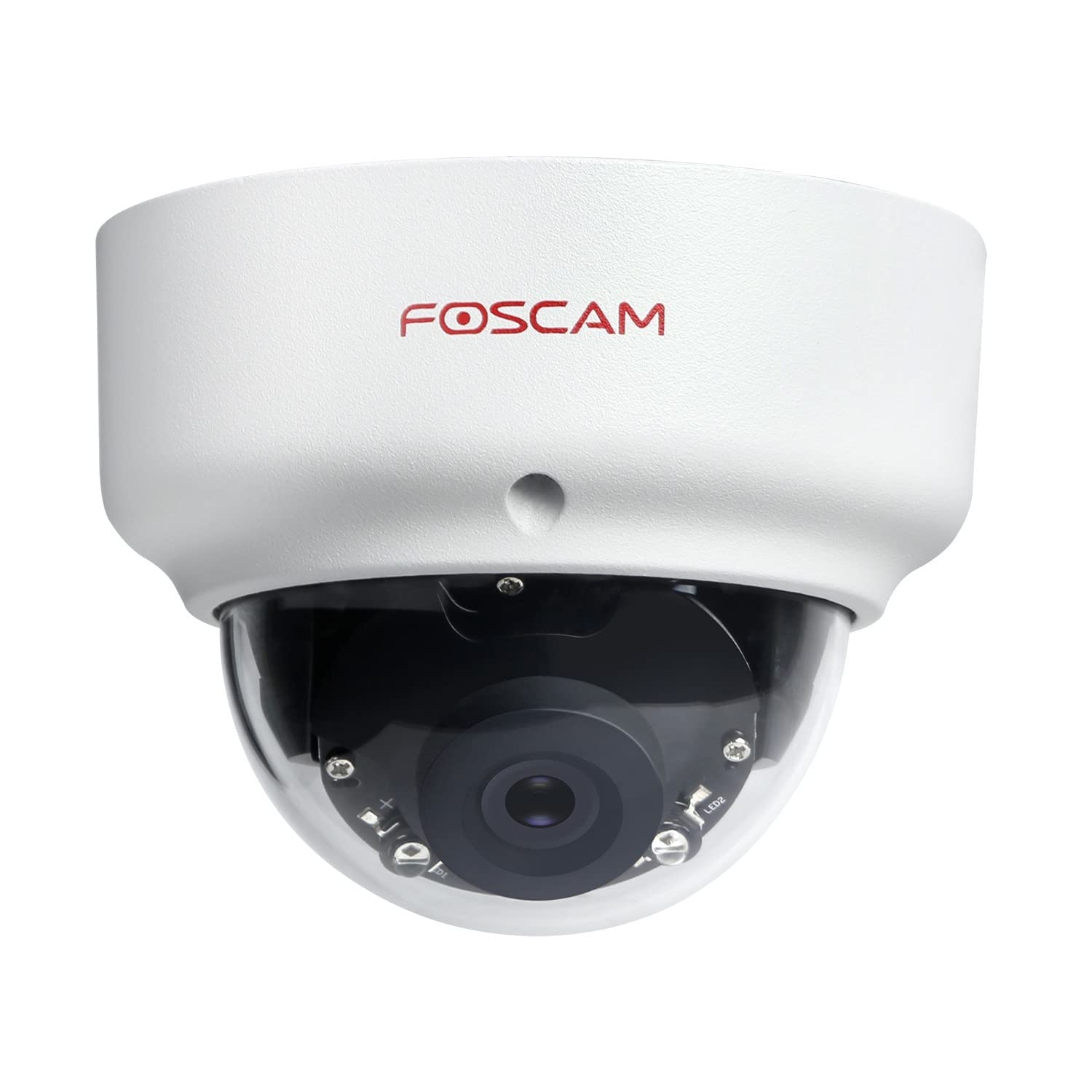
Image: The Foscam D2EP IP Camera, showcasing its compact, dome-shaped design suitable for outdoor environments.
1. Postavljanje i instalacija
1.1 Sadržaj paketa
Prije početka instalacije, molimo Vas da provjerite da li se u paketu nalaze sve komponente:
- Foscam D2EP IP Camera
- Vijci za montažu i zidni tiplovi
- Ethernet kabl
- Adapter za napajanje
- Vodič za brzu instalaciju

Image: Foscam D2EP IP Camera with its power and Ethernet cables, illustrating the main components included in the box.
1.2 Fizička instalacija
The Foscam D2EP camera is designed for outdoor use with an IP66 waterproof rating. Choose a suitable location that provides the desired viewing angle and is within reach of a power source and network connection.
- Lokacija montaže: Identify a secure mounting surface, such as a wall or ceiling, that offers a clear view područja koje želite nadgledati.
- Izbušite rupe: Use the provided mounting template (if included) or the camera base to mark and drill pilot holes for the mounting screws. Insert wall plugs if mounting on masonry.
- Sigurna kamera: Čvrsto pričvrstite bazu kamere na površinu za montažu pomoću priloženih vijaka.
- Podesite ugao: Otpustite vijke za podešavanje na kućištu kamere kako biste objektiv postavili u optimalni položaj. viewing angle. Tighten the screws once the desired angle is achieved.

Image: Foscam D2EP IP Camera mounted under an outdoor patio roof, demonstrating a typical installation scenario for outdoor surveillance.
1.3 Priključak na mrežu i napajanje
- Spojite Ethernet kabel: Connect one end of the Ethernet cable to the camera's network port and the other end to your router or network switch.
- Povežite adapter za napajanje: Plug the power adapter into the camera's power input and then into a suitable electrical outlet.
- Indikatorsko svjetlo: Wait for the camera's indicator light to show a stable status, indicating it is powered on and connected to the network. Refer to the Quick Installation Guide for specific indicator light behaviors.
1.4 Početna konfiguracija
To access and configure your camera, download the Foscam app on your smartphone or use the Foscam client software on your computer.
- Download App/Software: Traži "Foscam" in your app store (iOS/Android) or visit the official Foscam website for desktop software.
- Dodaj kameru: Follow the in-app or software instructions to add your D2EP camera. This typically involves scanning a QR code on the camera or manually entering its UID.
- Postavite lozinku: For security, change the default password immediately upon first access.
- Mrežne postavke: Configure any necessary network settings, such as static IP (if required by your network).
2. Uputstvo za upotrebu
2.1 Uživo View i Snimanje
Once configured, you can access the live video feed from your Foscam D2EP camera through the Foscam app or desktop client.
- Uživo View: Odaberite svoju kameru s popisa uređaja da biste view the real-time 1080p HD video stream.
- Ručno snimanje: Most Foscam applications allow you to manually start and stop video recordings directly from the live view interfejs.
- Snimak: Snimite fotografije iz prijenosa uživo.
2.2 Detekcija pokreta
The D2EP features smart motion detection to alert you to activity in the monitored area.
- Omogući detekciju pokreta: Navigate to the camera settings in the Foscam app/software and enable motion detection.
- Configure Detection Area: Definišite specifična područja unutar kamere view where motion should be detected, ignoring irrelevant zones.
- Podesite osjetljivost: Set the motion detection sensitivity to minimize false alarms while ensuring important events are captured.
- Postavke upozorenja: Configure how you receive alerts (e.g., push notifications, email).
2.3 Dnevni i noćni vid
The camera automatically switches between day (color) and night (infrared black and white) vision modes based on ambient light conditions. The infrared LEDs provide clear vision up to 20 meters in low-light environments.
2.4 Kompatibilnost s Amazon Alexom
The Foscam D2EP camera is compatible with Amazon Alexa, allowing for voice control and integration into your smart home system. Refer to the Foscam website or Alexa app for detailed instructions on linking your Foscam account and controlling your camera via Alexa commands.
3. Održavanje
3.1 Čišćenje kamere
Regularly clean the camera lens and housing to ensure optimal image quality and prevent debris buildup, especially for outdoor installations.
- Koristite meku, damp krpu za brisanje kućišta fotoaparata.
- Za čišćenje objektiva koristite specijaliziranu krpu i otopinu za čišćenje objektiva kako biste izbjegli ogrebotine.
- Nemojte koristiti jake hemikalije ili abrazivne materijale.
3.2 Ažuriranja firmvera
Foscam regularly releases firmware updates to improve camera performance, add new features, and enhance security. It is recommended to keep your camera's firmware up to date.
- Check for updates through the Foscam app or desktop client.
- Follow the on-screen instructions carefully during the update process. Do not power off the camera during an update.
4. Otkrivanje problema
4.1 Kamera se ne povezuje na mrežu
- Provjerite kablove: Ensure the Ethernet cable is securely connected to both the camera and the router/switch.
- Snaga: Verify the camera is powered on and the power adapter is working correctly.
- Status rutera: Confirm your router is functioning and providing network access.
- Konflikt IP adresa: If using a static IP, ensure it does not conflict with other devices on your network. Try DHCP first.
- Resetuj kameru: If issues persist, perform a factory reset (refer to the Quick Installation Guide for reset button location and procedure).
4.2 Loš kvalitet slike
- Čista sočiva: Ensure the camera lens is clean and free from dirt or smudges.
- rasvjeta: Verify adequate lighting in the monitored area during the day.
- noćni vid: In night mode, ensure there are no obstructions blocking the infrared LEDs.
- Postavke rezolucije: Check that the camera's resolution is set to 1080p (2MP) in the app/software settings.
4.3 Detekcija pokreta ne radi ili previše lažnih alarma
- Enable Feature: Confirm motion detection is enabled in the camera settings.
- Područje otkrivanja: Adjust the detection zone to cover only relevant areas.
- Osjetljivost: Increase sensitivity if events are missed; decrease if there are too many false alarms (e.g., from moving trees, shadows).
- Raspored: Check if motion detection is scheduled to be active during the desired times.
5. Specifikacije
| Naziv modela | D2EP |
| Brand | Foscam |
| Rezolucija | 2 megapiksela (1080p) |
| Tehnologija povezivanja | Žičani |
| Preporučena upotreba | Vanjska sigurnosna kamera |
| Weather Resistance | IP66 vodootporan |
| Noćni vid | Do 20 metara (infracrveno) |
| Ključne karakteristike | Motion Sensor, Day/Night Vision, Amazon Alexa Compatible |
6. Informacije o garanciji
The Foscam D2EP IP Camera comes with a 2 godine garancije from the date of purchase. This warranty covers manufacturing defects and ensures the product functions as described under normal use. Please retain your proof of purchase for warranty claims. For detailed warranty terms and conditions, please visit the official Foscam website.
7. Korisnička podrška
If you encounter any issues or have questions regarding your Foscam D2EP IP Camera that are not covered in this manual, please refer to the following resources:
- Foscam Official Webstranica: Posjetite www.foscam.com for FAQs, support articles, and the latest firmware.
- tehnička podrška: Contact Foscam technical support directly via their webweb-mjesto ili kontakt informacije navedene u pakovanju vašeg proizvoda.


