1. Uvod
This manual provides detailed instructions for the ipega PG-9162 Mini Wireless Game Controller. This controller is designed for use with the Nintendo Switch console, offering both wireless and wired connectivity options. It features a compact design, six-axis gyroscope, dual motor vibration, and a TURBO function to enhance your gaming experience.

Slika 1.1: Prednja strana view of the ipega PG-9162 Mini Wireless Game Controller.
2. Značajke proizvoda
- Kompatibilnost: Designed for the Nintendo Switch host, supporting both wireless and wired connections to the Switch dock.
- Ergonomski dizajn: Small and exquisite handle for comfortable grip during extended gaming sessions.
- Six-axis Gyroscope: Built-in six-axis gyro chip for precise motion control and fine-tuning assistance in games.
- Vibracija dvostrukog motora: Integrated dual motors provide immersive feedback based on in-game actions.
- TURBO funkcija: Supports continuous TURBO function for rapid button presses.
- Dug vijek trajanja baterije: Built-in 380mAh battery capacity provides over 8 hours of continuous play.

Slika 2.1: Gotovoview of key features including vibration, gyroscope, and TURBO function.
3. Sadržaj paketa
- ipega PG-9162 Mini Wireless Game Controller
- USB kabel za punjenje (tip-C)
- Uputstvo za upotrebu

Image 3.1: Retail packaging of the ipega PG-9162 controller.
4. Proizvod je gotovview
The ipega PG-9162 controller features standard gamepad buttons and joysticks, designed for intuitive control. Familiarize yourself with the layout:

Slika 4.1: Vrh view of the controller highlighting its button layout.
- Lijeva analogna palica: Za kretanje i kontrolu kamere.
- D-Pad: Usmjereni ulaz.
- Dugme za početnu stranicu: Returns to the Switch home menu.
- Dugme za snimanje ekrana: Captures screenshots.
- Desna analogna palica: For camera control or specific in-game actions.
- Dugmad za akcije (A, B, X, Y): Za akcije u igri.
- Shoulder Buttons (L, R) & Triggers (ZL, ZR): For various in-game functions.
- Plus (+) & Minus (-) Buttons: For menu navigation and options.
- LED indikatori: Display connection status and battery level.
5. Podešavanje i povezivanje
5.1 Wireless Connection to Nintendo Switch
- Provjerite je li vaša Nintendo Switch konzola uključena i ažurirana na najnoviji sistemski softver.
- Iz menija HOME odaberite "Kontroleri" > "Promijeni hvat/redoslijed".
- On the ipega PG-9162 controller, press and hold the Dugme za početak i Y dugme simultaneously for a few seconds until the LED indicators start flashing rapidly. This indicates pairing mode.
- The Switch console will detect the controller. Once detected, the LED indicators on the controller will become solid, indicating a successful connection.
- You can now use the controller wirelessly with your Nintendo Switch.
5.2 Wired Connection to Nintendo Switch Dock
- Place your Nintendo Switch console into its dock.
- Connect one end of the USB charging cable to the ipega PG-9162 controller and the other end to an available USB port on the Nintendo Switch dock.
- The controller will automatically connect to the Switch console via the wired connection.
- Ensure that "Pro Controller Wired Communication" is enabled in the Switch System Settings (System Settings > Controllers and Sensors > Pro Controller Wired Communication).
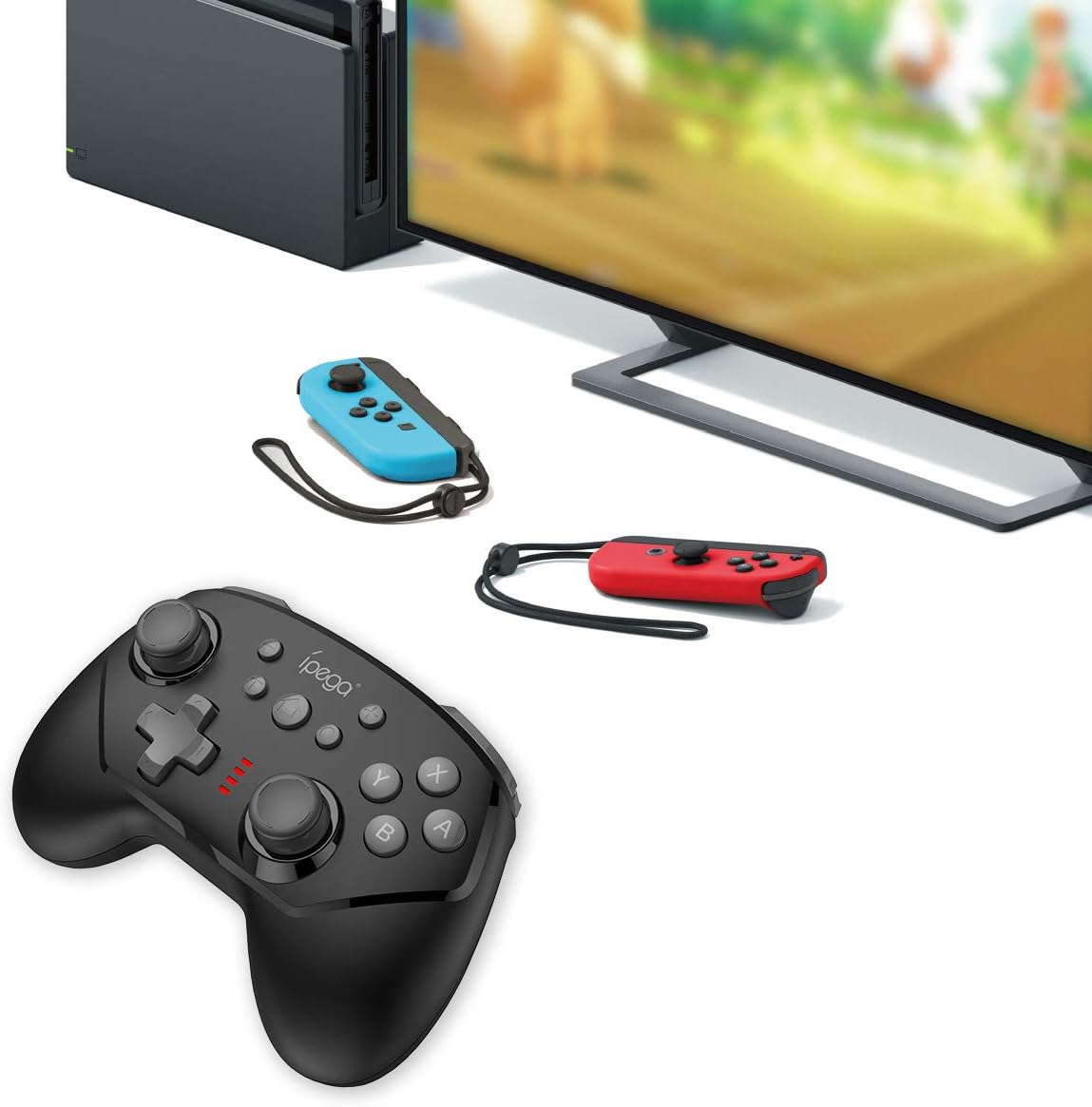
Image 5.1: The controller connected to a Nintendo Switch dock, demonstrating wired play.
6. Uputstvo za upotrebu
6.1 TURBO funkcija
The TURBO function allows for rapid, continuous pressing of a button without repeatedly pressing it manually.
- To Set TURBO: Press and hold the desired action button (e.g., A, B, X, Y, L, R, ZL, ZR), then press the TURBO dugme once. The button will now continuously register presses as long as you hold it down.
- To Clear TURBO: Repeat the process: press and hold the button with TURBO enabled, then press the TURBO dugme again. The TURBO function for that specific button will be deactivated.
6.2 Six-axis Gyroscope
The built-in six-axis gyroscope provides motion control capabilities, allowing for precise aiming and in-game interactions by tilting and moving the controller.
- Ensure the game you are playing supports gyroscope controls.
- Calibrate the gyroscope if you experience drift or inaccurate motion sensing. Refer to your Nintendo Switch system settings for calibration options.

Image 6.1: Illustration of the six-axis gyroscope in action, enhancing aiming precision.
6.3 Funkcija vibracije
The dual motor vibration provides tactile feedback, immersing you further into the game by reacting to in-game events like collisions, explosions, or character actions.
- Vibration intensity is typically controlled by the game itself.
- If vibration is not working, check the in-game settings or Nintendo Switch system settings to ensure it is enabled.

Image 6.2: Visual representation of the built-in dual motor vibration feature.
7. Punjenje kontrolera
The ipega PG-9162 controller has a built-in rechargeable battery. When the battery is low, the LED indicators will flash slowly.
- Connect the provided USB charging cable to the Type-C port on the controller.
- Connect the other end of the USB cable to a USB power source (e.g., Nintendo Switch dock, computer USB port, or a USB wall adapter).
- The LED indicators will show charging status. Once fully charged, the indicators will typically turn off or show a solid light.
- A full charge provides over 8 hours of gameplay.
8. Održavanje
- Držite kontroler suhim i dalje od vlage.
- Izbjegavajte izlaganje kontrolera ekstremnim temperaturama.
- Čistite kontroler mekom, suhom krpom. Ne koristite jake hemikalije ili abrazivna sredstva za čišćenje.
- Kontroler čuvajte na sigurnom mjestu kada ga ne koristite kako biste spriječili oštećenja.
9. Otkrivanje problema
9.1 Kontroler se ne povezuje
- Provjerite da li je kontroler dovoljno napunjen.
- Verify the Nintendo Switch console is updated to the latest system software.
- Repeat the pairing process (Section 5.1).
- If using wired connection, ensure "Pro Controller Wired Communication" is enabled in Switch settings.
- Try restarting both the controller and the Nintendo Switch console.
9.2 Kašnjenje ulaza ili prekidi veze
- Pazite da u blizini nema jakih elektromagnetskih smetnji.
- Move closer to the Nintendo Switch console.
- Disconnect other wireless devices that might be causing interference.
9.3 Dugmad ne reagiraju
- Provjerite je li kontroler ispravno povezan.
- Test the buttons in the Switch's controller test menu (System Settings > Controllers and Sensors > Test Input Devices).
- Očistite oko dugmadi kako biste bili sigurni da ih nema ometanja.
10. Specifikacije
| Brand | ipega |
| Broj modela | PG-9162 |
| Povezivanje | Wireless (Bluetooth), Wired (USB) |
| Kapacitet baterije | 380mAh |
| Trajanje baterije | >8 hours (approx.) |
| Posebne karakteristike | Six-axis Gyroscope, Dual Motor Vibration, TURBO Function |
| Kompatibilnost | Nintendo Switch |
| Dimenzije | 17.53 x 13.72 x 6.6 cm (otprilike) |
| Težina | 295 g (približno) |
11. Garancija i podrška
This product comes with a standard manufacturer's warranty. For specific warranty terms, please refer to the documentation included with your purchase or contact the retailer. For technical support or further assistance, please visit the official ipega webstranice ili kontaktirajte njihov odjel za korisničku podršku.
Proizvođač: ipega
Datum prve dostupnosti: 2. avgust 2019


