1. Uvod
This manual provides detailed instructions for the installation, operation, and maintenance of your IMOU LOOC C26E/IPC-C26E Outdoor Wi-Fi Security Camera. Please read this manual carefully before using the product and retain it for future reference. The IMOU LOOC C26E is designed for outdoor surveillance, offering 2MP resolution, Wi-Fi connectivity, and advanced features for enhanced security.
2. Proizvod je gotovview
2.1 Sadržaj paketa
The IMOU LOOC C26E/IPC-C26E package includes the following items:
- 1 x IMOU LOOC C26E/IPC-C26E Camera
- 1 x Kratki vodič (QSG)
- 1 x adapter za napajanje
- 1 x nosač za montiranje
- 1 x Paket vijaka (za montažu)
- 1 x Position Card (for drilling template)
- 1 x Cable Clip Pack
2.2 Karakteristike kamere
The IMOU LOOC C26E/IPC-C26E camera offers a range of features to ensure comprehensive outdoor surveillance:
- 2 Megapixel (MP) Resolution: Provides clear 1080p video recording.
- Integrated Microphone and Speaker: Omogućava dvosmjernu audio komunikaciju.
- Wi-Fi povezivanje: Za bežičnu mrežnu vezu.
- IP65 vodootporni dizajn: Ensures reliable operation in various outdoor conditions.
- Infracrveni (IR) noćni vid: Up to 10 meters (33 feet) for clear visibility in complete darkness.
- PIR detekcija pokreta: Passive Infrared sensor reduces false alarms by detecting heat signatures.
- White LED Alarm: Activates upon motion detection to deter intruders.
- Ugrađena sirena: A 110 dB siren can be triggered to scare away unwanted visitors.
- Utor za microSD karticu: Podržava lokalnu pohranu do 128 GB (MicroSD kartica nije uključena).
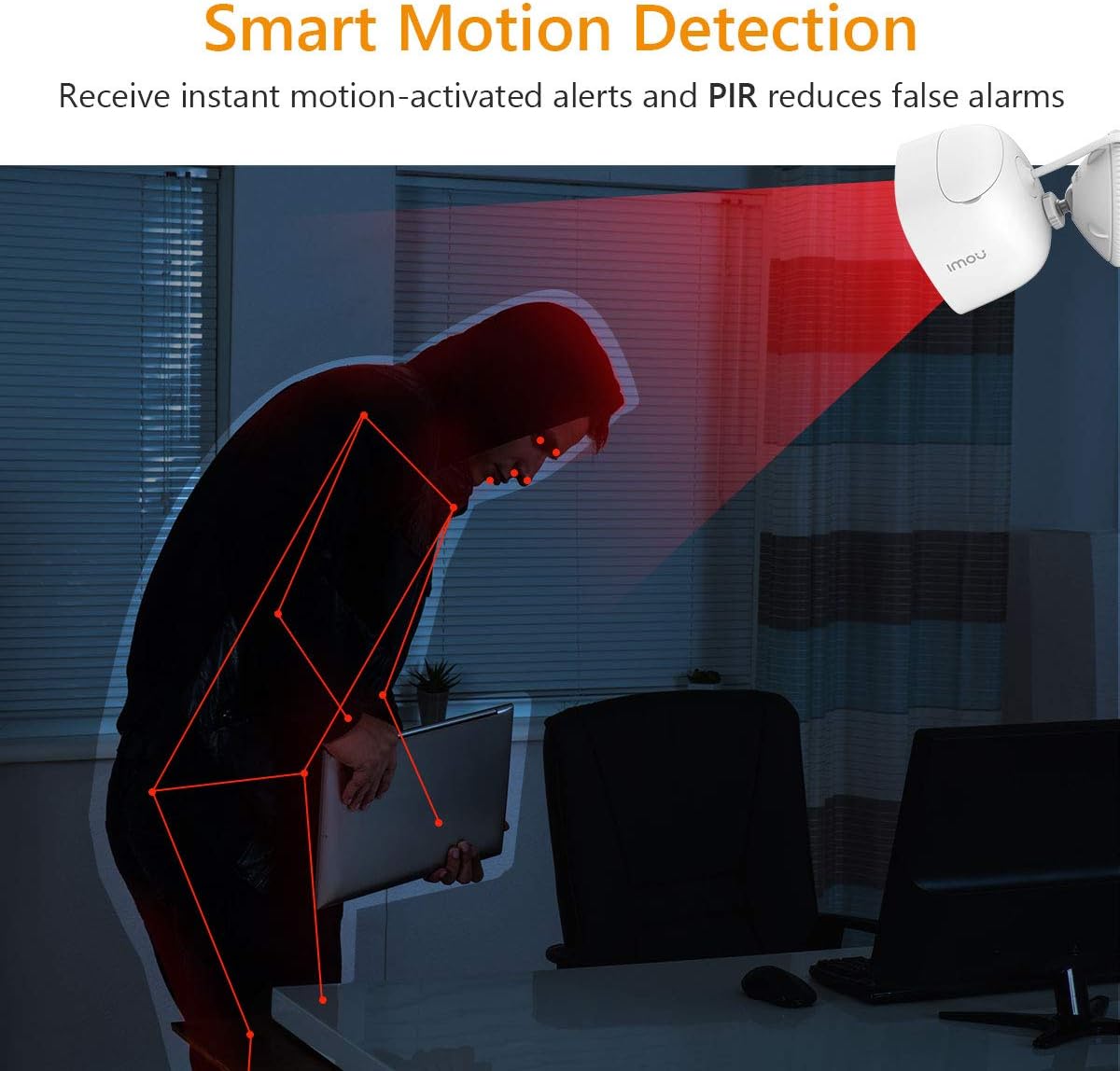
Figure 2.2.1: IMOU LOOC C26E/IPC-C26E Outdoor Wi-Fi Security Camera. This image shows the overall design of the camera, highlighting its compact and robust build suitable for outdoor use.
3. Vodič za postavljanje
3.1 Prije nego počnete
- Ensure your Wi-Fi network is 2.4 GHz. The camera does not support 5 GHz Wi-Fi.
- Pripremite naziv vaše Wi-Fi mreže (SSID) i lozinku.
- Download the IMOU Life app from your smartphone's app store (iOS or Android).
- Odaberite odgovarajuće mjesto za montažu koje omogućava jasan view i nalazi se unutar dometa Wi-Fi mreže.
3.2 Početno podešavanje kamere
- Uključeno: Connect the camera to the power adapter and plug it into an electrical outlet. The camera's indicator light will turn on.
- Instalacija aplikacije: Open the IMOU Life app on your smartphone and create an account or log in.
- Dodaj uređaj: Dodirnite ikonu "+" u aplikaciji da biste dodali novi uređaj. Skenirajte QR kod koji se nalazi na kameri ili njenom pakovanju.
- Mrežna konfiguracija: Follow the on-screen prompts in the app to connect the camera to your Wi-Fi network. Ensure your phone is connected to the same 2.4 GHz Wi-Fi network.
- Imenovanje uređaja: Assign a name to your camera (e.g., "Front Door Camera", "Backyard Camera").
3.3 Montiranje kamere
The camera is designed for wall or ceiling mounting. Use the provided mounting bracket and screw pack.
- Pozicioniranje: Hold the position card against the desired mounting surface and mark the screw holes.
- bušenje: Drill pilot holes at the marked positions. Insert wall anchors if mounting on masonry.
- Pričvrstite nosač: Pričvrstite nosač za montažu na površinu pomoću priloženih vijaka.
- Priloži kameru: Montirajte kameru na nosač i podesite njen ugao za optimalni viewing. Ensure the camera is securely fastened.
- Upravljanje kablovima: Use the cable clips to neatly route the power cable, protecting it from damage and weather elements.
4. Uputstvo za upotrebu
4.1 Uživo View i Reprodukcija
- Uživo View: Open the IMOU Life app and select your camera to view live feed.
- Reprodukcija: Pristup snimljen footage from the app. Recordings are triggered by motion detection and stored on the MicroSD card (if installed) or cloud storage (if subscribed).
4.2 Detekcija pokreta i upozorenja

Figure 4.2.1: Smart Motion Detection. The camera utilizes PIR technology to detect human-like motion, reducing false alarms from environmental factors. When motion is detected, the camera can send instant alerts to your smartphone.
- Omogući detekciju pokreta: In the IMOU Life app settings for your camera, enable motion detection.
- Podesite osjetljivost: Customize the motion detection sensitivity to minimize false alarms. The PIR sensor helps in accurate detection.
- Set Detection Zones: Definišite specifična područja unutar kamere view gdje bi detekcija pokreta trebala biti aktivna.
- Primanje upozorenja: The app will send push notifications to your smartphone when motion is detected.
4.3 Dvosmjerni razgovor
The integrated microphone and speaker allow for two-way communication:
- Initiate Talk: Dok je u živo view, tap the microphone icon in the IMOU Life app to speak through the camera's speaker.
- slušaj: The camera's microphone will pick up audio from its surroundings, which you can hear through your smartphone.
4.4 Noćni vid
Kamera se automatski prebacuje u noćni način rada u uslovima slabog osvetljenja, pružajući jasne crno-bele snimke.tage up to 10 meters (33 feet) using its IR LEDs.
4.5 Aktivno odvraćanje
Upon detecting motion, the camera can activate its built-in white LED light and 110 dB siren to deter potential intruders. This feature can be configured in the IMOU Life app settings.
5. Održavanje
5.1 Čišćenje
- Regularly clean the camera lens with a soft, dry cloth to ensure optimal image quality.
- Ne koristite jake kemikalije ili abrazivna sredstva za čišćenje.
5.2 Ažuriranja firmvera
- Periodically check for firmware updates via the IMOU Life app. Updates often include performance improvements and security enhancements.
- Ensure the camera has a stable power supply and internet connection during firmware updates.
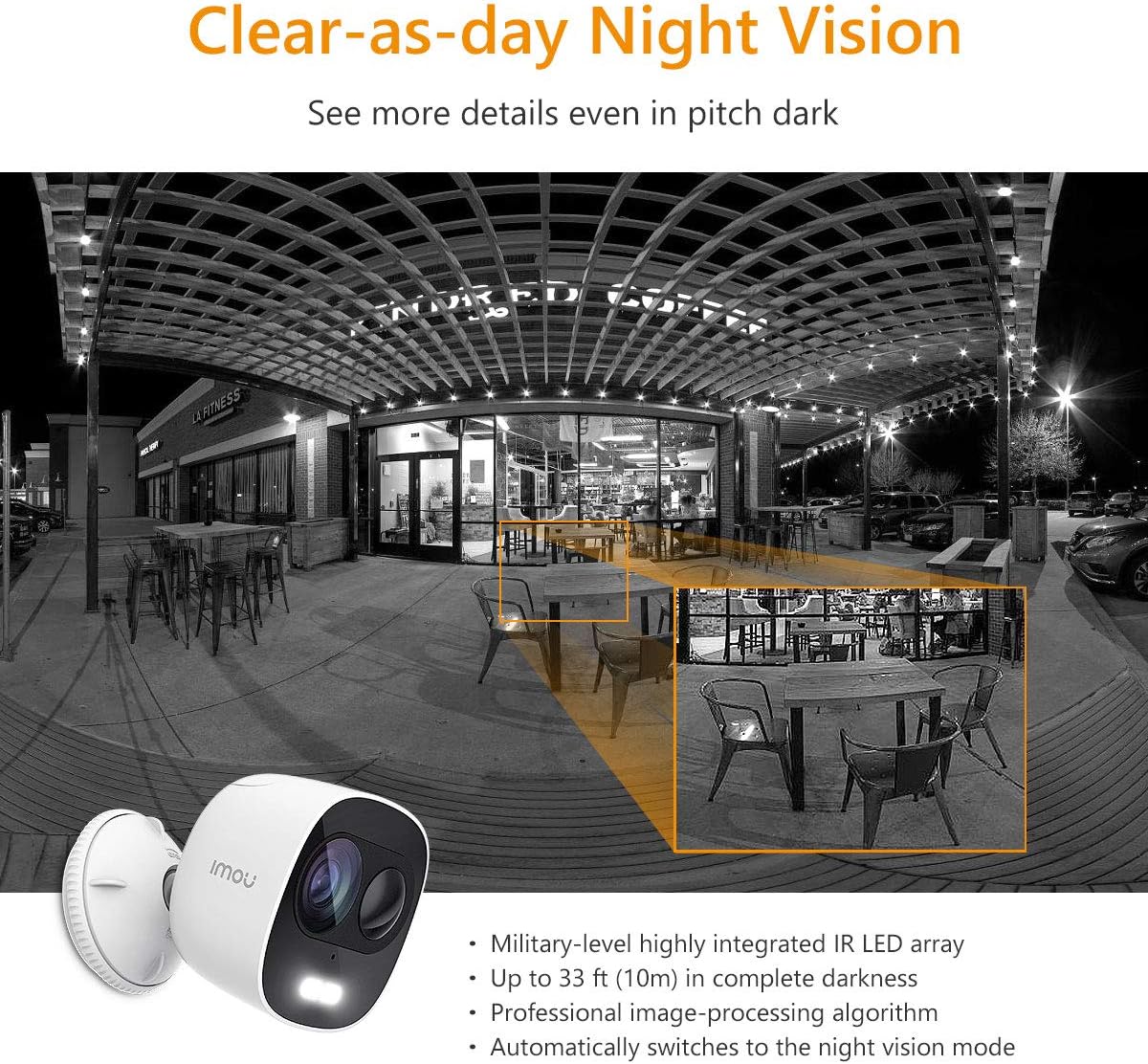
Figure 5.3.1: IP65 Weatherproof Design. The camera is built to withstand outdoor elements, including rain and dust, ensuring continuous operation in various weather conditions.
5.3 Zaštita od vremenskih prilika
While the camera is IP65 rated for weather resistance, ensure its power connections are protected from direct exposure to heavy rain or prolonged moisture to prevent damage.
6. Otkrivanje problema
6.1 Problemi s povezivanjem
- Kamera van mreže: Check if the camera is powered on and if your Wi-Fi router is working correctly. Ensure the camera is within range of your Wi-Fi signal.
- Povezivanje na Wi-Fi nije uspjelo: Verify your Wi-Fi password. Ensure your router is broadcasting a 2.4 GHz network. Try resetting the camera and repeating the setup process.
6.2 Problemi s detekcijom pokreta
- Nema upozorenja o pokretu: Check if motion detection is enabled in the app and if notification permissions are granted for the IMOU Life app on your phone.
- Previše lažnih alarma: Adjust the motion detection sensitivity settings in the app. Define specific detection zones to exclude areas with frequent irrelevant motion (e.g., trees swaying).
6.3 Problemi s kvalitetom slike
- Zamućena slika: Očistite objektiv kamere. Provjerite da nema prepreka ispred objektiva.
- Loš noćni vid: Ensure the IR LEDs are not obstructed. Check for reflective surfaces close to the camera that might interfere with IR illumination.
7. Specifikacije
| Feature | Specifikacija |
|---|---|
| Broj modela | IPC-C26E-IMOU |
| Rezolucija | 2 MP (1080p) |
| Objektiv | 2.8 mm |
| Noćni vid | Do 10 metara (33 stope) |
| Audio | Ugrađeni mikrofon i zvučnik (dvosmjerni razgovor) |
| Sirena | 110 dB |
| Skladištenje | MicroSD Card Slot (up to 128GB), Cloud Storage (subscription required) |
| Bežično povezivanje | Wi-Fi (2.4 GHz) |
| Weather Resistance | IP65 |
| Napajanje | 5V DC (Power Adapter Included) |
| Dimenzije (D x Š x V) | 8 x 9 x 10 cm |
| Težina | 510 grama |
| Radna temperatura | Not explicitly stated, but typical for outdoor cameras. |
8. Garancija i podrška
IMOU cameras are guaranteed by Dahua TP and are subject to their RMA (Return Merchandise Authorization) warranty policy. This process is designed to facilitate and expedite any necessary repairs or replacements.
For detailed warranty information, technical support, or service requests, please refer to the official IMOU webweb-mjesto ili direktno kontaktirajte njihovu korisničku podršku. Sačuvajte račun kao dokaz o kupovini za reklamacije u slučaju garancije.
Napomena: These devices do not have a WEB interface. The IMOU series records data only after motion detection (no continuous recording). Recordings typically last 1 to 1.5 minutes, depending on the duration of motion in front of the camera.