1. Uvod
This manual provides essential information for the safe and efficient operation of your TCL 55P8 55-inch AI 4K UHD Android Smart LED TV. Please read it thoroughly before using the product and retain it for future reference. This television combines advanced display technology with smart features for an enhanced viewing iskustvo.

Slika 1.1: Prednja strana view of the TCL 55P8 TV displaying a vibrant image.
2. Sigurnosne informacije
Da biste osigurali siguran rad i spriječili oštećenja, pridržavajte se sljedećih mjera opreza:
- Napajanje: Televizor priključite samo na izvor naizmjenične struje unutar navedene jačinetage range. Ensure the power cord is not damaged or pinched.
- ventilacija: Do not block ventilation openings. Maintain adequate space around the TV for proper airflow to prevent overheating.
- Voda i vlaga: Ne izlažite TV kiši, vlazi ili stavljajte predmete napunjene tekućinom na ili blizu TV-a.
- čišćenje: Isključite televizor iz struje prije čišćenja. Koristite meku, suhu krpu. Ne koristite tekuća ili aerosolna sredstva za čišćenje.
- plasman: Postavite TV na stabilnu, ravnu površinu ili ga sigurno pričvrstite na zid. Izbjegavajte postavljanje na direktnu sunčevu svjetlost ili u blizinu izvora topline.
- servisiranje: Ne pokušavajte sami servisirati TV. Za sve popravke obratite se kvalifikovanom servisnom osoblju.
3. Šta se nalazi u kutiji
Upon unpacking your TCL 55P8 TV, verify that all the following components are included:
- 1 x TCL 55P8 LED TV
- 1 x Table Top Stand (set)
- 1 x Wall Mount Bracket (Note: Wall mount is provided, but installation service is separate for TVs above 55 inches.)
- 1 x Uputstvo za upotrebu
- 1 x Garantni list
- 1 x daljinski upravljač
- 2 x AAA baterije (za daljinski upravljač)
- 1 x AV-RCA Adapter
4. Podešavanje
4.1 Fizička instalacija
You can install your TV using the included tabletop stand or a wall mount bracket.
Instalacija stolnog postolja:
- Pažljivo postavite televizor licem prema dolje na meku, ravnu površinu kako biste spriječili oštećenje ekrana.
- Pričvrstite baze postolja na predviđene utore na dnu televizora.
- Pričvrstite stalke priloženim vijcima.
- Postavite TV uspravno na stabilnu, ravnu površinu.

Image 4.1: The TCL 55P8 TV securely placed on its tabletop stand.
Montaža zidnog nosača:
If you choose to wall mount the TV, use the provided wall mount bracket. For TVs above 55 inches, professional installation is recommended. Ensure the wall can support the TV's weight (approximately 12 kg). Refer to the wall mount bracket's specific instructions for detailed steps.
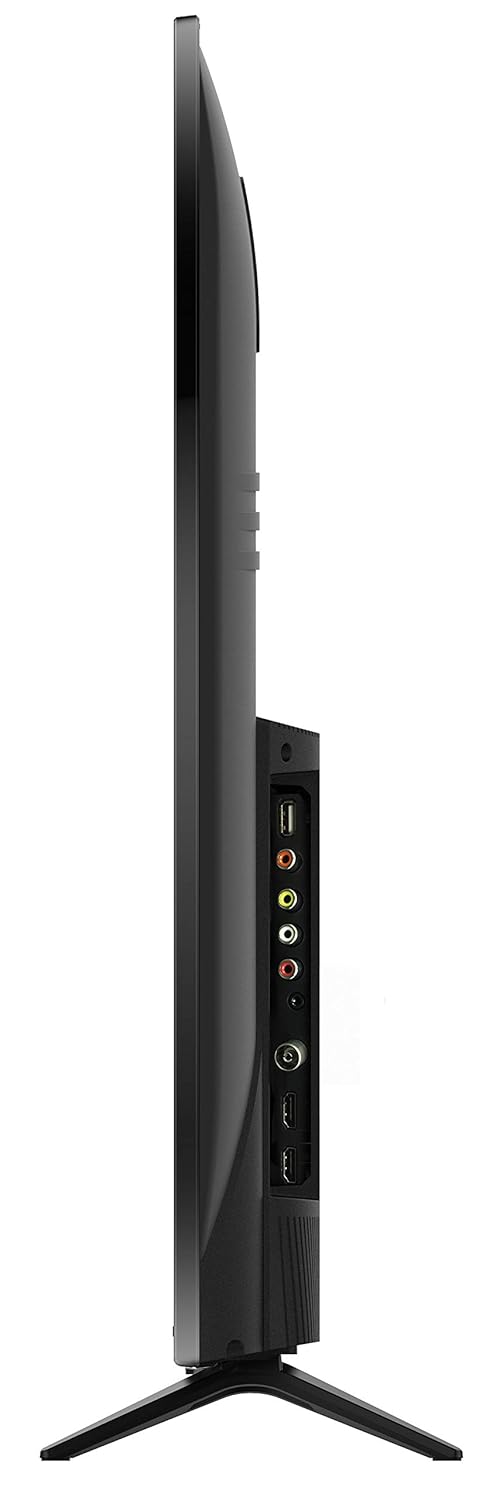
Slika 4.2: Pozadi view of the TCL 55P8 TV, indicating VESA mounting points for wall installation.
4.2 Povezivanje vanjskih uređaja
Your TCL 55P8 TV offers various ports for connecting external devices:
- HDMI portovi (x3): Povežite set-top box uređaje, Blu-ray plejere, igraće konzole ili druge uređaje koji podržavaju HDMI.
- USB portovi (x2): Connect USB flash drives or external hard drives for media playback.
- LAN port: Spojite Ethernet kabel za žičanu internetsku vezu.
- AV ulaz: Use the provided AV-RCA adapter to connect older devices with composite video and stereo audio outputs.
- Priključak za slušalice: Priključite slušalice za privatno slušanje.
- Digitalni audio izlaz: Povežite se sa soundbarom ili kućnim kinom za poboljšani zvuk.

Image 4.3: Diagram illustrating the various connectivity ports available on the TCL 55P8 TV.
5. Uputstvo za upotrebu
5.1 Uključivanje/isključivanje napajanja
Press the power button on the remote control or on the TV to turn it on or off. The TV may take a few moments to boot up due to its Android operating system.
5.2 Daljinski upravljač
The included remote control allows you to navigate the TV's features. It supports both IR and Bluetooth technology. Insert the two AAA batteries into the remote control, ensuring correct polarity.
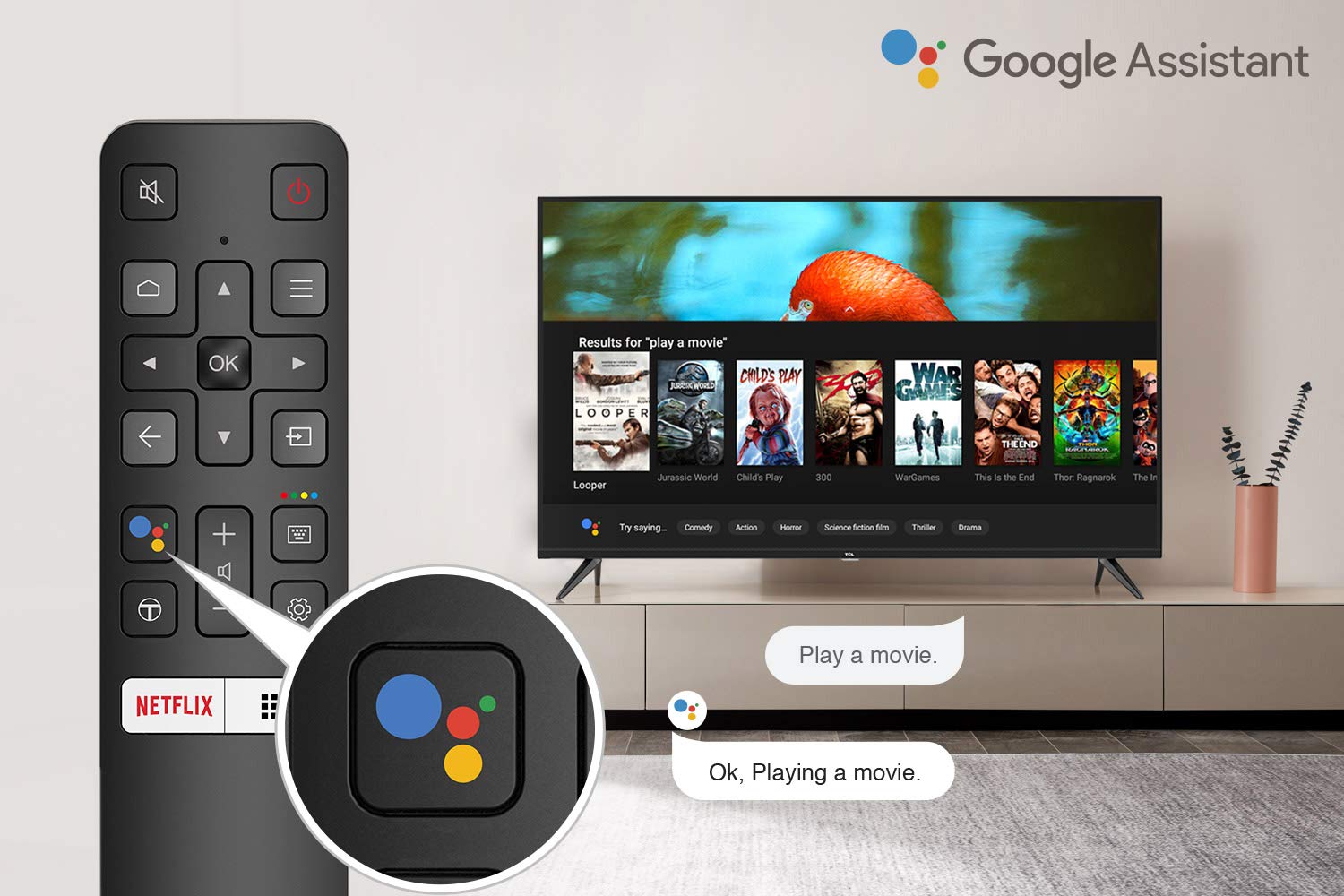
Image 5.1: The remote control for the TCL 55P8 TV, highlighting the Google Assistant button for voice commands.
5.3 Smart TV Features (Android TV 9.0)
Your TCL 55P8 TV runs on Android TV 9.0, offering a wide range of smart functionalities:
- AI-Google Assistant: Koristite glasovne komande putem daljinskog upravljača za pretraživanje sadržaja, upravljanje pametnim kućnim uređajima i dobijanje informacija.
- Google Cast (ugrađeni Chromecast): Cast content from your compatible smartphone, tablet, or computer directly to the TV screen.
- T-cast: Utilize the T-cast app for additional smart features and screen mirroring.
- Bluetooth: Connect Bluetooth-enabled devices such as headphones or game controllers.
- Pristup aplikaciji: Download and install various applications from the Google Play Store, including streaming services like Netflix, Amazon Prime Video, YouTube, Hotstar, Sony Liv, and Zee5.
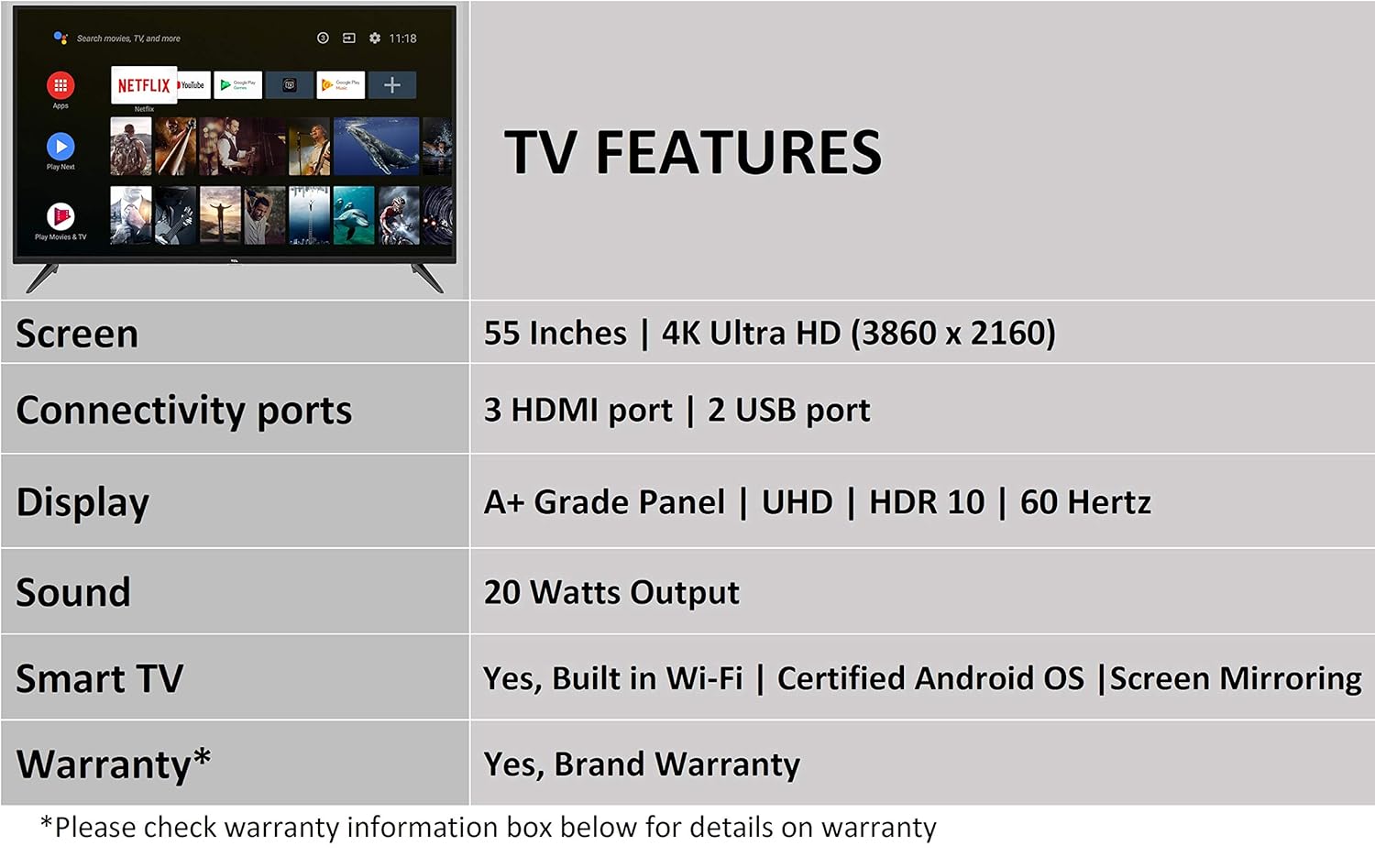
Image 5.2: The Android TV home screen on the TCL 55P8, displaying icons for popular streaming applications.
5.4 Postavke slike i zvuka
- slika: Navigate to the picture settings menu to adjust brightness, contrast, color, and sharpness. The TV supports 4K Ultra HD resolution, HDR10, and features Micro Dimming for enhanced contrast.
- zvuk: Access sound settings to adjust volume, equalizer, and select audio output modes. The TV provides 20 Watts of audio output and supports Dolby Audio.
6. Održavanje
6.1 Čišćenje televizora
- ekran: Gently wipe the screen with a soft, lint-free, dry cloth. For stubborn marks, slightly dampNamočite krpu vodom (ne prskajte direktno po ekranu).
- tijelo: Obrišite okvir i postolje televizora mekom, suhom krpom.
- Oprez: Do not use abrasive cleaners, alcohol, benzene, or thinners, as these can damage the TV's surface.
6.2 Ažuriranja softvera
Your Android TV may receive periodic software updates. Ensure your TV is connected to the internet to receive these updates, which can improve performance and add new features. You can usually check for updates in the TV's settings menu.
7. Otkrivanje problema
Ako imate problema s televizorom, pogledajte sljedeća uobičajena rješenja:
| Problem | Moguće rješenje |
|---|---|
| Nema snage | Check if the power cord is securely plugged into the TV and the wall outlet. Ensure the power outlet is functional. |
| Nema slike, ali je zvuk prisutan | Verify the correct input source is selected. Check HDMI/AV cable connections. Try restarting the TV. |
| Nema zvuka, ali je slika prisutna | Check the volume level and ensure the TV is not muted. Verify audio cable connections if using external speakers. Check audio output settings. |
| Daljinski upravljač ne radi | Replace batteries. Ensure there are no obstructions between the remote and the TV's IR sensor. Re-pair the Bluetooth remote if necessary. |
| Problemi sa mrežnom vezom | Check Wi-Fi password. Restart your router. Ensure the TV is within range of the Wi-Fi signal or the Ethernet cable is properly connected. |
| Spore performanse / Rušenje aplikacije | Close unused applications. Clear cache for problematic apps. Restart the TV. Consider a factory reset if issues persist (note: this will erase all data). |
If the problem persists after attempting these solutions, please contact TCL customer support.
8. Specifikacije
Detailed technical specifications for the TCL 55P8 55-inch AI 4K UHD Android Smart LED TV:
| Feature | Specifikacija |
|---|---|
| Model | 55P8 |
| Veličina ekrana | 55 inča (138.78 cm) |
| Rezolucija | 4K Ultra HD (3840 x 2160 piksela) |
| Refresh Rate | 60 Hz |
| Viewing Angle | 178 stepeni |
| Display Type | LED, panel A+ klase |
| HDR podrška | HDR 10 |
| Operativni sistem | Android 9.0 |
| Procesor | Quad-core A55 (1.1GHz) |
| Grafički koprocesor | Mali470x3 (600MHz-800MHz) |
| RAM | 2 GB |
| Interna pohrana | 16 GB |
| Audio izlaz | 20 Watts |
| Audio tehnologija | AI Sound Engine, Dolby Audio |
| HDMI portovi | 3 (HDMI 2.0, HDCP2.2, ARC on Port 1) |
| USB portovi | 2 (USB 2.0) |
| Povezivanje | Wi-Fi (2x2 b/g/n 2.4GHz), Ethernet, Bluetooth 5.0 |
| Posebne karakteristike | AI-Google Assistant, Google Cast, T-cast, Micro Dimming |
| Dimenzije proizvoda (DxŠxV) | 124.4 x 23.9 x 77.5 cm (sa postoljem) |
| Težina artikla | 12 kg |

Image 8.1: Dimensional diagram of the TCL 55P8 TV, showing height, width, and depth measurements.
9. Garancija i podrška
9.1 Informacije o garanciji
Your TCL 55P8 TV comes with an 18-mjesečna garancija provided by TCL from the date of purchase. Please retain your purchase receipt and warranty card for any warranty claims.
9.2 Installation and Customer Support
For requesting installation, wall mounting, or a product demonstration after delivery, please contact TCL customer service:
- Besplatni brojevi: 18004190622 ili 18001020622
For any other technical assistance or support, please refer to the contact information provided on your warranty card or the official TCL website.
9.3 Politika povrata
This product is eligible for replacement or refund within 10 days of delivery in case of any product defects, damage, or features not matching the description provided. Please refer to the retailer's return policy for detailed terms and conditions.


