1. Uvod
Thank you for choosing the ZIPRO Boost Exercise Bike. This manual provides essential information for the safe and effective assembly, operation, and maintenance of your new fitness equipment. Please read this manual thoroughly before first use and keep it for future reference.
2. Sigurnosne informacije
- Konsultujte se sa lekarom pre nego što započnete bilo koji program vežbanja.
- Prije svake upotrebe provjerite jesu li svi dijelovi dobro pričvršćeni.
- Držite djecu i kućne ljubimce podalje od opreme tokom rada.
- Postavite sobni bicikl na ravnu, stabilnu površinu.
- Nosite odgovarajuću odjeću i obuću za vježbanje.
- Ne prekoračujte maksimalnu težinu korisnika od 120 kg.
- Odmah prestanite s vježbanjem ako osjetite nesvjesticu, vrtoglavicu ili bol.
3. Sadržaj paketa
Before assembly, verify that all components are present and undamaged:
- Glavni okvir
- Prednji i zadnji stabilizatori
- Pedale (lijeva i desna)
- Cijev sjedišta i sjedalo
- Cijev volana i volani
- Računar za vježbanje
- Pribor za montažu (vijci, podloške, matice)
- Alati za montažu (ključevi, imbus ključevi)
- Uputstvo za upotrebu
4. Upute za sastavljanje
Follow these steps for proper assembly. It is recommended to have two people for certain steps.
- Pričvrstite stabilizatore: Secure the front and rear stabilizers to the main frame using the provided bolts and washers. Ensure they are firmly tightened.
- Instalirajte pedale: Identify the left (L) and right (R) pedals. The left pedal screws counter-clockwise, and the right pedal screws clockwise. Tighten securely.
- Montaža cijevi sjedišta i sjedišta: Insert the seat post into the main frame and adjust to the desired height. Attach the saddle to the seat post and secure it.
- Pričvrstite držač volana: Insert the handlebar post into the main frame.
- Install Handlebars and Computer: Attach the handlebars to the handlebar post. Connect the sensor wires from the main frame to the exercise computer. Mount the computer onto the handlebar post.

Figure 4.1: Detailed assembly diagram for the ZIPRO Boost Exercise Bike.

Slika 4.2: Eksplodirao view of the exercise bike components, illustrating how parts fit together during assembly.
5. Uputstvo za upotrebu
5.1 Podešavanje otpora
The ZIPRO Boost features an 8-level magnetic resistance system. To adjust the resistance, turn the tension control knob located below the computer display. Turn clockwise to increase resistance (harder) and counter-clockwise to decrease resistance (easier).

Figure 5.1: The resistance adjustment knob, showing levels 1 through 8.
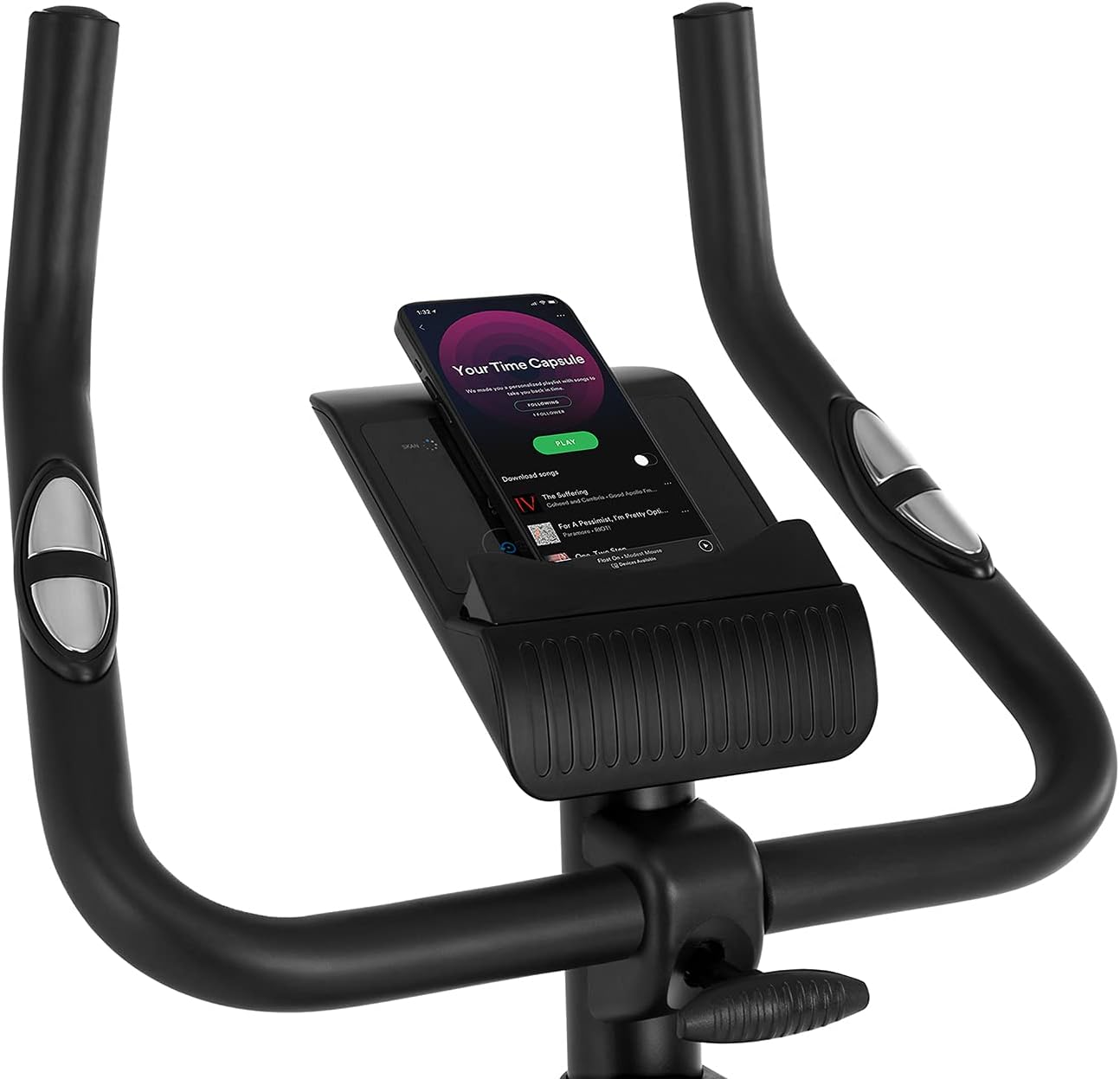
Figure 5.2: Demonstrating how to adjust the magnetic resistance using the tension control knob.
5.2 Saddle and Handlebar Adjustments
Proper adjustment of the saddle and handlebars ensures comfort and effective training.
- Visina sedla: Loosen the adjustment knob on the seat post, raise or lower the saddle to your desired height (ensure a slight bend in your knee at the bottom of the pedal stroke), and tighten the knob securely.
- Saddle Horizontal Position: Loosen the knob beneath the saddle to slide it forward or backward for optimal positioning relative to the pedals. Tighten securely.
- Visina upravljača: Loosen the adjustment knob on the handlebar post, raise or lower the handlebars to a comfortable position, and tighten the knob securely.
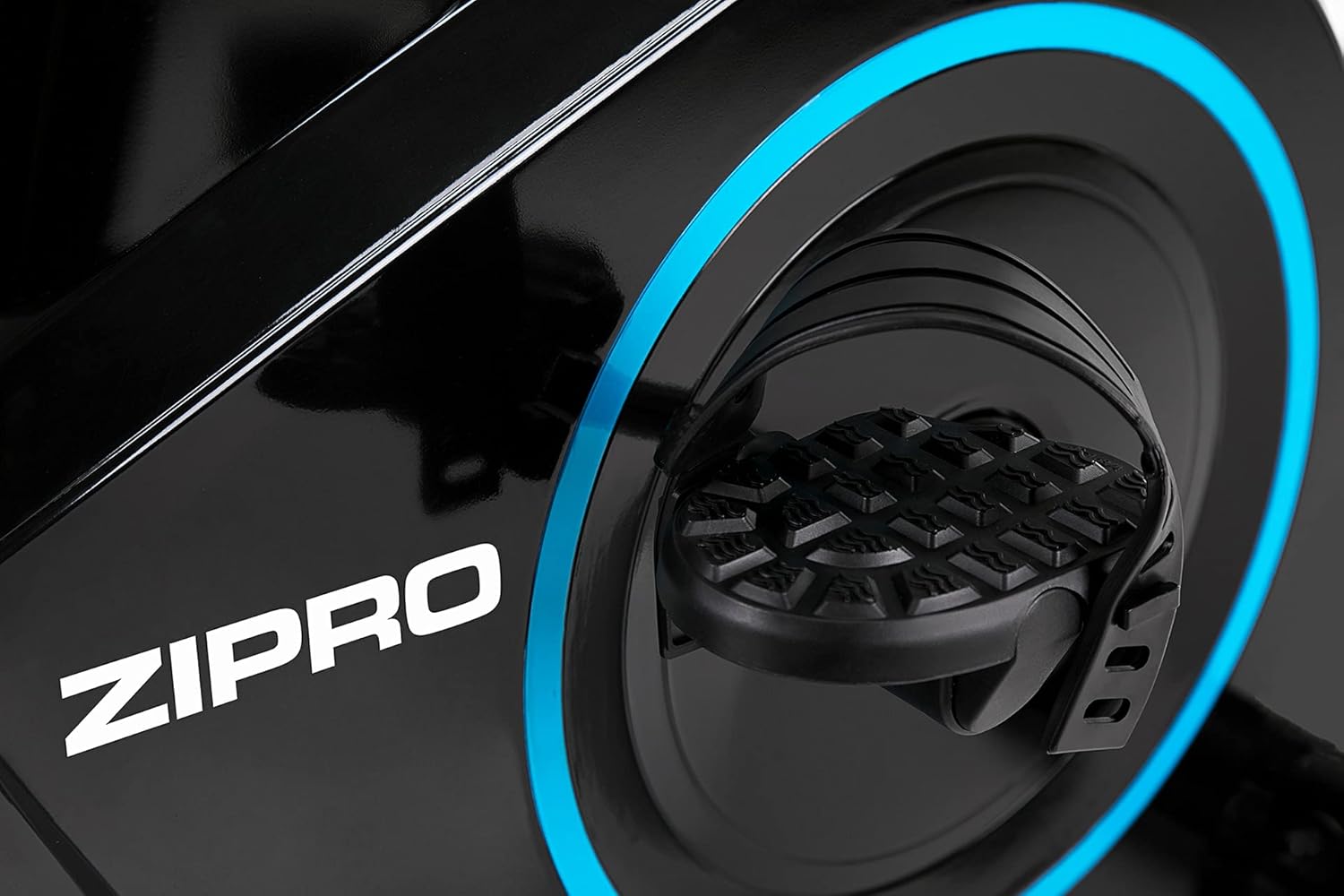
Figure 5.3: Adjusting the saddle's vertical position for user comfort.
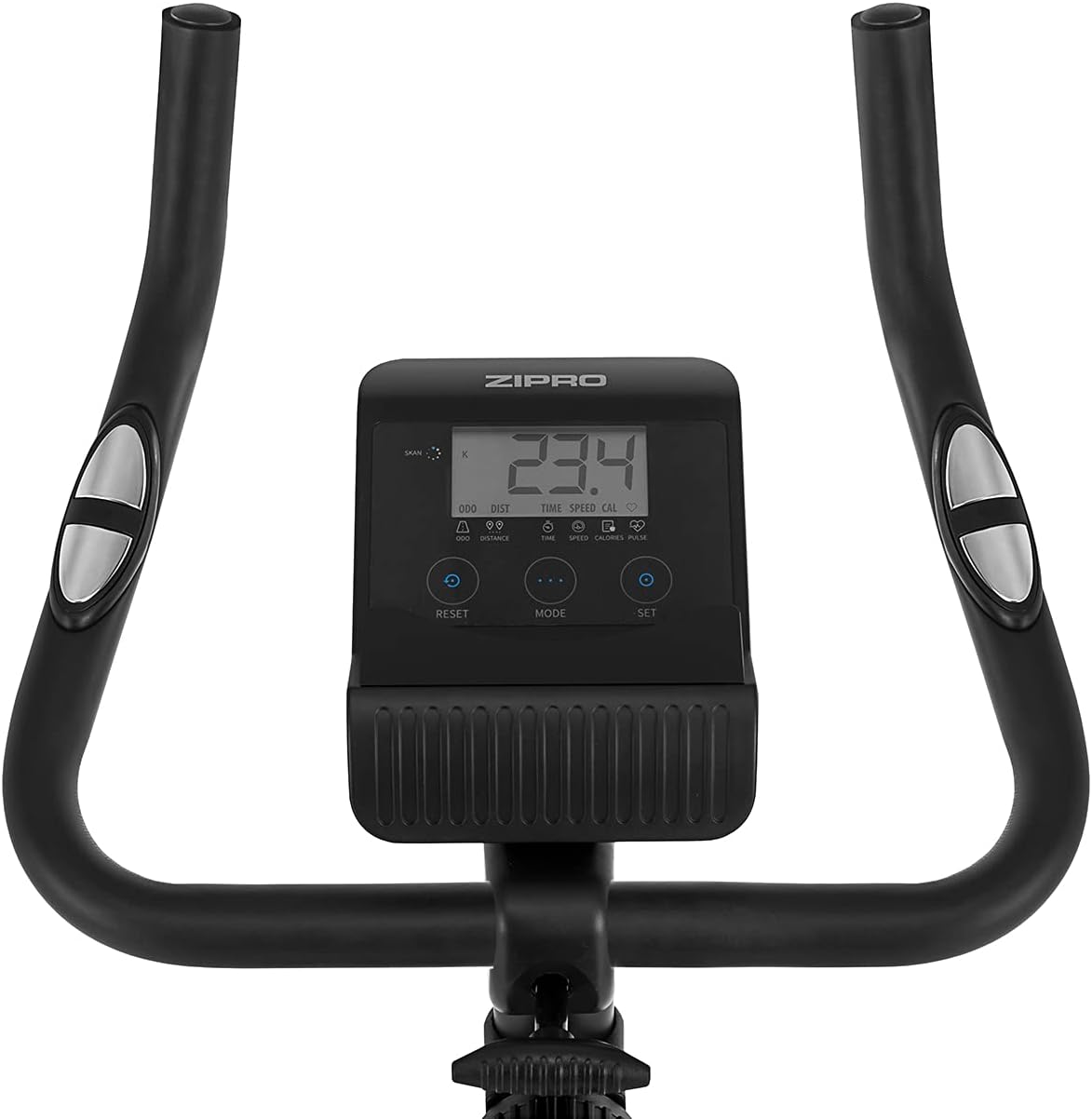
Figure 5.4: Adjusting the saddle's horizontal position for optimal riding posture.
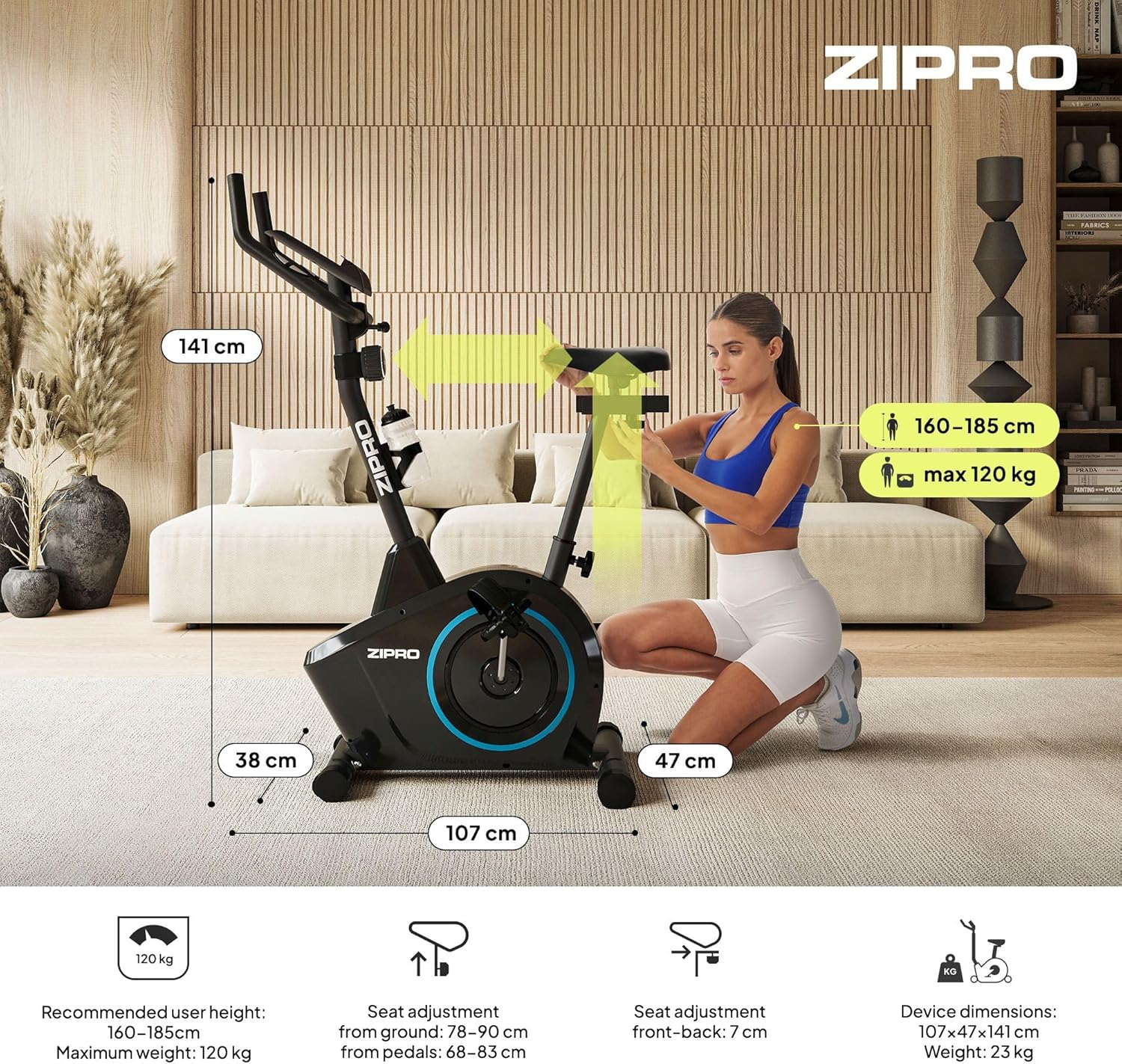
Figure 5.5: Adjusting the handlebar height to suit different user preferences and workout styles.
5.3 Computer Functions
The integrated computer tracks your workout data. It measures time, distance, speed, calories burned, and pulse (via sensors in the handlebar). The SCAN function cycles through all data alternately on the screen.
- Dugme MODE: Press to select the display function (Time, Speed, Distance, Calories, Odometer, Pulse).
- Dugme RESET: Press and hold to clear all current workout data (Time, Distance, Speed, Calories).
- Dugme SET: Used to set target values for Time, Distance, or Calories.
- Senzori pulsa: Grip the metal plates on the handlebars to measure your heart rate.
- Mobile Device Shelf: A convenient shelf is provided above the computer for your smartphone or tablet.

Figure 5.6: The exercise computer display with MODE, RESET, and SET buttons.

Slika 5.7: Gotovoview of the computer display and integrated pulse sensors.

Figure 5.8: The integrated shelf designed to hold a mobile device like a tablet during workouts.
6. Održavanje
Redovno održavanje osigurava dugotrajnost i siguran rad vašeg sobnog bicikla.
- čišćenje: Obrišite bicikl oglasomamp Nakon svake upotrebe obrišite krpom kako biste uklonili znoj i prašinu. Ne koristite abrazivna sredstva za čišćenje.
- Provjerite veze: Periodically check all bolts, nuts, and screws to ensure they are tight. Tighten if necessary.
- podmazivanje: The magnetic resistance system is generally maintenance-free. If you notice any squeaking from moving parts (e.g., pedal axles), apply a small amount of silicone-based lubricant.
- Skladištenje: When not in use, store the bike in a dry, cool place away from direct sunlight. The integrated transport wheels allow for easy movement.

Figure 6.1: The exercise bike features transport wheels for easy relocation after use.
7. Otkrivanje problema
| Problem | Mogući uzrok | Rješenje |
|---|---|---|
| Ekran računara ne radi | Loose cable connection; Dead batteries | Check all cable connections to the computer; Replace batteries (if applicable). |
| Nema promjene otpora | Otporni kabel isključen ili oštećen | Check the resistance cable connection to the tension knob and the main unit. |
| Škripanje ili škripanje | Loose parts; Lack of lubrication | Check and tighten all bolts and nuts; Apply silicone lubricant to moving parts if necessary. |
| Nestabilno tokom upotrebe | Bike not on a level surface; Loose stabilizers | Ensure the bike is on a flat surface; Adjust leveling caps on stabilizers; Tighten stabilizer bolts. |
8. Specifikacije
| Feature | Specifikacija |
|---|---|
| Model | 979536 |
| Dimenzije (D x Š x V) | 73 x 48 x 137 cm |
| Težina proizvoda | 23 kg |
| Maksimalna težina korisnika | 120 kg |
| Sistem otpora | Magnetic, 8-level manual adjustment |
| Drive System | Pojas |
| Funkcije računara | Time, Distance, Speed, Calories, Pulse (Heart Rate) |
| Vrsta materijala | Plastika, metal |
| Izvor napajanja (računar) | Battery Powered |
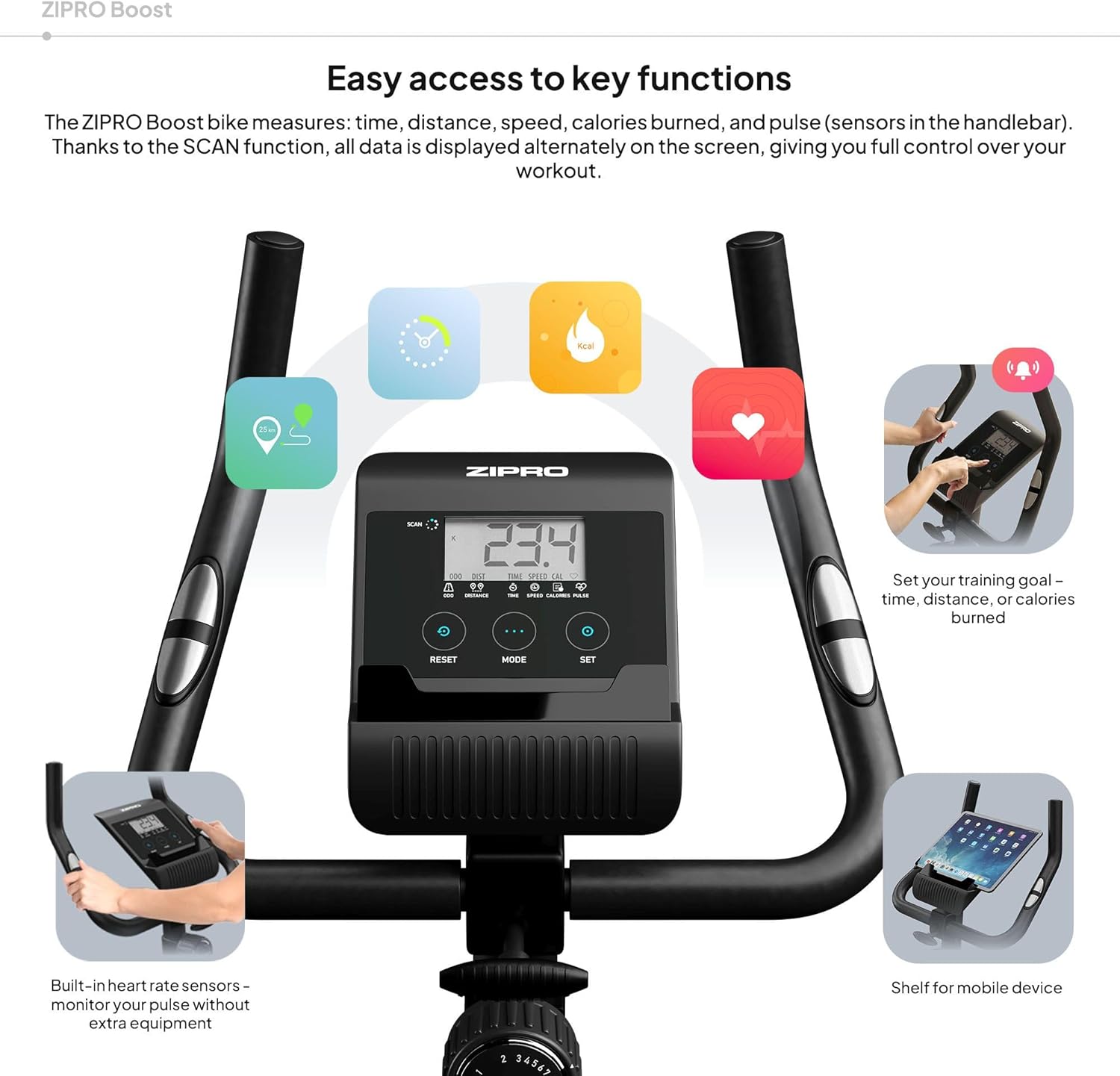
Figure 8.1: Key dimensions and user specifications for the exercise bike.
9. Garancija i podrška
Your ZIPRO Boost Exercise Bike comes with a standard manufacturer's warranty. Please refer to the warranty card included in your package for specific terms and conditions. For technical support, spare parts, or any inquiries not covered in this manual, please contact ZIPRO customer service through their official webweb-mjesto ili prodavača gdje ste kupili proizvod.