Uvod
This manual provides detailed instructions for the safe and effective use of your SIMOLIO JH-712 Bluetooth Kids Headphones. Please read this manual thoroughly before operating the device and retain it for future reference.
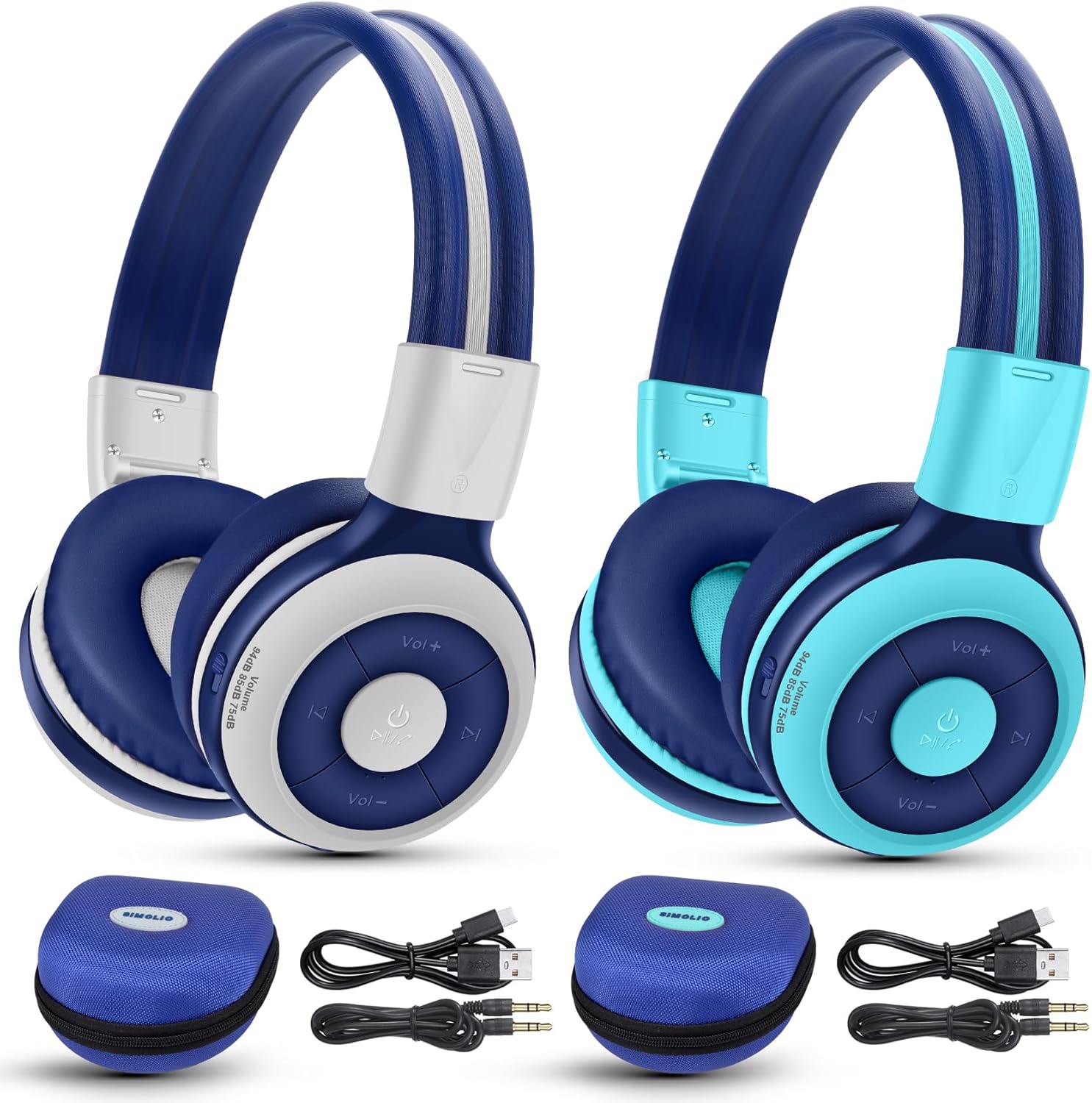
Image: The SIMOLIO JH-712 Bluetooth Kids Headphones, showcasing the mint and grey color options, complete with accessories.
Sadržaj paketa
Provjerite da li se sve stavke nalaze u vašem paketu:
- SIMOLIO JH-712 Bluetooth Kids Headphones (2 units)
- Kabl za punjenje (USB-C)
- AUX kabl (3.5 mm audio kabl)
- Korisnički priručnik (ovaj dokument)
- Carrying EVA Case (2 units)
Product Overview
Familiarize yourself with the components of your headphones.
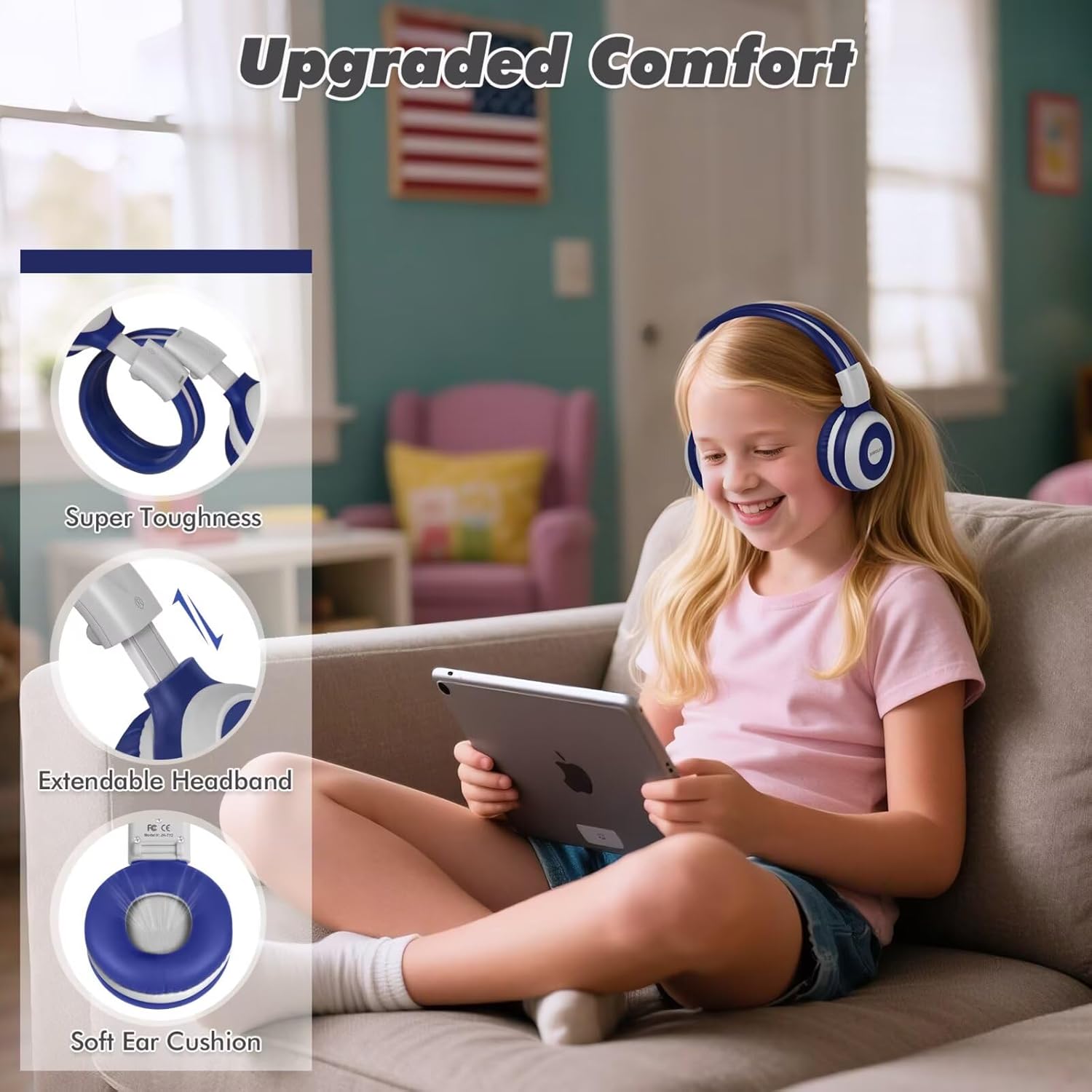
Image: Key features of the headphones, including super toughness, extendable headband, and soft ear cushions.
- Power Button/Multi-function Button: Koristi se za uključivanje/isključivanje, reprodukciju/pauzu, odgovaranje/završetak poziva.
- Dugme za pojačavanje zvuka/sljedeću pjesmu: Kratki pritisak za povećanje jačine zvuka, dugi pritisak za sledeću numeru.
- Dugme za smanjenje jačine zvuka/prethodnu pjesmu: Kratki pritisak za smanjenje jačine zvuka, dugi pritisak za prethodnu pjesmu.
- LED indikator: Displays pairing status, charging status, and power.
- mikrofon: Za hands-free pozive.
- 3.5 mm audio priključak: Za žičanu vezu.
- Port za punjenje (USB-C): Za punjenje slušalica.
- Share Port: Allows another wired headphone to connect and share audio.
- Podesiva traka za glavu: Za udobno pristajanje.
- Mekani jastučići za uši: Dizajniran za udobnost i izolaciju buke.
Setup
1. Punjenje slušalica
Prije prve upotrebe, potpuno napunite slušalice.
- Spojite priloženi USB-C kabel za punjenje na priključak za punjenje na slušalicama.
- Drugi kraj kabla priključite na USB adapter za napajanje (nije uključen) ili na USB port računara.
- The LED indicator will show a red light during charging and turn off when fully charged.
- Potpuno punjenje traje otprilike 3 sata i omogućava do 15 sati reprodukcije.
2. Bluetooth uparivanje (bežični način rada)
- Uvjerite se da su slušalice isključene.
- Pritisnite i držite dugme za napajanje otprilike 5 sekundi dok LED indikator ne počne naizmjenično treperiti plavo i crveno. Ovo označava režim uparivanja.
- Na svom uređaju (pametnom telefonu, tabletu, laptopu) omogućite Bluetooth i potražite dostupne uređaje.
- Select "SIMOLIO JH-712" from the list of devices.
- Kada se poveže, LED indikator će polako treptati plavo.
- If a passcode is requested, enter "0000".

Image: Illustration of wireless and wired usage modes for the headphones.
3. Žična veza (AUX način rada)
Use the wired connection when Bluetooth is not available or the battery is depleted.
- Connect one end of the provided 3.5mm AUX cable to the 3.5mm audio jack on the headphones.
- Drugi kraj kabla priključite na audio izlaz vašeg uređaja.
- The headphones will automatically switch to wired mode. The microphone functions only in Bluetooth mode.
Uputstvo za upotrebu
Uključivanje/isključivanje
- Uključeno: Press and hold the Power Button for 2-3 seconds until the LED indicator flashes blue.
- Iskljuciti: Press and hold the Power Button for 3-4 seconds until the LED indicator turns red and then off.
Volume Control and Limiting Modes
The headphones feature three distinct volume limiting modes for hearing protection.

Image: Visual representation of the three volume limiting modes: 75dB (Toddler Mode), 85dB (Study Mode), and 94dB (Travel Mode).
- Podesite glasnoću: Kratko pritisnite tipke za pojačavanje (+) ili smanjivanje (-) jačine zvuka.
- Change Volume Limiting Mode: The headphones automatically adjust to 75dB, 85dB, or 94dB based on the environment. Specific manual control for these modes is typically managed by the device's volume settings within these limits.
Reprodukcija muzike
- Pusti/pauza: Kratko pritisnite dugme za napajanje.
- Sljedeća pjesma: Dugo pritisnite dugme za pojačavanje zvuka (+).
- Prethodni zapis: Dugo pritisnite dugme za smanjenje jačine zvuka (-).
Call Functions (Bluetooth Mode Only)
- Odgovori/Završi poziv: Kratko pritisnite dugme za napajanje.
- odbiti poziv: Dugo pritisnite dugme za napajanje.
- Ponovno biranje zadnjeg broja: Double-press the Power Button.

Image: Children engaged in online learning and video chats using the headphones' built-in microphone.
Share Port Function
The Share Port allows two users to listen to the same audio source simultaneously.
- Connect the primary SIMOLIO headphone to your device via Bluetooth.
- Connect one end of the 3.5mm AUX cable to the Share Port of the primary SIMOLIO headphone.
- Connect the other end of the AUX cable to the 3.5mm audio jack of a second headphone (can be another SIMOLIO headphone or any compatible wired headphone).
- Both headphones will now receive audio from the primary device.

Image: Two children sharing audio from a single device using the headphone's share port.
Održavanje
- Čistite slušalice mekom, suhom krpom. Ne koristite abrazivna sredstva za čišćenje ili rastvarače.
- Izbjegavajte izlaganje slušalica ekstremnim temperaturama, vlazi ili direktnoj sunčevoj svjetlosti.
- Store the headphones in the provided EVA case when not in use to protect them from damage.
- Do not attempt to disassemble or repair the headphones yourself. Contact customer support for assistance.
Rješavanje problema
| Problem | Mogući uzrok | Rješenje |
|---|---|---|
| Slušalice se ne uključuju. | Niska baterija. | U potpunosti napunite slušalice. |
| Nije moguće uparivanje putem Bluetootha. | Slušalice nisu u načinu rada za uparivanje; Bluetooth uređaja isključen; previše udaljeno od uređaja. | Ensure headphones are in pairing mode (flashing blue/red). Turn on device Bluetooth. Move headphones closer to device (within 10 meters). |
| Nema zvuka u bežičnom režimu. | Jačina zvuka je preniska; slušalice nisu povezane; na uređaju je odabran pogrešan audio izlaz. | Povećajte jačinu zvuka na slušalicama i uređaju. Ponovo uparite slušalice. Provjerite postavke audio izlaza uređaja. |
| Nema zvuka u žičanom režimu. | AUX cable not fully inserted; cable damaged; device volume too low. | Ensure AUX cable is fully inserted into both headphone and device. Try a different AUX cable. Increase device volume. |
| Mikrofon ne radi. | Using wired mode; device microphone settings. | The microphone only works in Bluetooth mode. Check your device's microphone input settings. |
Specifikacije
- Naziv modela: JH-712
- Tehnologija povezivanja: Bežično (Bluetooth 5.0), Žično (3.5 mm priključak)
- Bluetooth opseg: 10 metara
- Vrsta audio drajvera: Dinamički drajver (40 mm)
- Frekvencijski raspon: 200 Hz - 10,000 Hz
- Ograničenje jačine zvuka: 3 levels (75dB/85dB/94dB)
- Trajanje baterije: Up to 15 Hours (wireless mode)
- Vrijeme punjenja: Približno 3 sata
- Uključene komponente: Charging Cable, AUX Cable, User Manual, Carrying EVA Case
- Materijal: Stainless Steel (headband strips)
- Težina artikla: 184 Grams (per headphone)
- Posebne karakteristike: Foldable, Built-in Microphone, Volume Control, Share Port
- Dobni raspon: Toddlers-Kids-Teens

Slika: Detaljna view of the 40mm dynamic driver, emphasizing extraordinary sound quality.
Garancija i podrška
SIMOLIO provides a 12-month hassle-free warranty for this product. For warranty claims, technical support, or any inquiries, please contact SIMOLIO customer service through the retailer where the product was purchased or visit the official SIMOLIO website.
Online podrška: Visit the SIMOLIO Store on Amazon