Uvod
Thank you for choosing the NEDIS Wi-Fi Smart Fan Heater. This manual provides essential information for the safe and efficient operation of your new device. Please read these instructions carefully before use and retain them for future reference. Proper use and maintenance will ensure optimal performance and longevity of the product.
Sigurnosna uputstva
Da biste smanjili rizik od požara, strujnog udara ili povrede, uvijek slijedite ove osnovne sigurnosne mjere:
- Pročitajte sva uputstva prije korištenja ovog grijača.
- Nemojte koristiti ovaj grijač u neposrednoj blizini kade, tuša ili bazena.
- Ne prekrivajte grijač. Pokrivanje grijača može uzrokovati pregrijavanje i požar.
- Zapaljive materijale poput namještaja, jastuka, posteljine, papira, odjeće i zavjesa držite najmanje 1 metar (3 stope) od prednje strane grijalice i držite ih dalje od bočnih i stražnjih strana.
- Uvijek isključite grijač iz struje kada ga ne koristite.
- Nemojte koristiti bilo koji grijač s oštećenim kabelom ili utikačem ili nakon što grijač ne radi pravilno, ako je ispušten ili oštećen na bilo koji način.
- Ne provlačite kabl ispod tepiha. Nemojte prekrivati kabel prostirkama za bacanje, vodilicama ili sličnim pokrivačima. Postavite kabl dalje od saobraćajne površine i na mestu gde se neće spotaknuti.
- Neophodan je izuzetan oprez kada grijalicu koriste ili u blizini djeca ili invalidi i kad god grijač ostane u funkciji i bez nadzora.
- This heater is equipped with a tip-over protection switch that automatically shuts off the heater if it is accidentally knocked over.
- Uvjerite se da je grijač postavljen na stabilnu, ravnu površinu.
- Samo za unutrašnju upotrebu.
Product Overview
Familiarize yourself with the main components of your NEDIS Wi-Fi Smart Fan Heater.
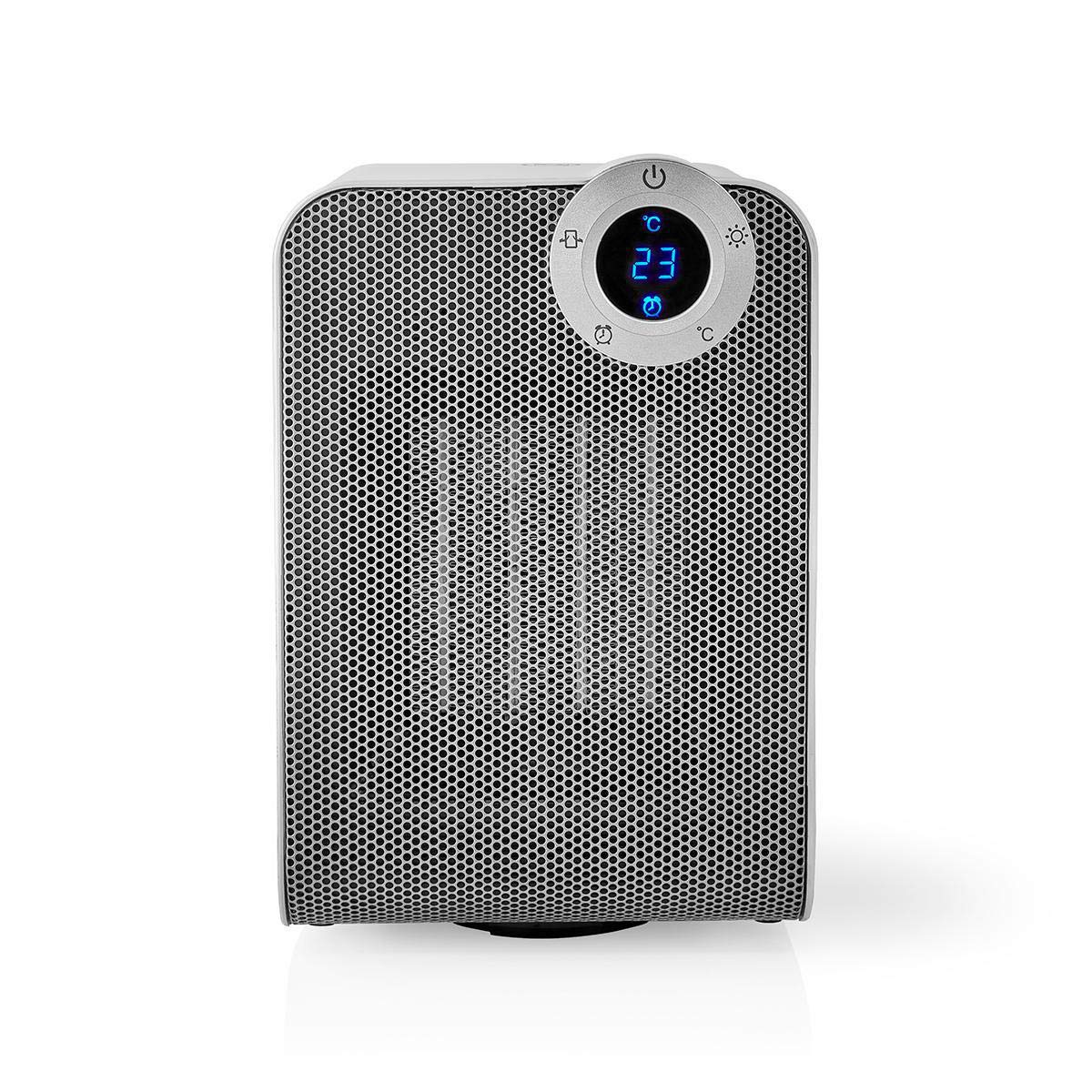
The front panel features a digital display that shows the current temperature and settings. Surrounding the display are touch-sensitive buttons for power, mode selection, oscillation, and timer functions.

The rear of the heater includes the main power switch (often a rocker switch) and the air intake grille. Ensure this area is not obstructed for proper airflow.

The compact design of the heater allows for easy placement in various indoor settings.
Setup
Raspakivanje
- Pažljivo izvadite grijač iz ambalaže.
- Provjerite ima li oštećenja tokom transporta. U slučaju oštećenja, nemojte koristiti uređaj i kontaktirajte korisničku podršku.
- Sačuvajte ambalažu za buduće skladištenje ili transport.
Plasman
- Postavite grijač na čvrstu, ravnu površinu.
- Ensure there is at least 1 meter (3 feet) of clear space around the heater to allow for proper air circulation and to prevent fire hazards.
- Do not place the heater near curtains, drapes, or other loose fabrics that could block the air intake or outlet.
- Pazite da kabel za napajanje nije priklješten ili postavljen ispod teških predmeta.
Početno uključivanje
- Plug the heater into a suitable electrical outlet (220-240V AC, 50/60Hz).
- Flip the main power switch on the back of the unit to the 'ON' position.
- The digital display on the front will illuminate, indicating the heater is in standby mode.
Wi-Fi Connection & App Setup
The NEDIS Wi-Fi Smart Fan Heater can be controlled via the Nedis SmartLife app, offering advanced features and remote control.
- Preuzmite Nedis SmartLife aplikaciju iz App Store-a (iOS) ili Google Play Store-a (Android).
- Registrujte se za novi račun ili se prijavite ako ga već imate.
- Provjerite je li vaš pametni telefon povezan na Wi-Fi mrežu od 2.4 GHz.
- U aplikaciji dodirnite ikonu '+' da biste dodali novi uređaj.
- Follow the on-screen instructions in the app to connect your heater to your Wi-Fi network. This usually involves putting the heater into pairing mode (refer to the app for specific instructions, often by pressing and holding a button on the heater).
- Once connected, you can control the heater from anywhere using the app.
Uputstvo za upotrebu
Ručna kontrola
The heater can be operated directly using the touch buttons on the front panel:
- Dugme za napajanje: Pritisnite da biste uključili ili isključili grijač.
- Dugme za način rada: Cycle through heating modes (e.g., High Heat 1800W, Low Heat 900W, Fan Only).
- Podešavanje temperature: Use the '+' and '-' buttons (or similar) to set the desired temperature. The heater will operate at 1800W for rapid heating and automatically switch to 900W once the set temperature is approached.
- Dugme za oscilovanje: Press to activate or deactivate the horizontal oscillation feature, distributing heat across a wider area.
- Dugme za tajmer: Set a timer for the heater to automatically turn off after a specified duration.
SmartLife App Control
Once connected to the Nedis SmartLife app, you can access advanced control features:
- Daljinsko uključivanje/isključivanje: Kontrolirajte grijalicu s bilo kojeg mjesta.
- Podešavanje temperature: Precisely set and monitor the room temperature.
- Odabir načina rada: Choose between different heating levels or fan-only mode.
- Kontrola oscilacija: Uključite ili isključite funkciju osciliranja.
- Zakazivanje: Create custom heating schedules for different times of the day or week.
- Funkcija tajmera: Set a countdown timer for automatic shutdown.
Voice Control
The heater supports voice control through popular smart assistants. To enable this, link your Nedis SmartLife account with your preferred voice assistant (Google Home or Amazon Alexa) via their respective apps. Once linked, you can use voice commands such as:
- "Hey Google, turn on the heater."
- "Alexa, set the heater to 22 degrees."
- "Hey Google, turn off the heater."
Održavanje
Čišćenje
Redovno čišćenje pomaže u održavanju efikasnosti grijalice i produžava njen vijek trajanja.
- Uvijek isključite grijalicu iz struje i ostavite je da se potpuno ohladi prije čišćenja.
- Obrišite vanjske površine mekom krpom, damp tkanina. Nemojte koristiti abrazivna sredstva za čišćenje ili rastvarače.
- Koristite usisivač sa nastavkom za četku da biste uklonili prašinu sa rešetki za usis i izlaz zraka.
- Pazite da voda ne uđe u unutrašnjost grijača.
Skladištenje
Kada se ne koristi duži period:
- Unplug the heater and clean it as described above.
- Čuvajte grijalicu u originalnoj ambalaži ili odgovarajućoj kutiji kako biste je zaštitili od prašine i oštećenja.
- Keep it in a cool, dry place, away from direct sunlight and moisture.
Rješavanje problema
Ako naiđete na probleme s grijačem, pogledajte sljedeće uobičajene probleme i rješenja:
| Problem | Mogući uzrok | Rješenje |
|---|---|---|
| Grijač se ne uključuje. | No power, main switch off, tip-over switch activated. | Check power outlet, ensure main switch is ON, place heater upright on a stable surface. |
| Nema izlaza topline. | Incorrect mode, thermostat setting too low. | Select a heating mode (High/Low), increase the thermostat setting above the current room temperature. |
| Wi-Fi veza ne uspijeva. | Netačna lozinka za Wi-Fi, mreža od 5 GHz, udaljenost od rutera. | Verify Wi-Fi password, ensure you are on a 2.4GHz network, move heater closer to the router, try re-pairing. |
| Grijač se neočekivano isključuje. | Overheating protection, tip-over protection, timer activated. | Ensure heater is not covered, clear obstructions, place upright, check timer settings. Allow to cool before restarting. |
Specifikacije
| Feature | Specifikacija |
|---|---|
| Broj modela | WIFIFNH20CWT |
| Izvor napajanja | Corded Electric |
| Izlazna snaga | 1800W (visoko), 900W (nisko) |
| Metoda grijanja | Konvekcija |
| Dimenzije (D x Š x V) | 16.5 x 14.5 x 25 cm |
| Težina artikla | 1.8 kg |
| Boja | Bijela / Srebrna |
| Posebne karakteristike | On/Off Timer, Oscillation, Tip-over Protection, Thermostat, Wi-Fi, App Control, Voice Control (Alexa, Google Home) |
| Vrsta instalacije | Podni nosač |
| Preporučena upotreba | Indoor, Home, Study Room |
| Baterije su potrebne | br |
Garancija i podrška
Your NEDIS Wi-Fi Smart Fan Heater is covered by a manufacturer's warranty. Please refer to the warranty card included with your purchase for specific terms and conditions, including the warranty period and coverage details.
For technical support, troubleshooting assistance, or warranty claims, please contact NEDIS customer service. Contact information can typically be found on the product packaging, the NEDIS webstranicu ili vaš račun o kupovini.


