1. Uvod
The TensCare Perfect TENS Pain Aide is a Transcutaneous Electrical Nerve Stimulation (TENS) device designed to provide effective relief from various types of pain, including chronic, acute, and musculoskeletal conditions such as arthritis, back pain, hip pain, leg pain, arm pain, and sciatica. This manual provides essential information for the safe and effective use of your device.

Slika 1: Gotovoview of TENS technology benefits.
2. Važne informacije o sigurnosti
Please read all instructions carefully before using the TensCare Perfect TENS Pain Aide. Failure to follow these instructions could result in injury or damage to the device.
2.1 Contraindications and Warnings
- Do not use this device near any metal implants. This is a critical safety warning. Consult your doctor if you have metal implants.
- Do not use if you have a pacemaker or any other implanted electronic device.
- Do not use if you are pregnant or suspect you might be pregnant, unless advised by a medical professional.
- Do not use on areas of skin that are broken, infected, or have rashes.
- Do not use over the eyes, across the front of the neck, or directly over the heart.
- Consult a medical professional before use if you have epilepsy, heart disease, cancer, or any other serious medical condition.
- Statements regarding dietary supplements have not been evaluated by the FDA and are not intended to diagnose, treat, cure, or prevent any disease or health condition. This device is not a dietary supplement.
2.2 Opće mjere opreza
- Čuvati van domašaja djece.
- Ne uranjajte uređaj u vodu ili druge tečnosti.
- Ne koristiti tokom vožnje ili rada sa teškim mašinama.
- If you experience any discomfort or adverse reactions, discontinue use immediately and consult a medical professional.
3. Sadržaj paketa
Your TensCare Perfect TENS Pain Aide package should include the following items:
- 1 x Perfect TENS unit
- 1 x Set of 4 electrode pads
- 2 x Lead wires
- 1 x Uputstvo za upotrebu
- 2 x AA baterije (uključene)
- 1 x kopča za kaiš
- 1 x Soft storage pouch
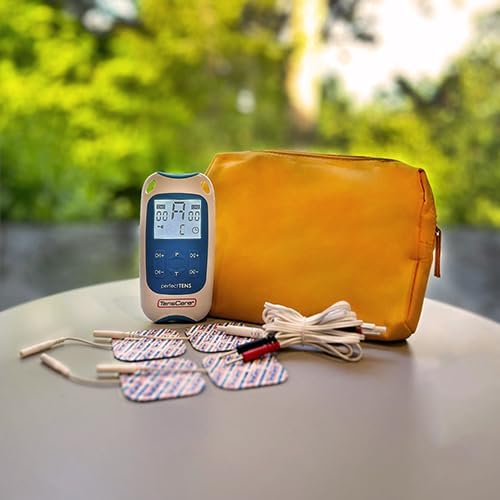
Figure 2: Contents of the Perfect TENS Pain Aide kit.
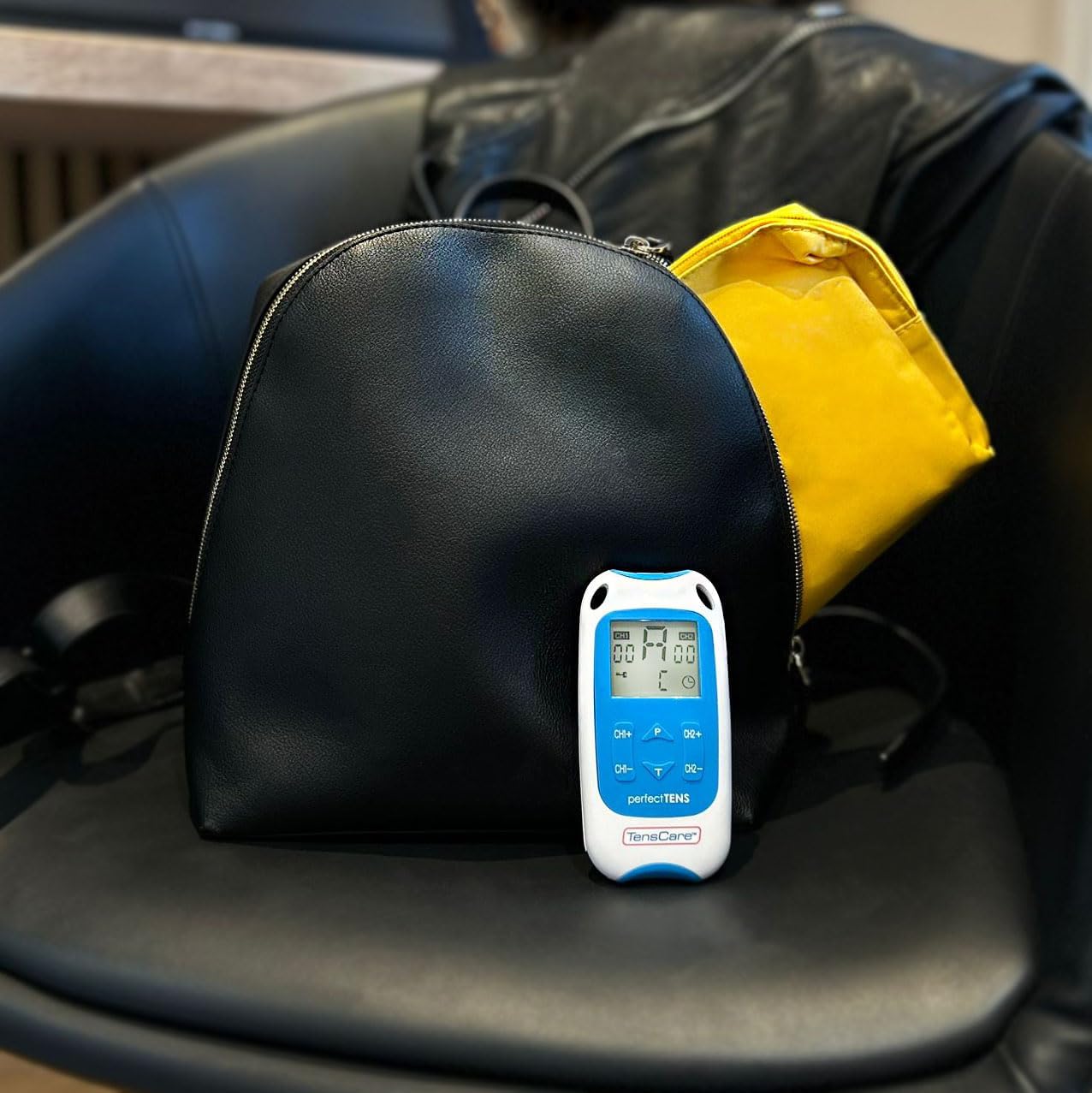
Figure 3: Perfect TENS unit with its soft storage pouch.
4. Proizvod je gotovview
The TensCare Perfect TENS Pain Aide is a compact and lightweight device designed for ease of use and portability. It features a clear digital display and intuitive controls.
4.1 Komponente uređaja

Slika 4: Prednja strana view of the Perfect TENS unit.
- Digitalni prikaz: Shows program number, intensity levels for Channel 1 (CH1) and Channel 2 (CH2), and remaining treatment time.
- Dugme za uključivanje/isključivanje: Uključuje ili isključuje uređaj.
- P Button (Program): Selects between the 8 preset programs and 1 manual program.
- T Button (Time): Adjusts the treatment duration.
- CH1+/CH1- Buttons: Increase or decrease intensity for Channel 1.
- CH2+/CH2- Buttons: Increase or decrease intensity for Channel 2.
- Lead Wire Ports: Located at the top of the device for connecting electrode leads.
- Pretinac za baterije: Smješteno na stražnjoj strani uređaja.
- kopča za pojas: Attached to the back for convenient portability.
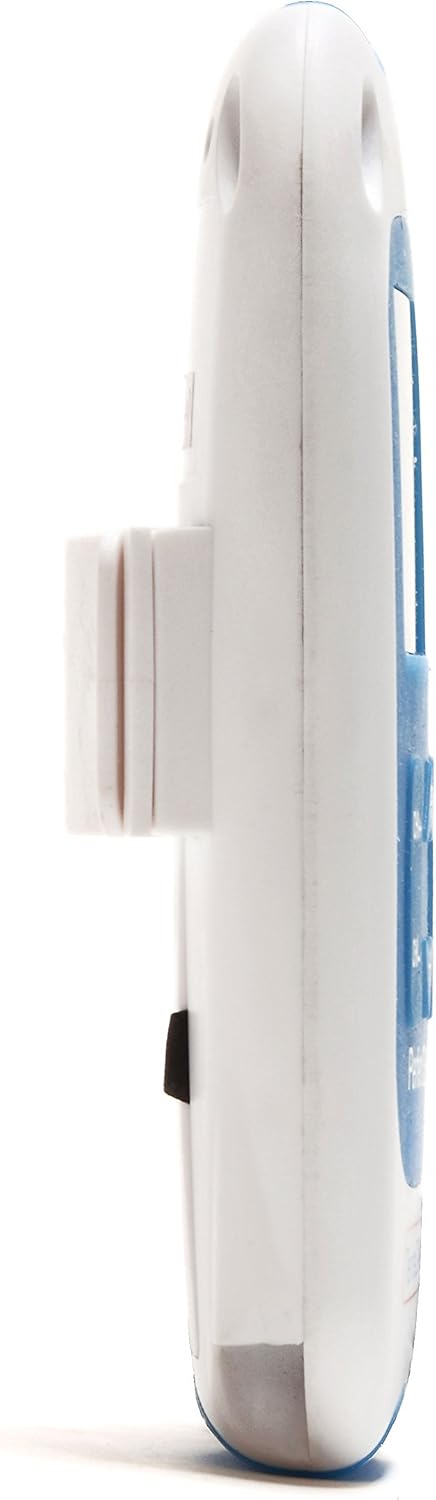
Slika 5: Bočna strana view showing the integrated belt clip.

Slika 6: Natrag view uređaja.

Figure 7: The Perfect TENS unit held in hand, illustrating its portable design.
5. Podešavanje
5.1 Instalacija baterije
- Otvorite poklopac odeljka za baterije na poleđini uređaja.
- Umetnite dvije AA baterije, pazeći na ispravan polaritet (+/-).
- Čvrsto zatvorite poklopac odeljka za baterije.
5.2 Connecting Lead Wires and Electrode Pads
- Insert the pin connectors of the lead wires into the ports at the top of the TENS unit.
- Connect the other end of the lead wires to the electrode pads. Ensure a secure connection.
- Peel the electrode pads from their protective backing.
- Apply the electrode pads firmly to clean, dry skin over the area requiring treatment. Ensure the pads are not touching each other.
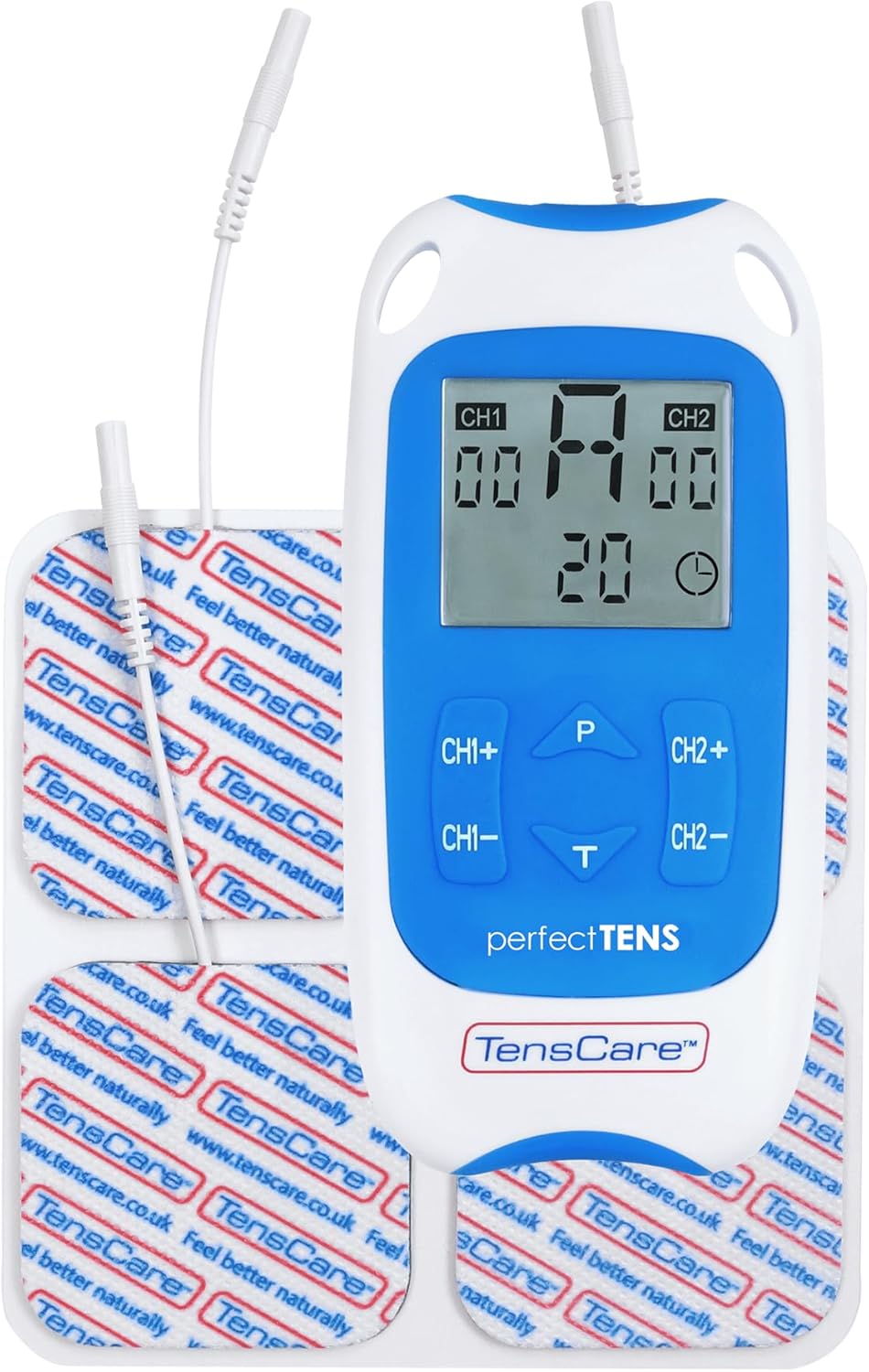
Figure 8: TENS unit with connected lead wires and electrode pads.
6. Uputstvo za upotrebu
6.1 Uključivanje i isključivanje
- Da biste uključili: Pritisnite dugme ON/OFF dugme. Displej će se osvijetliti.
- Za isključivanje: Pritisnite i držite ON/OFF dugme dok se displej ne isključi.
6.2 Odabir programa
The Perfect TENS offers 8 preset programs and 1 manual program. Press the P button to cycle through the available programs (P1-P8, then P9 for manual). The selected program number will be displayed.
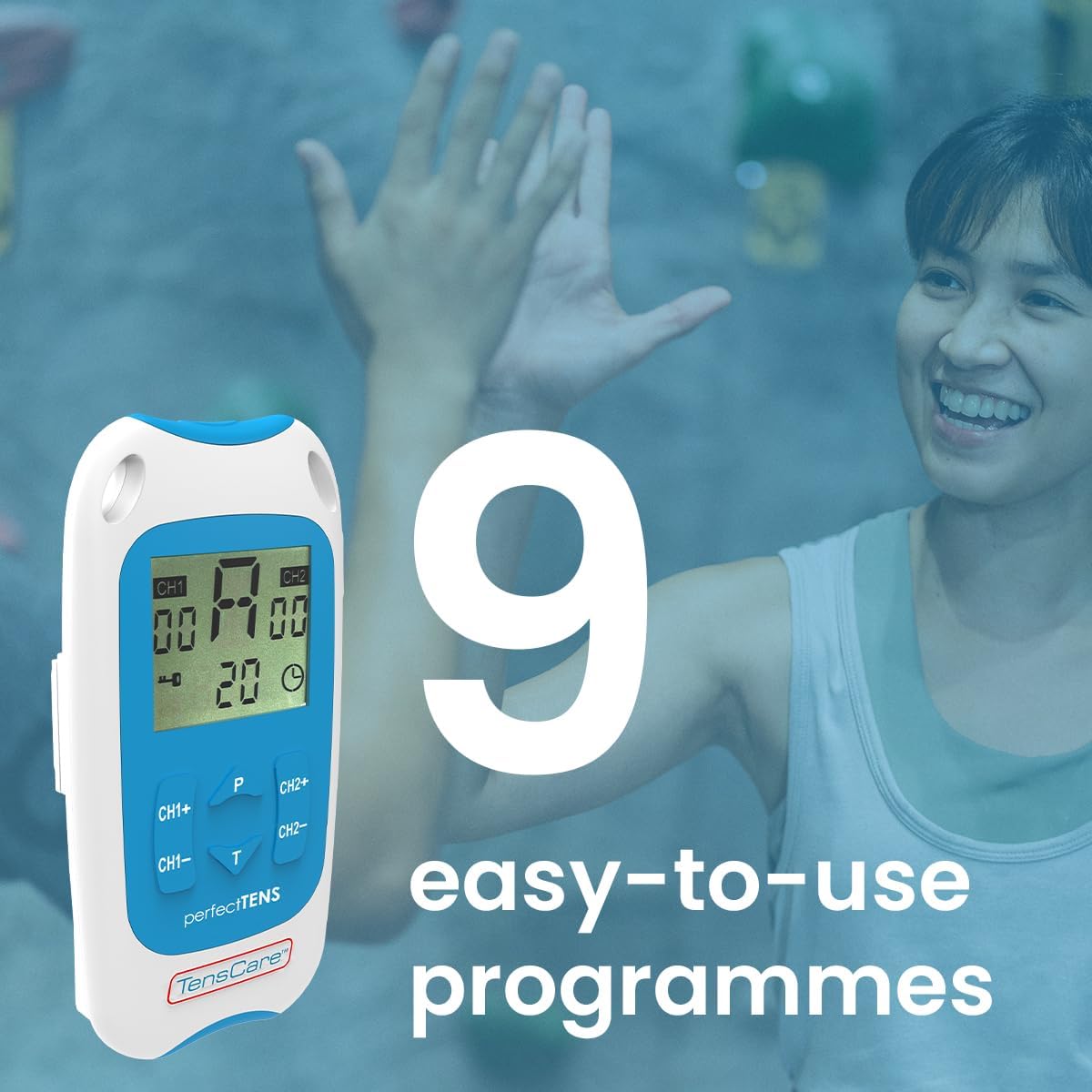
Figure 9: The device features 9 programs for various pain relief needs.
6.3 Adjusting Intensity (Dual Channel)
The device features dual channels, allowing you to treat two different areas or use four pads for a larger area. Each channel's intensity can be adjusted independently.
- To increase intensity for Channel 1: Press the CH1+ dugme.
- To decrease intensity for Channel 1: Press the CH1- dugme.
- To increase intensity for Channel 2: Press the CH2+ dugme.
- To decrease intensity for Channel 2: Press the CH2- dugme.
- Adjust the intensity until you feel a strong, comfortable tingling sensation. Avoid increasing it to a painful level.

Figure 10: Dual-channel stimulation allows for treatment of multiple areas.

Slika 11: Prample of dual-channel electrode placement for back pain.
6.4 Setting Treatment Time
Pritisnite T button to adjust the treatment duration. Refer to the display for the selected time. Typical treatment sessions range from 20 to 60 minutes.

Figure 12: Personalized treatment options including adjustable intensity and time.
6.5 Understanding TENS Operation
TENS therapy works primarily through two mechanisms:
- Pain Gate Theory: High-frequency TENS stimulation activates nerve fibers that block pain signals from reaching the brain, effectively "closing the pain gate."
- Endorphin Release: Low-frequency TENS stimulation promotes the body's natural production of endorphins, which are natural pain-relieving chemicals.
Video 1: An animated explanation of how TENS therapy works, illustrating both the pain gate theory and endorphin release mechanisms.
6.6 Targeted Pain Relief Areas
The Perfect TENS is designed to provide relief for various pain types and body areas:
- Bol u kuku
- Bol u kolenu
- Bol u laktu
- Dental & Facial pain (TMJ)
- Back pain (Lumbago)
- Išijas
- Migrena
- Artritis
- Plantarni fasciitis
- Wrist pain (Carpal Tunnel Syndrome)

Figure 13: Target problem areas for TENS therapy.

Figure 14: Detailed list of pain types and body areas treatable with Perfect TENS.

Figure 15: The device is effective for acute, chronic, and musculoskeletal pain.
7. Održavanje
7.1 Čišćenje uređaja
- Obrišite uređaj mekom krpom, damp tkanina. Nemojte koristiti abrazivna sredstva za čišćenje niti uranjati u vodu.
- Prije skladištenja provjerite je li uređaj potpuno suh.
7.2 Njega elektroda
- After each use, reattach the electrode pads to their protective backing.
- Ako jastučići izgube ljepljivost, nježno obrišite ljepljivu površinu oglasnomamp cloth and allow to air dry. Replace pads when they no longer adhere well to the skin, as this can affect treatment effectiveness and comfort.
- Store pads in a sealed bag to prevent drying out.
7.3 Zamjena baterije
- When the battery indicator on the display is low, replace both AA batteries.
- Always use new, high-quality AA batteries.
8. Otkrivanje problema
| Problem | Mogući uzrok | Rješenje |
|---|---|---|
| Nema osjeta ili slab osjet |
|
|
| Uređaj se ne uključuje |
|
|
| Pads losing stickiness quickly |
|
|
9. Specifikacije
- Model: Perfect TENS Pain Aide (B07S75CTN3)
- Proizvođač: TensCare
- Izvor napajanja: 2 x AA baterije (uključene)
- Kanali: Dual independent channels
- Programi: 8 preset, 1 manual
- Nivoi intenziteta: 60 nivoa
- Sigurnosna karakteristika: Detekcija otvorenog kola
- Dimenzije: Približno 7.95 x 5.98 x 1.61 inča
- Težina: Approximately 11.57 ounces (with batteries)
- Datum prve dostupnosti: 23. maja 2019
10. Garancija i podrška
For warranty information, technical support, or to purchase replacement parts (such as electrode pads or lead wires), please refer to the TensCare official webweb-mjesto ili kontaktirajte njihovu službu za korisnike. Sačuvajte dokaz o kupovini za slučaj reklamacije.
TensCare Contact Information: Please visit the official TensCare webstranicu za najnovije kontakt podatke i resurse za podršku.


