1. Uvod
Thank you for choosing SIMOLIO Kids Bluetooth Headphones. These headphones are designed with children's hearing safety in mind, featuring multiple volume limiting levels and a comfortable, durable design. This manual provides detailed instructions for setup, operation, and maintenance to ensure optimal performance and longevity of your headphones.
2. Ključne karakteristike
- Zaštita sluha: Exclusive 3-level volume limiter (75dB/85dB/94dB) suitable for toddlers, kids, and adults.
- Dvostruki način povezivanja: Podržava i bežične Bluetooth i žičane 3.5 mm audio veze.
- Ugrađeni mikrofon: Enables hands-free calling in Bluetooth mode.
- Share Port: Allows daisy-chaining another headphone for shared listening.
- Dug vijek trajanja baterije: Up to 15 hours of music/talk time in wireless mode.
- Udobnost i izdržljivost: Adjustable headband with memory stainless steel strips and soft noise-isolating memory foam earmuffs.
- Prijenosni dizajn: Foldable design with an included hard EVA carrying case for easy storage and travel.

Image: SIMOLIO Kids Bluetooth Headphones in grey, shown with charging cable, AUX cable, and hard EVA carrying case.
3. Šta se nalazi u kutiji
Prilikom otvaranja paketa, molimo Vas da provjerite da li se nalaze svi sljedeći artikli:
- SIMOLIO Kids Bluetooth Headphones (Model: JH-712)
- USB kabl za punjenje
- 3.5 mm AUX audio kabel
- Hard EVA Carrying Case
- Korisnički priručnik (ovaj dokument)
4. Vodič za postavljanje
4.1 Punjenje slušalica
Before first use, fully charge the headphones. A full charge takes approximately 2-3 hours.
- Connect the small end of the USB charging cable to the charging port on the headphone.
- Povežite veći kraj USB kabla za punjenje na USB adapter za napajanje (nije uključen) ili USB priključak računara.
- The LED indicator light will turn red during charging and turn off when fully charged.
4.2 Adjusting Volume Limit
The headphones feature a 3-level volume limiter to protect hearing. The switch is located on the left earcup.
- 75dB: Toddler Mode (lowest volume, recommended for very young children).
- 85dB: Kids Mode (standard safe listening level for most children).
- 94dB: Travel Mode (higher volume for noisy environments, suitable for older children/adults).

Image: Close-up of the headphone earcup highlighting the 3-level volume limit switch (75dB, 85dB, 94dB).
5. Uputstvo za upotrebu
5.1 Wireless (Bluetooth) Mode
- Uključeno: Press and hold the Multi-function Button (MFB) for 3 seconds until the LED indicator flashes blue.
- Uparivanje: The headphones will automatically enter pairing mode (LED flashes red and blue alternately).
- Povežite se: On your device (smartphone, tablet, laptop), enable Bluetooth and select "SIMOLIO JH-712" from the list of available devices. The LED will turn solid blue when connected.
- Kontrole:
- Press MFB once to Play/Pause music or Answer/End calls.
- Press MFB twice to Redial last number.
- Press MFB three times to activate voice assistant (Siri, Google Assistant).
- Press Volume + to increase volume.
- Press Volume - to decrease volume.
- Press Next Track button to skip to the next song.
- Press Previous Track button to go to the previous song.
- Iskljuciti: Press and hold the MFB for 3 seconds until the LED indicator turns red and then off.

Image: A child wearing SIMOLIO headphones while using a laptop, illustrating the "Safe Volume Limited" feature in a study environment.

Image: Two children demonstrating wireless and wired modes. One child uses headphones wirelessly with a laptop, the other uses them wired with a smartphone. Note: Microphone only works in Bluetooth mode.
5.2 Žični način rada
The headphones can be used as wired headphones even if the battery is depleted.
- Insert one end of the 3.5mm AUX audio cable into the audio input port on the headphone.
- Insert the other end of the 3.5mm AUX audio cable into the audio output jack of your device (e.g., tablet, phone, computer).
- In wired mode, the headphone's battery is not used, and the volume limiting feature remains active. Note that the built-in microphone will not function in wired mode.
5.3 Share Port Function
The share port allows multiple headphones to listen to the same audio source.
- Connect the first SIMOLIO headphone to your device via Bluetooth (wireless) or AUX cable (wired).
- Connect one end of a 3.5mm AUX audio cable to the share port on the first headphone.
- Connect the other end of the 3.5mm AUX audio cable to the audio input port of a second headphone.
- Both headphones will now play audio from the same source.
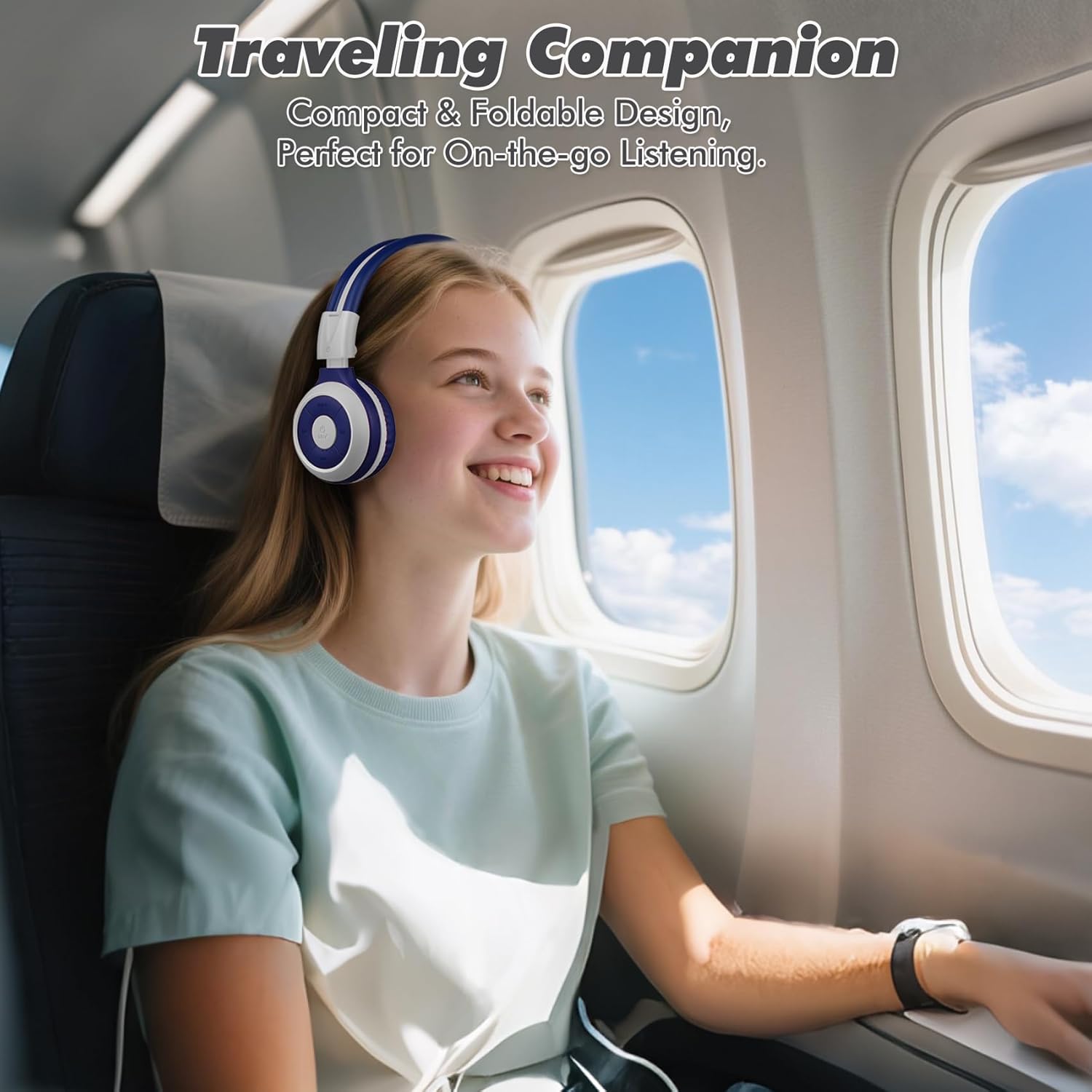
Image: A child comfortably wearing SIMOLIO headphones on an airplane, highlighting the compact and foldable design for travel.
6. Održavanje i njega
- čišćenje: Za čišćenje slušalica koristite meku, suhu krpu. Ne koristite abrazivna sredstva za čišćenje ili rastvarače.
- Skladištenje: When not in use, fold the headphones and store them in the provided hard EVA carrying case to protect them from dust and damage.
- temperatura: Izbjegavajte izlaganje slušalica ekstremnim temperaturama (vrućim ili hladnim) ili visokoj vlažnosti.
- Izloženost vodi: Ove slušalice nisu vodootporne. Izbjegavajte kontakt s vodom ili drugim tekućinama.
- Rukovanje: Do not bend the headband hinge excessively. While durable, improper force can cause damage.

Image: Diagram illustrating the flexibility of the headband with memory elastic metal strips, showing how it can be remoulded to fit the user's head. Important note: Do not bend the hinge.
7. Otkrivanje problema
| Problem | Mogući uzrok | Rješenje |
|---|---|---|
| Slušalice se ne uključuju. | Baterija je slaba ili ispražnjena. | Potpuno napunite slušalice pomoću priloženog USB kabla. |
| Nije moguće uparivanje putem Bluetootha. | Slušalice nisu u načinu rada za uparivanje; Bluetooth uređaja isključen; previše udaljeno od uređaja. | Provjerite jesu li slušalice u načinu rada za uparivanje (treperi crveno/plavo). Isključite/uključite Bluetooth na uređaju. Približite slušalice uređaju (unutar 10 metara). |
| Nema zvuka u bežičnom režimu. | Jačina zvuka je preniska; nije povezano; na uređaju je odabran pogrešan audio izlaz. | Increase headphone and device volume. Ensure headphones are successfully paired. Check device's audio output settings. |
| Nema zvuka u žičanom režimu. | AUX cable not fully inserted; cable damaged; device audio jack issue. | Ensure AUX cable is fully inserted into both headphone and device. Try a different AUX cable. Test with another device. |
| Mikrofon ne radi. | Headphones in wired mode; device microphone settings. | The microphone only functions in Bluetooth mode. Ensure headphones are connected wirelessly. Check device's microphone privacy settings. |
8. Specifikacije
| Feature | Detalj |
|---|---|
| Naziv modela | Kids Wireless Bluetooth Headphones JH-712G |
| Tehnologija povezivanja | Bežično (Bluetooth), Žično (3.5 mm AUX) |
| Bluetooth domet | 10 metara (33 stopa) |
| Trajanje baterije | Up to 15 Hours (wireless mode) |
| Veličina audio drajvera | 40 milimetara |
| Volume Limiting Levels | 75dB, 85dB, 94dB |
| Materijal | akrilonitril butadien stiren (ABS) |
| Dimenzije proizvoda | 5.51 x 3.15 x 5.31 inča |
| Težina artikla | 13.4 unce |
| Uključene komponente | Charging Cable, AUX Cable, User Manual, Carrying EVA Case |
9. Garancija i podrška
SIMOLIO provides a 12-month hassle-free warranty for these headphones. For any product-related inquiries, technical support, or warranty claims, please contact SIMOLIO customer service through the following channels:
- Email: Refer to the contact information provided on the product packaging or SIMOLIO official website.
- Online podrška: Visit the SIMOLIO Store on Amazon: SIMOLIO Store
Please have your model number (JH-712) and purchase date ready when contacting support.


