Uvod
The AKASO V50X is a versatile 4K action camera designed to capture your adventures in stunning detail. Featuring 4K/30fps video recording and 20MP photos, an intuitive 2-inch touch screen, and Electronic Image Stabilization (EIS), it ensures smooth and clear footage. With its waterproof casing, adjustable view angle, built-in Wi-Fi, and remote control capabilities, the V50X is equipped for a wide range of activities, from underwater exploration to fast-paced sports.

Image: The AKASO V50X Action Camera, its waterproof case, and various included accessories, showcasing the product's comprehensive package.
Sadržaj paketa
Upon unboxing your AKASO V50X Action Camera, please verify that all the following components are included:
- 1x AKASO V50X Action Camera
- 2x 1350mAh Rechargeable Batteries
- 1x punjač baterija
- Vodootporno kućište 1x
- 1x daljinski upravljač
- 1x Nosač za bicikl
- 10x Mounts (various types)
- Kacige za kacige 2x
- 1x bendovi
- 5x Tethers
- 1x Protective Backdoor
- 1x USB kabl
- 1x sočiva za objektiv
- 1x Brzi referentni vodič

Image: A detailed layout of the AKASO V50X Action Camera and its complete set of accessories, including batteries, mounts, and the waterproof case.
Getting Started
1. Punjenje baterija
The AKASO V50X comes with two 1350mAh rechargeable batteries. Before first use, fully charge both batteries using the provided battery charger and USB cable. A full charge typically takes a few hours. Each battery can provide approximately 60 minutes of recording at 4K resolution, 90 minutes at 1080P, and 180 minutes at 720P.

Image: The AKASO V50X camera with its battery compartment open, showing a 1350mAh battery being inserted, illustrating the long battery life feature.
2. Inserting and Formatting the MicroSD Card
The camera supports MicroSDXC cards. For optimal performance with 4K video, a Samsung 64GB 100MB/s (U3) MicroSDXC EVO Select card is highly recommended. The MicroSD card is not included.
- Open the MicroSD card slot cover on the side of the camera.
- Insert the MicroSD card with the label facing the front of the camera until it clicks into place.
- Važno: Format the MicroSD card within the camera before its first use. To do this, navigate to the camera's settings menu, find the 'Format' option, and confirm. This ensures compatibility and optimal recording performance.
3. Korištenje vodootpornog kućišta
The AKASO V50X is waterproof up to 131 feet (40 meters) when used with its included waterproof case. Ensure the camera is securely placed inside the case and the latch is firmly closed before submerging it in water. Regularly check the case's seals for any debris or damage to maintain its waterproof integrity.
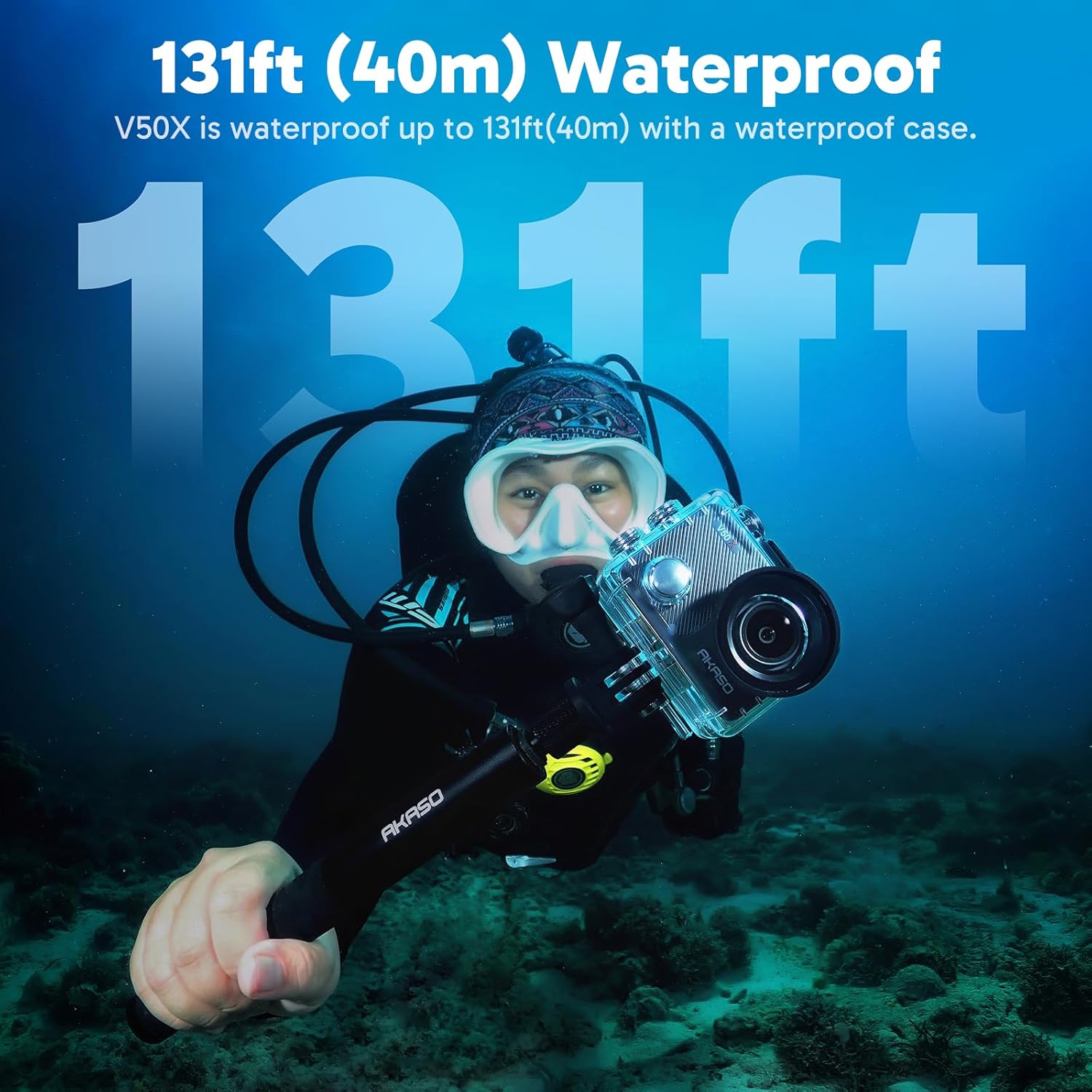
Image: A person diving underwater with the AKASO V50X camera securely housed in its waterproof case, demonstrating its capability for underwater use up to 131 feet (40 meters).
4. Montaža kamere
The V50X comes with a comprehensive kit of mounts, including bicycle mounts, helmet mounts, and various general-purpose mounts. These accessories allow you to attach the camera to different surfaces and equipment, providing versatile shooting angles for your activities. Refer to the quick reference guide for specific instructions on using each mount.
Basic Operation
1. Uključivanje/isključivanje
- To power on: Press and hold the Power/Mode button (usually on the front or top) for a few seconds until the screen lights up.
- To power off: Press and hold the Power/Mode button again until the screen turns off.

Slika: Krupni plan view of the AKASO V50X camera, highlighting the power and mode buttons on its side and top for easy operation.
2. Mode Switching and Recording
The V50X supports various modes including Video, Photo, and Playback. Press the Power/Mode button repeatedly to cycle through these modes. The current mode icon will be displayed on the screen.
- Video način rada: Press the Shutter/OK button (usually on top) to start recording. Press again to stop.
- Foto mod: Pritisnite dugme okidača/OK da biste snimili fotografiju.
- Način reprodukcije: Use the touch screen or navigation buttons to browse and view your recorded videos and photos.
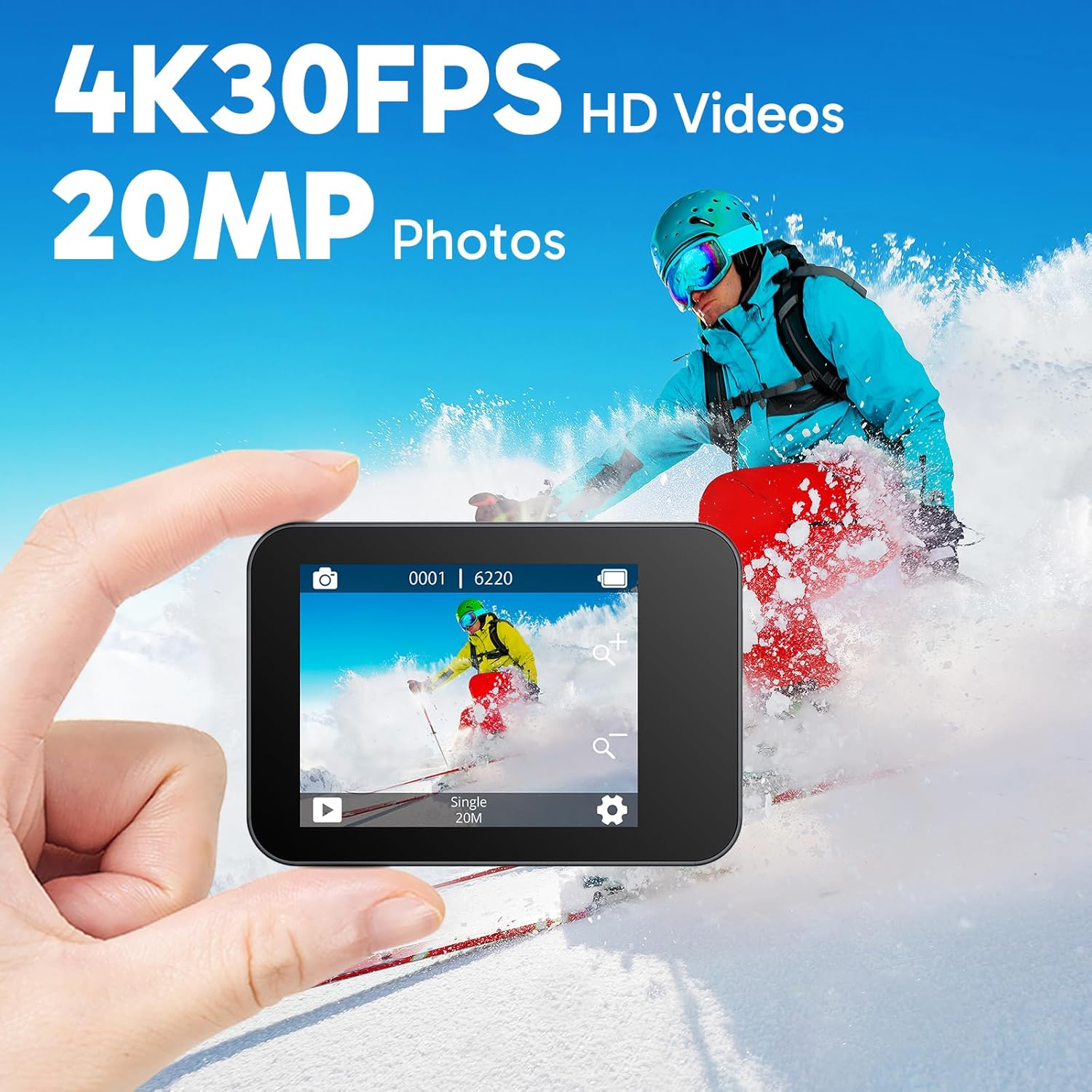
Image: The AKASO V50X camera's screen, showcasing its ability to capture 4K 30FPS HD videos and 20MP photos, with a snowy mountain background.
3. Using the Intuitive Touch Screen
The 2-inch touch screen allows for easy navigation and setting adjustments. Simply swipe and tap the screen to access menus, change settings, and review your footage.

Image: A finger interacting with the 2-inch touch screen of the AKASO V50X, demonstrating its intuitive interface for easy control and navigation.
4. Elektronska stabilizacija slike (EIS)
The V50X features Electronic Image Stabilization (EIS) 2.0 to ensure your videos are smooth and stable, even during dynamic activities. This feature significantly reduces blur and shakiness in your recordings. You can enable or disable EIS in the camera's settings.

Image: A side-by-side comparison showing the effect of Electronic Image Stabilization (EIS) on the AKASO V50X, with one side showing a blurry image (EIS off) and the other showing a clear, stable image (EIS on).
5. Adjustable View Angle and Digital Zoom
Možete podesiti view angle of the camera to suit your needs, choosing between 170°, 140°, 110°, and 70°. Activating distortion calibration can correct image distortion, especially at wider angles. The camera also supports 4x digital zoom, allowing you to get closer to the action.
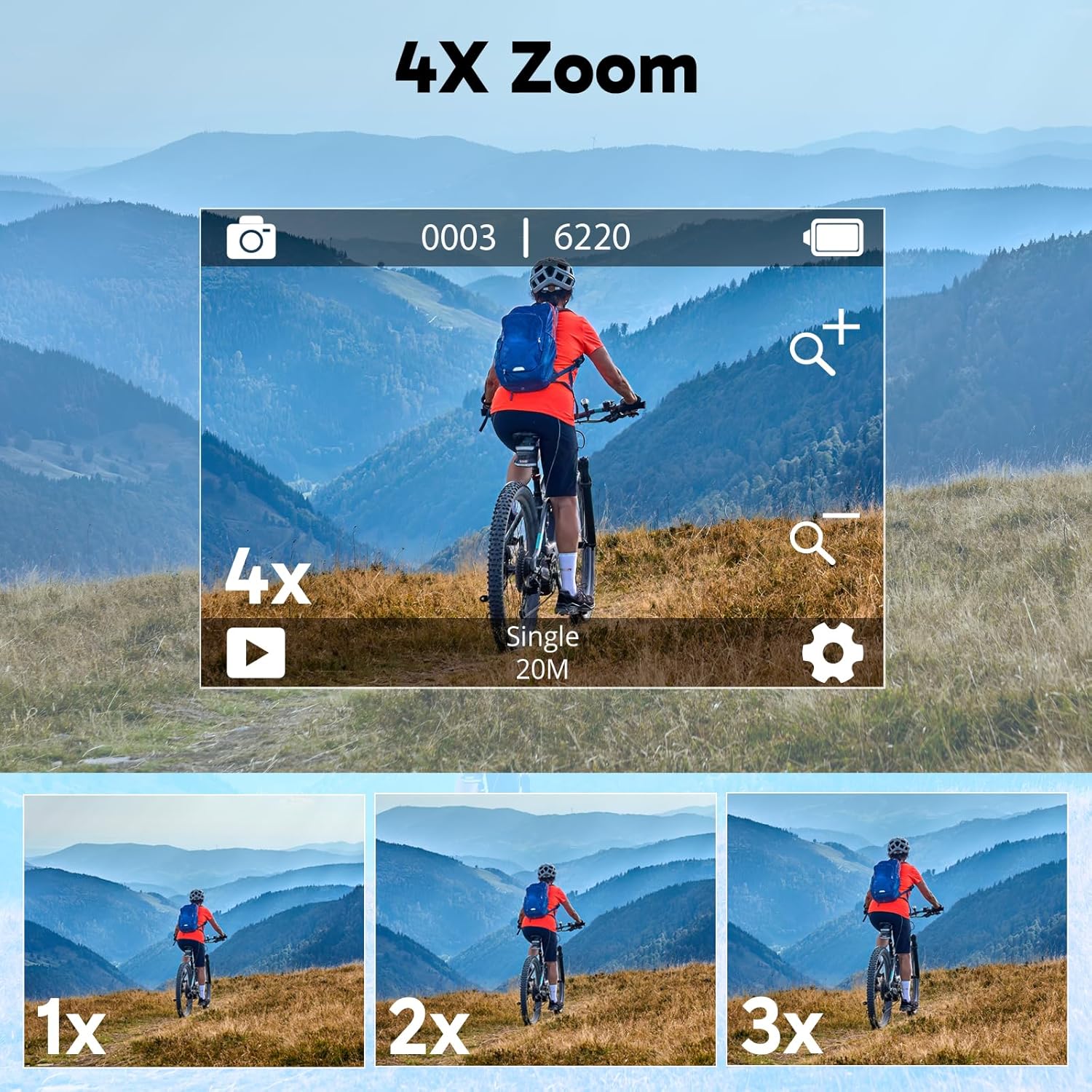
Image: The AKASO V50X camera's screen displaying various zoom levels (1x, 2x, 3x, 4x), illustrating its 4X digital zoom capability for capturing distant subjects.
6. Wi-Fi veza i daljinsko upravljanje
The V50X features built-in Wi-Fi, allowing you to connect it to your smartphone via the AKASO GO app (available for iOS/Android). This enables remote control of the camera, live preview, and easy sharing of your content. The included wireless remote control provides convenient operation for starting/stopping recording and taking photos without directly touching the camera.

Image: The AKASO V50X camera displaying a live view, with a smartphone next to it showing the AKASO GO app interface, demonstrating the built-in Wi-Fi connection feature.
Napredne funkcije
The AKASO V50X offers a range of special features to enhance your recording experience:
- Usporeni snimak: Capture fast-paced action in dramatic slow motion (4x).
- Video snimka ubrzanog snimanja: Condense long events into short, captivating videos.
- Vremenski ograničena fotografija: Postavite tajmer za fotografije.
- Rafalna fotografija: Snimite više fotografija u brzom slijedu.
- Noćna fotografija: Optimized settings for low-light photography.
- Način ronjenja: Adjusts color for underwater environments.
- Način vožnje: Functions as a dash cam, with loop recording.
- Snimanje u petlji: Prepisuje najstariji footage kada je pohrana puna.
- Specijalni efekti: Apply various visual effects to your footage.
- WDR (široki dinamički opseg): Improves image quality in high-contrast scenes.
- Podrška za eksterni mikrofon: Connect an external microphone (Micro USB) for enhanced audio quality.
Njega i održavanje
1. Čišćenje kamere i objektiva
Use the provided lens cloth or a soft, lint-free cloth to gently clean the camera lens and screen. For stubborn smudges, a small amount of lens cleaning solution can be applied to the cloth (not directly to the lens). Avoid abrasive materials or harsh chemicals.
2. Održavanje baterije
Da produžite vijek trajanja baterije:
- Čuvajte baterije na hladnom i suvom mestu kada nisu u upotrebi.
- Avoid exposing batteries to extreme temperatures (below -5°C or above 45°C).
- Ne rastavljajte, ne gnječite niti ne bušite baterije.
- Za punjenje koristite samo navedeni punjač.
3. Waterproof Case Maintenance
After each use, especially in saltwater, rinse the waterproof case with fresh water and allow it to air dry. Inspect the O-ring seal for any sand, dirt, or hair, and ensure it is clean and properly seated. Do not use sharp objects to clean the seal.
Rješavanje problema
If you encounter issues with your AKASO V50X, refer to the following common problems and solutions:
| Problem | Moguće rješenje |
|---|---|
| Kamera se ne uključuje. | Ensure batteries are fully charged and correctly inserted. Try a different battery. |
| Video footage is blurry/shaky. | Ensure EIS is enabled in settings. Clean the lens. Check lighting conditions. |
| Greška MicroSD kartice. | Format the MicroSD card in the camera. Ensure it is a compatible, high-speed card (U3 recommended). Try a different card. |
| Problemi s Wi-Fi vezom. | Ensure Wi-Fi is enabled on the camera and your smartphone. Restart both devices. Ensure you have the latest AKASO GO app version. |
| Kamera se zamrzava. | Remove and reinsert the battery to reset the camera. Ensure firmware is up to date. |
Specifikacije
Detailed technical specifications for the AKASO V50X Action Camera:
| Feature | Detalj |
|---|---|
| Brand | AKASO |
| Model | V50X |
| Boja | Grey |
| Vrsta proizvoda | Compact Action Camera |
| Ekran | 2-inčni LCD ekran osjetljiv na dodir |
| Stabilizacija slike | Digital (EIS 2.0) |
| Video Rezolucija | 4K/30fps, 2.7K/30fps, 2K/60fps, 1080P, 720P |
| Efektivna rezolucija mirovanja | 20 megapiksela |
| Tehnologija foto senzora | CMOS |
| Podesivo View Ugao | 170°, 140°, 110°, 70° |
| Digitalni zum | 4x |
| Vodootporni nivo | 131 feet (40 meters) with waterproof case |
| Tehnologija povezivanja | Wi-Fi |
| Podržana memorija | Micro SDXC Card (U3 recommended) |
| Sastav baterije | Lithium-polymer (2x 1350mAh included) |
| Format video snimanja | MP4 |
| Podržani audio format | AAC |
| Dimenzije proizvoda (D x Š x V) | 3 x 5.99 x 3.99 cm (približno 30 x 60 x 40 mm) |
| Težina artikla | 570 grama |
Garancija i podrška
AKASO products are designed and manufactured to the highest quality standards. For information regarding warranty coverage, please refer to the warranty card included in your product packaging or visit the official AKASO website.
If you require technical assistance, have questions about your product, or need to report an issue, please contact AKASO customer support through their official channels. Details for contacting support are typically available on the AKASO website or in the quick reference guide.
For the latest software updates and additional resources, please visit the AKASO official website.


