1. Uvod
Ovaj priručnik pruža detaljne upute za montažu, rad i održavanje vašeg One For All WM7471 univerzalnog TV tronožca. Molimo vas da pažljivo pročitate ovaj priručnik prije instalacije i sačuvate ga za buduću upotrebu. Ovaj stalak je dizajniran za sigurno držanje televizora dijagonale od 32 do 65 inča sa VESA uzorcima montaže između 200x100mm i 400x400mm.
2. Sigurnosne informacije
UPOZORENJE: Nepročitavanje i nepridržavanje ovih uputa može dovesti do ozbiljnih tjelesnih povreda, materijalne štete ili poništavanja garancije. Ako imate bilo kakvih pitanja, obratite se korisničkoj podršci.
- Prije sastavljanja provjerite jesu li sve komponente prisutne i neoštećene. Ne koristite oštećene dijelove.
- Ne prekoračujte maksimalnu nosivost ili veličinu ekrana navedenu u odjeljku sa specifikacijama.
- Uvijek sastavljajte postolje na ravnoj, stabilnoj površini.
- Prije postavljanja provjerite je li TV sigurno pričvršćen za nosače i je li postolje stabilno.asintelevizor.
- Držite djecu i kućne ljubimce podalje tokom sastavljanja. Mali dijelovi mogu predstavljati opasnost od gušenja.
- Ne pokušavajte modificirati postolje.
- Povremeno provjeravajte sve vijke i spojeve kako biste bili sigurni da su čvrsto zategnuti i sigurni.
3. Sadržaj paketa
Provjerite da li su svi dolje navedeni dijelovi uključeni u vaše pakovanje. Ako bilo koji dijelovi nedostaju ili su oštećeni, nemojte nastaviti sa sastavljanjem i kontaktirajte korisničku podršku.
- Sklop baze tronožca (drvene noge, centralni stub)
- Nosači za montažu TV-a (horizontalne šipke)
- Vertikalna potporna šipka
- Traka za upravljanje kablovima (koža)
- Univerzalni nastavak za zvučnu traku
- Komplet hardvera (vijci, podloške, odstojnici za montažu TV-a)
- Uputstvo za upotrebu (ovaj dokument)

4. Postavljanje i montaža
Pažljivo slijedite ove korake kako biste sastavili tronožac za TV. Preporučuje se da vam pri montiranju televizora pomogne još jedna osoba.
- Sastavite bazu za stativ:
Pažljivo pričvrstite tri drvene noge na središnji stup. Osigurajte da su sigurno pričvršćene prema priloženim dijagramima u zasebnom vodiču za montažu (ako je primjenjivo). Dizajn omogućava montažu bez alata ili s minimalnim alatom.

Slika 2: Detalj centralne spojne tačke tronošca, koja prikazuje sigurno pričvršćivanje drvenih nogu za glavni stub. - Pričvrstite nosače za montažu televizora na televizor:
Pronađite VESA rupe za montažu na stražnjoj strani televizora. Odaberite odgovarajuće vijke, podloške i odstojnike iz kompleta hardvera koji odgovaraju specifikacijama vašeg televizora. Pričvrstite horizontalne nosače za montažu televizora na stražnju stranu televizora. Provjerite jesu li ravni i sigurno zategnuti.

Slika 3: VESA montažna šipka, koja ilustruje višestruke rasporede rupa za kompatibilnost s različitim modelima televizora. - Montiranje TV-a na postolje:
Uz pomoć, pažljivo podignite televizor i zakačite priložene nosače za montažu na vertikalnu potpornu šipku tronošca. Provjerite je li televizor centriran i ravan. Pričvrstite televizor na postolje pomoću priloženih sigurnosnih mehanizama, kao što su vijci za zaključavanje ili kopče, kako biste spriječili slučajno pomicanje.

Slika 4: Detaljan view nosača za montažu televizora sigurno pričvršćenog za središnji stup postolja, a prikazan je i integrirani držač za kabele. - Upravljanje kablovima:
Koristite integriranu traku i kopče za upravljanje kablovima kako biste usmjerili i sakrili kablove televizora i dodatne opreme duž središnjeg stupa i niz jednu od nogu. Ovo pomaže u održavanju urednog izgleda i sprječava opasnost od spoticanja.

Slika 5: Prample za upravljanje kablovima, prikazujući kabel uredno usmjeren duž jedne od drvenih nogu tronošca. - Priključak za zvučnu traku (opciono):
Ako koristite soundbar, pričvrstite univerzalni nastavak za soundbar na nosače za montažu televizora prema njegovim specifičnim uputama. To omogućava soundbaru da se pomiče s televizorom prilikom podešavanja.
5. Upute za upotrebu (Podešavanja)
Postolje One For All WM7471 nudi fleksibilnost u pozicioniranju televizora.
- Podešavanje visine:
TV se može podesiti vertikalno duž centralnog stuba. Otpustite mehanizam za podešavanje visine (za detalje pogledajte uputstvo za montažu), pomaknite TV na željenu visinu, a zatim čvrsto zategnite mehanizam. Uvijek provjerite da li je TV ravan nakon podešavanja.
- Okret za 360°:
Cijeli TV i montažni sklop mogu se rotirati za 360 stepeni oko centralnog stuba. Lagano rotirajte TV da biste postigli optimalni položaj. viewugao rotacije. Pazite da kablovi nisu zaglavljeni ili zategnuti tokom rotacije.
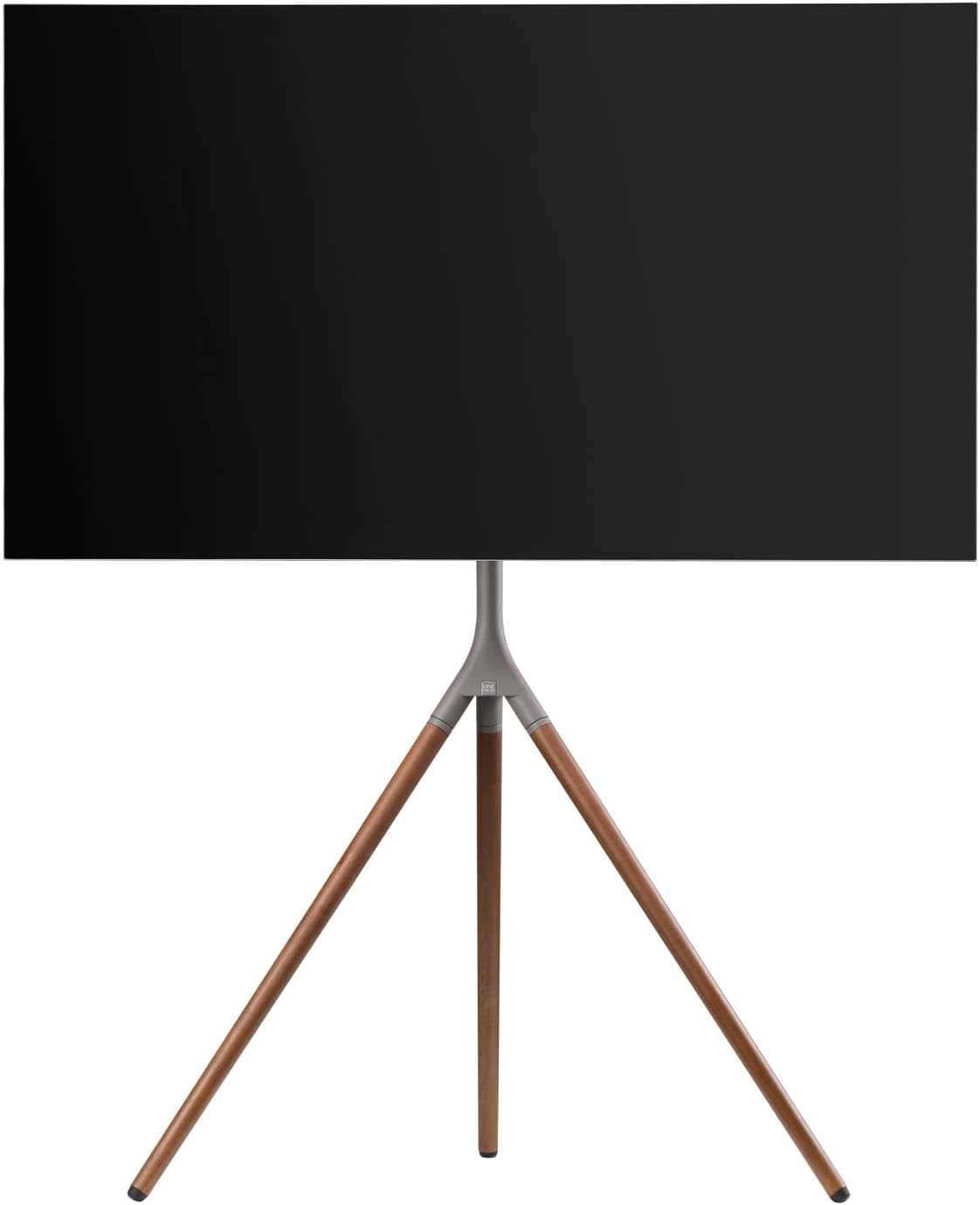
Slika 6: Bočni profesionalacfile postolja s TV-om, demonstrirajući potencijal za okretanje i podešavanje visine.
6. Održavanje
Redovno održavanje osigurava dugotrajnost i siguran rad vašeg TV stalka.
- čišćenje: Koristite meku, suhu krpu za brisanje postolja. Za tvrdokorne mrlje, laganoamp Može se koristiti krpa s blagim sapunom, a zatim odmah osušiti. Izbjegavajte abrazivna sredstva za čišćenje ili rastvarače.
- inspekcije: Povremeno provjeravajte sve vijke, šrafove i spojeve da li su čvrsto zategnuti. Po potrebi ih ponovo zategnite.
- Upravljanje kablovima: Osigurajte da kablovi ostanu uredno organizirani i da nisu priklješteni ili zategnuti.
7. Otkrivanje problema
Ako imate problema sa postoljem za TV, pogledajte sljedeće uobičajene probleme i rješenja:
| Problem | Mogući uzrok | Rješenje |
|---|---|---|
| Stalak se čini nestabilnim. | Labavi spojevi; neravan pod; TV pretežak/prevelik. | Provjerite jesu li svi vijci zategnuti. Pomaknite postolje na ravnu površinu. Provjerite jesu li težina i veličina televizora u skladu sa specifikacijama. |
| TV nije ravan. | Nosači za montažu su neravnomjerno pričvršćeni; postolje nije ravno. | Ponovo podesite nosače za montažu televizora. Osigurajte da je postolje na ravnoj površini. |
| Teškoće s podešavanjem visine ili okretanjem. | Mehanizam za podešavanje je preuzak ili blokiran. | Lagano olabavite mehanizam za podešavanje. Provjerite ima li prepreka na sajli. Nemojte forsirati kretanje. |
Ako problem i dalje postoji, obratite se korisničkoj podršci One For All.
8. Specifikacije
| Feature | Detalj |
|---|---|
| Broj modela | WM7471 |
| Brand | Jedan za sve |
| Kompatibilne veličine ekrana | 32 - 65 inča |
| VESA kompatibilnost | 200x100mm do 400x400mm |
| Movement Type | Okretno za 360°, podesivo po visini |
| Materijal | Drvo (orah), Metal (bronza/krom) |
| Boja | Orah i bronca |
| Uključene komponente | Stativ, pribor za montažu TV-a, traka za upravljanje kablovima, univerzalni nastavak za soundbar |
9. Garancija i podrška
Za informacije o garanciji i korisničkoj podršci, molimo pogledajte dokumentaciju koja je priložena uz vašu kupovinu ili posjetite službenu web stranicu One For All. webstranica. Specifični uslovi garancije mogu se razlikovati u zavisnosti od regije i prodavca.
Proizvođač: Jedan za sve
Zemlja porijekla: Kina


