1. Uvod
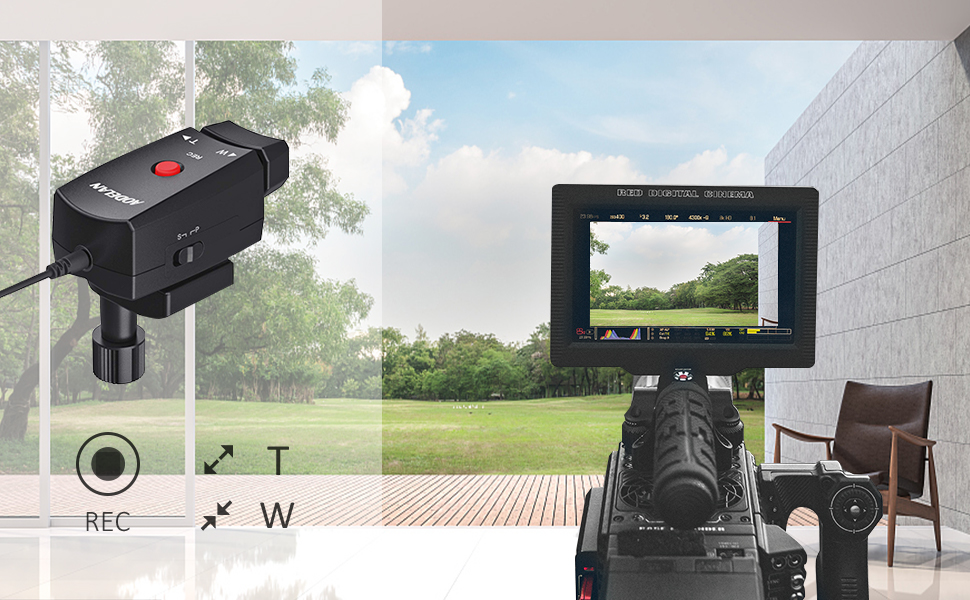
The AODELAN ZC-1 Camcorder Zoom Controller provides remote record and zoom control for compatible Sony, Canon, and Panasonic camcorders equipped with a LANC terminal or 2.5mm jack. This device enhances filming flexibility by allowing precise control over zoom and recording functions from a tripod handle, reducing camera shake and improving operational convenience.
2. Sadržaj paketa
Provjerite da li se u vašem paketu nalaze sve dolje navedene stavke:
- AODELAN ZC-1 Camcorder Zoom Controller
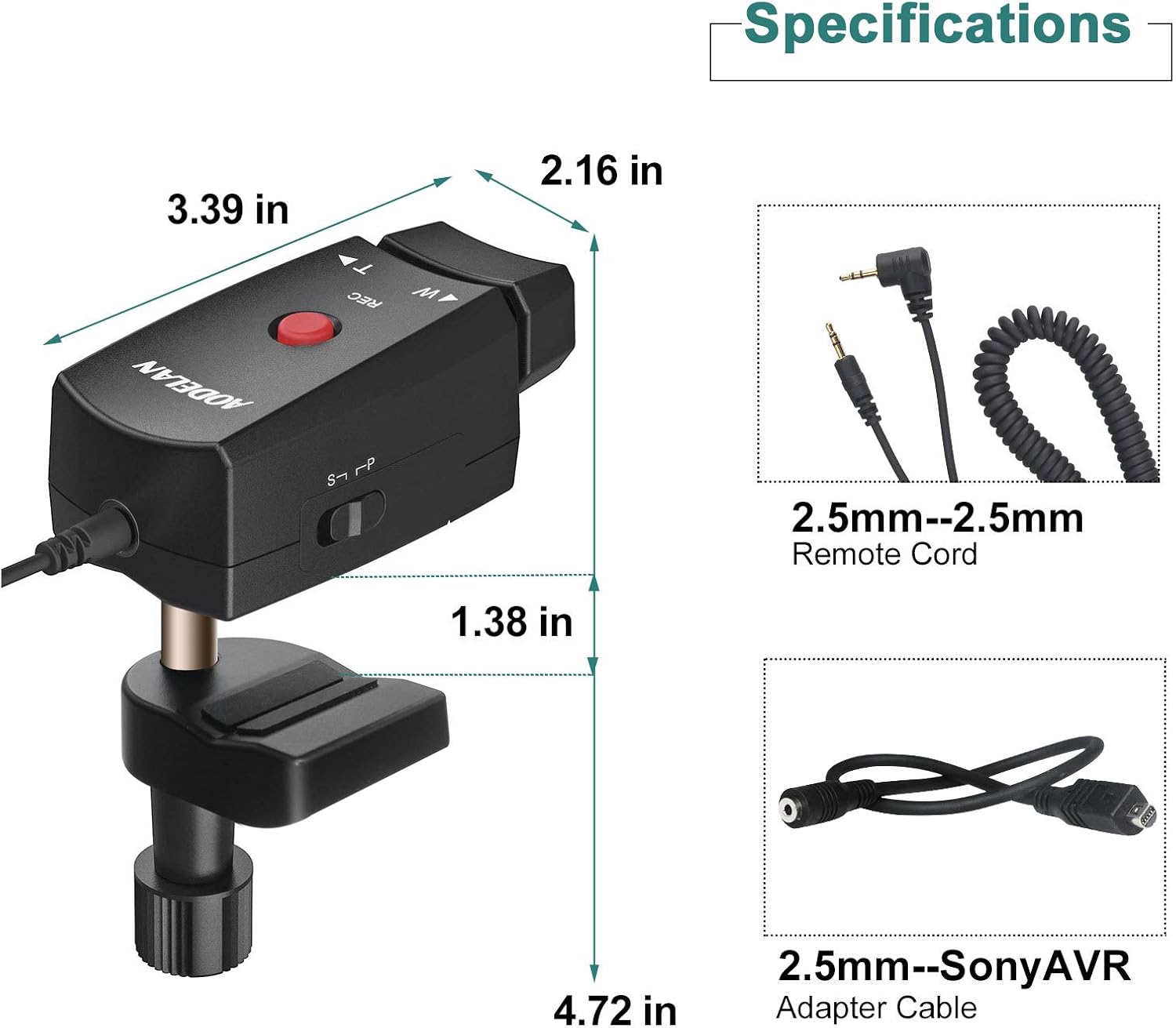
- Remote Cord (2.5mm-2.5mm)
- Adapter Cable (2.5mm Female-Sony AVR)
- Uputstvo za upotrebu

3. Instalacija
Follow these steps to install the AODELAN ZC-1 Camcorder Zoom Controller:
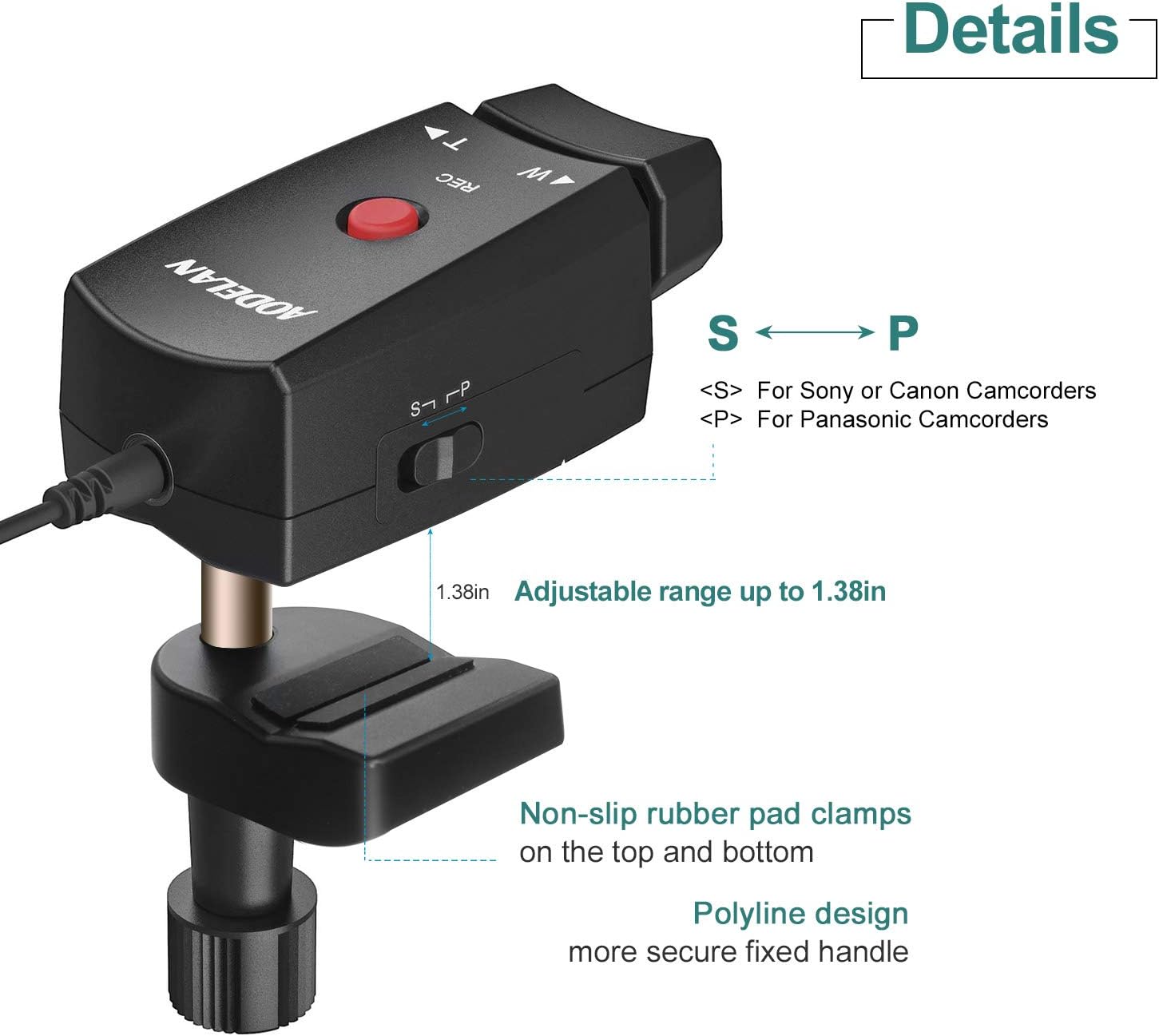
- Attach to Tripod Handle: Secure the zoom controller to the pan handle of your tripod using the integrated mounting clamp. clamp is designed to fit handles with a diameter between 10mm and 30mm. Tighten the twist knob until the controller is firmly in place.
- Connect to Camcorder: Identify the remote control port on your camcorder. This is typically a 2.5mm jack or a LANC terminal.
- Select Appropriate Cable:
- For most compatible camcorders (Sony, Canon, Panasonic with 2.5mm jack), use the provided 2.5mm-2.5mm Remote Cord.
- For Sony camcorders requiring an AVR connection, use the 2.5mm Female-Sony AVR Adapter Cable in conjunction with the Remote Cord.
- Priključak: Connect one end of the selected cable to the 2.5mm jack on the AODELAN ZC-1 controller and the other end to the remote control port on your camcorder.

Klip 3.1: This video demonstrates the unboxing and installation process of the AODELAN ZC-1 Camcorder Zoom Controller onto a camcorder and tripod handle, including connecting the remote cord.
4. Operacija
The AODELAN ZC-1 offers intuitive control over your camcorder's zoom and recording functions:
- Gumb REC: The prominent red button labeled 'REC' initiates and stops video recording. Press once to start recording, press again to stop.
- Zoom Rocker (W/T): The pressure-sensitive rocker switch controls the optical zoom.
- Press the 'W' side to zoom out (wide-angle view), making the subject appear farther away.
- Press the 'T' side to zoom in (telephoto view), making the subject appear closer.
- The speed of the zoom is proportional to the pressure applied to the rocker. A gentle press results in a slow, smooth zoom, while a harder press provides a faster zoom.
- S/P Switch: Located on the side of the controller, this switch selects the compatibility mode for your camcorder.
- Set to 'S' for Sony and Canon camcorders.
- Set to 'P' for Panasonic camcorders.
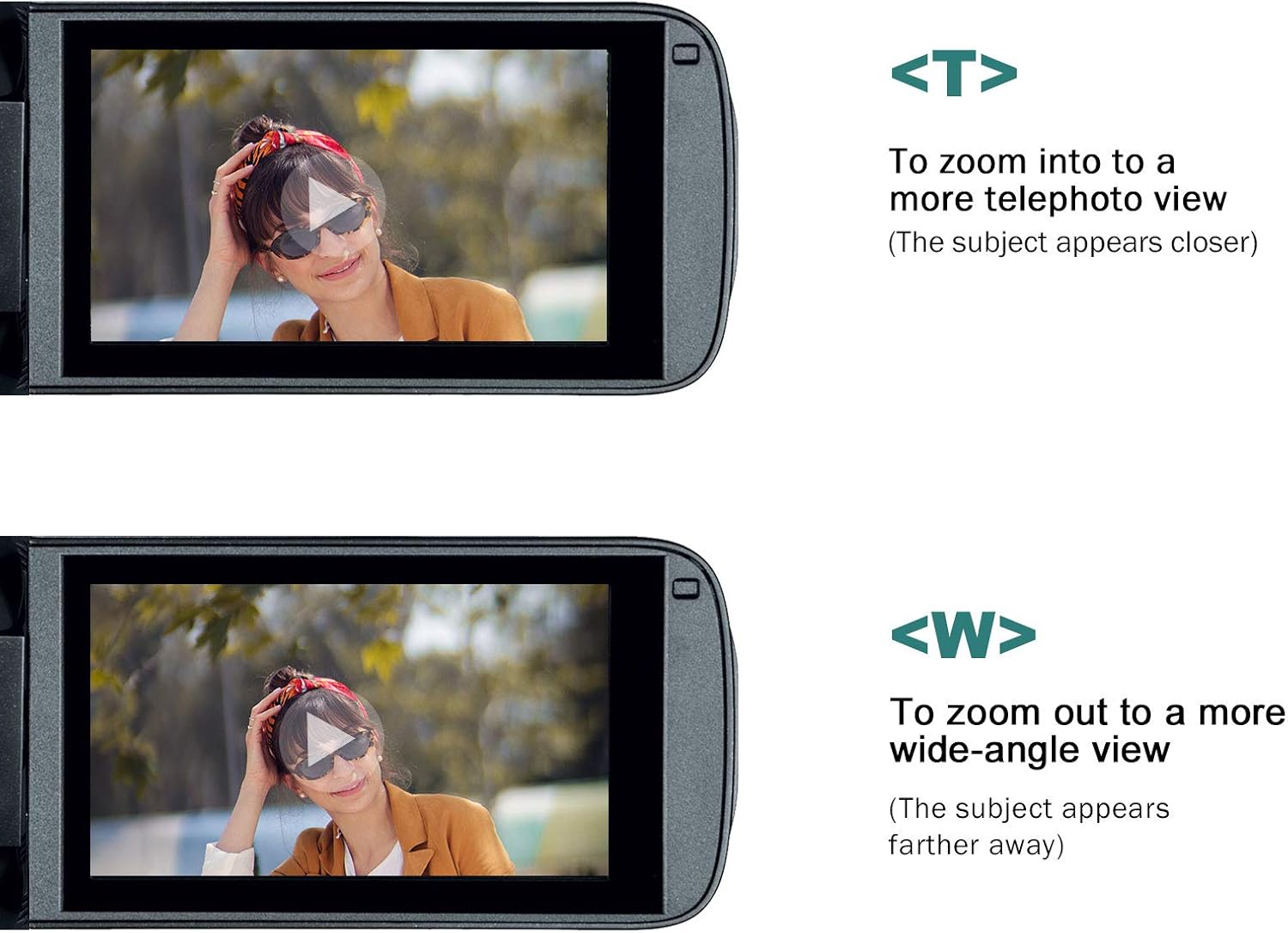
Klip 4.1: This video demonstrates the operation of the AODELAN ZC-1 Camcorder Zoom Controller, showing how to use the record button and the pressure-sensitive zoom rocker to control a camcorder.
5. Kompatibilnost
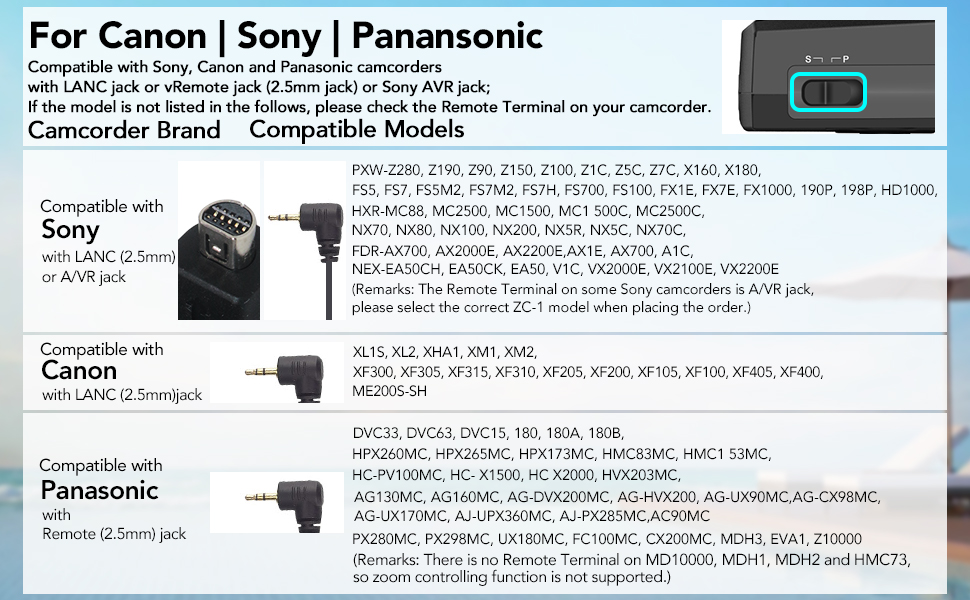
The AODELAN ZC-1 is compatible with various camcorder models from Sony, Canon, and Panasonic that feature a LANC terminal or 2.5mm remote jack. Ensure your camcorder model is listed below or consult your camcorder's manual for remote control compatibility.
Kompatibilni modeli:
- Sony: 190P, 150P, 198P, VX2000E, 2100E, 2200E, FX1000E, FX1E, FX7E, Z1C, Z5C, AX2000E, NX5C, V1C, A1C, HD1000C, 1500C, 250P, PD100AP, PDX10P, 900E, PXW-Z90, Z190, Z150, Z100, Z1C, Z5C, Z7C, X160, X180, FS5, FS7, FS5M2, FS7M2, FS7H, FS700, FS100, FX1E, FX7E, FX1000, 190P, 198P, HD1000, HXR-MC88, MC2500, MC1500, MC1 500C, MC2500C, NX70, NX80, NX100, NX200, NX5R, NX5C, NX70C, FDR-AX700, AX2000E, AX2200E, AX1E, AX700, A1C, NEX-EA50CH, EA50CK, EA50, V1C, VX2000E, VX2100E, VX2200E.
- Canon: XL1S, XL2, XHA1, XM1, XM2, XF300, XF305, XF315, XF310, XF205, XF200, XF105, XF100, XF405, XF400, ME200S-SH.
- panasonic: DVC33, DVC63, DVC15, 180, 180A, 180B, HVX200, HVX203, HMC153, HMC173, AG130, AG160, HMC43, HPX260MC, HPX265MC, HPX173MC, HMC83MC, HMC1 53MC, HC-PV100MC, HC- X1500, HC X2000, HVX203MC, AG130MC, AG160MC, AG-DVX200MC, AG-HVX200, AG-UX90MC, AG-CX98MC, AG-UX170MC, AJ-UPX360MC, AJ-PX285MC, AC90MC, PX280MC, PX298MC, UX180MC, FC100MC, CX200MC, MDH3, EVA1, Z10000.
Note: Some Panasonic models (e.g., MD10000, MDH1, MDH2, HMC73) may not support zoom control via the remote terminal.
6. Specifikacije
| Broj modela | ZC-1 |
| Dimenzije proizvoda | 3.54 x 1.97 x 3.54 inča (8.99 x 5.00 x 8.99 cm) |
| Težina artikla | 5.6 unce (158.76 grama) |
| Boja | Crna |
| Posebna karakteristika | Lightweight, Pressure-sensitive zoom rocker |
| Maksimalni broj podržanih uređaja | 1 |
| Kompatibilni uređaji | Camcorders with LANC terminal or 2.5mm remote jack (Sony, Canon, Panasonic) |
7. Održavanje
To ensure the longevity and optimal performance of your AODELAN ZC-1 Zoom Controller:
- Održavajte kontroler čistim brisanjem mekom, suhom krpom. Izbjegavajte upotrebu jakih hemikalija ili abrazivnih materijala.
- Store the controller in a dry, cool place away from direct sunlight and extreme temperatures.
- Avoid exposing the controller to moisture or liquids.
- Handle the cables with care to prevent kinks or damage to the connectors.
8. Otkrivanje problema
If you encounter issues with your AODELAN ZC-1 Zoom Controller, refer to the following common solutions:
- Kontrolor ne reaguje:
- Ensure the cable is securely connected to both the controller and the camcorder.
- Verify that the S/P switch on the controller is set to the correct position for your camcorder brand (S for Sony/Canon, P for Panasonic).
- Check your camcorder's settings to ensure external remote control is enabled, if applicable.
- Test with a different compatible camcorder or cable if possible, to isolate the issue.
- Zoom Function Not Working:
- Confirm the S/P switch setting is correct.
- Some older Panasonic models may not support zoom control via the remote terminal. Refer to your camcorder's manual for specific capabilities.
- Ensure the zoom rocker is being pressed firmly enough to register input, but not excessively.
- Recording Not Starting/Stopping:
- Check cable connections and S/P switch setting.
- Ensure your camcorder is in video recording mode and not in a photo or playback mode.
9. Garancija i podrška
AODELAN products are designed for reliability and performance. For any questions, technical assistance, or warranty inquiries regarding your ZC-1 Camcorder Zoom Controller, please contact AODELAN customer support through the retailer where the product was purchased or visit the official AODELAN webstranica za kontakt informacije.
Molimo sačuvajte dokaz o kupovini za potrebe garantnog servisa.


