1. Uvod
Thank you for choosing the lightmaXX LED PAR 54 54x 1W RGBW Spot. This manual provides essential information for the safe and efficient operation of your new lighting fixture. Please read this manual thoroughly before installation and use, and retain it for future reference.
The lightmaXX LED PAR 54 is a versatile and powerful LED spotlight designed for various stage, event, and decorative lighting applications. It features 54 x 1W RGBW LEDs, offering a wide spectrum of colors and effects.
2. Sigurnosna uputstva
- električna sigurnost: Always connect the device to a grounded power outlet. Ensure the voltage matches the specifications of the unit. Disconnect from power before cleaning or servicing.
- ventilacija: Osigurajte odgovarajuću ventilaciju oko uređaja kako biste spriječili pregrijavanje. Ne blokirajte ventilacijske otvore.
- Okruženje: This device is intended for indoor use only. Protect it from moisture, rain, and extreme temperatures.
- Rukovanje: Avoid direct eye exposure to the light source. Do not operate the unit if the power cord or housing is damaged.
- Profesionalna upotreba: Installation and operation should be performed by qualified personnel familiar with stage oprema za osvetljenje.
3. Sadržaj paketa
Molimo Vas da prilikom raspakivanja provjerite da li su svi artikli prisutni i u dobrom stanju:
- 1x lightmaXX LED PAR 54 54x 1W RGBW Spot
- 1x kabl za napajanje
- 1x Uputstvo za upotrebu (ovaj dokument)
4. Proizvod je gotovview
The lightmaXX LED PAR 54 is designed for robust performance and ease of use. Below are key visual references to help you identify components.

Slika 4.1: Prednja strana view of the lightmaXX LED PAR 54, showing the array of 54 RGBW LEDs.

Slika 4.2: Bočna strana view of the lightmaXX LED PAR 54, illustrating its compact design and adjustable mounting bracket.
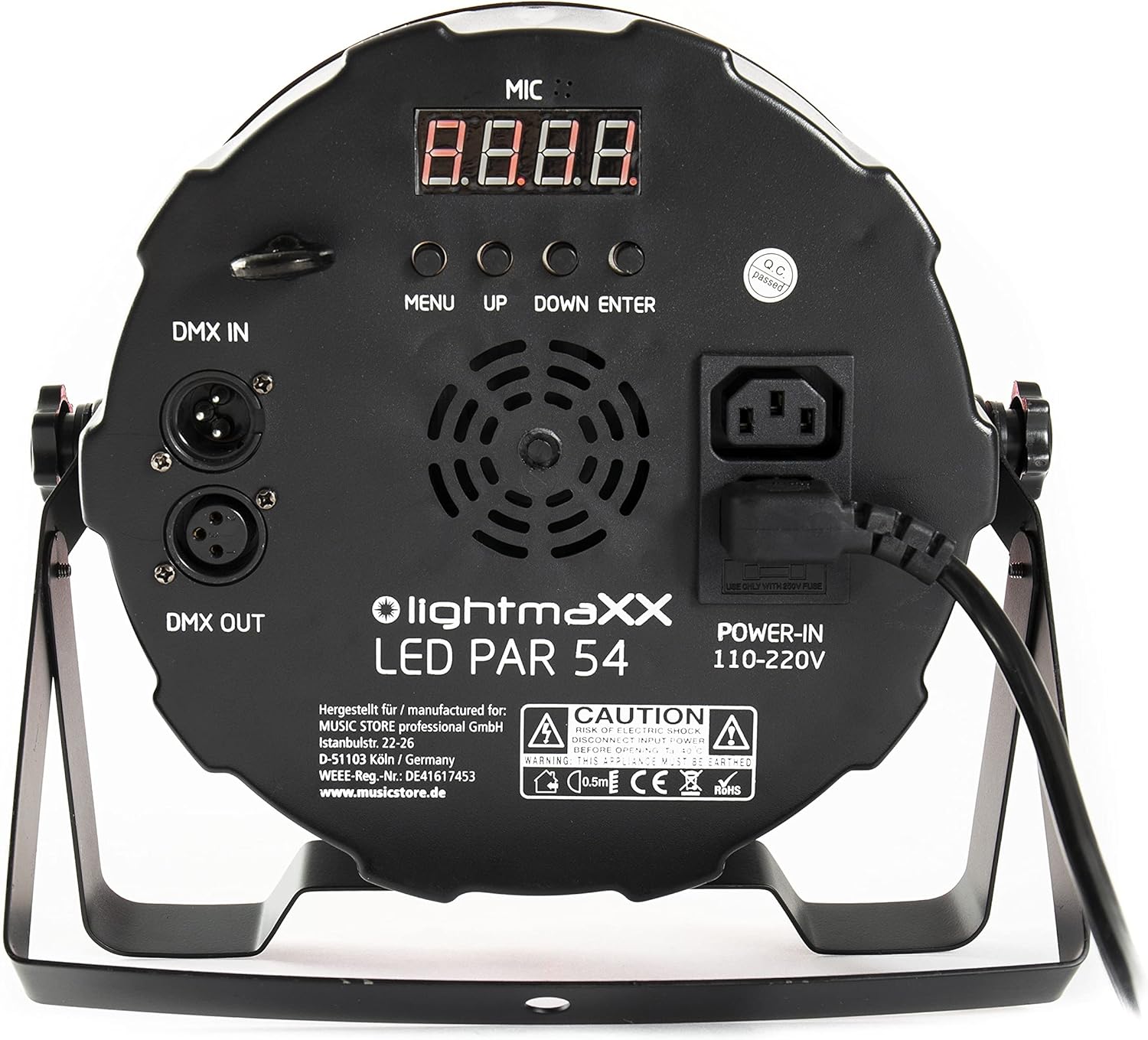
Figure 4.3: Rear panel of the lightmaXX LED PAR 54, featuring DMX In/Out, power input, and control buttons.

Figure 4.4: Close-up of the control panel, showing the digital display and 'MENU', 'UP', 'DOWN', 'ENTER' buttons for navigation.
5. Podešavanje
5.1 Montaža
The LED PAR 54 can be mounted in various positions using its adjustable bracket. Ensure the mounting surface or truss is capable of supporting the weight of the fixture. Always use a safety cable when suspending the unit overhead.
- Attach the mounting bracket securely to a truss or stand using appropriate clamps (nije uključeno).
- Adjust the angle of the fixture using the side knobs on the bracket.
- Secure the safety cable to the designated safety point on the fixture and to the mounting structure.
5.2 Priključak za napajanje
Connect the supplied power cable to the 'POWER-IN' socket on the rear panel of the fixture and then to a suitable 110-220V AC power outlet. Ensure the power source is stable and grounded.
5.3 DMX priključak (opciono)
For DMX control, connect a DMX cable from your DMX controller's output to the 'DMX IN' socket on the first fixture. For multiple fixtures, daisy-chain them by connecting the 'DMX OUT' of the first fixture to the 'DMX IN' of the next, and so on. Terminate the last fixture in the chain with a DMX terminator if experiencing signal issues.
6. Operating the LED PAR 54
6.1 Funkcije kontrolne table
The rear control panel allows you to navigate through the menu and select operating modes and settings:
- MENI: Pritisnite za ulazak u glavni meni ili za povratak na prethodni nivo menija.
- GORE: Increases the value of a setting or moves up through menu options.
- DOLJE: Decreases the value of a setting or moves down through menu options.
- ENTER: Confirms the selected option or value.
6.2 Načini rada
The LED PAR 54 typically offers several operating modes:
- Automatski režim: Uređaj automatski prolazi kroz unaprijed programirane svjetlosne emisije.
- Način rada aktiviran zvukom: The light show reacts to ambient sound detected by the built-in microphone.
- DMX način rada: Allows external control of all functions (color, dimming, strobe, programs) via a DMX controller. Refer to the DMX chart in the specifications section for channel assignments.
- Statični način rada u boji: Select a fixed color using the RGBW mixing capabilities.
6.3 Color Mixing (RGBW)
The fixture uses Red, Green, Blue, and White LEDs to create a wide range of colors. In DMX mode, you can control the intensity of each color channel independently. In static color mode, you can often select preset colors or adjust RGBW values directly from the control panel.

Figure 6.1: The lightmaXX LED PAR 54 projecting a vibrant red light beam.
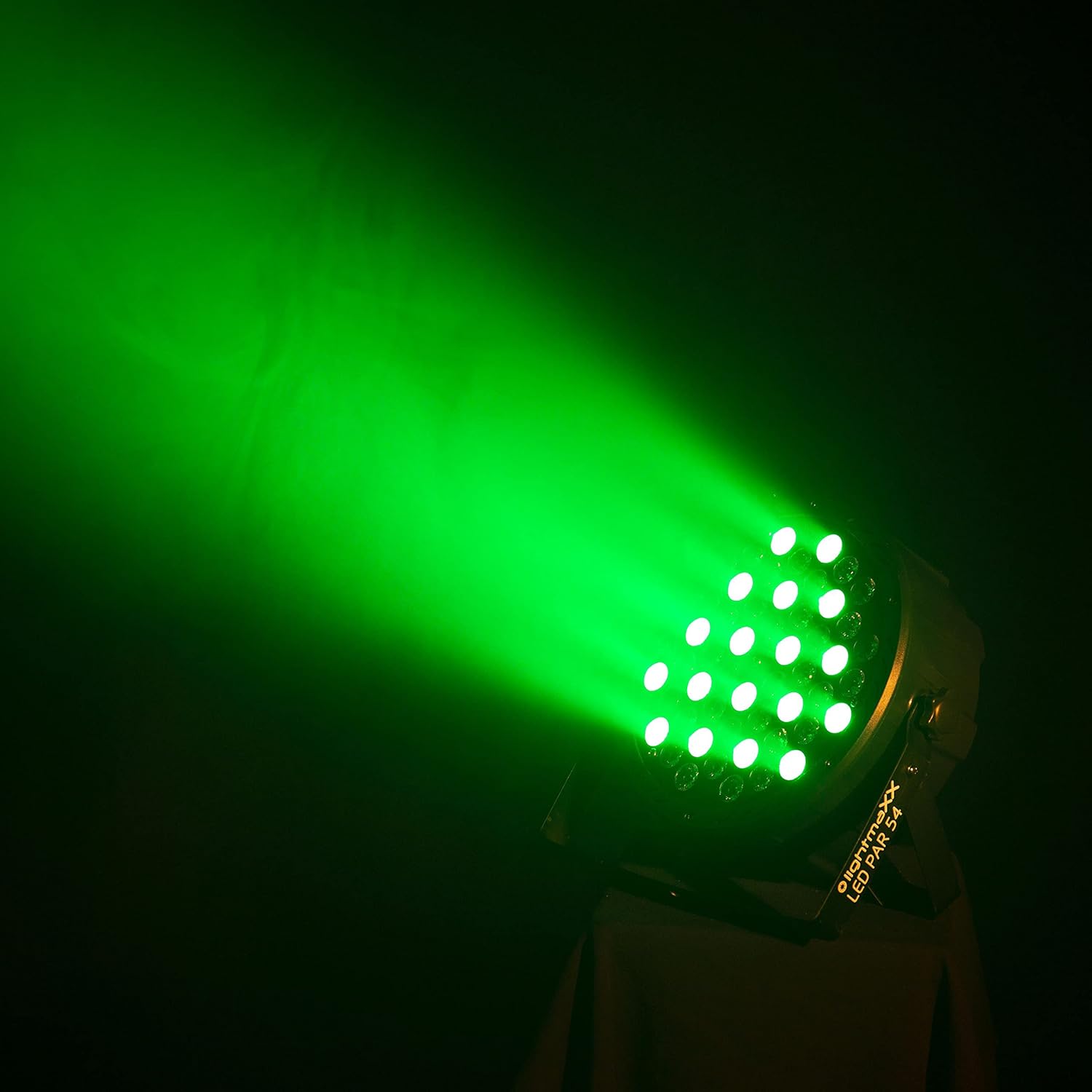
Figure 6.2: The lightmaXX LED PAR 54 projecting a bright green light beam.

Figure 6.3: The lightmaXX LED PAR 54 projecting a deep blue light beam.
6.4 Videozapisi proizvoda
Watch these videos to see the lightmaXX LED PAR 54 in action and understand its various lighting effects.
Video 6.4.1: Demonstration of various color changes and effects of the LED PAR light. This video showcases the dynamic capabilities of the fixture in a stage postavka.
Video 6.4.2: Another demonstration highlighting different color combinations and transitions of the LED PAR light. This video provides further insight into the fixture's versatility.
7. Održavanje
7.1 Čišćenje
Redovno čišćenje pomaže u održavanju optimalnog svjetlosnog toka i produžava vijek trajanja rasvjetnog tijela.
- Isključite uređaj iz struje prije čišćenja.
- Use a soft, lint-free cloth to wipe the exterior and lens. Do not use abrasive cleaners or solvents.
- Periodically clean the ventilation openings to ensure proper airflow.
7.2 Zamjena osigurača
If the unit does not power on, the fuse may need replacement. The fuse holder is located near the power input socket on the rear panel.
- Isključite jedinicu iz struje.
- Carefully open the fuse holder.
- Replace the old fuse with a new one of the exact same type and rating (e.g., 250V fuse as indicated on the unit).
- Close the fuse holder securely.
8. Otkrivanje problema
If you encounter issues with your LED PAR 54, refer to the table below for common problems and solutions.
| Problem | Mogući uzrok | Rješenje |
|---|---|---|
| Nema struje | Kabel za napajanje isključen, neispravna utičnica, pregorjeli osigurač. | Check power connections, try a different outlet, replace fuse (see Section 7.2). |
| Nema izlaza svjetla | Dimmer setting too low, incorrect mode, DMX signal issue. | Increase dimmer, select appropriate operating mode, check DMX connections and address. |
| Incorrect colors or flickering | DMX signal interference, incorrect DMX channel settings. | Ensure DMX cables are good quality, check DMX address and mode settings, try a DMX terminator. |
| Pregrijavanje jedinice | Blocked ventilation, operating in high ambient temperature. | Clear ventilation openings, ensure adequate space around the unit, reduce ambient temperature if possible. |
9. Specifikacije
| Feature | Detalj |
|---|---|
| Brand | lightmaXX |
| Model | LED PAR 54 |
| Referenca proizvođača | LIG0015761-000 |
| Lamp Tip | LED |
| LED Konfiguracija | 54 x 1W RGBW LED dioda |
| Posebne karakteristike | Promjena boje |
| Voltage | 12 Volt (Operating range 110-220V AC) |
| Wattage | 60 vati |
| Težina artikla | 1.78 kilograma |
| Temperatura boje | 6500 Kelvin (White LEDs) |
| Materijal | Aluminijum |
| Boja | Crna |
| Dimenzije proizvoda | 25.3 x 25.2 x 13.6 cm |
| Zemlja porijekla | Njemačka |
| Broj stavki u pakovanju | 1 |
10. Garancija i podrška
Za informacije o garanciji i tehničku podršku, molimo pogledajte dokumentaciju koja je priložena uz kupovinu ili se obratite prodavaču. Sačuvajte dokaz o kupovini za bilo kakve reklamacije u vezi s garancijom.


