1. Uvod
Welcome to the user manual for your RugGear RG910 Rugged 8-inch Tablet. This document provides essential information for setting up, operating, maintaining, and troubleshooting your device. The RG910 is engineered for demanding environments, offering superior durability and connectivity for outdoor work and extreme conditions.
Please read this manual carefully to ensure proper use and to maximize the lifespan of your tablet.
2. Proizvod je gotovview
The RugGear RG910 is a robust tablet featuring an 8-inch WUXGA touchscreen, designed to withstand harsh conditions. It incorporates advanced sealing technology for high water and dust resistance, and is built to endure drops and impacts.

Slika 2.1: Prednja strana view of the RugGear RG910 rugged tablet, showcasing its durable design and display.
Key features include Push-to-Talk (PTT) functionality, a long-lasting 6000 mAh battery, and an Android 8 (Oreo) operating system optimized for performance and power efficiency. The device is IP68 certified, allowing submersion in water up to 1.2 meters for 60 minutes, and is drop-resistant up to 1.5 meters.

Figure 2.2: Infographic highlighting the RG910's reliable performance, PTT capability, long battery life, Android 8 optimization, IP68 rating, and dual stereo speakers.
Connectivity options include 4G LTE, Wi-Fi 802.11b/g/n, and Bluetooth 4.0. It also features 8MP and 2MP cameras, GPS, A-GPS, GLONASS, and Beidou for navigation. The display is protected by Corning Gorilla Glass for enhanced durability and readability in sunlight.
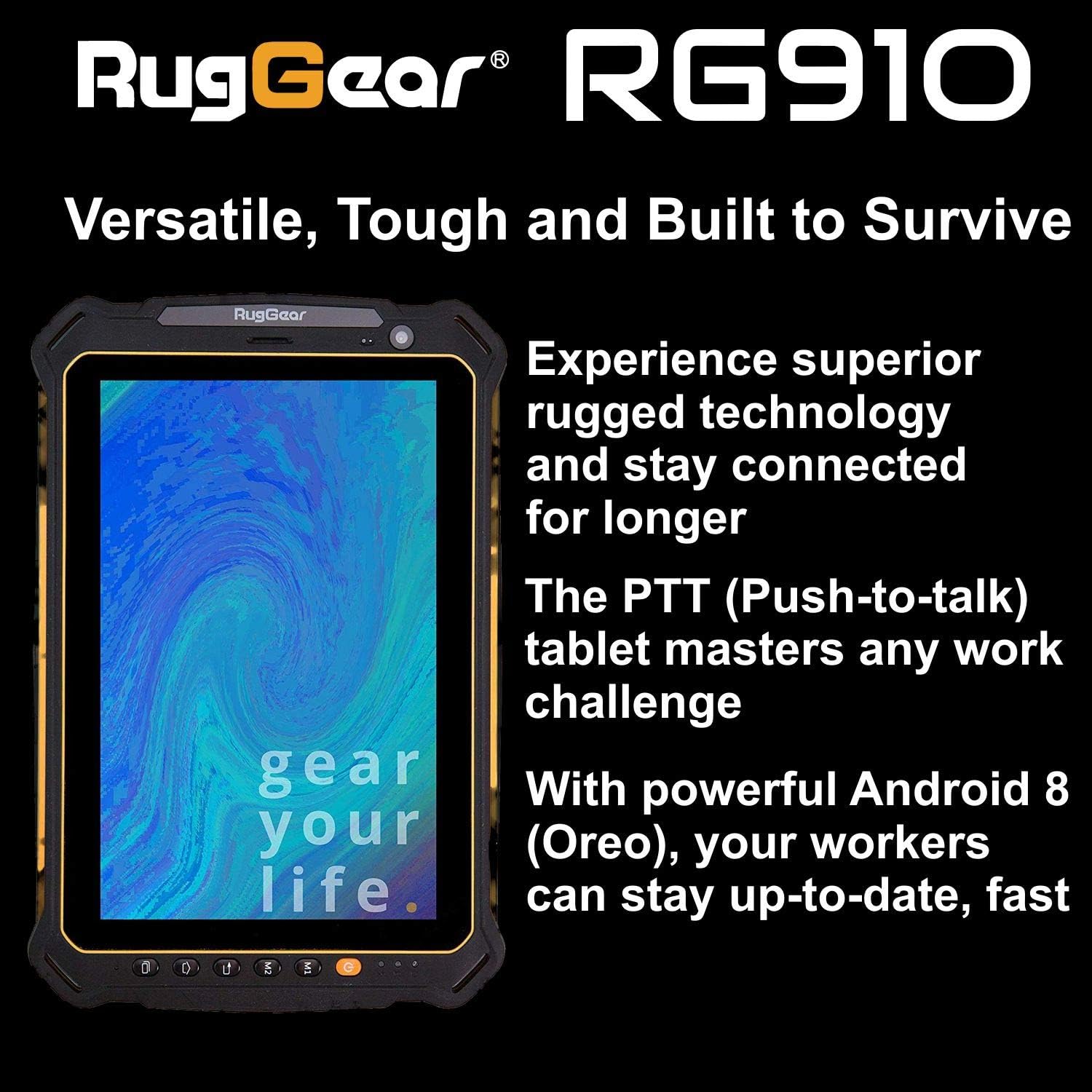
Figure 2.3: The RugGear RG910 tablet being used, illustrating its robust construction and suitability for various tasks.
3. Podešavanje
3.1 Punjenje uređaja
Before initial use, fully charge the tablet using the provided charger and USB cable. Connect the charger to a power outlet and the USB cable to the tablet's charging port. The charging indicator will show the charging status.
3.2 Inserting SIM and Micro-SD Cards
- Locate the SIM/Micro-SD card slot cover on the side of the tablet.
- Pažljivo otvorite poklopac.
- Insert the Nano-SIM card into the designated slot with the gold contacts facing down, ensuring it is correctly oriented.
- If using, insert a Micro-SD card (up to 64GB) into its dedicated slot.
- Close the cover securely to maintain the device's water and dust resistance.
3.3 Početno uključivanje i podešavanje
Press and hold the Power button until the RugGear logo appears. Follow the on-screen instructions to complete the initial setup, which includes selecting your language, connecting to a Wi-Fi network, and setting up your Google account.
4. Uputstvo za upotrebu
4.1 Uključivanje/isključivanje napajanja
- Za uključivanje: Pritisnite i držite dugme za napajanje dok se ekran ne osvijetli.
- Za isključivanje: Pritisnite i držite dugme za napajanje dok se ne pojave opcije napajanja, a zatim odaberite "Isključi".
- Za ponovno pokretanje: Press and hold the Power button until the power options appear, then select 'Restart'.
4.2 Osnovna navigacija
The RG910 uses a capacitive touchscreen. Use standard Android gestures:
- Dodirnite: Odaberite stavku ili otvorite aplikaciju.
- Prevucite: Skrolajte kroz liste ili se prebacivajte između početnih ekrana.
- štipanje: Uvećavanje ili smanjivanje slika i web stranice.
- Dugi pritisak: Pristupite kontekstualnim menijima ili premjestite ikone.
4.3 Funkcionalnost pritisni-za-govor (PTT)
The RG910 supports Push-to-Talk (PTT) communication. A dedicated PTT button may be present on the device. Consult your service provider or PTT application instructions for specific setup and usage details.
4.4 Rad kamere
To use the cameras:
- Otvorite aplikaciju Kamera sa početnog ekrana ili iz menija aplikacija.
- Dodirnite ekran za fokusiranje.
- Tap the Shutter button to take a photo or start/stop video recording.
- Prebacujte se između prednje i zadnje kamere pomoću ikone za prebacivanje kamere.
4.5 Povezivanje
- Wi-Fi: Idi na Postavke > Mreža i internet > Wi-Fi da se povežete na dostupne mreže.
- 4G LTE: Ensure your SIM card is inserted and mobile data is enabled in Postavke > Mreža i internet > Mobilna mreža.
- Bluetooth: Omogući Bluetooth u Postavke > Povezani uređaji > Bluetooth za uparivanje s drugim uređajima.
5. Održavanje
5.1 Čišćenje uređaja
To clean your tablet, use a soft, damp cloth. Avoid using harsh chemicals, abrasive cleaners, or solvents, as these can damage the device's ruggedized coating and seals. Ensure all port covers are securely closed before cleaning with moisture.
5.2 Otpornost na vodu i prašinu (IP68)
The RG910 is IP68 certified, meaning it is protected against dust ingress and can withstand submersion in fresh water up to 1.2 meters for 60 minutes. To maintain this rating:
- Ensure all port covers (USB, SIM/Micro-SD slot) are firmly closed before exposure to water or dust.
- Do not expose the device to salt water, chlorinated water, or other liquids.
- If the device gets wet, dry it thoroughly with a clean cloth before opening any covers or charging.
5.3 Njega baterija
- Izbjegavajte ekstremne temperature, koje mogu smanjiti performanse baterije.
- Koristite samo originalni ili certificirani kompatibilni punjač i kabel.
- Ne probadajte, ne rastavljajte niti modificirajte bateriju.
5.4 Ažuriranja softvera
Redovno provjeravajte i instalirajte ažuriranja softvera kako biste osigurali optimalne performanse, sigurnost i pristup novim funkcijama. Idite na Postavke > Sistem > Ažuriranje sistema.
6. Otkrivanje problema
This section addresses common issues you might encounter with your RugGear RG910 tablet.
| Issue | Moguće rješenje |
|---|---|
| Uređaj se ne uključuje | Provjerite je li baterija napunjena. Spojite punjač i pričekajte nekoliko minuta prije nego što ponovo pokušate uključiti uređaj. Ako ne reagira, izvršite prisilno ponovno pokretanje tako što ćete držati dugme za napajanje 10-15 sekundi. |
| Ekran ne reagira | Restart the device. If the issue persists, ensure the screen is clean and dry. |
| Ne mogu se povezati na Wi-Fi/4G | Check Wi-Fi settings and ensure the network password is correct. For 4G, verify SIM card insertion, mobile data is enabled, and you have network coverage. Restart the tablet. |
| Baterija se brzo prazni | Reduce screen brightness, close unused applications, disable unnecessary connectivity features (Bluetooth, GPS), and check for background app activity in settings. |
| Uređaj je spor ili se zamrzava | Close background applications. Clear cache for problematic apps. Restart the device. Consider a factory reset if the issue is persistent (back up data first). |
7. Specifikacije
Detailed technical specifications for the RugGear RG910 tablet:
| Feature | Opis |
|---|---|
| Brand | RugGear |
| Broj modela | 98300000 |
| Operativni sistem | Android 8 (Oreo) |
| Display | 8-inch WUXGA (1920 x 1200 pixels) with Corning Gorilla Glass |
| Procesor | Qualcomm Snapdragon 625 |
| RAM | 3 GB |
| Interna pohrana | 32 GB (expandable up to 64 GB via Micro-SD) |
| Baterija | 6000 mAh Litijum-jonski |
| Povezivanje | 4G LTE, Wi-Fi 802.11b/g/n, Bluetooth 4.0, GPRS |
| Kamere | Zadnja: 8 MP, Prednja: 2 MP |
| Navigacija | GPS, A-GPS, GLONASS, Beidou |
| Trajnost | IP68 certified (water/dust resistant), Drop-resistant up to 1.5 meters |
| Dimenzije (D x Š x V) | 21.3 x 14.1 x 2 cm |
| Težina | 906 grama |
| Posebne karakteristike | Ruggedized Construction, Push-to-Talk (PTT) functionality, Adjustable back strap |
| Model Year | 2018 |
8. Garancija i podrška
Your RugGear RG910 tablet is covered by a manufacturer's warranty. Please refer to the warranty card included with your product packaging for specific terms and conditions, including warranty duration and coverage details. For technical support, service, or further assistance, please contact RugGear customer service or your authorized dealer.


