1. Uvod
The Elekpia Universal Remote Control is a direct replacement remote designed for compatibility with a vast array of Toshiba LCD, LED, 3D, HDTV, 4K UHD, and Smart TV models. This remote requires no programming or pairing; simply insert batteries, and it is ready for immediate use.
It is compatible with many original Toshiba remote models, including CT-90325, CT-90326, CT-90329, CT-8037, CT-90302, CT-90275, CT-90366, and more.
2. Podešavanje
To begin using your new universal remote control, follow these simple steps:
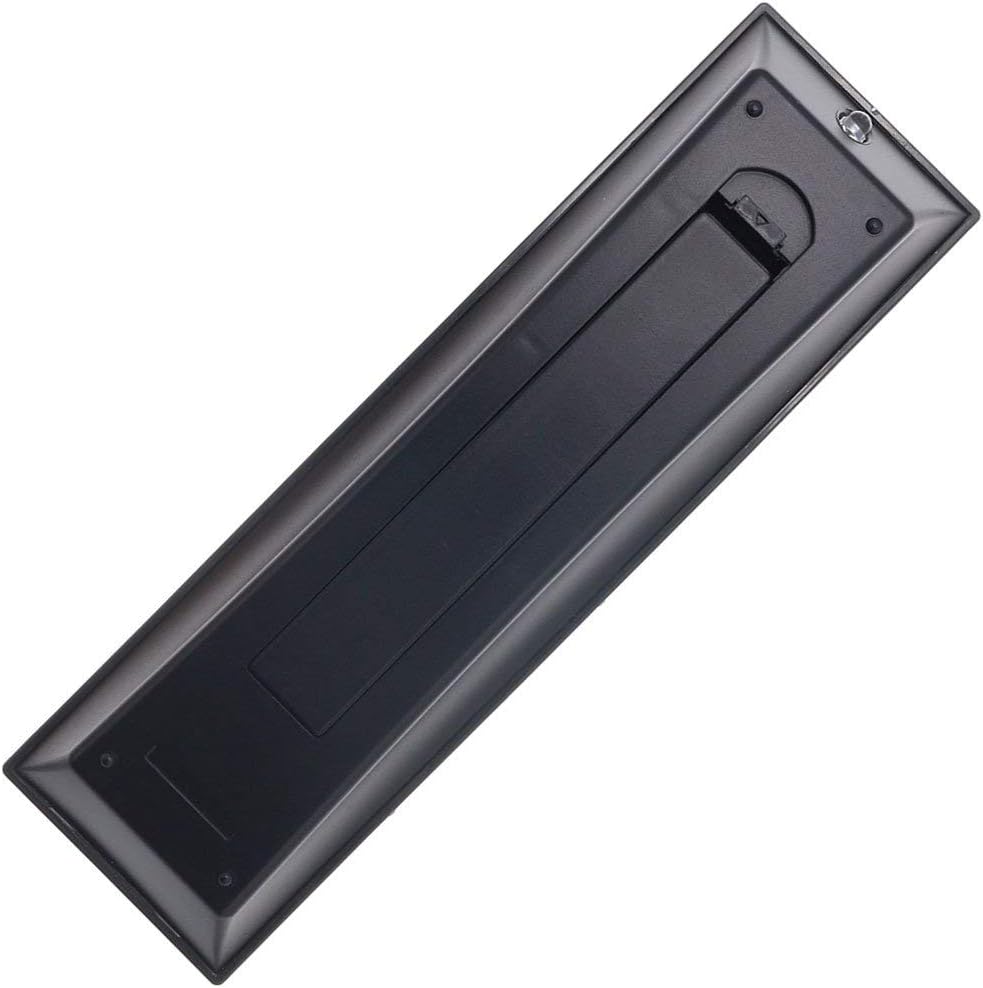
- Instalacija baterije: Locate the battery compartment on the back of the remote control. Slide the battery cover downwards to open it. Insert two new AAA batteries (not included), ensuring the positive (+) and negative (-) terminals align correctly with the indicators inside the compartment. Close the battery cover by sliding it back into place until it clicks securely.
- Spremno za upotrebu: Once batteries are installed, the remote is ready for immediate operation with your compatible Toshiba TV. No additional programming, pairing, or code entry is required.

3. Uputstvo za upotrebu
The Elekpia Universal Remote Control features a standard layout for easy navigation and control of your Toshiba television. Below is a guide to the primary functions:
- Dugme za napajanje (ⓘ): Located at the top right, press to turn the TV on or off.
- Dugme za unos: Cycles through available video input sources (HDMI, AV, Component, etc.).
- Number Buttons (0-9, 100, FAV): Used for direct channel selection. The "100" button may be used for three-digit channel numbers, and "FAV" for favorite channels if configured on your TV.
- Kontrola jačine zvuka (VOL +/-): Povećava ili smanjuje jačinu zvuka.
- Kontrola kanala (CH +/-): Mijenja televizijski kanal gore ili dolje.
- Dugme za isključivanje zvuka: Silences the TV audio. Press again to restore sound.
- Navigacijska tipka (gore, dolje, lijevo, desno, ENTER): Used to navigate menus, select options, and confirm choices.
- Dugme menija: Accesses the TV's main menu for settings and adjustments.
- Dugme za povratak: Vraća se na prethodni ekran ili meni.
- Dugme za izlaz: Izlazi iz trenutnog menija ili funkcije.
- Playback Controls (EJECT, PAUSE/STEP, PLAY, STOP, SKIP, REW, FF): These buttons control media playback functions for connected devices (e.g., DVD player, USB drive) if supported by your TV.
- Dugme za informacije: Prikazuje informacije o trenutnom programu ili ulazu.
- C.CAPTION Button: Uključuje ili isključuje titlove.
- Dugme RECALL: Prebacuje se između trenutnog i prethodnog viewed channel.
- CH RTN Button: Vraća se na prethodni kanal.
- PIC MODE / PIC SIZE: Adjusts picture mode and aspect ratio settings.
- SLEEP / FREEZE: Sleep timer and freeze frame functions, if supported by your TV.
4. Održavanje
Proper care and maintenance will extend the life of your remote control:
- čišćenje: Obrišite daljinski upravljač mekom, suhom krpom. Za tvrdokornu prljavštinu, laganoampOperite krpu vodom ili blagim, neabrazivnim sredstvom za čišćenje. Ne koristite jake hemikalije ili abrazivne materijale.
- Zamjena baterije: Replace batteries when the remote's response becomes sluggish or stops working. Always replace both batteries at the same time with new ones of the same type (AAA). Remove batteries if the remote will not be used for an extended period to prevent leakage.
- Skladištenje: Daljinski upravljač čuvajte na hladnom i suhom mjestu, dalje od direktne sunčeve svjetlosti, ekstremnih temperatura i visoke vlažnosti.
- Izbjegavajte kapi: Zaštitite daljinski upravljač od fizičkih udara, jer padovi mogu oštetiti unutrašnje komponente.
5. Otkrivanje problema
Ako imate problema s daljinskim upravljačem, pogledajte sljedeća uobičajena rješenja:
| Problem | Mogući uzrok | Rješenje |
|---|---|---|
| Daljinski upravljač uopšte ne radi. | Prazne ili nepravilno umetnute baterije. Prepreka između daljinskog upravljača i televizora. | Check battery polarity and replace with fresh AAA batteries. Ensure a clear line of sight to the TV's IR receiver. |
| Neki tasteri ne reaguju. | Low battery power. Button malfunction. | Replace batteries. If issue persists, the button may be faulty. |
| Daljinski upravljač radi povremeno. | Slabe baterije. Smetnje. | Replace batteries. Remove any potential sources of infrared interference (e.g., strong lights). |
| Remote does not control my TV. | TV is not a compatible Toshiba model. | Verify your TV is a Toshiba brand and model listed as compatible in the product description. This remote is specifically designed for Toshiba TVs. |
6. Specifikacije
- Brand: Elekpia
- Broj modela: CT-90325
- Kompatibilni uređaji: Toshiba Televisions (LCD, LED, 3D, HDTV, 4K UHD, Smart TV)
- Izvor napajanja: 2 x AAA baterije (nisu uključene)
- Boja: Crna
- Dimenzije proizvoda: 6 x 1.8 x 0.7 inča (približno)
- Težina artikla: 2.71 unce (otprilike)
- Posebna karakteristika: Universal replacement for specified Toshiba TV remotes; No programming required.
7. Garancija i podrška
For information regarding warranty coverage or technical support, please refer to the documentation provided with your purchase or contact the manufacturer directly. This remote is designed for straightforward plug-and-play operation, and most issues can be resolved by following the troubleshooting steps outlined in this manual.


