1. Uvod
Thank you for choosing the Cecotec Ready Warm 6670 Cristal Electric Radiator. This modern and elegant crystal convector is designed to provide efficient and rapid heating for your living spaces. Featuring an adjustable thermostat, timer function, and Wi-Fi connectivity, it offers convenient control and optimized energy consumption. This manual provides essential information for safe operation, installation, maintenance, and troubleshooting.
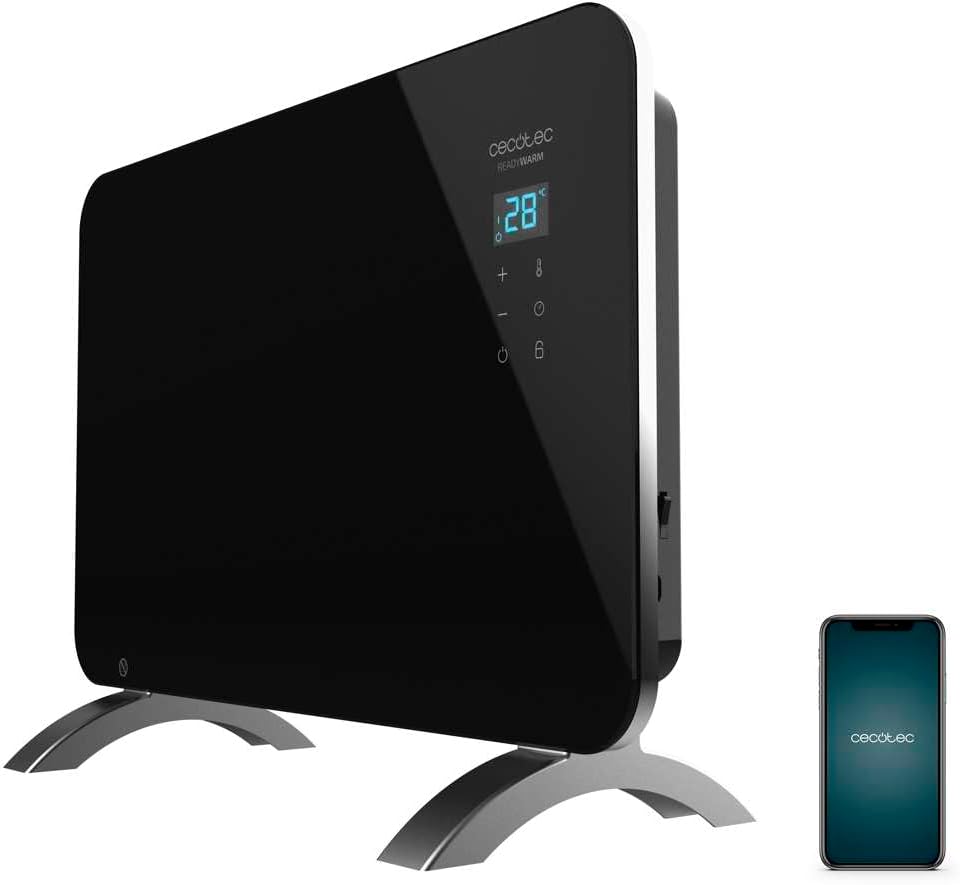
Figure 1: The Cecotec Ready Warm 6670 Cristal Electric Radiator, showcasing its sleek black design and digital display, alongside a smartphone indicating its Wi-Fi control capability.
2. Važna sigurnosna uputstva
Molimo vas da pažljivo pročitate sva uputstva prije upotrebe uređaja i sačuvate ih za buduću upotrebu. Nepoštivanje ovih uputstava može dovesti do strujnog udara, požara ili ozbiljnih povreda.
- Osigurajte voltagNavedeno na naljepnici s karakteristikama odgovara jačini vaše električne mreže.tage prije spajanja uređaja.
- Do not use this appliance near water or in damp environments, such as bathrooms, due to its IP24 splash protection rating.
- Always place the radiator on a stable, flat surface. Ensure adequate clearance from walls and furniture for proper ventilation.
- Do not cover the radiator, as this can lead to overheating and fire hazards.
- Keep children and pets away from the appliance during operation, as surfaces can become very hot.
- Unplug the appliance from the power outlet when not in use, before cleaning, or before moving it.
- Do not operate the appliance with a damaged cord or plug, or if it has malfunctioned or been dropped.
- Repairs should only be performed by qualified personnel. Improper repairs can be dangerous.
- Ovaj uređaj je dizajniran samo za unutrašnju upotrebu.
3. Komponente proizvoda
Familiarize yourself with the main parts of your Cecotec Ready Warm 6670 Cristal Electric Radiator:
- Main Heating Unit (Glass Panel)
- Digital Display Panel
- Control Buttons (+, -, Power, Mode, Timer)
- Kabl za napajanje i utikač
- Detachable Pedestal Feet (for freestanding use)
- Wall Mounting Brackets (optional, not included in this model description but common for panel heaters)

Slika 2: Detaljan view of the radiator's digital display and control buttons, showing temperature, mode, and timer indicators.
4. Postavljanje i instalacija
Your radiator can be used as a freestanding unit with the included pedestal feet.
4.1. Attaching the Pedestal Feet
- Pažljivo raspakujte radijator i sve komponente.
- Place the radiator on a soft, flat surface to prevent scratching the glass panel.
- Align the pedestal feet with the mounting holes at the bottom of the radiator.
- Pričvrstite nožice pomoću priloženih vijaka. Provjerite da li su čvrsto pričvršćene.
- Once the feet are attached, carefully place the radiator upright in your desired location. Ensure it is on a stable, level surface and away from flammable materials.

Figure 3: The radiator positioned in a room, demonstrating its freestanding setup with the pedestal feet.
5. Uputstvo za upotrebu
5.1. Osnovni rad
- Plug the radiator into a suitable power outlet.
- Pritisnite Snaga dugme (simbol: krug s okomitom linijom) on the control panel to turn the unit on. The digital display will illuminate.
- Koristite + i - dugmad za podešavanje željene temperature. Na ekranu će se prikazati postavljena temperatura.
- Pritisnite Mode dugme (symbol: thermometer) to cycle through heating modes (e.g., Eco, Max).
- To turn off the radiator, press the Snaga ponovo dugme.
5.2. Wi-Fi Connectivity and App Control
The Cecotec Ready Warm 6670 Cristal can be controlled via your smartphone using the Tuya Smart APP.
- Download the "Tuya Smart" app from your smartphone's app store (available for iOS and Android).
- Registrujte se ili prijavite na svoj Tuya Smart račun.
- Provjerite je li vaš pametni telefon povezan na Wi-Fi mrežu od 2.4 GHz.
- On the radiator, press and hold the Wi-Fi button (if available, or a combination of buttons as per app instructions) to enter pairing mode. The Wi-Fi indicator on the display will blink.
- In the Tuya Smart app, tap "+" to add a device. Select "Heater" or "Radiator" from the device list.
- Follow the on-screen instructions in the app to connect the radiator to your Wi-Fi network. This typically involves confirming the Wi-Fi indicator is blinking and entering your Wi-Fi password.
- Once connected, you can control the radiator's power, temperature, mode, and timer settings directly from the app.

Figure 4: A user interacting with a smartphone, illustrating the convenience of controlling the radiator remotely via the Tuya Smart application.
5.3. Funkcija tajmera
The timer allows you to set a specific duration for the radiator to operate.
- Pritisnite Tajmer dugme (simbol: sat) on the control panel or in the app.
- Koristite + i - buttons to set the desired operating time in hours.
- The radiator will automatically turn off after the set time has elapsed.
6. Održavanje i čišćenje
Regular cleaning ensures optimal performance and extends the lifespan of your radiator.
- Always unplug the radiator from the power outlet and allow it to cool completely before cleaning.
- Obrišite vanjske površine mekom krpom, damp krpom. Ne koristite abrazivna sredstva za čišćenje, rastvarače ili jake hemikalije, jer mogu oštetiti završnu obradu.
- Do not immerse the radiator in water or any other liquid.
- Pazite da voda ne uđe u kontrolnu ploču ili električne komponente.
- For storage, clean the unit and store it in a cool, dry place, preferably in its original packaging.
7. Otkrivanje problema
Ako imate problema s radijatorom, pogledajte sljedeće uobičajene probleme i rješenja:
| Problem | Mogući uzrok | Rješenje |
|---|---|---|
| Radijator se ne uključuje. | Not plugged in; power outlet faulty; power button not pressed; overheat protection activated. | Check power connection; try a different outlet; press power button; unplug and let cool for 30 minutes before restarting. |
| Nema izlaza topline. | Temperature setting too low; mode not set correctly. | Increase desired temperature; ensure correct heating mode (e.g., Max) is selected. |
| Wi-Fi veza ne uspijeva. | Incorrect Wi-Fi password; router too far; 5 GHz network used; pairing mode not active. | Verify password; move radiator closer to router; ensure 2.4 GHz network is used; re-enter pairing mode on radiator. |
| Radiator turns off unexpectedly. | Timer function active; overheat protection activated. | Check timer settings; ensure radiator is not covered and has adequate ventilation. |
8. Tehničke specifikacije
| Feature | Detalj |
|---|---|
| Brand | Cecotec |
| Broj modela | big-V1704474 (05350) |
| Boja | Crna |
| Snaga | 1000 W |
| Voltage | 220 Volts |
| Materijal | Aluminum (Heating element), Glass (Panel) |
| Metoda grijanja | Konvekcija |
| Posebna karakteristika | Adjustable Thermostat, Wi-Fi Connectivity, Timer, Overheat Protection, IP24 Splash Protection |
| Dimenzije (D x Š x V) | 47 x 13 x 64 cm (Product); 60 x 24 x 46 cm (Product, alternative) |
| Težina artikla | 5.1 kilograma |
| Nivo buke | 44 dB |
| Preporučena upotreba | Indoor (Home) |
9. Garancija i podrška
Cecotec products are manufactured to high-quality standards. This product comes with a standard manufacturer's warranty covering defects in materials and workmanship from the date of purchase. Please refer to the warranty card included with your product for specific terms and conditions.
Za tehničku podršku, pomoć u rješavanju problema ili reklamacije, obratite se korisničkoj službi Cecotec-a putem njihove službene website or the contact information provided in your product packaging. When contacting support, please have your model number (big-V1704474) and purchase date ready.
Dostupnost rezervnih dijelova: 10 godina.


