Uvod
This manual provides comprehensive instructions for the safe and efficient use of your Paulmann MaxLED 79797 RGBW Controller. This device allows you to control Paulmann MaxLED RGBW light strips, enabling functions such as switching, dimming, and changing light colors and effects via the included wireless remote control. The controller operates without requiring direct line-of-sight to the remote, offering a range of up to 30 meters.
Važna sigurnosna uputstva
- Prije instalacije i rada pažljivo pročitajte sva uputstva.
- Sačuvajte ovaj priručnik za buduću upotrebu.
- Ovaj proizvod je namijenjen samo za upotrebu u zatvorenom prostoru (IP20 zaštita). Ne izlagati vlazi ili ekstremnim temperaturama.
- Prije bilo kakvih radova na instalaciji ili održavanju provjerite je li napajanje isključeno.
- Only use with Paulmann MaxLED RGBW strips and compatible 24V power supplies.
- Do not attempt to open or modify the controller or remote control. This will void the warranty.
- Držite baterije van dohvata djece. Iskorišćene baterije odložite odgovorno.
Sadržaj paketa
Provjerite da li su sve komponente prisutne u paketu:
- 1x Paulmann MaxLED RGBW Controller (Model 79797)
- 1x Bežični daljinski upravljač
- 1x Upute za sastavljanje (ovaj priručnik)
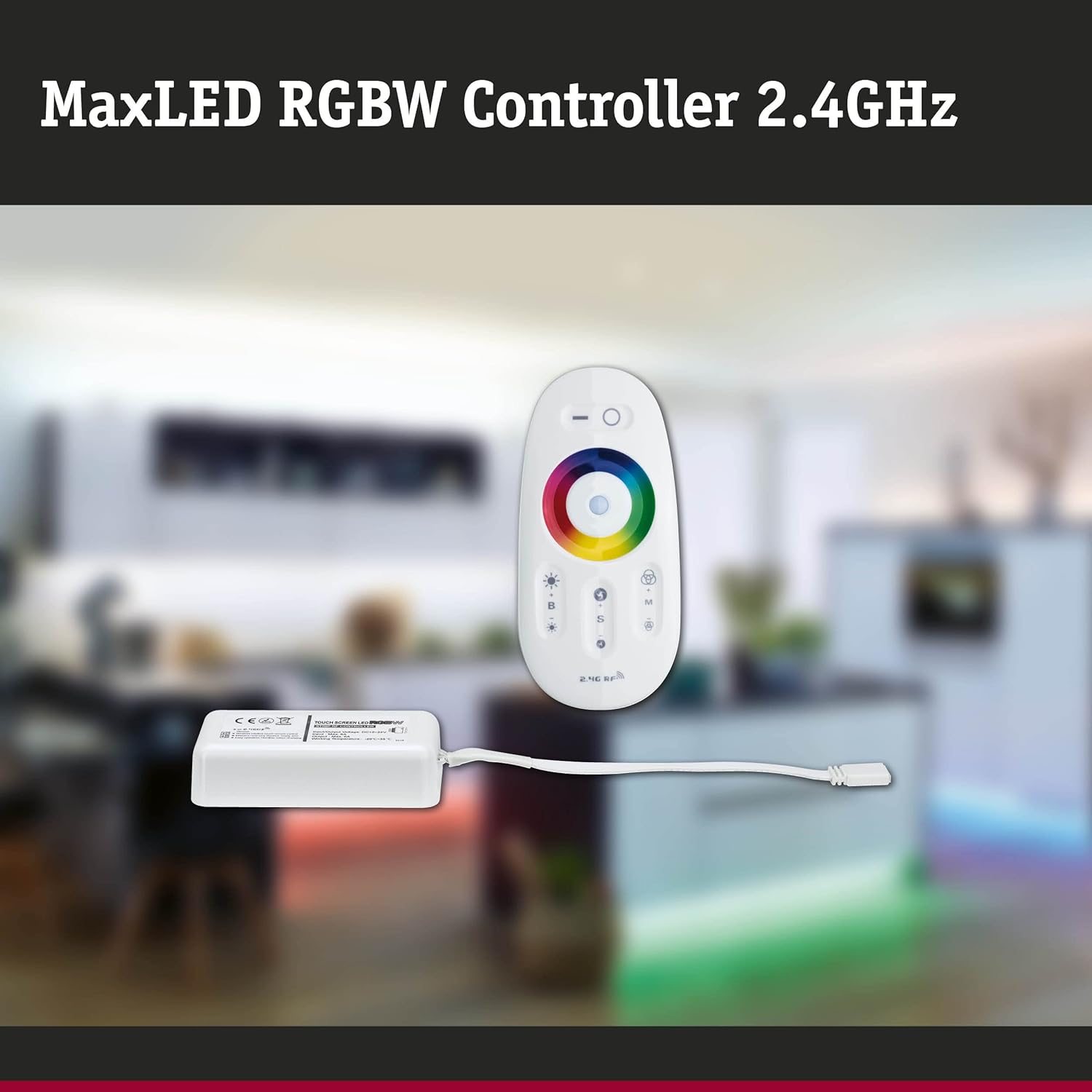
Image: The MaxLED RGBW Controller and its wireless remote control. The controller is a small white rectangular unit with a cable, and the remote is an oval-shaped white device with various buttons and a color wheel.

Image: Diagram showing the MaxLED RGBW Controller and remote control with their approximate dimensions. The controller measures 22.5x85x45mm and the remote 20x110x53mm. A 150mm cable connects the controller to the LED strip.
Postavljanje i instalacija
Follow these steps for proper installation of your MaxLED RGBW Controller:
- Pripremite prostor za instalaciju: Ensure the surface where the LED strip will be mounted is clean, dry, and free of dust.
- Spajanje LED trake: Connect your Paulmann MaxLED RGBW strip to the output cable of the controller. The system uses an easy plug-in connection. Ensure the connectors are securely fastened.
- Povežite napajanje: Connect a compatible 24V Paulmann power supply (not included) to the input side of the MaxLED RGBW Controller.
- Montirajte kontroler: The controller is designed for hidden installation. Place it in a discreet location where it is protected from physical damage and moisture, but still allows for proper signal transmission from the remote (up to 30m range).
- Uključeno: Once all connections are secure, plug the power supply into a suitable electrical outlet.
- Pairing the Remote Control (if necessary): The remote control is usually pre-paired. If not, refer to the "Operating Instructions" section for pairing procedures.
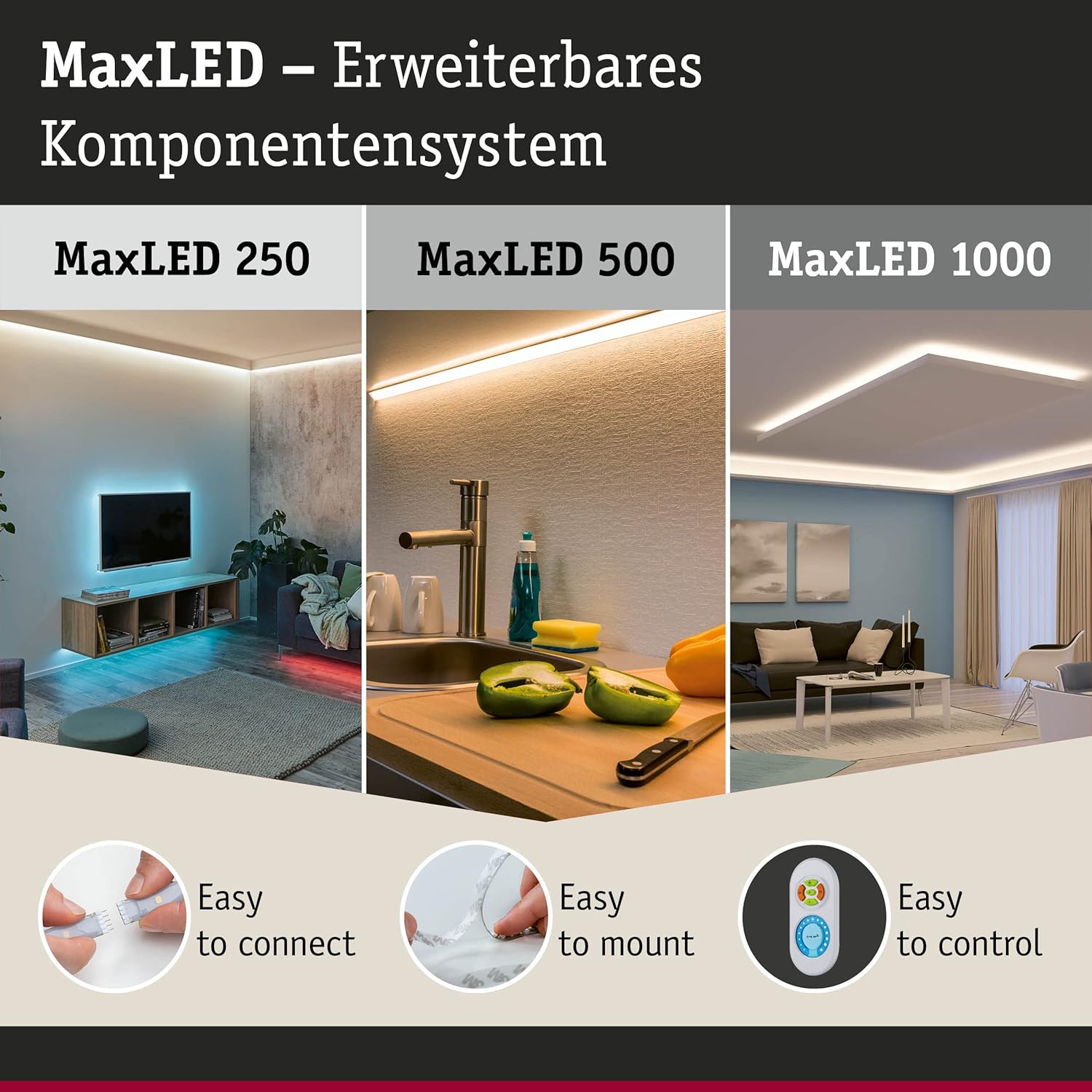
Image: This image illustrates the MaxLED expandable component system, highlighting three key aspects: "Easy to connect" (showing a hand connecting an LED strip), "Easy to mount" (showing an LED strip being applied to a surface), and "Easy to control" (showing the remote control). This demonstrates the simplicity of the setup process.
Uputstvo za upotrebu
The wireless remote control allows full command over your MaxLED RGBW strips.
Funkcije daljinskog upravljača:

Slika: Detaljna view of the MaxLED RGBW remote control, showing its various buttons and the central color wheel. The remote features power, brightness, mode, speed, and color selection controls.
- Dugme za napajanje (O): Press to turn the LED strips On or Off.
- Kontrola svjetline (B +/-): Use the '+' button to increase brightness and '-' to decrease brightness.
- Točak u boji: Touch the color wheel to select a desired static color for your LED strips.
- Mode Selection (M): Cycle through various pre-programmed light effects and color changing modes.
- Kontrola brzine (S +/-): When in a dynamic mode, use the '+' button to increase the speed of the effect and '-' to decrease it.
Uparivanje daljinskog upravljača:
If your remote control is not responding, it may need to be paired with the controller:
- Provjerite je li kontroler uključen.
- Within 3 seconds of powering on the controller, press and hold the "Mode" (M) button on the remote control for a few seconds.
- The LED strips should flash to indicate successful pairing.
Održavanje
čišćenje:
To clean the controller and remote control, gently wipe with a soft, dry cloth. Do not use abrasive cleaners, solvents, or excessive moisture, as this can damage the components.
Zamjena baterije daljinskog upravljača:
The remote control requires batteries (type not specified in product data, typically CR2032 or similar button cell). If the remote's range decreases or it stops responding, replace the battery:
- Pronađite odeljak za baterije na poleđini daljinskog upravljača.
- Otvorite pretinac pomoću malog odvijača ili povlačenjem poklopca.
- Remove the old battery and insert a new one, ensuring correct polarity (+/-).
- Čvrsto zatvorite odeljak za baterije.
- Odložite staru bateriju u skladu sa lokalnim propisima.
Rješavanje problema
| Problem | Mogući uzrok | Rješenje |
|---|---|---|
| LED strips do not light up. | No power, loose connection, faulty power supply, remote not paired. | Check power supply connection. Ensure all cables are securely plugged in. Verify power outlet is functional. Re-pair the remote control (see Operating Instructions). |
| Daljinski upravljač ne reaguje. | Dead battery, remote not paired, out of range. | Replace remote control battery. Re-pair the remote control. Move closer to the controller (within 30m). |
| Boje su netačne ili nekonzistentne. | Loose connection to LED strip, faulty LED strip. | Check the connection between the controller and the LED strip. Ensure the strip is fully compatible. |
| Dimming or effects not working. | Remote control issue, incompatible LED strip. | Ensure the remote control battery is good and it is paired. Verify the LED strip is an RGBW dimmable type. |
Specifikacije
| Brand | Paulman |
| Broj modela | 79797 |
| Dimenzije proizvoda (D x Š x V) | 5.3 x 11 x 2 cm (Controller); 20 x 110 x 53 mm (Remote) |
| Težina | 102 grama |
| IP Rating | IP20 (samo za unutrašnju upotrebu) |
| Materijal | Plastika |
| Maks. Wattage | 144 Watts |
| Voltage | 24 Volts |
| Vrsta izvora svjetlosti | LED (for compatible strips) |
| Izvor napajanja | AC (via external 24V power supply) |
| Posebne karakteristike | Dimmable, Variable Intensity, Remote Control, RGBW Color Change |
| Frekvencija daljinskog upravljača | 2.4 GHz RF |
| Domet daljinskog upravljača | Up to 30 meters (non-line-of-sight) |
| Potrebne baterije (daljinski upravljač) | Da (nije uključeno) |

Image: The MaxLED RGBW Controller and its remote control, emphasizing the 2.4 GHz RF wireless technology for reliable communication.
Garancija i podrška
garancija:
Paulmann offers a 1-year availability for spare parts for this product. For specific warranty terms and conditions, please refer to the official Paulmann webweb stranicu ili kontaktirajte svog prodavca.
Korisnička podrška:
For further assistance, technical support, or inquiries regarding your Paulmann MaxLED RGBW Controller, please visit the official Paulmann website or contact their customer service department. Contact information can typically be found on the product packaging or the Paulmann website.
Paulman Webstranica: www.paulmann.com


