1. Uvod
This manual provides detailed instructions for the proper use and maintenance of your Edifier W820BT Bluetooth Headphones. Please read this manual thoroughly before using the product to ensure optimal performance and longevity.
2. Sadržaj paketa
Verify that all items listed below are included in your package. If any items are missing or damaged, please contact Edifier customer support.
- Edifier W820BT Bluetooth Headphones
- Kabel za punjenje (USB)
- Audio kabl (3.5 mm)
- Korisnički priručnik (ovaj dokument)
3. Proizvod je gotovview
The Edifier W820BT headphones are designed for comfort and extended listening, featuring Bluetooth v4.1 connectivity and a long-lasting battery.
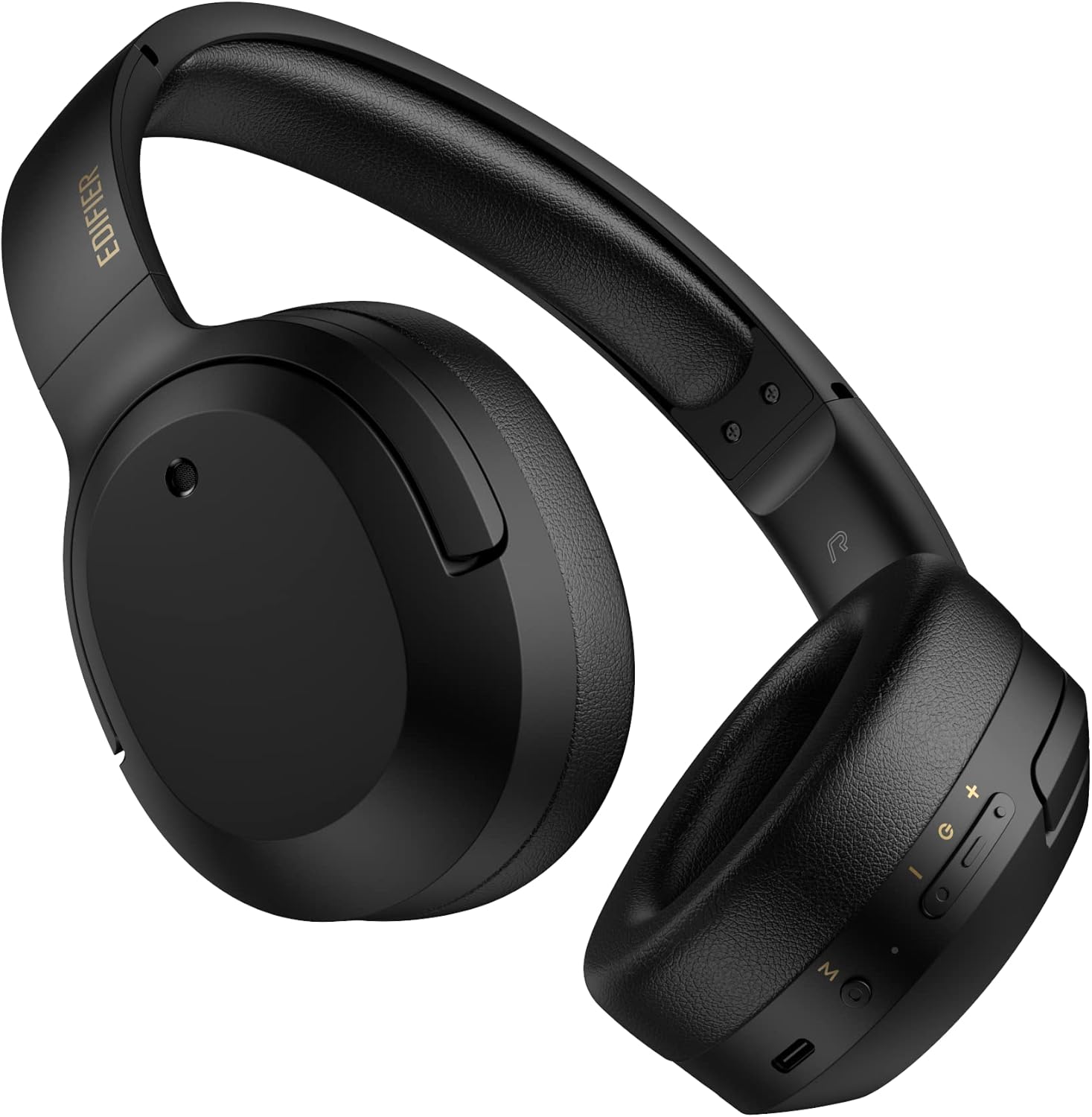
Slika 3.1: Prednja strana view of the Edifier W820BT Bluetooth Headphones.

Slika 3.2: Bočna strana view of the Edifier W820BT Bluetooth Headphones, highlighting the control buttons.
Ključne karakteristike:
- Bluetooth V4.1 with CSR Technology for stable wireless connection.
- Do 80 sati trajanja baterije.
- Sklopivi dizajn za prenosivost.
- Soft leather ear pads for comfort.
- Durable and flexible steel headband.
- On-ear controls for media playback and calls.
4. Podešavanje
4.1 Punjenje slušalica
Prije prve upotrebe, potpuno napunite slušalice.
- Connect the micro-USB end of the charging cable to the charging port on the headphone (located on the right earcup).
- Spojite USB-A kraj kabela za punjenje na USB adapter za napajanje (nije uključen) ili USB priključak računara.
- LED indikator će svijetliti tokom punjenja i ugasiti se kada se uređaj potpuno napuni.
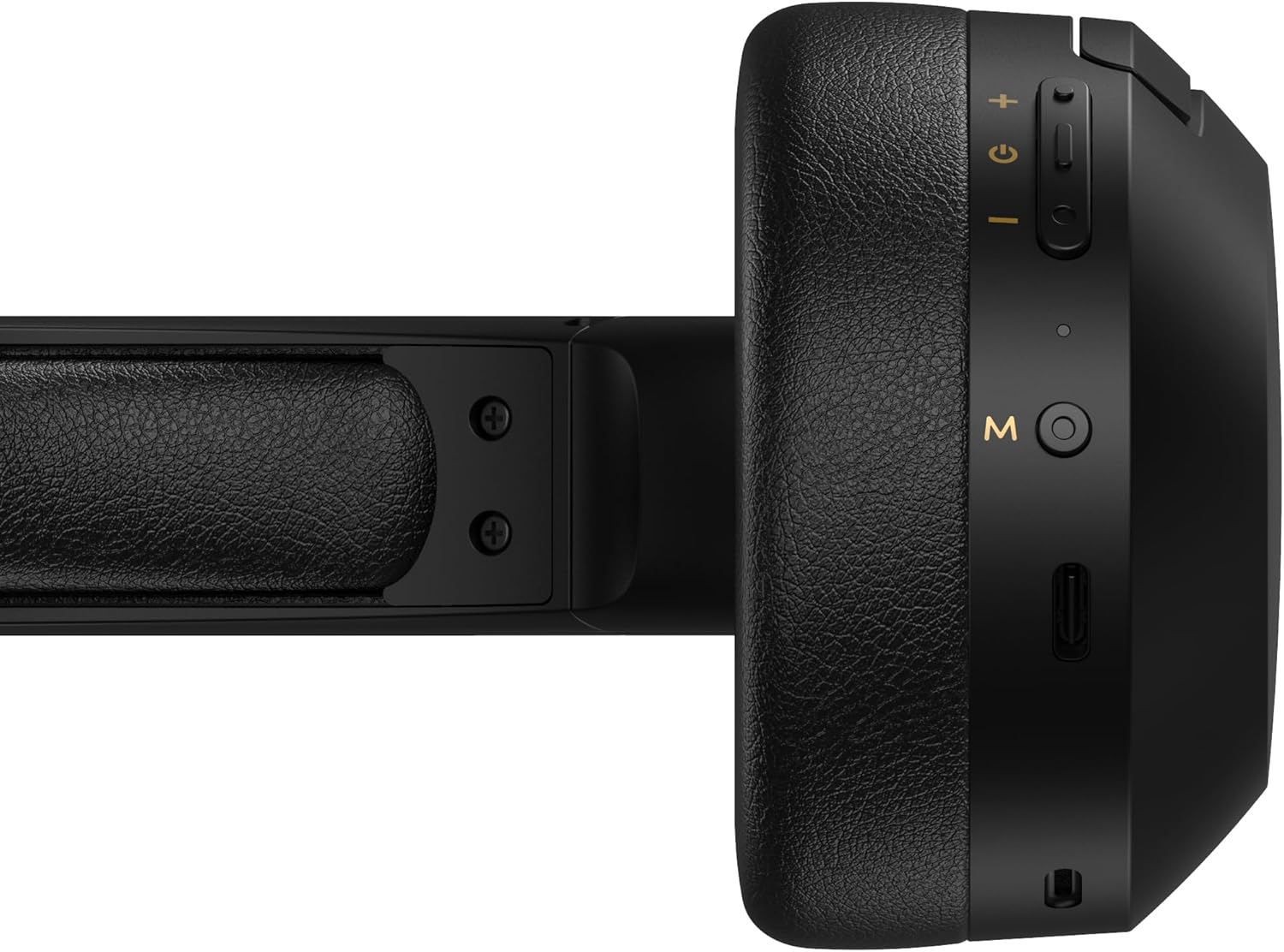
Figure 4.1: Close-up of the charging port and control buttons on the right earcup.
4.2 Uključivanje/isključivanje
- Za uključivanje: Press and hold the multi-function button (usually marked with a power icon or 'M') for approximately 3 seconds until the LED indicator flashes blue.
- Za isključivanje: Pritisnite i držite višenamjenski taster otprilike 5 sekundi dok LED indikator ne zatreperi crveno, a zatim se ugasi.
4.3 Bluetooth uparivanje
Da biste povezali slušalice s uređajem koji podržava Bluetooth:
- Uvjerite se da su slušalice isključene.
- Press and hold the multi-function button for approximately 5-7 seconds until the LED indicator flashes red and blue alternately. This indicates pairing mode.
- Na svom uređaju (pametnom telefonu, tabletu, računaru) omogućite Bluetooth i potražite dostupne uređaje.
- Select "EDIFIER W820BT" from the list of found devices.
- Nakon uparivanja, LED indikator će polako treptati plavo.
Napomena: Slušalice će se automatski pokušati ponovo povezati s posljednjim uparenim uređajem kada se uključe.
5. Uputstvo za upotrebu
5.1 Kontrole na slušalicama
Kontrolni tasteri se nalaze na desnoj slušalici.
| Dugme/Radnja | Funkcija |
|---|---|
| Multi-function Button (M) |
|
| Jačina zvuka (+) |
|
| Smanjivanje glasnoće (-) |
|
5.2 Žičano povezivanje
The W820BT headphones can also be used with a wired connection.
- Connect one end of the 3.5mm audio cable to the audio input jack on the left earcup of the headphones.
- Drugi kraj 3.5 mm audio kabla priključite na audio izlaz vašeg uređaja.
- Slušalice će se automatski prebaciti u žični način rada. Bluetooth funkcionalnost će biti onemogućena.

Figure 5.1: Connecting the 3.5mm audio cable for wired listening.
6. Održavanje
- Čistite slušalice mekom, suhom krpom. Ne koristite abrazivna sredstva za čišćenje ili rastvarače.
- Izbjegavajte izlaganje slušalica ekstremnim temperaturama, vlazi ili direktnoj sunčevoj svjetlosti.
- Slušalice čuvajte na hladnom i suhom mjestu kada ih ne koristite. Sklopivi dizajn omogućava kompaktno skladištenje.
- Do not disassemble the headphones. This will void the warranty.
7. Otkrivanje problema
If you encounter issues with your Edifier W820BT headphones, refer to the following common problems and solutions:
| Problem | Rješenje |
|---|---|
| Nije moguće uključiti | Provjerite jesu li slušalice napunjene. Spojite ih na izvor napajanja pomoću kabela za punjenje. |
| Nije moguće uparivanje putem Bluetootha |
|
| Nema zvuka |
|
| Loš kvalitet zvuka |
|
8. Specifikacije
| Feature | Detalj |
|---|---|
| Naziv modela | W820BT |
| Tehnologija povezivanja | Bežično (Bluetooth), Žično (3.5 mm priključak) |
| Bluetooth verzija | 4.1 |
| Trajanje baterije | Do 80 sati |
| Oblik slušalice | Preko uha |
| Materijal | Steel (headband) |
| Težina artikla | 1.14 funti (približno 517 g) |
| Dimenzije proizvoda | 9.25 x 7.64 x 3.41 inča |
| Proizvođač | Edifier |
9. Garancija i podrška
Edifier provides a jednogodišnja garancija in the USA and Canada for the W820BT headphones. For warranty claims or technical support, please contact Edifier customer service.
For more information, visit the official Edifier webweb-mjesto ili pogledajte dokumentaciju o kupovini.
10. Video demonstracija
Watch the official product video for a visual guide on the Edifier W820BT Bluetooth Headphones' features and usage.
Video 10.1: Zvanični proizvod je završenview of the Edifier W820BT Bluetooth Headphones, demonstrating features like battery life, comfort, foldable design, and on-ear controls.


