1. Uvod
This manual provides detailed instructions for the DIERYA DK63 Wireless Mechanical Gaming Keyboard. Please read this manual thoroughly before using the product to ensure proper operation and to maximize your user experience. The DK63 is a compact 60% mechanical keyboard designed for versatility across various platforms, offering both wired and wireless connectivity options.

Image 1.1: DIERYA DK63 60% Mechanical Keyboard showcasing its compact layout and dimensions (292.8mm width, 101mm height).
2. Ključne karakteristike
- 60% Kompaktni raspored: The DK63 features a streamlined 60% layout, optimizing desk space while retaining essential functionality through function layer keys.
- Dual Connectivity Modes: Seamlessly switch between wired (USB-C) and wireless (Bluetooth 5.1) connections.
- Podrška za više uređaja: Connects to up to 3 devices via Bluetooth, compatible with Mac, Windows, and Android operating systems.
- True Mechanical Switches: Equipped with durable mechanical switches (available in Blue, Brown, or Red variants) for a responsive typing and gaming experience.
- Dinamičko RGB pozadinsko osvjetljenje: Features 8 distinct lighting effects and supports 16.8 million colors for personalized aesthetics.
- Prilagodljivi softver: Utilize the DIERYA customizable software for macro recording and remapping keyboard buttons.

Image 2.1: The DIERYA DK63 keyboard demonstrating its ability to connect to up to 3 devices via Bluetooth, compatible with Mac, Windows, and Android.

Slika 2.2: Krupni plan view of the true mechanical switches on the DIERYA DK63 keyboard, highlighting their design for durability and responsiveness.
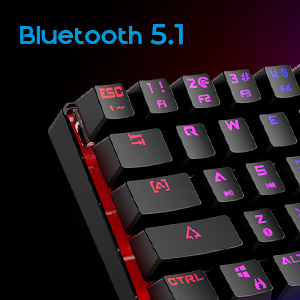
Image 2.3: Detail shot indicating Bluetooth 5.1 connectivity on the DIERYA DK63 keyboard.
3. Vodič za postavljanje
3.1 Žičano povezivanje
- Pronađite USB-C priključak na tastaturi.
- Spojite priloženi USB-C kabel na tastaturu.
- Uključite drugi kraj USB-C kabla u slobodan USB port na računaru.
- The keyboard will be automatically recognized by your system and is ready for use.
3.2 Bežična Bluetooth veza
- Ensure the keyboard is charged or connected via USB-C initially.
- To switch to wireless mode, press Fn + R. The keyboard's indicator light will change to signify Bluetooth mode.
- Za uparivanje s uređajem, pritisnite i držite Fn+Z, Fn + X, ili Fn + C for 3-5 seconds. The corresponding key's backlight will flash rapidly, indicating pairing mode.
- On your device (computer, tablet, or smartphone), enable Bluetooth and search for available devices.
- Select "DIERYA DK63" from the list of available devices to complete the pairing process.
- Nakon uparivanja, pozadinsko osvjetljenje ključa će prestati treptati i ostati stalno upaljeno.
- Za prebacivanje između uparenih Bluetooth uređaja, pritisnite Fn+Z, Fn + X, ili Fn + C (short press) to select the desired device.
4. Uputstvo za upotrebu
4.1 Kombinacije funkcijskih tipki
The DK63 utilizes the Fn key to access secondary functions printed on the keycaps. Hold down the Fn key and press the desired key to activate its secondary function.
- Fn + 1! to 0): F1 to F10 keys.
- Fn + -_ and =+: F11 and F12 keys.
- Fn + P: Print Screen.
- Fn + [: Dom.
- Fn + ]: Kraj.
- Fn + ;: Page Up.
- Fn + ': Page Down.
- Fn + tipke sa strelicama: Navigation (e.g., Fn + Up Arrow for Page Up, Fn + Down Arrow for Page Down, etc., depending on specific keycap legends).
4.2 RGB kontrola pozadinskog osvjetljenja
The keyboard offers various lighting effects and customization options:
- Fn + \|: Prođite kroz različite svjetlosne efekte.
- Fn + strelica gore: Povećajte svjetlinu pozadinskog osvjetljenja.
- Fn + strelica prema dolje: Smanjite svjetlinu pozadinskog osvjetljenja.
- Fn + strelica lijevo: Podesite brzinu svjetlosnog efekta.
- Fn + strelica desno: Podesite brzinu svjetlosnog efekta.
- Specific keys may have additional lighting controls indicated on their keycaps.

Image 4.1: Screenshot of the DIERYA customizable software, showing options for lighting effects, color selection, macro recording, and key remapping.
4.3 Prilagodljiv softver
The DIERYA DK63 supports dedicated software for advanced customization. This software allows users to:
- Record and assign macros to specific keys.
- Remap individual key functions.
- Fino podešavanje RGB svjetlosnih efekata, boja i uzoraka.
Please refer to the DIERYA official webstranica za preuzimanje softvera i detaljna uputstva o njegovom korištenju.
Video 4.2: Zvanična video prezentacija proizvodaasing the DIERYA DK63 60% Mechanical Gaming Keyboard, highlighting its design and RGB lighting effects.
5. Održavanje
To ensure the longevity and optimal performance of your DIERYA DK63 keyboard, follow these maintenance guidelines:
- čišćenje: Regularly clean the keyboard with a soft, dry cloth. For deeper cleaning, use a can of compressed air to remove dust and debris from between the keycaps. If necessary, gently wipe keycaps with a slightly damp krpu i blagi rastvor sapuna, pazeći da tečnost ne uđe u tastaturu.
- Izbjegavajte tečnosti: Ne prosipajte tečnost po tastaturi. U slučaju prosipanja, odmah isključite tastaturu iz struje i ostavite je da se potpuno osuši prije ponovnog priključivanja.
- Skladištenje: Tastaturu čuvajte na hladnom i suhom mjestu, dalje od direktne sunčeve svjetlosti i ekstremnih temperatura.
- Održavanje kablova: Avoid bending or twisting the USB-C cable excessively to prevent damage.
6. Otkrivanje problema
If you encounter issues with your DIERYA DK63 keyboard, refer to the following common solutions:
6.1 Tastatura ne reaguje (žična)
- Provjerite je li USB-C kabel sigurno povezan i s tastaturom i s računarom.
- Pokušajte povezati tastaturu s drugim USB priključkom na računaru.
- Test the keyboard with a different USB-C cable if available.
- Ponovo pokrenite računar.
6.2 Problemi s Bluetooth povezivanjem
- Ensure the keyboard is in Bluetooth mode (Fn + R).
- Provjerite je li Bluetooth omogućen na vašem uređaju.
- Make sure the keyboard is sufficiently charged. Low battery can affect Bluetooth performance.
- If already paired, try unpairing the keyboard from your device's Bluetooth settings and then re-pairing it.
- Provjerite da li je tastatura unutar efektivnog dometa vašeg Bluetooth uređaja (obično do 10 metara).
- Izbjegavajte smetnje od drugih bežičnih uređaja.
6.3 Pozadinsko osvjetljenje ne radi ili je neispravno
- Povećajte svjetlinu pomoću Fn + strelica gore.
- Promjenjujte svjetlosne efekte koristeći Fn + \|.
- Ensure the keyboard is not in a mode where backlighting is intentionally off or dimmed.
- If using the customizable software, check the lighting settings within the application.
7. Specifikacije proizvoda
| Feature | Detalj |
|---|---|
| Broj modela | DK63 |
| Brand | DIERYA |
| Bežični tip | Bluetooth 5.1 |
| Tehnologija povezivanja | USB-C, Bluetooth |
| Hardverska platforma | Laptop, PC |
| Težina artikla | 1.5 funte (otprilike 0.68 kg) |
| Dimenzije proizvoda (DxŠxV) | 12 x 5.6 x 1.9 inča (približno 30.5 x 14.2 x 4.8 cm) |
| Izvor napajanja | Napaja se baterijama (1 litijum-jonska baterija uključena) |
| Switch Type Options | Plava (klikajuća), Smeđa (taktilna), Crvena (linearna) |
| Uključene komponente | USB kabel |
8. Garancija i podrška
DIERYA products are manufactured to high-quality standards. For information regarding warranty coverage, technical support, or service inquiries, please refer to the official DIERYA webweb-mjesto ili direktno kontaktirajte njihovu korisničku podršku. Sačuvajte račun kao dokaz o kupovini za reklamacije u slučaju garancije.


