Uvod
This manual provides detailed instructions for the Ventev 10W Qi Wireless Charging Pad, Model 236940. Please read this manual carefully before using the product to ensure proper operation and to maximize its lifespan. Keep this manual for future reference.
1. Podešavanje
1.1 Sadržaj paketa
Provjerite da li su sve stavke prisutne u paketu:
- Ventev 10W Qi Wireless Charging Pad
- 5ft USB-A to USB-C Cable
- Qualcomm Quick Charge 3.0 Wall Charger
1.2 Connecting the Charging Pad
- Connect the USB-C end of the provided 5ft USB-A to USB-C cable into the USB-C port on the Ventev Wireless Charging Pad.
- Connect the USB-A end of the cable into the Qualcomm Quick Charge 3.0 Wall Charger.
- Uključite punjač u standardnu električnu utičnicu.
- The charging pad is now ready for use.

Image 1.1: Ventev 10W Qi Wireless Charging Pad and accessories.

Image 1.2: Fast Wireless Charging features.
2. Uputstvo za upotrebu
2.1 Punjenje vašeg uređaja
- Ensure the Ventev Wireless Charging Pad is properly connected to a power source as described in the Setup section.
- Place your Qi-compatible smartphone or other device directly onto the center of the charging pad.
- The device should indicate that it is charging. If not, adjust the position of the device on the pad.
- The charging pad supports 10W wireless charging for compatible devices, including Samsung Galaxy phones, and 7.5W for compatible iPhones (iPhone 16-12, iPhone 17).
The charging pad is designed to work with most phone cases. However, very thick cases or cases containing metal may interfere with wireless charging. Remove such cases if charging issues occur.

Image 2.1: Device charging on the pad.
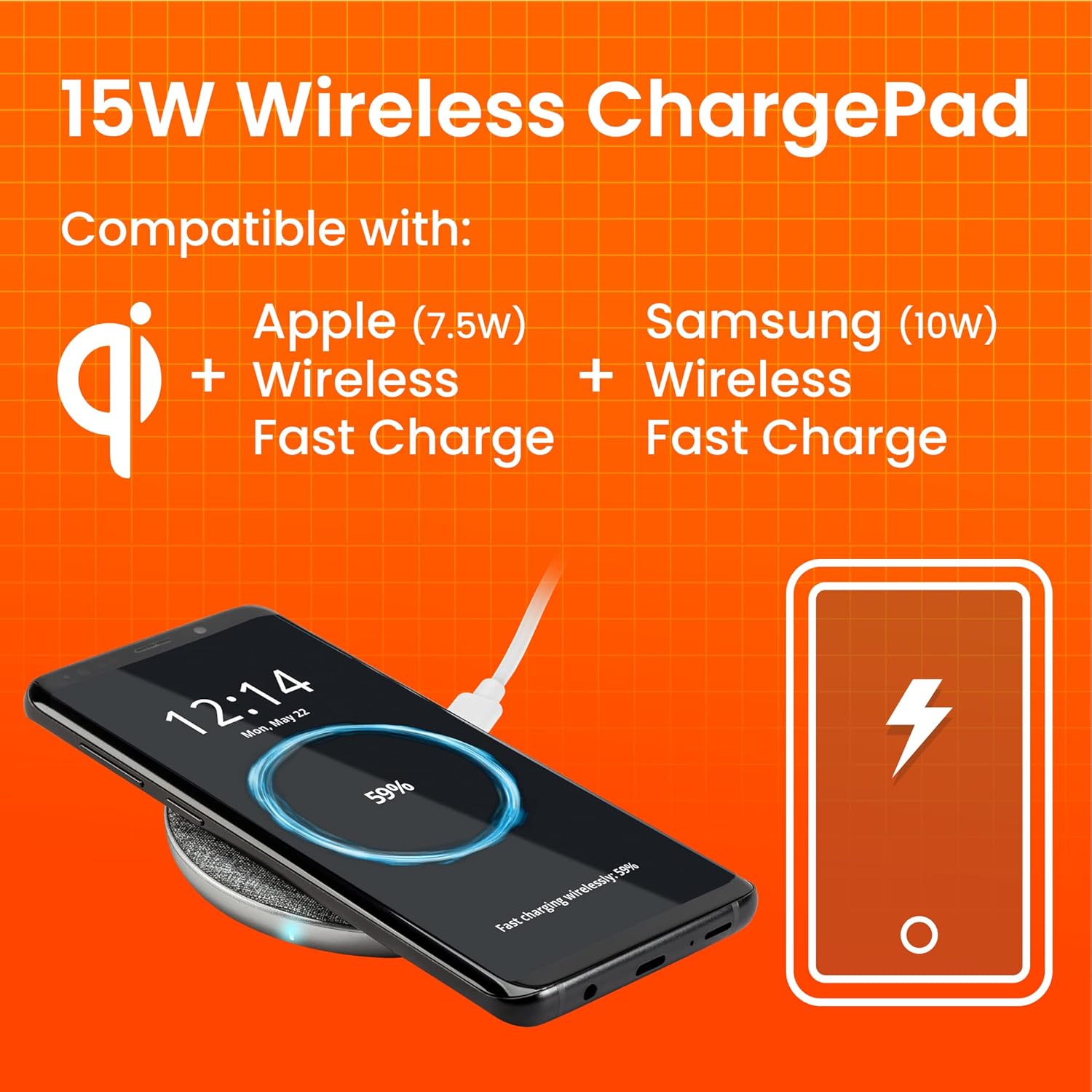
Image 2.2: Compatibility and charging speeds.

Image 2.3: Compatibility with phone cases.
3. Održavanje
To ensure optimal performance and longevity of your Ventev Wireless Charging Pad, follow these simple maintenance guidelines:
- čišćenje: Disconnect the charging pad from the power source before cleaning. Use a soft, dry, lint-free cloth to wipe the surface. Avoid using harsh chemicals, cleaning solvents, or strong detergents.
- Skladištenje: When not in use for extended periods, store the charging pad in a cool, dry place away from direct sunlight and extreme temperatures.
- Rukovanje: Izbjegavajte ispuštanje uređaja ili izlaganje jakim udarcima. Ne rastavljajte punjač, jer će to poništiti garanciju i može uzrokovati oštećenje.
4. Otkrivanje problema
If you encounter issues with your Ventev Wireless Charging Pad, refer to the following common problems and solutions:
| Problem | Mogući uzrok / rješenje |
|---|---|
| Uređaj se ne puni. |
|
| Sporo punjenje. |
|
| Device vibrates off the pad. |
|
| Charging pad feels warm. | It is normal for the charging pad and your device to become slightly warm during wireless charging. If it becomes excessively hot, disconnect it immediately and contact customer support. |
5. Specifikacije
| Feature | Detalj |
|---|---|
| Broj modela | 236940 |
| Brand | Ventev |
| Dimenzije proizvoda | 2 x 4 x 8 inča |
| Težina artikla | 8.8 unce |
| Boja | Grey |
| Tehnologija povezivanja | Bežični |
| Output Wattage | 10 W (maks.) |
| Izlaz AmpDob | 10 Milliamps (maks.) |
| Kompatibilni uređaji | Qi-compatible Smartphones (e.g., Samsung Galaxy, iPhone 16-12, iPhone 17, AirPods) |
| Uključene komponente | 5ft USB-A to USB-C cable, Qualcomm Quick Charge 3.0 wall charger |
| Datum prve dostupnosti | 31. jul 2018 |
6. Informacije o garanciji
For detailed warranty information regarding your Ventev 10W Qi Wireless Charging Pad, please refer to the warranty card included with your product or visit the official Ventev webstranica. Uslovi i odredbe garancije mogu se razlikovati u zavisnosti od regije i prodavca.
7. Korisnička podrška
If you require further assistance or have questions not covered in this manual, please contact Ventev customer support. You can find contact information on the official Ventev webstranica:


