1. Uvod
This manual provides essential information for the safe and efficient operation of your Pyle 40 Inch LED TV with Built-in CD/DVD Player, Model PTVDLED40.5. Please read this manual thoroughly before using the product and retain it for future reference.

Slika: Front view of the Pyle 40 Inch LED TV, showing the screen displaying a landscape, a remote control, and a hand inserting a disc into the side-loading DVD player.
2. Sigurnosne informacije
UPOZORENJE: DA biste smanjili rizik od strujnog udara, NE UKLONITE POKLOPAC (ILI NAZAD). NITI DIJELOVA KOJI SE USLUGLJIVAJU KORISNICI. PREPORUČITE USLUGE KVALIFICIRANOM SERVISNOM OSOBLJU.
- Pročitajte ove upute.
- Sačuvajte ova uputstva.
- Obratite pažnju na sva upozorenja.
- Slijedite sva uputstva.
- Nemojte koristiti ovaj aparat u blizini vode.
- Čistite samo suhom krpom.
- Ne blokirajte ventilacijske otvore. Instalirajte u skladu s uputama proizvođača.
- Ne postavljajte u blizini izvora toplote kao što su radijatori, grejni registri, peći ili drugi uređaji (uključujući ampLifiers) koji proizvode toplotu.
- Nemojte narušiti sigurnosnu svrhu polariziranog ili uzemljenog utikača. Polarizovani utikač ima dva noža od kojih je jedan širi od drugog. Utikač sa uzemljenjem ima dva noža i treći uzemljeni utikač. Široka oštrica ili treći zupci su osigurani za vašu sigurnost. Ako isporučeni utikač ne stane u vašu utičnicu, obratite se električaru za zamjenu zastarjele utičnice.
- Zaštitite kabl za napajanje od gaženja ili priklještenja, posebno na utikačima, utičnicama i na mjestu gdje izlaze iz uređaja.
- Koristite samo dodatke/pribor koje je naveo proizvođač.
- Koristite samo s kolicima, postoljem, tronošcem, držačem ili stolom koje je odredio proizvođač ili koji se prodaju uz uređaj. Kada koristite kolica, budite oprezni kada premještate kombinaciju kolica/aparata kako biste izbjegli ozljede od prevrtanja.
- Isključite ovaj aparat iz struje tokom oluja sa grmljavinom ili kada se ne koristi duži vremenski period.
- Sav servis prepustite kvalifikovanom servisnom osoblju. Servisiranje je potrebno kada je uređaj oštećen na bilo koji način, kao što je oštećen kabl za napajanje ili utikač, prolivena tečnost ili su predmeti upali u aparat, ako je uređaj bio izložen kiši ili vlazi, ne radi normalno , ili je odbačeno.
3. Sadržaj paketa
Provjerite da li se u vašem paketu nalaze sve dolje navedene stavke:
- Pyle 40 Inch HD LED TV (Model PTVDLED40.5)
- Daljinski upravljač s punom funkcijom
- (2) AAA baterije za daljinski upravljač
- (2) Base Stands
- Mounting Screws for Base Stands
- Kabl za napajanje

Image: Included accessories for the Pyle 40 Inch LED TV, showing the remote control, power cord, two base stands, and screws.
4. Proizvod je gotovview
4.1 Prednji View
Slika: Front view of the Pyle 40 Inch LED TV, showcasing the screen and the Pyle logo.
- Prikaz na ekranu: 40-inch D-LED Backlight display.
- Pyle Logo: Označava marku.
- IC senzor: Za signale daljinskog upravljanja.
- Indikator napajanja: LED lampica koja pokazuje status napajanja.
4.2 Kontrole bočne ploče

Image: Close-up of the side panel controls on the Pyle 40 Inch LED TV, showing buttons for volume, channel, menu, input, and power.
- VOL +/-: Podešava nivo jačine zvuka.
- CH +/-: Mijenja kanale.
- MENI: Accesses the on-screen menu.
- ULAZ: Odabire ulazni izvor (HDMI, AV, itd.).
- SNAGA: Uključuje ili isključuje TV.
4.3 Priključci stražnje ploče

Slika: Stražnja strana view of the Pyle 40 Inch LED TV, highlighting the various input and output ports.

Image: Detailed close-up of the input/output ports on the Pyle 40 Inch LED TV, including HDMI, VGA, PC Audio, RF, Earphone, USB, Coaxial, Audio Out, Mini YPbPr, and Video/Audio In (RCA).
- HDMI (x3): High-Definition Multimedia Interface inputs for digital audio/video.
- YPbPr (Component Video): Analog video input (green, blue, red) for high-quality analog video.
- RCA (L/R Audio, Video): Analog audio (white, red) and composite video (yellow) inputs.
- VGA/PC: Video Graphics Array input for connecting a computer.
- PC audio: Audio ulaz za VGA konekciju.
- RF (Antenna): Input for connecting an antenna or cable TV.
- Optical (Digital) Audio Out: Digital audio output for connecting to a soundbar or receiver.
- slušalice: 3.5 mm audio izlaz za slušalice.
- USB: For service or media playback (check manual for specific functionality).
- Koaksijalni: Digitalni audio izlaz.
4.4 Built-in CD/DVD Player
The TV features a side-loading CD/DVD player. Insert discs gently into the slot located on the side of the television.
Slika: Sa strane view of the Pyle 40 Inch LED TV, clearly showing the slot for the built-in CD/DVD player.
5. Podešavanje
5.1 Pričvršćivanje postolja
- Pažljivo postavite televizor ekranom prema dolje na meku, čistu površinu kako biste spriječili ogrebotine.
- Poravnajte svako postolje s odgovarajućim utorima na donjoj strani televizora.
- Pričvrstite svaki stalak pomoću priloženih vijaka. Provjerite da li su čvrsto zategnuti.

Image: The Pyle 40 Inch LED TV shown with its two base stands securely attached, ready for placement on a flat surface.
5.2 Montiranje na zid (opciono)
The TV is VESA mounting compatible (200mm x 200mm). Remove the base stands if you intend to wall mount the television. Use a VESA-compatible wall mount kit (sold separately) and follow the instructions provided with the wall mount.
WARNING: Wall mounting should be performed by qualified personnel to prevent injury or damage.
5.3 Povezivanje napajanja
- Connect the power cord to the AC input on the back of the TV.
- Plug the other end of the power cord into a standard electrical outlet (100-240V, 50/60Hz).
5.4 Povezivanje vanjskih uređaja
Refer to the "Rear Panel Connections" section for port locations.
- HDMI uređaji: Spojite HDMI kablove sa svojih uređaja (npr. Blu-ray plejera, igraće konzole) na HDMI priključke na televizoru.
- Component Video (YPbPr) Devices: Connect component video cables (green, blue, red) and RCA audio cables (white, red) from your device to the corresponding inputs.
- Composite Video (RCA) Devices: Connect composite video cable (yellow) and RCA audio cables (white, red) from your device to the corresponding inputs.
- Antena/kabel: Connect an RF coaxial cable from your antenna or cable wall outlet to the RF input.
- PC veza: Connect a VGA cable from your computer to the VGA port and an audio cable from your computer's audio output to the PC Audio input.
6. Operacija
6.1 Uključivanje/isključivanje napajanja
Pritisnite POWER button on the remote control or the side panel to turn the TV on or off.
6.2 Daljinski upravljač
Insert two 'AAA' batteries into the remote control, observing polarity. Point the remote control towards the TV's IR sensor.
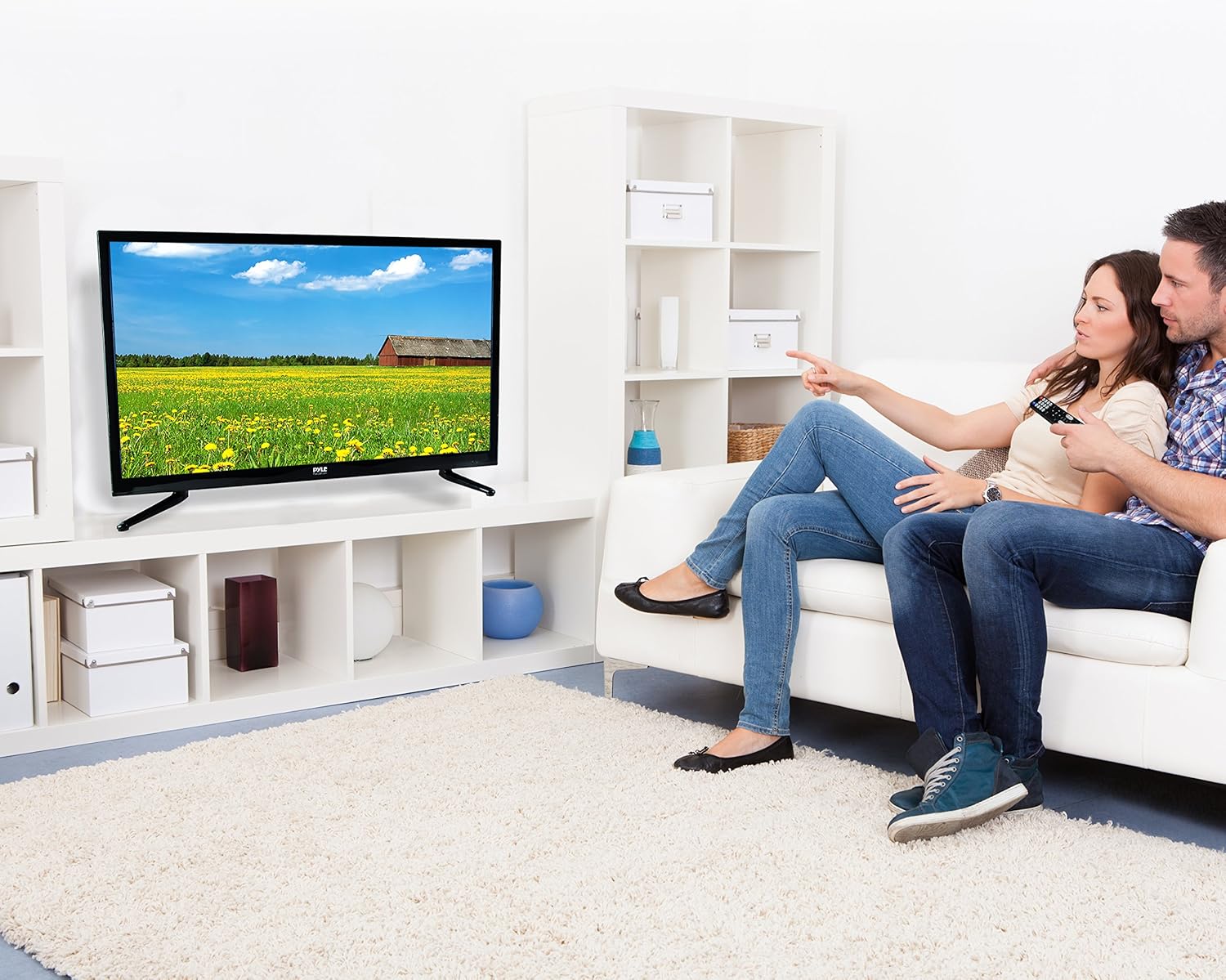
Image: The full-function remote control for the Pyle 40 Inch LED TV, showing various buttons for power, input, volume, channel, menu, and media playback.
- SNAGA: Uključuje/isključuje TV.
- ULAZ: Bira ulazni izvor.
- VOL +/-: Podešava jačinu zvuka.
- CH +/-: Mijenja kanale.
- MENI: Otvara glavni meni.
- Navigacijski gumbi (gore/dolje/lijevo/desno/OK): Krećite se opcijama menija.
- EXIT/BACK: Exits current menu or goes back.
- MUTE: Mutes/unmutes sound.
- DVD Controls: Play, Pause, Stop, Fast Forward, Rewind, Next/Previous Track.
- V-CHIP: Accesses V-Chip settings for parental control.
- CC (Titlovi): Uključuje/isključuje titlove.
- SPAVANJE: Postavlja tajmer za spavanje.
6.3 Odabir ulaznog izvora
Pritisnite INPUT button on the remote control to cycle through available input sources (TV, HDMI1, HDMI2, HDMI3, YPbPr, AV, VGA, DVD).
6.4 Using the Built-in CD/DVD Player
- Provjerite je li TV uključen.
- Gently insert a compatible disc (DVD, DVD+/-R, DVD+/-RW, CD, CD-R, CD-RW, JPEG) into the side-loading slot with the label facing up.
- The TV should automatically switch to DVD mode. If not, press the INPUT button and select "DVD".
- Use the DVD control buttons on the remote control (Play, Pause, Stop, etc.) to manage playback.
6.5 Funkcije menija
Pritisnite MENU button to access the on-screen display (OSD) menu. Use the navigation buttons to select and adjust settings.
- Postavke slike: Adjust brightness, contrast, color, sharpness, and picture modes (Standard, Dynamic, Movie, User).
- Postavke zvuka: Adjust bass, treble, balance, and sound modes (Standard, Music, Movie, User).
- Postavke kanala: Auto scan for channels, manual tuning, channel list.
- Postavke vremena: Set current time, sleep timer, auto power off.
- Postavke opcija: Language, V-Chip (parental control), Closed Caption, display modes (16:9, 4:3, Zoom, Cinema).
7. Održavanje
- Čišćenje ekrana: Pažljivo obrišite ekran mekom krpom koja ne ostavlja dlačice. Za tvrdokorne mrlje, dampPrebrišite krpu malom količinom sredstva za čišćenje ekrana posebno namijenjenog za elektroniku. Ne prskajte sredstvo za čišćenje direktno na ekran.
- Čišćenje kabineta: Obrišite kućište televizora mekom, suhom krpom. Izbjegavajte upotrebu abrazivnih sredstava za čišćenje ili rastvarača.
- ventilacija: Pazite da ventilacijski otvori na stražnjoj strani televizora nisu blokirani kako biste spriječili pregrijavanje.
- Kabl za napajanje: Redovno provjeravajte kabel za napajanje da li ima oštećenja. U slučaju oštećenja, prekinite upotrebu i obratite se kvalifikovanom servisnom osoblju.
8. Otkrivanje problema
| Problem | Mogući uzrok | Rješenje |
|---|---|---|
| Nema struje | Kabl za napajanje nije priključen; nema napajanja iz utičnice. | Provjerite je li kabel za napajanje sigurno priključen. Provjerite radi li utičnica tako što ćete priključiti drugi uređaj. |
| Nema slike, ali je zvuk prisutan | Odabran je pogrešan ulazni izvor; labav video kabel. | Pritisnite INPUT button to select the correct source. Check video cable connections. |
| Nema zvuka, ali je slika prisutna | Volume is muted or too low; incorrect audio cable connection. | Pritisnite MUTE button or increase volume. Check audio cable connections. |
| Daljinski upravljač ne radi | Baterije su prazne ili nepravilno umetnute; postoji prepreka između daljinskog upravljača i televizora. | Replace batteries. Ensure correct polarity. Remove any obstructions. Point remote directly at the TV's IR sensor. |
| DVD player not reading disc | Disk je prljav, ogreban ili nekompatibilnog formata; disk je nepravilno umetnut. | Clean the disc. Try a different, known-good disc. Ensure disc is inserted with the label facing up. |
| Poor picture quality from antenna | Weak signal; antenna not positioned correctly. | Adjust antenna position. Perform an auto channel scan. Consider a stronger antenna or signal amplifier. |
9. Specifikacije
| Feature | Detalj |
|---|---|
| Broj modela | PTVDLED40.5 |
| Veličina ekrana | 40.0 inča (dijagonala) |
| Display Type | D-LED Backlight |
| Rezolucija ekrana | 1920 x 1080 (Full HD 1080p) |
| Podrška signala | 1080p, 1080i, 720p, 480p, 480i |
| Načini prikaza | 16:9, 4:3, Zoom, Cinema |
| Viewing Angle | 178° Vertical, 178° Horizontal |
| Snaga zvučnika | (2) x 8 Watt, 8Ω |
| Refresh Rate | 60Hz |
| TV tjuner | ATSC/NTSC |
| Vrijeme odgovora | 6ms |
| Max. Boja | 16.7M |
| Kontrast | 5000:1 (50,000:1 Dynamic) |
| Osvetljenost | 250 cd/m2 |
| CD/DVD Disc Support | DVD, DVD+/-R, DVD+/-RW, CD, CD-R, CD-RW, JPEG |
| VESA Montaža | 200mm x 200mm |
| Snaga | 100-240V, 50/60Hz |
| Dimenzije (D x Š x V) | 36.5'' x 3.5'' x 21.9'' (Panel Only) |
| Težina artikla | 16.32 funte |
| Uključene komponente | 40'' HD LED TV, Full Function Remote Control |
| Tehnologija povezivanja | HDMI |
| Energetska efikasnost | Procijenjeni godišnji trošak energije: 11.52 USD |
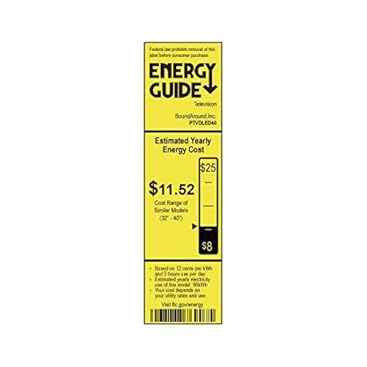
Image: Energy Guide label for the Pyle PTVDLED40 TV, showing an estimated yearly energy cost of $11.52.
10. Jamstvo i podrška
For warranty information and technical support, please refer to the warranty card included with your product or visit the official Pyle webSačuvajte račun kao dokaz o kupovini u slučaju bilo kakvih reklamacija.
For customer support inquiries, you may also refer to the Stranica za korisničku podršku Amazona.


