Uvod
This manual provides comprehensive instructions for the installation, operation, and maintenance of your LTS LTCMIP7342W-28M Platinum Network Vandal Dome IP Camera. Please read this manual thoroughly before using the product to ensure proper setup and functionality. Keep this manual for future reference.
The LTS LTCMIP7342W-28M is a 4MP high-definition network vandal dome IP camera designed for robust surveillance applications. It features a 2.8mm fixed lens, True WDR (120dB), Matrix IR 2.0 with up to 100 feet range, and supports H.265/H.265+/H.264/H.264+ video compression. It is rated IP67 for weather resistance and IK10 for vandal resistance, making it suitable for outdoor use. The camera also includes a MicroSD slot supporting up to 128GB for local storage and can be powered by DC 12V or Power over Ethernet (PoE).
Sadržaj paketa
Prije nego što nastavite s instalacijom, provjerite da li se u paketu nalaze svi artikli.
- LTS LTCMIP7342W-28M Platinum Network Vandal Dome IP Camera
- Predložak za bušenje
- Vijci za montažu i zidni tiplovi
- Šesterokutni ključ
- Komplet vodootpornih konektora
- Kratki vodič (za detaljne upute pogledajte ovaj priručnik)
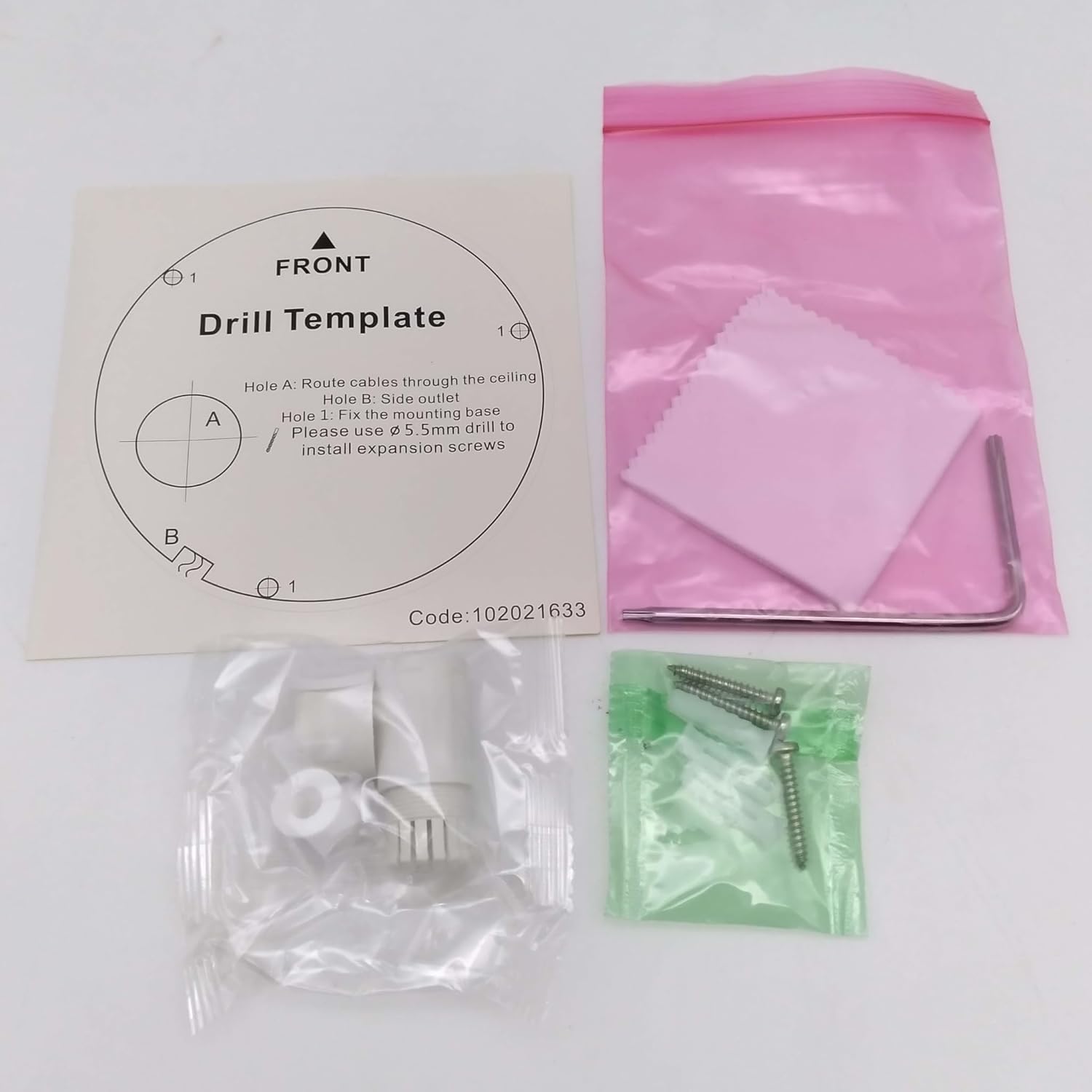
slika: Contents of the camera package. This includes a drill template, mounting hardware (screws and wall plugs), a hex wrench for adjustments, and a waterproof connector kit for network cables. These components are essential for proper installation.
Setup
1. Sigurnosne mjere
- Uvjerite se da je napajanje isključeno prije instalacije ili održavanja.
- Use only specified power adapters (DC 12V) or PoE (Power over Ethernet) compliant equipment.
- Avoid exposing the camera to extreme temperatures, humidity, or corrosive environments.
- Do not attempt to disassemble the camera. Refer all servicing to qualified personnel.
2. Kamera gotovaview
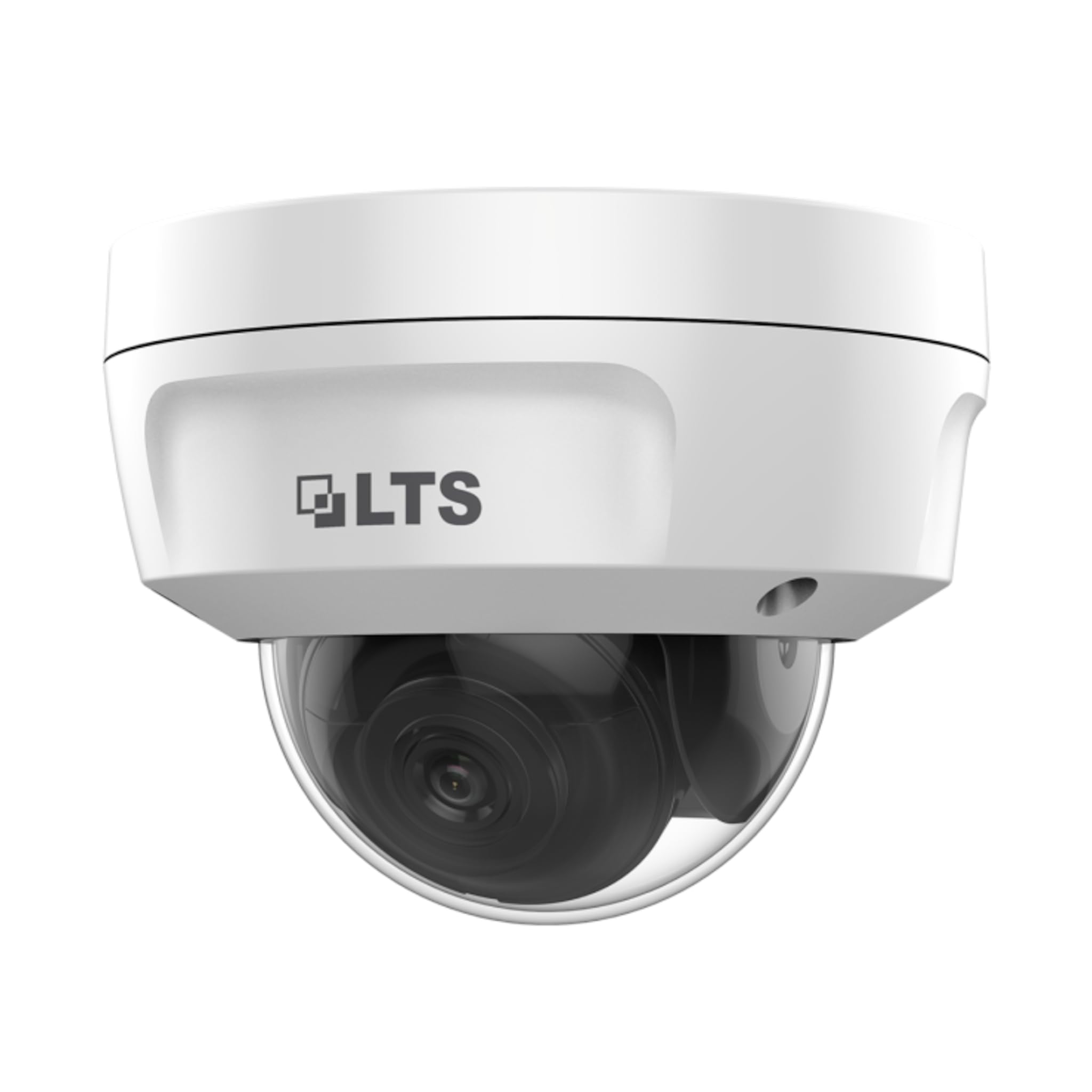
slika: Front view of the LTS LTCMIP7342W-28M dome camera. This image shows the main body of the camera with its dome cover, indicating its compact and discreet design.

slika: Side view of the LTS LTCMIP7342W-28M dome camera, showing the attached cables for power and network connectivity. This view highlights the integrated cable management for installation.
3. Wiring and Connectivity
The LTCMIP7342W-28M camera primarily uses a network cable for both data and power (PoE). It is not compatible with traditional DC power and BNC video connections.

slika: This diagram illustrates the correct and incorrect wiring methods. On the left, a network cable (RJ45) is circled in green, indicating compatibility for both video and Power over Ethernet (PoE). On the right, DC power and BNC video connectors are circled in red, indicating they are not compatible with this camera model.
- Mrežna veza: Connect a standard Ethernet cable (Cat5e or Cat6) from the camera's RJ45 port to a PoE-enabled switch or NVR. If not using PoE, connect to a standard network switch and provide 12V DC power separately.
- Snaga: The camera supports Power over Ethernet (PoE) or a 12V DC power supply. Ensure the power source meets the camera's requirements.
- Vodootporni konektor: Use the provided waterproof connector kit for outdoor installations to protect the RJ45 connection from moisture.
4. Montaža kamere
- Pripremite montažnu površinu: Choose a suitable location, typically a ceiling or wall, ensuring it can support the camera's weight.
- Use the Drill Template: Place the provided drill template on the desired mounting surface. Mark the positions for the mounting screws and cable routing hole.
- Izbušite rupe: Drill pilot holes for the mounting screws (typically 5.5mm diameter for expansion screws) and a larger hole for cable routing, if necessary.
- Ruta kablova: Pass the network cable through the cable routing hole.
- Osigurajte bazu kamere: Align the camera base with the drilled holes and secure it using the provided mounting screws and wall plugs.
- Podesite ugao kamere: Loosen the adjustment screws (if applicable) to position the camera lens for the desired viewUgao podešavanja. Zategnite vijke nakon podešavanja.
Operating
1. Initial Power-Up and Network Configuration
- After connecting the camera to power and the network, it will boot up. This may take a few minutes.
- Use the manufacturer's IP search tool (e.g., SADP Tool) to discover the camera's IP address on your network.
- Pristupite kameri web interfejs unošenjem njegove IP adrese u a web pretraživač.
- Follow the on-screen prompts to set a strong password for the camera (if it's a new installation or reset).
- Configure network settings (IP address, subnet mask, gateway, DNS) as required by your network infrastructure.
2. Video postavke
- rezolucija: The camera supports up to 4MP (2560x1440) resolution at 30 frames per second. Adjust as needed for bandwidth and storage considerations.
- Kompresija: Utilize H.265+ or H.265 for efficient video storage and bandwidth usage. H.264+ and H.264 are also supported.
- WDR (široki dinamički opseg): Enable True WDR (120dB) in challenging lighting conditions to balance bright and dark areas in the image.
- noćni vid: The camera features Matrix IR 2.0 with a range up to 100 feet. IR LEDs automatically activate in low light.
3. Snimanje i pohranjivanje
- Snimanje na NVR-u: Connect the camera to a compatible Network Video Recorder (NVR) for continuous or event-based recording.
- MicroSD kartica: Insert a MicroSD card (up to 128GB) into the camera's slot for local storage. Configure recording schedules and event triggers via the web interfejs.
- Detekcija pokreta: Set up motion detection zones and sensitivity to trigger recordings or alerts.
4. Daljinski pristup
Za daljinski viewing, configure port forwarding on your router or use a P2P/Cloud service provided by the manufacturer (if available) to access the camera feed via a mobile app or client software.
Održavanje
- Čišćenje sočiva: Periodically clean the camera lens and dome cover with a soft, damp krpom. Izbjegavajte abrazivna sredstva za čišćenje koja bi mogla ogrebati površinu.
- Ažuriranja firmvera: Provjerite proizvođača website for firmware updates to ensure optimal performance and security. Follow update instructions carefully.
- Inspekcija kablova: Regularly inspect all cables and connections for signs of wear or damage, especially in outdoor installations.
- Provjere okoliša: Osigurajte da okruženje kamere ostane unutar specificiranih raspona radne temperature i vlažnosti.
- Upravljanje lozinkama: Change passwords regularly and use strong, unique passwords for enhanced security.
Rješavanje problema
| Problem | Mogući uzrok | Rješenje |
|---|---|---|
| Nema slike/video zapisa | Nema napajanja; Mrežni kabel isključen; Netačna IP adresa; Kvar kamere. | Check power supply/PoE connection; Verify network cable is securely connected; Use IP search tool to find camera; Contact technical support if malfunction suspected. |
| Loša kvaliteta slike | Dirty lens/dome; Low light conditions; Incorrect video settings; Network bandwidth issues. | Clean lens/dome; Ensure IR is active in low light; Adjust resolution, WDR, and other image settings; Check network connection speed. |
| Nije moguće daljinski pristupiti kameri | Incorrect port forwarding; Firewall blocking access; Dynamic IP address changed; P2P/Cloud service offline. | Verify router port forwarding rules; Check firewall settings on router/NVR; Use DDNS service for dynamic IPs; Check status of P2P/Cloud service. |
| SD kartica ne snima | SD card full or faulty; Incorrect recording schedule; SD card not formatted. | Check SD card status and remaining space; Format SD card via camera interface; Verify recording schedule and event triggers. |
Specifikacije
| Feature | Detalj |
|---|---|
| Model | LTCMIP7342W-28M |
| Rezolucija video snimanja | 4 MP (2560x1440) |
| Frame Rate | 30 fps |
| Objektiv | 2.8mm fiksna leća |
| WDR | Pravi WDR 120dB |
| IR domet | Up to 100 feet (Matrix IR 2.0) |
| Minimalno osvjetljenje | 0.018lux @ F1.6 |
| Video Compression | H.265, H.265+, H.264, H.264+ |
| Skladištenje | MicroSD Slot (up to 128GB) |
| Napajanje | DC 12V, PoE (802.3af) |
| Ingress Protection | IP67 |
| Vandal Resistance | IK10 |
| Tehnologija povezivanja | Žičani (Ethernet) |
| Vrsta montaže | Ceiling Mount |
| Radna temperatura | (Refer to manufacturer's full datasheet for exact range) |
| Dimenzije | Približno 7 x 7 x 7 inča (Dimenzije pakovanja) |
| Težina | Pribl. 2.5 funte |
Garancija i podrška
For warranty information, technical support, and service inquiries, please contact your authorized TSL dealer or visit the official TSL webSačuvajte račun kao dokaz o kupovini za reklamacije u slučaju reklamacije.
Proizvođač: LTS
Brand: TSL


