1. Uvod i krajview
The Quanta QTLBC95BT is a versatile wireless barcode reader designed for efficient data capture. It offers dual connectivity options: USB wireless and Bluetooth, providing flexibility for various scanning environments. This manual provides essential information for setting up, operating, and maintaining your device.
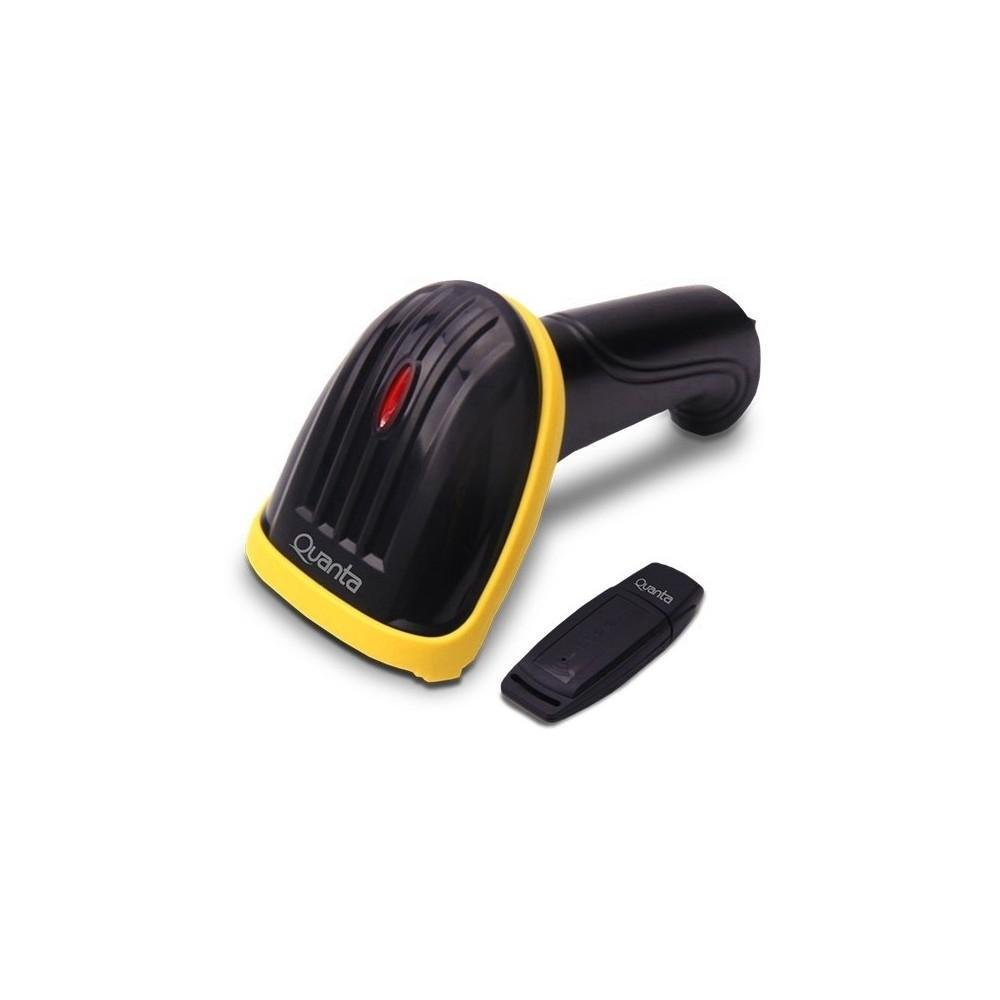
Image showing the black and yellow Quanta QTLBC95BT barcode reader and its compact black USB wireless adapter.
2. Sadržaj paketa
Molimo Vas da provjerite da li se u paketu nalaze svi artikli:
- 1 x Quanta QTLBC95BT Barcode Reader
- 1 x USB Wireless Adapter
- 1 x Charger (Bivolt 110V/220V)
- 1 x USB kabel (za punjenje i žičanu vezu)
3. Podešavanje
3.1. Punjenje uređaja
- Connect the charger to the barcode reader's charging port.
- Plug the charger into a standard electrical outlet (110V/220V, 50Hz/60Hz).
- The device features a 3.7V Li-Ion 750 mAh rechargeable battery. Allow sufficient time for a full charge before first use.
3.2. Connecting via USB Wireless Adapter
- Insert the USB wireless adapter into an available USB port on your computer or host device.
- Turn on the barcode reader. It should automatically pair with the adapter.
- A successful connection is typically indicated by an audible beep or a change in the indicator light status on the scanner.
- The wireless transmission range for the USB adapter is approximately 30 meters.
3.3. Povezivanje putem Bluetooth-a
- Ensure your host device (computer, tablet, smartphone) has Bluetooth enabled.
- Uključite čitač barkodova.
- Initiate the pairing mode on the barcode reader (refer to specific instructions if a dedicated pairing button or sequence exists, otherwise it may automatically enter pairing mode).
- On your host device, search for new Bluetooth devices and select "Quanta QTLBC95BT" (or similar name) from the list.
- Potvrdite uparivanje.
- Domet Bluetooth prijenosa je približno 10 metara.
4. Uputstvo za upotrebu
4.1. Skeniranje bar kodova
- Ensure the device is powered on and successfully connected to your host device.
- Usmjerite prozor skenera prema barkodu koji želite pročitati.
- Press the trigger button. A red scanning line will emit from the device.
- Position the scanner approximately 25 cm (10 inches) from the barcode for optimal reading.
- The scanner is bidirectional and has a decoding speed of 200 scans per second.
- Upon successful scan, the device will typically emit an audible beep, and the data will be transmitted to your connected device.
4.2. Auto-Sensor Mode
The scanner features an auto-sensor mode with an interval time of 0.3 seconds. In this mode, the scanner can automatically detect and read barcodes without requiring a trigger press, which is useful for hands-free operation.
5. Održavanje
5.1. Čišćenje
- Use a soft, dry cloth to clean the exterior of the barcode reader.
- For the scanning window, use a lint-free cloth lightly dampOčistite blagim, neabrazivnim sredstvom za čišćenje. Izbjegavajte jake hemikalije.
- Prije čišćenja provjerite je li uređaj isključen iz struje.
5.2. Održavanje baterije
- Da biste produžili vijek trajanja baterije, izbjegavajte često potpuno pražnjenje baterije.
- Uređaj čuvajte na hladnom i suhom mjestu kada se ne koristi duži period.
6. Otkrivanje problema
6.1. Device Not Scanning
- Uvjerite se da je uređaj uključen i potpuno napunjen.
- Verify that the scanner is properly connected to your host device (USB adapter or Bluetooth).
- Check if the barcode is damaged or unreadable.
- Podesite udaljenost i ugao između skenera i barkoda.
6.2. No Data Transmission
- Confirm the connection status (USB or Bluetooth). Re-pair if necessary.
- Ensure the host device's input method is active and ready to receive data.
- Check the operating range (30m for USB wireless, 10m for Bluetooth).
6.3. Baterija se ne puni
- Verify that the charger is correctly connected to both the scanner and the power outlet.
- Uvjerite se da je utičnica funkcionalna.
- Try using a different USB cable or charger if available.
7. Specifikacije
| Feature | Detalj |
|---|---|
| Brand | Quanta |
| Broj modela | QTLBC95BT |
| Tehnologija povezivanja | Bluetooth, USB Wireless, USB Cable |
| Izvor napajanja | Napaja se baterijama, električnim kablom |
| Vrsta baterije | DC 3.7V Li-Ion 750 mAh Rechargeable |
| Ulazni voltage | 110V/220V - 60Hz/50Hz (Bivolt) |
| Tip skenera | Dvosmerni |
| Auto-Sensor Interval | 0.3 sekundi |
| Brzina dekodiranja | 200 skeniranja/sekundi |
| Optimal Scanning Distance | 25 cm |
| USB Wireless Transmission Range | Do 30 metara |
| Domet Bluetooth prijenosa | Do 10 metara |
| Boja | Crna |
| Dimenzije paketa | 18 x 11 x 8 cm |
| Težina paketa | 350 g |
8. Garancija i podrška
For warranty information or technical support, please refer to the documentation provided with your purchase or contact Quanta customer service directly. Contact details can typically be found on the manufacturer's official website.


