1. Uvod
Thank you for choosing the NeeGo Portable Boombox B07CLH45SL. This versatile audio system combines a CD player, cassette player, AM/FM radio, and includes a NeeGo Bluetooth receiver for wireless audio streaming. This manual provides detailed instructions for setup, operation, maintenance, and troubleshooting to ensure you get the best experience from your device.
2. Sigurnosne informacije
- Pročitajte sva uputstva prije korištenja uređaja.
- Držite uređaj dalje od vode, vlage i direktne sunčeve svjetlosti.
- Ne blokirajte otvore za ventilaciju.
- Use only the power sources specified in this manual.
- Ne pokušavajte sami popravljati uređaj. Sve servisne radove prepustite kvalifikovanom osoblju.
- Odgovorno odložite baterije u skladu s lokalnim propisima.
3. Sadržaj paketa
Molimo Vas da provjerite da li se u Vašem paketu nalaze sve dolje navedene stavke:
- NeeGo Portable Boombox (Main Unit)
- NeeGo Bluetooth Receiver
- AC strujni kabl
- 3.5mm Audio Cable (for Bluetooth receiver connection)
- USB Charging Cable for Bluetooth Receiver

Figure 3.1: Contents of the NeeGo Portable Boombox bundle, including the main unit, Bluetooth receiver, and necessary cables.
4. Proizvod je gotovview
4.1. Main Boombox Unit
The main unit features controls for CD, cassette, and radio functions, along with volume and input selection. Key features include:
- AM/FM radio tjuner
- CD Player (supports standard and MP3 CDs)
- Cassette Player/Recorder
- Headphone Output (3.5mm stereo mini)
- Auxiliary Input (3.5mm)
- Automatic Shut-off Sleep Timer

Figure 4.1: Front panel and key features of the NeeGo Portable Boombox.
4.2. NeeGo Bluetooth Receiver
The included NeeGo Bluetooth receiver allows you to stream audio wirelessly to your boombox. It is compact and connects via the 3.5mm auxiliary port.
- Universal 3.5mm Stereo Port
- Micro Charge Port (for charging the receiver)
- Built-in Microphone (for hands-free calls, if supported by your device)

Slika 4.2: Detaljno view of the NeeGo Bluetooth Receiver ports.
5. Podešavanje
5.1. Powering the Boombox
The boombox can be powered by either AC power or batteries.
AC priključak za napajanje:
- Ensure the boombox is turned off.
- Connect the supplied AC power cord to the AC IN jack on the back of the boombox.
- Uključite drugi kraj kabla za napajanje izmjeničnom strujom u standardnu zidnu utičnicu.
Instalacija baterije:
For portable use, the boombox requires 6 'C' size batteries (not included).
- Otvorite poklopac odjeljka za baterije koji se nalazi na dnu jedinice.
- Umetnite 6 baterija veličine 'C', pazeći na ispravan polaritet (+/-) kao što je naznačeno unutar odjeljka.
- Čvrsto zatvorite poklopac odeljka za baterije.
5.2. Connecting and Charging the Bluetooth Receiver
The NeeGo Bluetooth receiver allows your boombox to receive wireless audio signals.
Punjenje Bluetooth prijemnika:
Before first use, fully charge the Bluetooth receiver.
- Connect the micro USB charging cable to the micro charge port on the Bluetooth receiver.
- Drugi kraj USB kabla priključite na USB izvor napajanja (npr. USB priključak računara, USB adapter za zid).
- The indicator light on the receiver will show charging status (e.g., red while charging, off when fully charged). A full charge provides approximately 6 hours of operation.
Connecting to the Boombox:
- Plug the 3.5mm audio cable into the universal 3.5mm stereo port on the Bluetooth receiver.
- Plug the other end of the 3.5mm audio cable into the AUX IN jack on the boombox.
- Set the boombox's function selector to 'AUX' or 'AUDIO IN'.

Figure 5.1: The NeeGo Bluetooth Receiver connected to the boombox for wireless audio.
6. Uputstvo za upotrebu
6.1. Osnovni rad
- Uključivanje/isključivanje: Pritisnite dugme POWER da uključite ili isključite jedinicu.
- Kontrola jačine zvuka: Okrenite dugme VOLUME da biste podesili nivo zvuka.
- Izbor funkcije: Use the FUNCTION selector (e.g., CD, TAPE, RADIO, AUX) to choose your desired audio source.
6.2. Rad CD plejera
- Set the FUNCTION selector to 'CD'.
- Open the CD compartment cover by pressing the 'OPEN/CLOSE' button or lifting the cover.
- Postavite CD na osovinu diska tako da strana s etiketom bude okrenuta prema gore.
- Zatvorite poklopac pretinca za CD. Na ekranu će se prikazati ukupan broj pjesama.
- Press the PLAY/PAUSE button (►/❚❚) to start playback.
- Pritisnite dugme STOP (■) da biste zaustavili reprodukciju.
- Use the SKIP buttons (◀◀ / ►►) to skip tracks or fast forward/rewind within a track.
- The unit may feature a 'REPEAT' or 'PROGRAM' function for customized playback. Refer to the on-unit labels for specific controls.
6.3. Rad kasetofona
- Postavite selektor FUNCTION na 'TAPE'.
- Press the STOP/EJECT button (■/▲) to open the cassette compartment.
- Umetnite kasetu s otvorenim rubom okrenutim prema gore.
- Zatvorite pretinac za kasetu.
- Press the PLAY button (►) to start playback.
- Press the FAST FORWARD (FF) or REWIND (REW) buttons to advance or reverse the tape. Note that the unit may not have an auto-stop feature for FF/REW, so manually press STOP when desired.
- Press the STOP/EJECT button (■/▲) to stop playback and eject the tape.
6.4. Rad AM/FM radija
- Postavite birač FUNKCIJE na 'RADIO'.
- Select 'AM' or 'FM' band using the band selector switch.
- Okrenite dugme TUNING da biste pronašli željenu stanicu.
- Extend and adjust the telescopic antenna for optimal FM reception. For AM reception, rotate the unit for best signal.
6.5. Bluetooth Connectivity (via NeeGo Receiver)
- Ensure the NeeGo Bluetooth receiver is charged and connected to the boombox's AUX IN port (as described in Section 5.2).
- Set the boombox's FUNCTION selector to 'AUX' or 'AUDIO IN'.
- Turn on the NeeGo Bluetooth receiver. It will automatically enter pairing mode (indicated by a flashing LED).
- On your Bluetooth-enabled device (smartphone, tablet, etc.), go to its Bluetooth settings and search for available devices.
- Select 'NeeGo BT' or a similar name from the list to pair.
- Once paired, the receiver's LED will stop flashing and remain solid. You can now play audio from your device, and it will be heard through the boombox speakers.
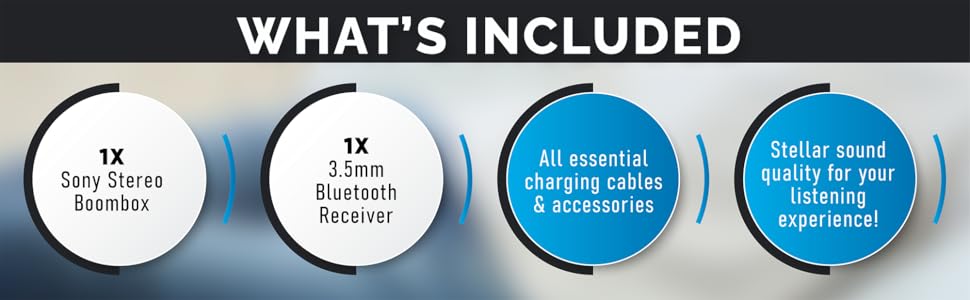
Figure 6.1: The boombox's classic stereo functions enhanced by the NeeGo Bluetooth receiver.
6.6. Pomoćni ulaz
To play audio from an external device directly:
- Connect a 3.5mm audio cable from the headphone jack or line-out of your external device to the AUX IN jack on the boombox.
- Set the boombox's FUNCTION selector to 'AUX' or 'AUDIO IN'.
- Započnite reprodukciju na svom vanjskom uređaju.
6.7. Izlaz za slušalice
For private listening, plug any standard 3.5mm stereo headphones into the HEADPHONE jack on the boombox. The speakers will automatically mute when headphones are connected.
6.8. Automatic Shut-off / Sleep Timer
This feature allows the unit to automatically turn off after a set period. Consult the specific buttons or menu options on your unit for activating and setting the sleep timer, typically labeled 'SLEEP' or 'TIMER'.
7. Održavanje
7.1. Čišćenje uređaja
- Obrišite vanjski dio uređaja mekom, suhom krpom.
- Ne koristite abrazivna sredstva za čišćenje, voskove ili rastvarače jer mogu oštetiti završnu obradu.
- Za CD sočiva koristite specijalizovano sredstvo za čišćenje CD sočiva.
- Za glavu kasete, periodično koristite komplet za čišćenje glave kasete kako biste osigurali optimalnu kvalitetu zvuka.
7.2. Zamjena baterije
When the unit's performance degrades or the battery indicator (if present) shows low power, replace all 6 'C' batteries with new ones. Do not mix old and new batteries, or different types of batteries.
8. Otkrivanje problema
If you encounter issues with your NeeGo Portable Boombox, refer to the following common problems and solutions:
| Problem | Mogući uzrok | Rješenje |
|---|---|---|
| Jedinica se ne uključuje. | Kabl za naizmjeničnu struju nije pravilno spojen; Baterije su prazne ili nepravilno umetnute. | Provjerite priključak AC kabla; Zamijenite baterije ili provjerite ispravan polaritet. |
| Nema zvuka iz zvučnika. | Volume too low; Headphones connected; Incorrect function selected. | Increase volume; Disconnect headphones; Select correct function (CD, TAPE, RADIO, AUX). |
| CD not playing or skipping. | CD je prljav, ogreban ili nepravilno umetnut; CD sočivo je prljavo. | Clean or replace CD; Reinsert CD correctly; Clean CD lens with a specialized cleaner. |
| Cassette tape not playing or poor sound. | Tape is damaged; Cassette head is dirty or demagnetized. | Try a different tape; Clean cassette head with a cleaning kit. |
| Slab radio prijem (statika). | Antenna not extended or adjusted; Weak signal. | Extend and adjust the telescopic antenna; Try repositioning the unit for AM. |
| Bluetooth receiver not pairing. | Receiver not in pairing mode; Receiver battery low; Device too far. | Ensure receiver is on and flashing; Charge receiver; Move device closer (within 10 meters). |
| Sound quality is
Documents - NeeGo – B07CLH45SL nema relevantnih dokumenata |