1. Uvod
This manual provides detailed instructions for the installation, operation, and maintenance of your EZVIZ CS-BW2424-B1E10 Wireless NVR System. Please read this manual thoroughly before using the product to ensure proper setup and functionality. Keep this manual for future reference.
2. Proizvod je gotovview
The EZVIZ CS-BW2424-B1E10 is a wireless network video recorder (NVR) system designed for home or small business surveillance. It includes a central NVR unit with a pre-installed 1TB hard disk drive and four 2-megapixel wireless cameras, providing a comprehensive security solution.
2.1 Komponente sistema

2.2 NVR Unit Features
The NVR unit serves as the central hub for recording and managing video footage from the connected cameras. It features various ports for connectivity and a pre-installed hard drive for storage.

- Ulazna snaga: Povezuje se na strujni adapter.
- Audio ulaz/izlaz: Za eksterne audio uređaje.
- VGA port: Connects to a monitor for video output.
- HDMI priključak: Connects to an HDMI-compatible monitor or TV for high-definition video output.
- LAN port: Connects to your network router via an Ethernet cable for internet access.
- USB portovi: For connecting a USB mouse or external storage devices.
- Reset otvor: Used to reset the NVR to factory default settings.

The NVR comes with a 1TB hard disk drive pre-installed, providing ample storage for recorded video footage.
2.3 Karakteristike kamere
The four wireless cameras capture 2-megapixel resolution video and connect wirelessly to the NVR. They are designed for outdoor or indoor use and include features for easy management.

- Dugme za resetiranje: Used to reset the camera to factory default settings.
- QR kod: Essential for adding the camera to the EZVIZ app and for initial setup.
3. Vodič za postavljanje
3.1 Raspakivanje i početni pregled
- Pažljivo raspakujte sve komponente iz kutije.
- Verify that all items listed in the packaging contents are present and undamaged.
- Ako bilo koji artikl nedostaje ili je oštećen, odmah se obratite korisničkoj podršci.
3.2 Povezivanje NVR-a
Before powering on, connect the necessary peripherals to the NVR.
- Povežite monitor: Use an HDMI or VGA cable to connect the NVR to a monitor or TV.
- Povežite miš: Uključite USB miš u jedan od USB priključaka NVR-a.
- Mrežna veza: For initial setup and remote access, connect the NVR's LAN port to your router using an Ethernet cable.
- Uključeno: Connect the power adapter to the NVR's power input and then plug it into a power outlet. The NVR will start automatically.
3.3 Postavljanje i instalacija kamere
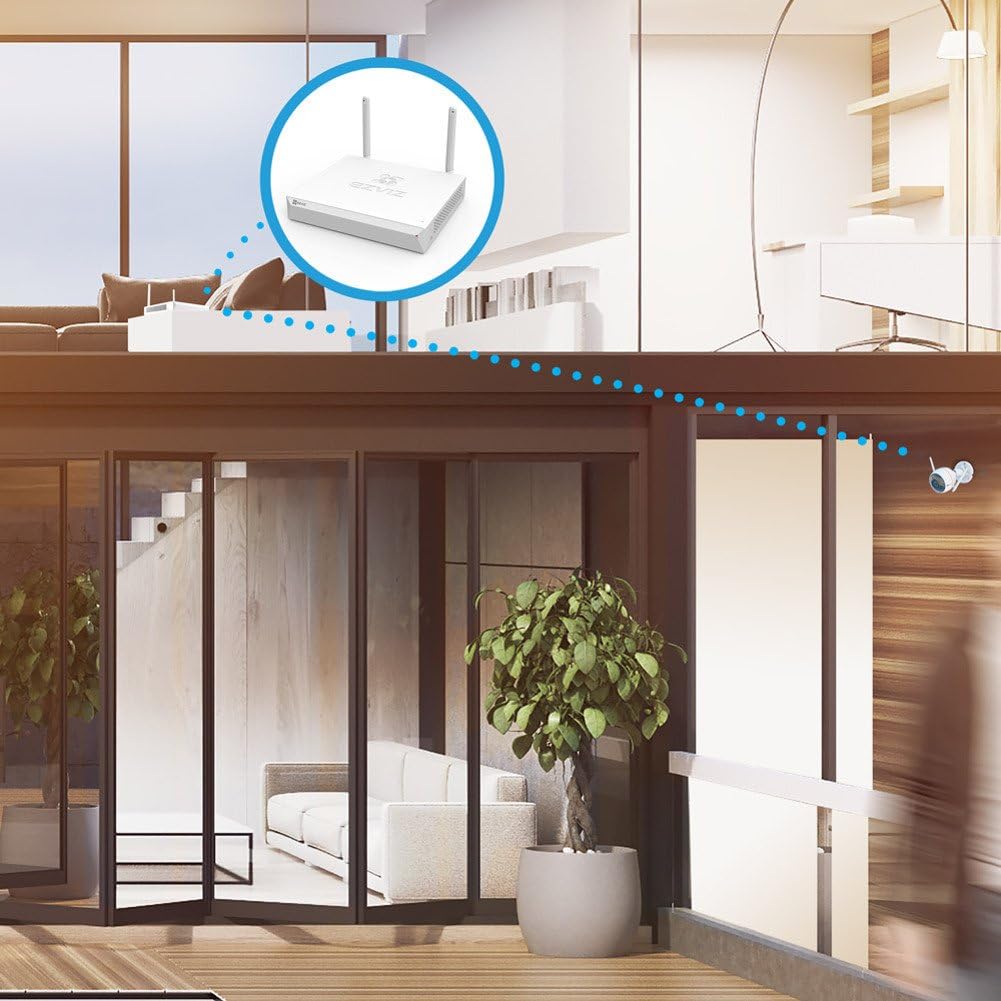
The cameras connect wirelessly to the NVR. Ensure optimal placement for signal strength and coverage.

- Choose Locations: Select locations for your cameras that provide the desired viewing angle and are within the wireless range of the NVR or your home router. Avoid obstructions that could interfere with the wireless signal.
- Montiranje kamera: Use the provided mounting hardware to securely install each camera. Ensure the camera is positioned correctly to capture the desired area.
- Kamere sa napajanjem: Connect each camera to its respective power adapter and plug it into a power outlet.
3.4 Konfiguracija sistema
- First-Time Setup Wizard: Upon first boot, the NVR will guide you through a setup wizard. Follow the on-screen prompts to set up language, date/time, and network settings.
- Uparivanje kamere: The cameras are typically pre-paired with the NVR. If a camera does not display video, you may need to manually pair it. Refer to the NVR's on-screen menu for camera management options.
- Postavljanje mobilne aplikacije: Download the EZVIZ app from your smartphone's app store. Create an account and add your NVR system by scanning the QR code on the NVR or its packaging. This enables remote viewing i kontrolu.
4. Uputstvo za upotrebu
4.1 Uživo View
Nakon što je sistem postavljen, možete view live footage from all connected cameras on your monitor or through the EZVIZ mobile app.
- Na monitoru: The NVR interface displays a multi-channel view. Use the mouse to select a specific camera for a full-screen view.
- Na mobilnoj aplikaciji: Open the EZVIZ app, select your NVR system, and tap on the desired camera feed to view video uživo.
4.2 Upravljanje snimanjem
The NVR continuously records footage to the 1TB hard drive. You can configure recording schedules and modes.
- Kontinuirano snimanje: Zapisi 24/7.
- Snimanje aktivirano pokretom: Records only when motion is detected, saving storage space. Configure motion detection zones and sensitivity via the NVR menu or mobile app.
4.3 Reprodukcija
Review snimljeno footage from the NVR's hard drive.
- Na monitoru: Access the 'Playback' menu on the NVR interface. Select the date, time, and camera to view snimci.
- Na mobilnoj aplikaciji: In the EZVIZ app, select the NVR, then choose the camera and navigate to the playback timeline to review zabilježeni događaji.
4.4 Detekcija pokreta i upozorenja
Konfigurišite sistem da šalje upozorenja kada se detektuje kretanje.
- Enable motion detection for each camera in the NVR settings or EZVIZ app.
- Set up notification preferences in the EZVIZ app to receive instant alerts on your smartphone.
4.5 Daljinski pristup
Access your security system from anywhere using the EZVIZ mobile app or web portal.
- Provjerite je li NVR povezan s internetom.
- Log in to your EZVIZ account on the app or web portal to view live feeds, playback recordings, and manage settings remotely.
5. Održavanje
5.1 Čišćenje
- Redovno čistite sočiva kamere mekom, suhom krpom kako biste osigurali jasnu kvalitetu slike.
- Wipe the NVR unit with a dry cloth. Do not use liquid cleaners.
5.2 Ažuriranja firmvera
Periodically check for firmware updates for both the NVR and cameras to ensure optimal performance and security. Updates can typically be performed through the NVR's system menu or the EZVIZ app.
5.3 Upravljanje tvrdim diskom
Tvrdi disk od 1 TB će automatski prepisati najstarije datoteke.tage when full. You can configure recording settings to optimize storage usage.
6. Otkrivanje problema
- Nema video prikaza: Check power connections for NVR and cameras. Ensure HDMI/VGA cables are securely connected to the monitor. Verify cameras are paired with the NVR.
- Nema mrežne veze: Ensure the Ethernet cable is properly connected to the NVR and router. Check router status. Restart NVR and router.
- Loš kvalitet videa: Clean camera lenses. Ensure cameras are within optimal wireless range. Check for strong Wi-Fi signal.
- Nema snimanja: Verify the hard drive status in the NVR settings. Check recording schedules and motion detection settings.
- Ne može se pristupiti daljinski: Ensure the NVR has an active internet connection. Verify your EZVIZ app account is correctly linked to the NVR.
- Resetovanje sistema: If issues persist, you may need to reset the NVR or individual cameras to factory settings using the reset button/hole. Note that this will erase all configurations.
7. Specifikacije
| Feature | Specifikacija |
|---|---|
| Broj modela | CS-BW2424-B1E10 |
| Brand | EZVIZ |
| Tehnologija povezivanja | Bežični |
| Rezolucija video snimanja | 1080p (2MP) |
| Broj kanala | 4 |
| Kapacitet memorije | 1 TB (Hard Disk Drive) |
| Boja | Bijelo |
| Izvor napajanja | Battery Powered (Cameras, likely refers to power adapter for cameras) |
| Dimenzije proizvoda | 30 x 30 x 14 cm (NVR unit) |
| Težina artikla | 2.6 kg (NVR unit) |
| Kompatibilni uređaji | Kamere |
8. Garancija i podrška
For warranty information and technical support, please refer to the warranty card included with your product or visit the official EZVIZ website. You can also contact EZVIZ customer service for assistance with product setup, troubleshooting, and other inquiries.
Proizvođač: EZVIZ


