1. Proizvod je gotovview
The CHACON 54661 Set provides a convenient solution for wirelessly controlling your electrical appliances and lighting. This set includes two remote-controlled sockets and one remote control, allowing you to switch devices on or off from a distance within your home.
- Bežična kontrola: Operate devices without direct access to the wall socket.
- Jednostavna instalacija: Simple plug-and-play setup.
- Široka kompatibilnost: Suitable for various household appliances.
- Radna frekvencija: 433.92 MHz.
- Maksimalna snaga: 2000 vati.
- Raspon prijenosa: Do 25 metara na otvorenom polju.

Image: CHACON remote control and a socket in a typical home environment, demonstrating wireless control.
2. Sigurnosne informacije
Molimo pročitajte i razumite sva sigurnosna uputstva prije upotrebe ovog proizvoda. Nepoštivanje ovih uputstava može dovesti do strujnog udara, požara ili ozbiljnih povreda.
- Samo za unutrašnju upotrebu: This product is designed for indoor use in dry locations. Do not expose to rain or moisture.
- Maksimalno opterećenje: Do not exceed the maximum load of 2000 Watts. Overloading can cause overheating and fire.
- ventilacija: Ensure adequate ventilation around the sockets. Do not cover them.
- Djeca i kućni ljubimci: Čuvati van domašaja djece i kućnih ljubimaca.
- Rastavljanje: Do not attempt to open, modify, or repair the device. Refer all servicing to qualified personnel.
- čišćenje: Isključite uređaj iz struje prije čišćenja. Koristite suhu, meku krpu. Ne koristite tekuća sredstva za čišćenje.
- odlaganje: Odložite baterije i proizvod u skladu s lokalnim propisima.
3. Sadržaj paketa
Provjerite da li su sve stavke prisutne u paketu:
- 2 x CHACON Remote Controlled Sockets
- 1 x CHACON Remote Control
- 1 x Lithium-ion Battery (pre-installed in remote or supplied separately)
- 1 x Korisnički priručnik (ovaj dokument)
4. Podešavanje
4.1. Instalacija baterije daljinskog upravljača
The remote control requires one Lithium-ion battery. If not pre-installed, follow these steps:
- Pronađite odeljak za baterije na poleđini daljinskog upravljača.
- Otvorite poklopac odeljka za baterije.
- Insert the Lithium-ion battery, ensuring correct polarity (+ and -).
- Čvrsto zatvorite poklopac odeljka za baterije.

Slika: Krupni plan view of the CHACON remote control, showing the ON/OFF buttons and channel selectors (1, 2, 3, 4).
4.2. Pairing Sockets with Remote Control
Each socket needs to be paired with the remote control to establish communication. The remote control has four channels (1, 2, 3, 4) which can be used to control individual sockets or groups of sockets.
- Plug one CHACON remote controlled socket into a standard wall outlet. The LED indicator on the socket may flash.
- Within 5 seconds of plugging in the socket, press and hold the small pairing button located on the side or front of the socket until the LED indicator starts flashing rapidly.
- While the socket's LED is flashing, press the desired "ON" button (e.g., "1 ON") on the remote control.
- The socket's LED indicator will stop flashing and remain solid for a moment, then turn off, indicating successful pairing.
- Repeat this process for the second socket, assigning it to a different channel (e.g., "2 ON") or the same channel if you wish to control both simultaneously.
- To unpair a socket, plug it in, then press and hold the pairing button until the LED flashes rapidly. Then, press the corresponding "OFF" button on the remote control.

Image: A CHACON remote controlled socket plugged into a wall outlet, ready for pairing.
5. Uputstvo za upotrebu
Once your sockets are paired, you can easily control your connected devices.
- Plug the appliance you wish to control into the CHACON remote controlled socket.
- Ensure the appliance's own power switch is in the "ON" position (if applicable).
- To turn the appliance ON, press the corresponding "ON" button (1, 2, 3, or 4) on your remote control.
- To turn the appliance OFF, press the corresponding "OFF" button (1, 2, 3, or 4) on your remote control.
You can control devices individually or, if multiple sockets are paired to the same channel, control them simultaneously.
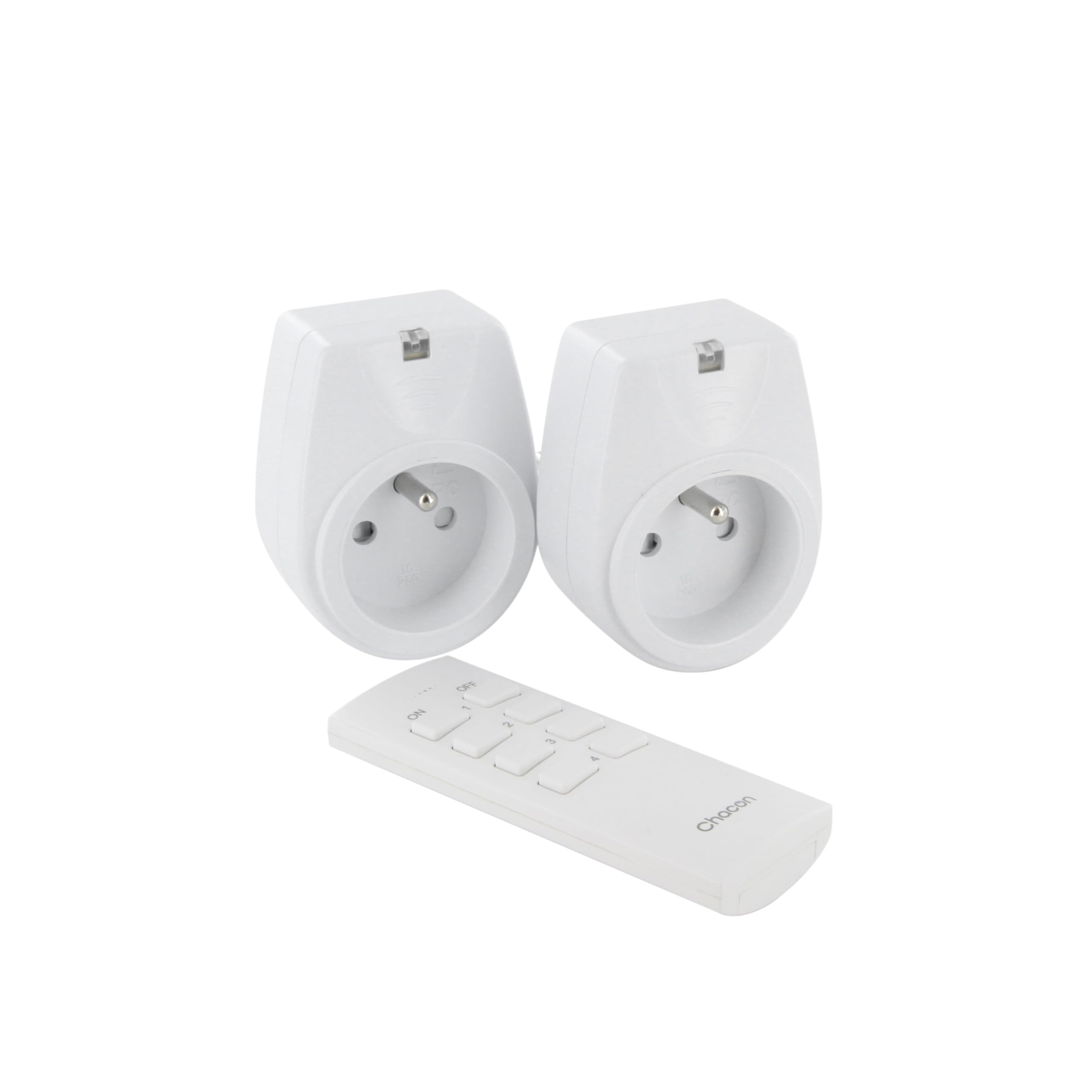
Image: A hand holding the CHACON remote control, demonstrating its use to switch on a lamp.
6. Održavanje
6.1. Čišćenje
To clean the sockets and remote control, ensure they are disconnected from power. Use a soft, dry cloth. Do not use abrasive cleaners, solvents, or immerse in water.
6.2. Zamjena baterije daljinskog upravljača
If the remote control's range decreases or it stops responding, the battery may need replacement. Follow the steps in Section 4.1 to replace the Lithium-ion battery with a new one of the same type.
7. Otkrivanje problema
| Problem | Mogući uzrok | Rješenje |
|---|---|---|
| Socket does not respond to remote control. |
|
|
| Priključeni uređaj se ne uključuje/isključuje. |
|
|
| Reduced transmission range. |
|
|
8. Specifikacije
| Brand | ŠAKON |
| Broj modela | 54661 |
| Boja | Bijelo |
| Posebne karakteristike | Bežični |
| Kompatibilni uređaji | Air conditioner, Game console, Iron, Speaker, Lamp, DVD player, MP3 player, E-reader, Coffee machine, Modem, Laptop, Heater, Router, Refrigerator, Set-top box, Smartphone, Smartwatch, Audio system, Hair dryer, Tablet, Television |
| Vrsta baterije za daljinsko upravljanje | Litijum-jonski (1 uključen) |
| Max Power | 2000 Watts |
| Udaljenost prijenosa | 25m (otvoreno polje) |
| Frekvencija | 433.92 MHz |
| Voltage | 230V |
| Broj utičnica | 2 |
| Plug Type | FR (Type E/F) |
| Materijal | polivinil hlorid (PVC) |
| Zemlja porijekla | Kina |
9. Garancija
This CHACON product is covered by a 2 godine garancije from the date of purchase. This warranty covers manufacturing defects and material faults under normal use. It does not cover damage caused by misuse, accident, unauthorized modification, or improper installation.
Molimo sačuvajte svoj dokaz o kupovini za zahtjeve u vezi s garancijom.
10. Podrška
For technical assistance, troubleshooting not covered in this manual, or warranty inquiries, please contact CHACON customer support.
Visit the official CHACON webstranicu za najnovije informacije o podršci i kontakt podatke.
Note: Specific contact information may vary by region.


