Uvod
This manual provides essential information for the proper use and maintenance of your Pelican Air 1637 Protective Case with Foam. Designed for superior protection, this case is up to 40% lighter than other polymer cases while maintaining Pelican's renowned durability. Please read these instructions carefully to ensure optimal performance and longevity of your product.
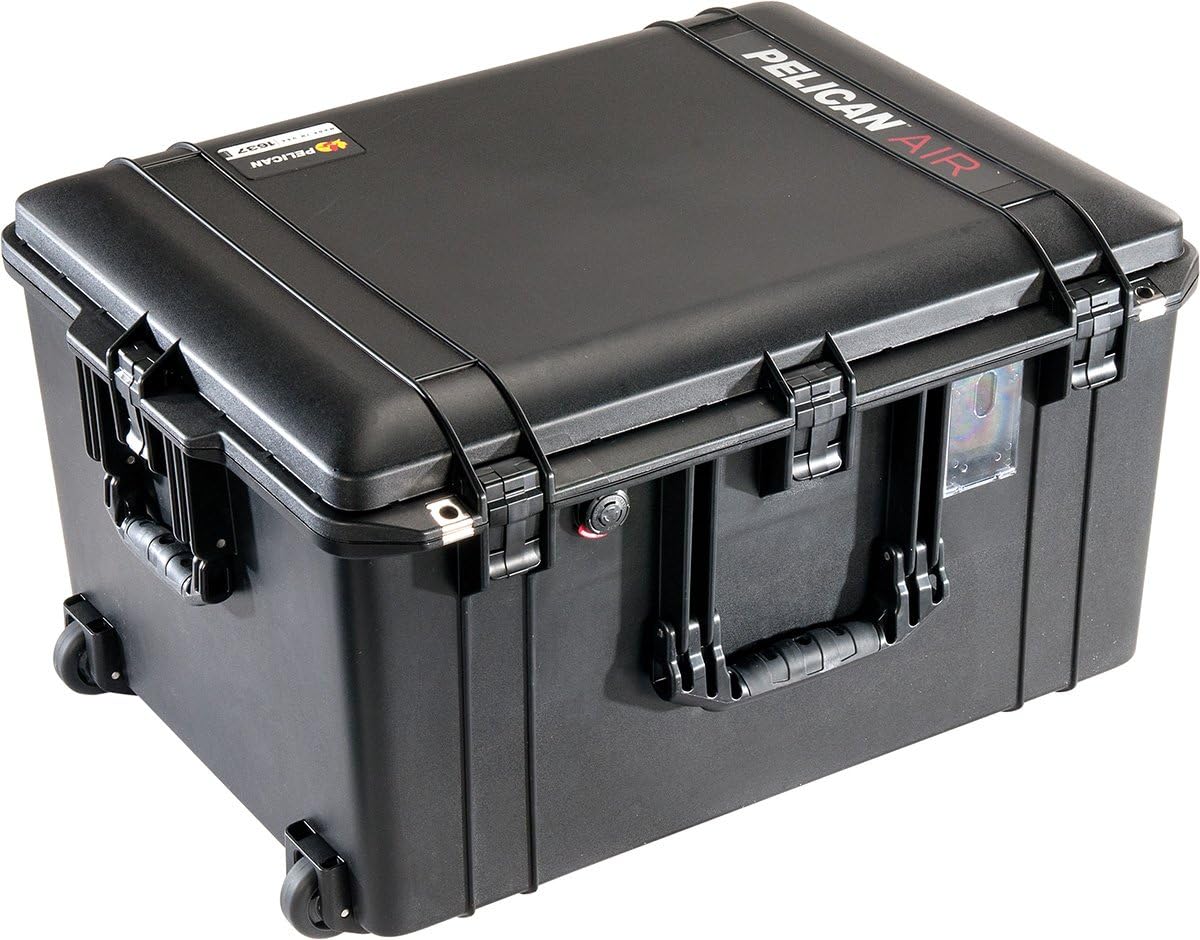
Opis slike: A black Pelican Air 1637 protective case shown from an angled top-front view. The case is closed, featuring robust latches, a front handle, and wheels visible on the bottom. The "PELICAN AIR" branding is visible on the top surface.
Sadržaj paketa
Prilikom raspakivanja, provjerite da li su sve komponente prisutne:
- Pelican Air 1637 Case
- Pre-scored Pick N Pluck Foam Set (installed)
Ključne karakteristike
- Lagani dizajn: Up to 40% lighter than traditional polymer cases.
- Crushproof Construction: Engineered to withstand extreme pressure.
- Dustproof Seal: Protects contents from fine particles.
- Watertight O-Ring Gasket: Ensures a secure, waterproof seal.
- Automatic Purge Valve: Balances air pressure inside the case, preventing vacuum lock.
- Pick N Pluck Foam: Customizable shock-absorbent foam for secure equipment fit.
- Uvlačiva ručka i točkovi: Za lakši transport.
Setup: Customizing the Foam Interior
The Pelican Air 1637 case includes a Pick N Pluck foam set, allowing you to create a custom-fit interior for your equipment.
- Planirajte svoj raspored: Arrange your items on top of the foam to determine the best configuration. Ensure adequate spacing between items and from the case walls for maximum protection.
- Pluck the Foam: The foam is pre-scored into small cubes. Carefully pluck out the foam cubes to match the outline of your equipment. For a cleaner cut, you may use a sharp utility knife.
- Testno prilagođavanje: Place your equipment into the customized foam cutouts to ensure a snug fit. Adjust as necessary.
- Lid Foam: The lid typically contains convoluted (egg-crate) foam to provide pressure on the items when the case is closed, holding them securely in place.
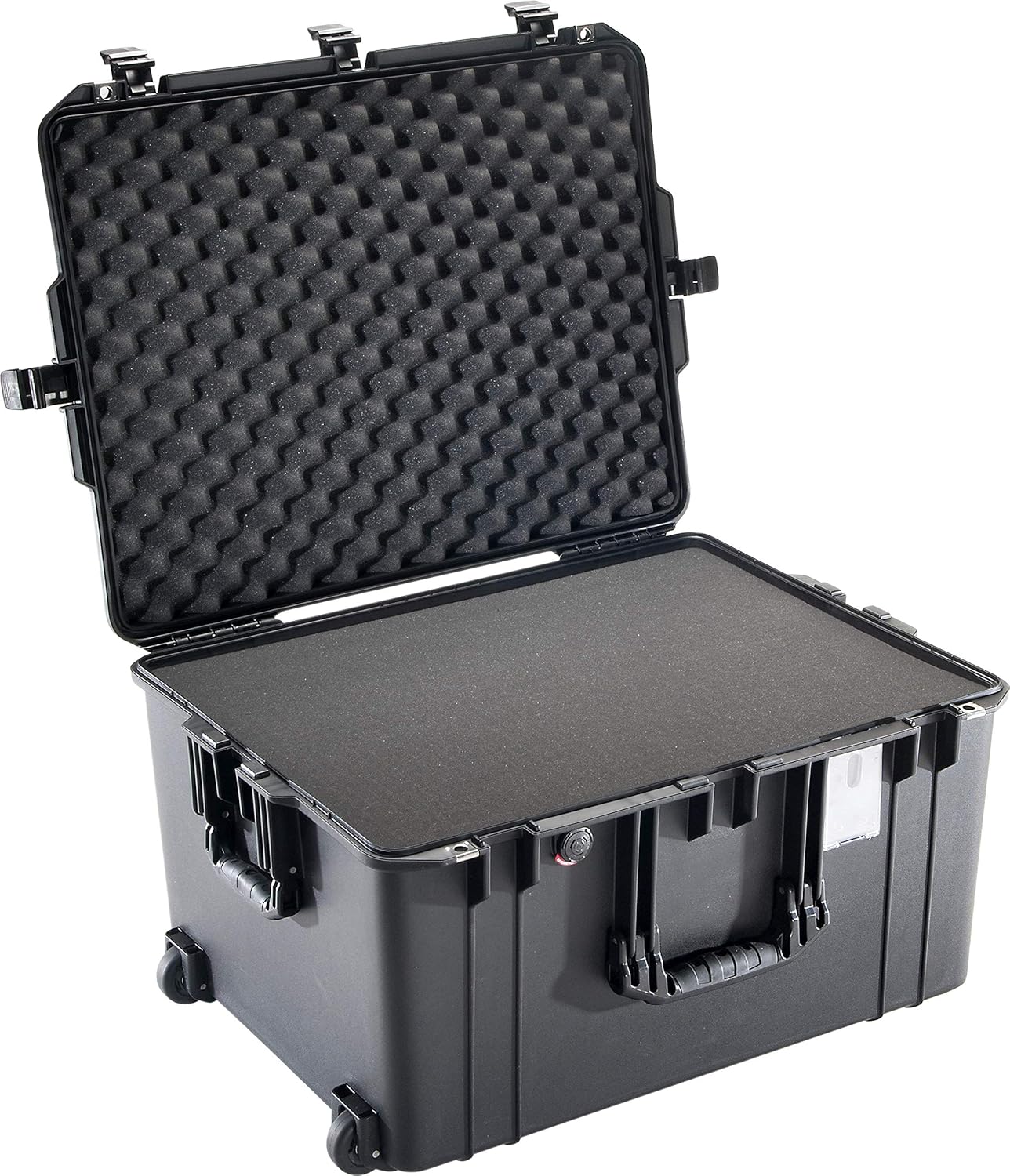
Opis slike: A black Pelican Air 1637 protective case shown open, revealing the pre-scored Pick N Pluck foam in the base and convoluted (egg-crate) foam in the lid. The interior is ready for customization.
Uputstvo za upotrebu
Zatvarači
To open the case, lift the latches upwards until they disengage from the lower part of the case. To close, align the lid with the base and press the latches down firmly until they click into place. Ensure all latches are securely fastened for a watertight and dustproof seal.
Retractable Handle and Wheels
The case is equipped with a retractable extension handle and durable wheels for easy transport.
- Proširivanje ručke: Press the button located on the top of the handle and pull upwards until it locks into the desired extended position.
- Retracting the Handle: Press the button again and push the handle downwards until it fully retracts into the case body.
- Using the Wheels: Tilt the case and pull it using the extended handle. The wheels are designed for smooth rolling on various surfaces.

Opis slike: A black Pelican Air 1637 case standing upright with its retractable handle fully extended, ready for transport.

Opis slike: Strana view of the black Pelican Air 1637 case, showing the extended retractable handle and the integrated wheels at the base.
Automatic Purge Valve
The case features an automatic purge valve that equalizes air pressure inside the case with the outside atmospheric pressure. This prevents vacuum lock, making the case easy to open after changes in altitude or temperature, while maintaining its watertight integrity. No manual operation is required for the purge valve.
Održavanje
- čišćenje: Clean the exterior of the case with mild soap and water. For stubborn dirt, a soft brush can be used. Rinse thoroughly and dry completely.
- Inspekcija O-prstena: Periodically inspect the O-ring gasket in the lid for any signs of damage, cracks, or debris. A clean, well-maintained O-ring is crucial for the watertight seal. If necessary, clean the O-ring and its groove with a soft cloth.
- Njega pjene: The foam inserts can be gently vacuumed to remove dust and debris. Avoid harsh chemicals that may degrade the foam material.
- Latch and Hinge Check: Ensure latches and hinges operate smoothly and are free from obstruction. Lubricate with a silicone-based spray if needed.
Rješavanje problema
- Case is difficult to open: This may occur after significant changes in altitude or temperature due to pressure differences. The automatic purge valve should equalize pressure, but if it's stuck, ensure it's clear of debris. Wait a few moments for pressure to equalize.
- Prodor vode ili prašine: Check the O-ring gasket for proper seating, cleanliness, and damage. Ensure all latches are fully closed and secured.
- Brave su krute: Clean any dirt or debris from the latch mechanism. A small amount of silicone lubricant can improve operation.
Specifikacije
| Atribut | Detalj |
|---|---|
| Broj modela | 016370-0000-110 |
| Interior Dimensions (LWD) | 23.43 x 17.55 x 13.25 inča |
| Exterior Dimensions (LWD) | 26.61 x 20.65 x 14.87 inča |
| Težina artikla | 19.4 funte |
| Boja | Crna |
| Shell Type | Teško |
| Proizvođač | Pelican Products CE |

Opis slike: A black Pelican Air 1637 case shown upright with its exterior dimensions (length, width, height) clearly labeled in inches.
Garancija i podrška
The Pelican Air 1637 Case is backed by Pelican's legendary Doživotna garancija. This warranty guarantees the case against breakage or defects in workmanship for the life of the product. For detailed warranty information or to contact customer support, please visit the official Pelican webweb-mjesto ili pogledajte garantni list koji ste dobili uz kupovinu.
Također možete posjetiti Pelican Store na Amazonu za više informacija i proizvoda.


