1. Uvod
This manual provides essential information for the proper setup, operation, and maintenance of your Casio CTK-2550 61-Key Premium Keyboard Pack. Please read this manual thoroughly before using the product to ensure safe and optimal performance. The CTK-2550 is a portable keyboard designed for musical exploration, featuring a wide range of tones, rhythms, and connectivity options.
2. Sadržaj paketa
Provjerite da li se u vašem paketu nalaze sve dolje navedene stavke. Ako neke stavke nedostaju ili su oštećene, obratite se prodavaču.
- Casio CTK-2550 61-Key Portable Keyboard
- Stalak za tastaturu
- Slušalice
- AC napajanje
- Music Rest
- Uputstvo za upotrebu (ovaj dokument)
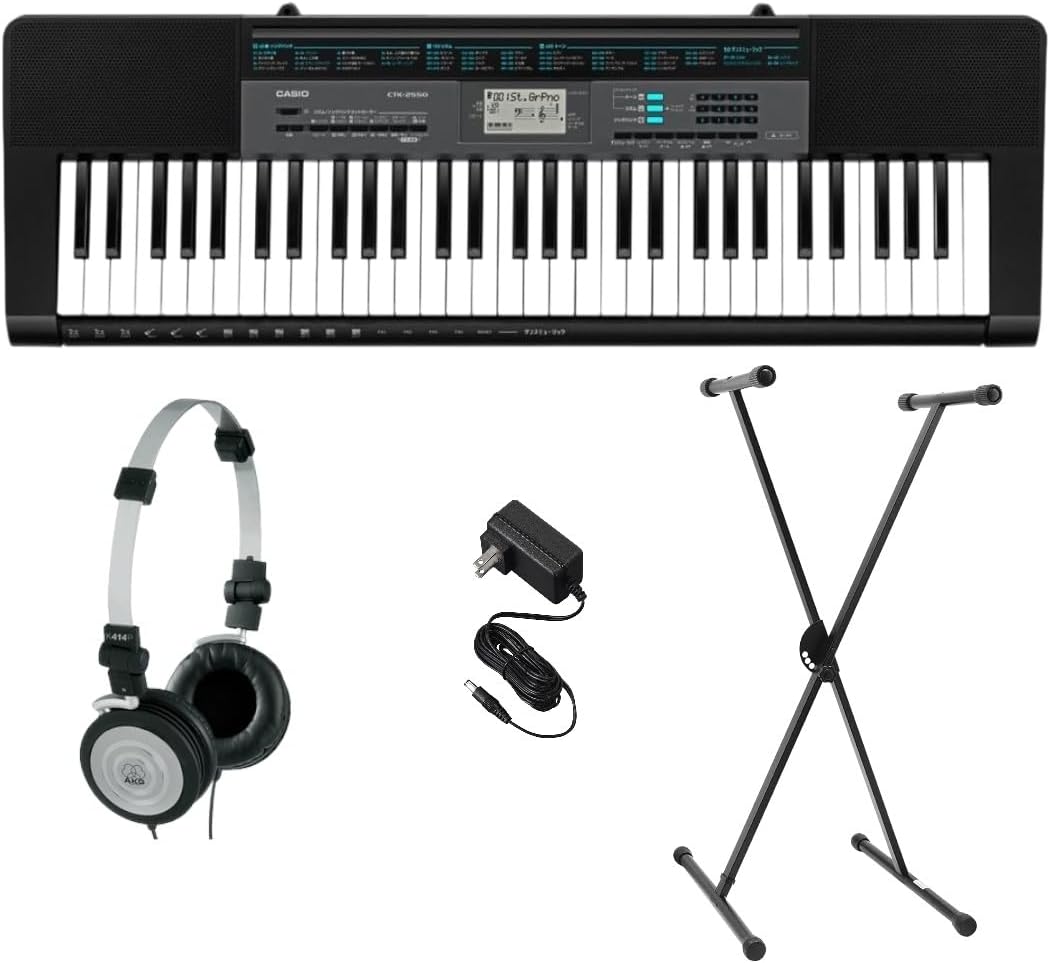
Figure 2.1: Casio CTK-2550 Keyboard Pack contents.
3. Podešavanje
3.1. Keyboard Placement
Place the keyboard on a stable, flat surface or securely attach it to the included keyboard stand. Ensure there is adequate space around the keyboard for comfortable playing and access to connections.

Slika 3.1: Vrh view of the Casio CTK-2550 keyboard.
3.2. Priključak za napajanje
The CTK-2550 can be powered using the included AC adapter or six AA-size batteries (not included). Do not use rechargeable batteries.
- AC adapter: Connect the AC adapter to the DC 9.5V jack on the rear of the keyboard and then plug it into a standard wall outlet.
- baterije: Open the battery compartment on the underside of the keyboard and insert six AA-size alkaline batteries, ensuring correct polarity.
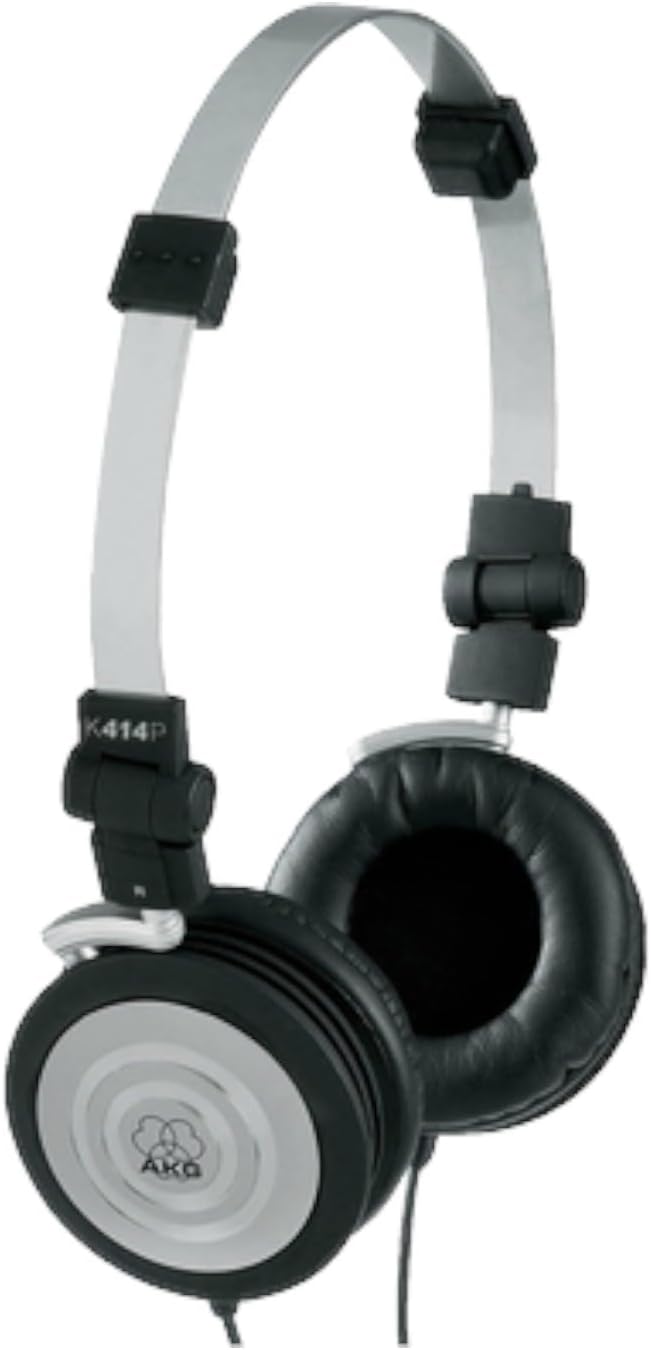
Figure 3.2: AC Power Supply.
3.3. Montaža postolja
Assemble the X-style keyboard stand according to its separate instructions. Place the keyboard securely on the stand, ensuring it is stable before use.
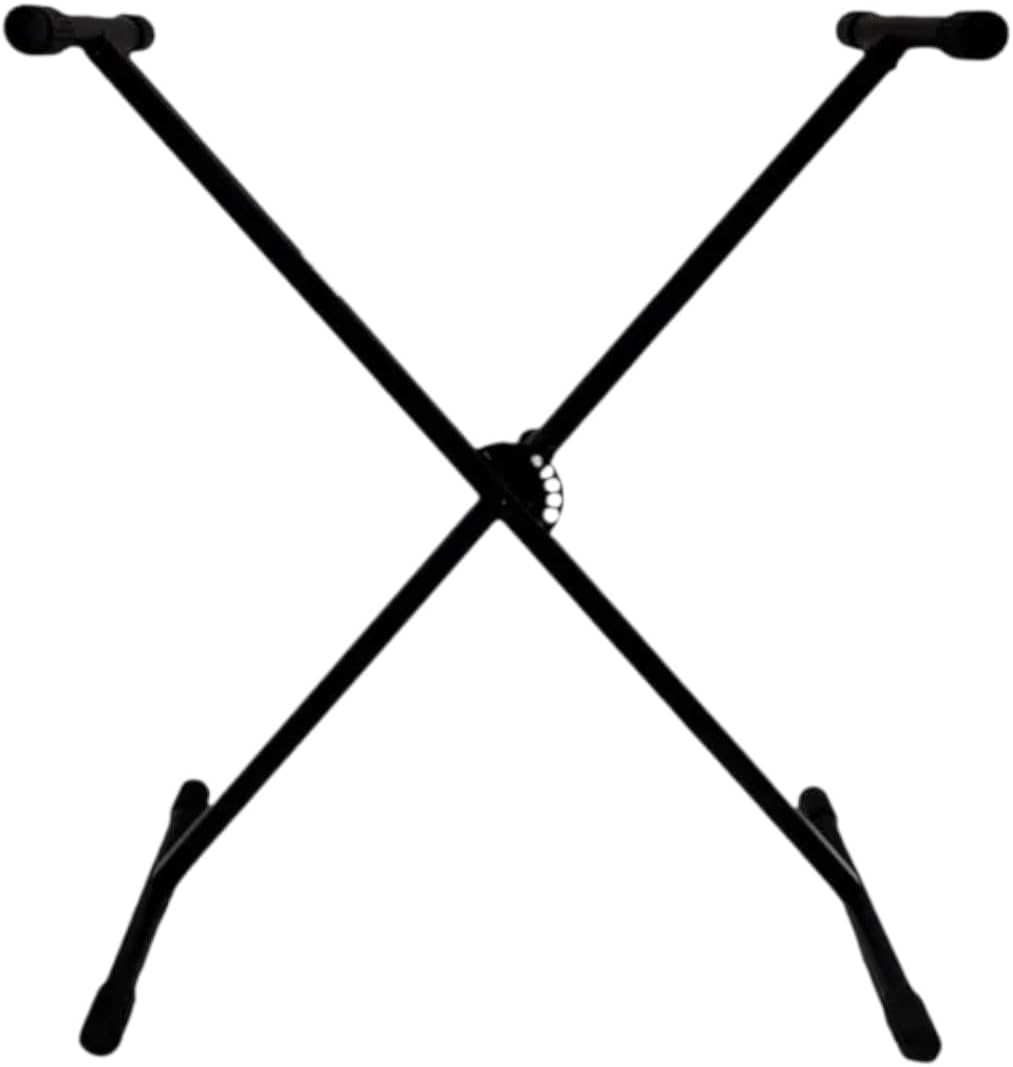
Figure 3.3: Keyboard Stand.
3.4. Povezivanje slušalica
For private practice, connect the included headphones to the PHONES/OUTPUT jack on the rear of the keyboard. The internal speakers will automatically mute when headphones are connected.

Figure 3.4: Included Headphones.

Slika 3.5: Priključci na zadnjoj ploči.
4. Uputstvo za upotrebu
4.1. Uključivanje / isključivanje napajanja
Pritisnite [SNAGA] button to turn the keyboard on. To turn it off, press and hold the [SNAGA] dugme dok se displej ne isključi.
4.2. Sound Selection (Tones)
The CTK-2550 features 400 high-quality Tones. Use the [TON] buttons and the numeric keypad to select different instrument sounds. You can explore various categories such as pianos, electric pianos, organs, strings, and more.
4.3. Rhythms and Accompaniment
Access 100 built-in Rhythms to add automatic accompaniment to your playing. Use the [RITAM] buttons and numeric keypad to select a rhythm. Press [START / STOP] to begin/end the rhythm. Adjust the tempo using the [TEMPO] dugmad.
4.4. Dance Music Mode
Engage Dance Music Mode to create and remix electronic dance music. This mode allows you to select different variations of drum beats, bass lines, and synth parts, and add effects like filter, flanger, gate, roll, and low-fi.
4.5. Lesson System (Chordana Play App)
Connect your CTK-2550 to an iOS or Android device via USB to utilize the free Chordana Play app. The app provides a built-in lesson system that displays how to play your favorite songs, making learning interactive and engaging. You can also transfer downloadable MIDI files to the keyboard's internal memory.
4.6. Funkcija snimanja
The keyboard includes a recording function to capture your performances. Refer to the on-screen display and dedicated [REC] i [IGRAJ] buttons for operation.
4.7. Metronome and Transpose
A built-in metronome is available for timing practice. The transpose function allows you to change the key of the keyboard to play along with other instruments or to adjust a song to a more comfortable vocal range.
4.8. Povezivanje
The keyboard features a USB port for connection to computers or smart devices, enabling MIDI communication and use with music software.
5. Održavanje
To ensure the longevity and optimal performance of your Casio CTK-2550, follow these maintenance guidelines:
- čišćenje: Wipe the keyboard and stand with a soft, dry cloth. For stubborn dirt, use a slightly damp cloth and mild soap, then wipe dry immediately. Avoid abrasive cleaners or solvents.
- Skladištenje: Tastaturu čuvajte na hladnom i suhom mjestu, dalje od direktne sunčeve svjetlosti, ekstremnih temperatura i visoke vlažnosti.
- Rukovanje: Izbjegavajte ispuštanje tastature ili njenu izlaganje jakim udarcima. Ne stavljajte teške predmete na nju.
- baterije: Ako koristite baterije, uklonite ih ako se tastatura neće koristiti duži period kako biste spriječili curenje.
6. Otkrivanje problema
If you encounter any issues with your CTK-2550, refer to the following common troubleshooting steps:
- Nema napajanja: Ensure the AC adapter is securely connected to both the keyboard and a working power outlet. If using batteries, check that they are inserted correctly and are not depleted.
- Nema zvuka: Check the volume level on the keyboard. If headphones are connected, disconnect them to check the internal speakers. Ensure external speakers (if used) are powered on and connected correctly.
- Tipke ne reagiraju: Ensure the keyboard is powered on. If only certain keys are affected, contact customer support.
- Problemi s povezivanjem aplikacija: Verify that the USB cable is properly connected between the keyboard and your smart device. Ensure the Chordana Play app is updated to the latest version.
If the problem persists after trying these steps, please contact Casio customer support.
7. Specifikacije
| Feature | Opis |
|---|---|
| Naziv modela | CTK-2550 |
| Broj ključeva | 61 |
| Tonovi | 400 |
| Ritmovi | 100 |
| Mod za plesnu muziku | 50 uzoraka |
| Povezivanje | USB (to host) |
| Priključak za slušalice | Da |
| Izvor napajanja | AC adapter (uključen) ili 6x AA baterije (nisu uključene) |
| Dimenzije (D x Š x V) | 44 x 15 x 9 inča |
| Težina | 19.36 funte |
8. Zvanični video proizvoda
Video 8.1: Krajview of the Casio CTK-2550 PPK 61-Key Premium Keyboard Pack, showcasing its features and components.
9. Garancija i podrška
For warranty information and customer support, please refer to the warranty card included in your product packaging or visit the official Casio webSačuvajte dokaz o kupovini za eventualne reklamacije.


