Uvod
This user manual provides essential information for the safe and efficient operation of your DOOGEE BL5000 smartphone. Please read this manual thoroughly before using your device to ensure proper functionality and to avoid damage.
The DOOGEE BL5000 is a high-performance smartphone featuring a 5.5-inch FHD display, powered by an Octa-core processor, and equipped with 4GB RAM and 64GB internal storage. It runs on Android v7.0 (Nougat) operating system.
Device Overview
Familiarize yourself with the physical components of your DOOGEE BL5000 smartphone.

Slika 1: Prednja i bočna view of the DOOGEE BL5000 smartphone, highlighting its sleek design and button placement.
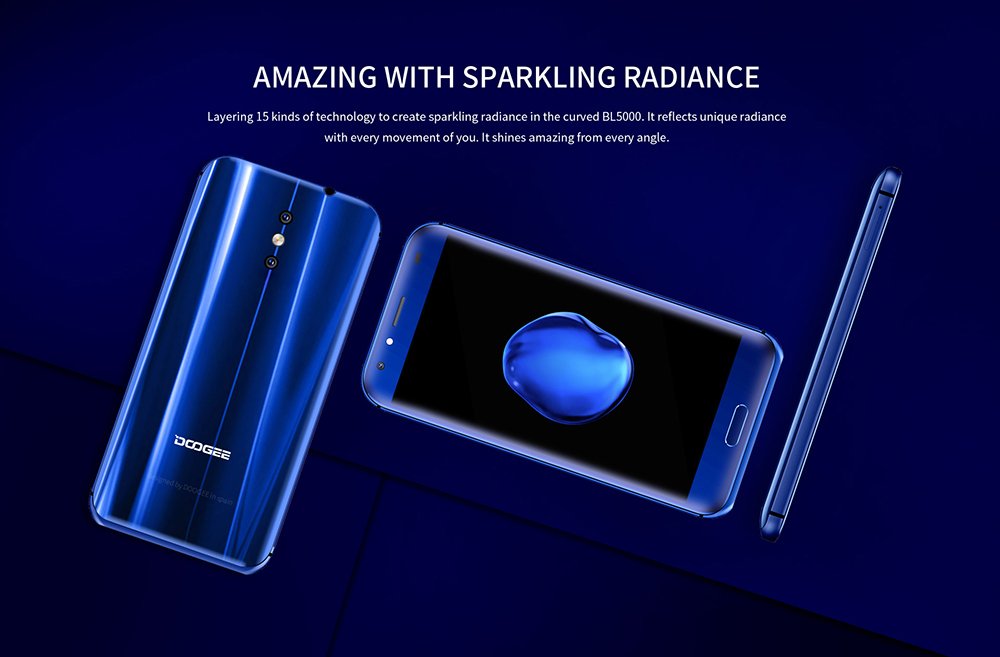
Slika 2: Stražnji i prednji view of the DOOGEE BL5000, showcasing its curved design and sparkling radiance achieved through 15 layers of technology.

Slika 3: A display of multiple DOOGEE BL5000 smartphones in blue, gold, and black, emphasizing the 8-sided curved design that provides an ergonomic grip.
Setup
1. Umetanje SIM kartica i SD kartice
The DOOGEE BL5000 supports dual SIM cards and an expandable memory card. Locate the SIM tray on the side of the device. Use the provided SIM ejector tool to open the tray. Carefully place your Nano-SIM cards and/or microSD card into the designated slots. Ensure the cards are correctly oriented as indicated on the tray. Gently push the tray back into the device until it clicks into place.
2. Početno uključivanje i čarobnjak za podešavanje
Press and hold the Power button on the side of the phone until the DOOGEE logo appears. The phone will boot up and guide you through the initial setup wizard. Follow the on-screen prompts to select your language, connect to a Wi-Fi network, set up your Google account, and configure security settings (fingerprint, PIN, pattern, or password).
3. Punjenje baterije
Before first use, it is recommended to fully charge the device. Connect the USB cable to the phone's charging port and the other end to a power adapter. Plug the adapter into a wall outlet. The battery indicator on the screen will show charging progress. The BL5000 features a 5050mAh battery and supports 12V-2A quick charging.

Slika 4: Illustration of the DOOGEE BL5000's large 5050mAh battery, designed for extended usage.

Slika 5: The DOOGEE BL5000 supports 12V-2A quick charging, allowing for significant battery charge in a short period, such as 40% in 10 minutes.
Upravljanje pametnim telefonom
Osnovna navigacija
- Dugme za napajanje: Pritisnite da biste probudili/uspavali ekran. Pritisnite i držite da biste uključili/isključili ili ponovo pokrenuli uređaj.
- Dugmad za jačinu zvuka: Adjust media volume during playback or ringtone volume.
- Dugme za početnu stranicu: Dodirnite za povratak na početni ekran.
- Dugme za povratak: Dodirnite da biste se vratili na prethodni ekran.
- Dugme za nedavne aplikacije: Dodirnite za view i prebacivanje između nedavno korištenih aplikacija.
Prikaz i svjetlina
The BL5000 features a 5.5-inch FHD (1920x1080) display with 650nit brightness, ensuring clear visibility even in bright sunlight. You can adjust the brightness manually or enable auto-brightness in the display settings.

Slika 6: The DOOGEE BL5000's 650nit display ensures excellent visibility and vivid colors, even under direct sunlight.
Karakteristike kamere
The DOOGEE BL5000 is equipped with a dual 13.0MP rear camera system that supports PDAF and a soft flashlight. It can create a blur effect for professional-looking portraits.

Slika 7: The DOOGEE BL5000's dual camera system can produce a natural blur effect, similar to DSLR cameras, enhancing portrait photography.
Povezivanje
The device supports 4G and 4G+ networks with LTE Cat-6, offering faster download and upload speeds. It also includes Wi-Fi, Bluetooth, and USB connectivity options.

Slika 8: The DOOGEE BL5000 supports advanced 4G+ (LTE Cat-6) network technology, providing significantly faster internet speeds compared to standard 4G.
Održavanje
- čišćenje: Za čišćenje ekrana i kućišta telefona koristite meku krpu koja ne ostavlja dlačice. Izbjegavajte upotrebu jakih hemikalija ili abrazivnih materijala.
- Ažuriranja softvera: Regularly check for system updates to ensure optimal performance and security. Go to Settings > About phone > System updates.
- Održavanje baterije: To prolong battery life, avoid exposing the phone to extreme temperatures. Do not let the battery drain completely before recharging frequently.
- Upravljanje skladištem: Povremeno brišite keš memoriju, deinstalirajte nekorištene aplikacije i prebacujte velike files to external storage (SD card) to maintain sufficient free space. The BL5000 comes with 64GB of internal storage.
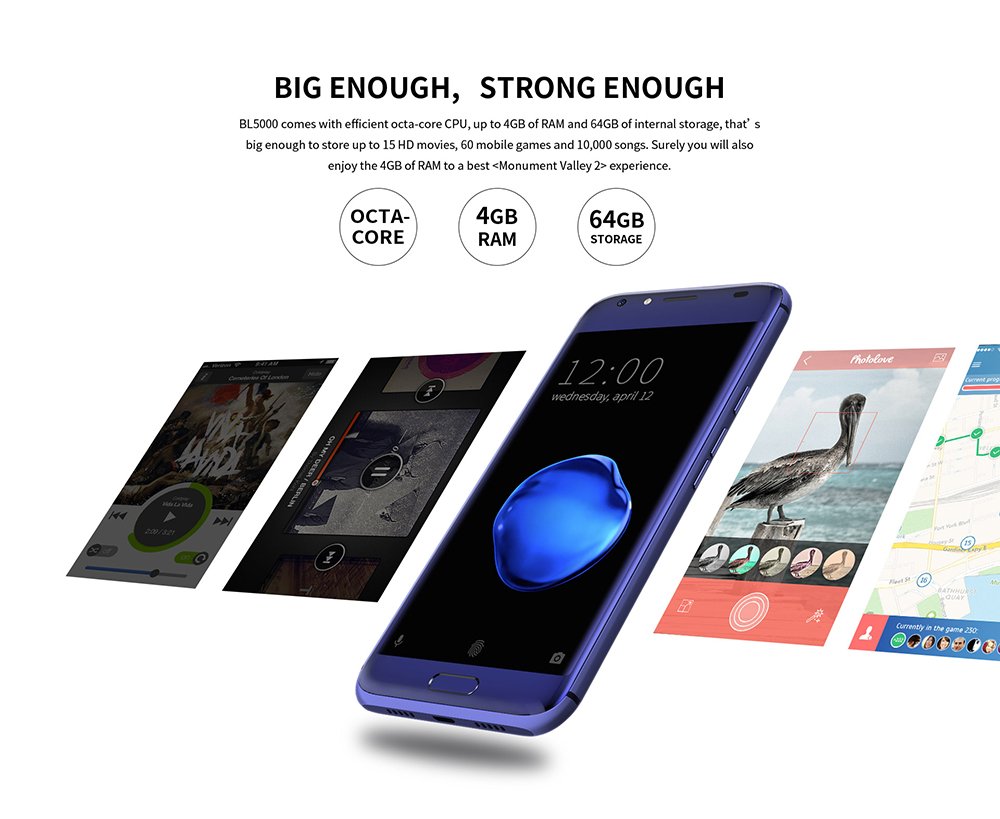
Slika 9: The DOOGEE BL5000 is powered by an efficient Octa-core CPU, 4GB RAM, and 64GB internal storage, providing ample power and space for applications and media.
Rješavanje problema
| Problem | Moguće rješenje |
|---|---|
| Telefon se ne uključuje | Ensure the battery is charged. Connect to a charger and wait a few minutes before attempting to power on. |
| Aplikacije se ruše ili zamrzavaju | Clear the app's cache (Settings > Apps > [App Name] > Storage > Clear cache). If the issue persists, try reinstalling the app or performing a factory reset (backup data first). |
| Loš mrežni signal | Check if SIM card is properly inserted. Try restarting the phone. Ensure you are in an area with network coverage. |
| Baterija se brzo prazni | Reduce screen brightness, disable unused features like Wi-Fi/Bluetooth when not in use, close background apps, and limit location services. |
Specifikacije
| Feature | Detalj |
|---|---|
| Model | DOOGEE BL5000 |
| Operativni sistem | Android v7.0 (Nougat) |
| Display | 5.5-inch FHD (1920 x 1080) LCD, 650nit brightness |
| Procesor | Octa core (1.5 GHz Quad core + 1 GHz Quad core, Cortex A53) |
| RAM | 4 GB |
| Interna pohrana | 64 GB |
| Zadnja kamera | Dual 13.0 MP with PDAF and soft flashlight |
| Baterija | 5050 mAh, supports 12V-2A Quick Charge |
| Dimenzije (DxŠxV) | 15.5 x 7.6 x 1 cm |
| Težina | 210 g |
| Povezivanje | 4G/4G+ (LTE Cat-6), Wi-Fi, Bluetooth, USB |
| GPS | GLONASS |
| Boja | Plava |
Garancija i podrška
For warranty information and technical support, please refer to the warranty card included with your product packaging or visit the official DOOGEE webSačuvajte račun kao dokaz o kupovini za reklamacije u slučaju reklamacije.
For further assistance, you may contact DOOGEE customer service through their official channels. Details can typically be found on the manufacturer's webweb-mjestu ili u originalnoj dokumentaciji proizvoda.


