1. Uvod
The Micca MPLAY-HD Mini is a compact 1080P Full-HD digital media player designed to play videos, music, and photo slideshows from USB drives or microSD cards on your television or projector. It offers universal compatibility with both modern and older displays through HDMI and analog audio/video connections. Its automatic playback and resume features enhance user convenience, making it suitable for various environments including home, office, or RV use.
2. Proizvod je gotovview
Familiarize yourself with the components and ports of your MPLAY-HD Mini player.

Slika 2.1: Micca MPLAY-HD Mini player with its remote control.
Slika 2.2: Rear panel connections including HDMI output and AV output.
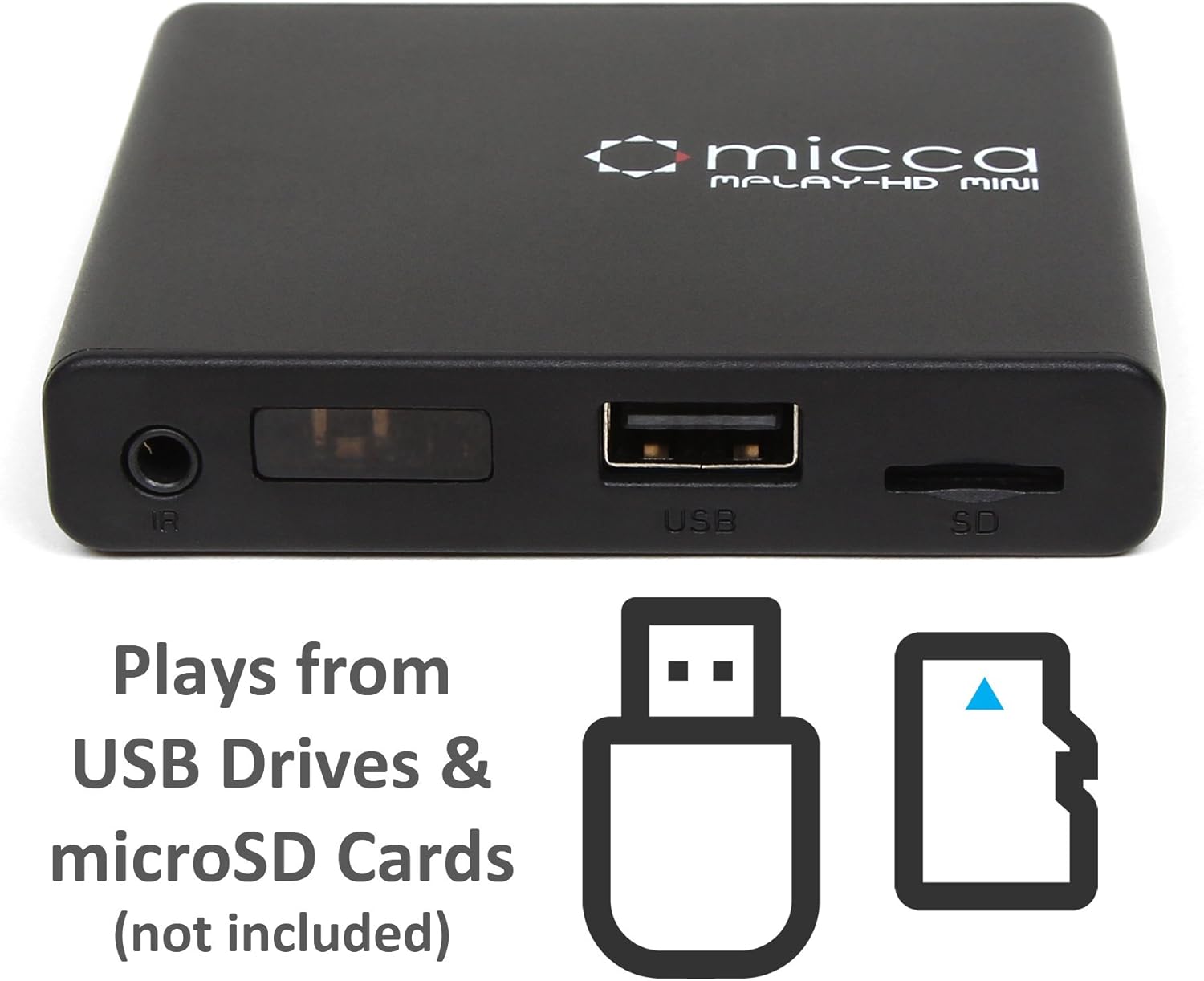
Slika 2.3: Side panel with USB port and microSD card slot.
2.1. Front/Side Panel
- IC prijemnik: Prima signale sa daljinskog upravljača.
- USB port: Connect USB flash drives or external hard drives.
- Utor za microSD karticu: Insert microSD cards for media playback.
2.2. Stražnja ploča
- HDMI izlaz: Connect to an HDMI-enabled TV or projector for high-definition video and audio.
- AV izlaz: Connect to older TVs or displays using the included AV cable for standard definition video and stereo audio.
- DC 5V Ulaz napajanja: Spojite priloženi adapter za napajanje.
3. Podešavanje
Follow these steps to set up your Micca MPLAY-HD Mini player.
- Povežite se s TV-om:
- For High Definition: Connect an HDMI cable (not included) from the MPLAY-HD Mini's HDMI output to an HDMI input on your TV or projector.
- For Standard Definition: Connect the included AV cable from the MPLAY-HD Mini's AV output to the corresponding composite video (yellow) and stereo audio (red/white) inputs on your TV.
- Priključite napajanje: Plug the provided power adapter into the DC 5V input on the MPLAY-HD Mini, then plug the adapter into a wall outlet. The player will power on automatically.
- Umetni medij: Insert your USB flash drive or external hard drive into the USB port, or your microSD card into the microSD card slot. Ensure media is formatted as FAT32, NTFS, or exFAT.
- Odaberite unos: On your TV, select the correct input source (e.g., HDMI 1, AV) that corresponds to where you connected the MPLAY-HD Mini.
- daljinski upravljač: Umetnite dvije AAA baterije (nisu uključene) u daljinski upravljač.
4. Uputstvo za upotrebu
This section details how to navigate and play media on your device.
4.1. Navigacija po glavnom meniju
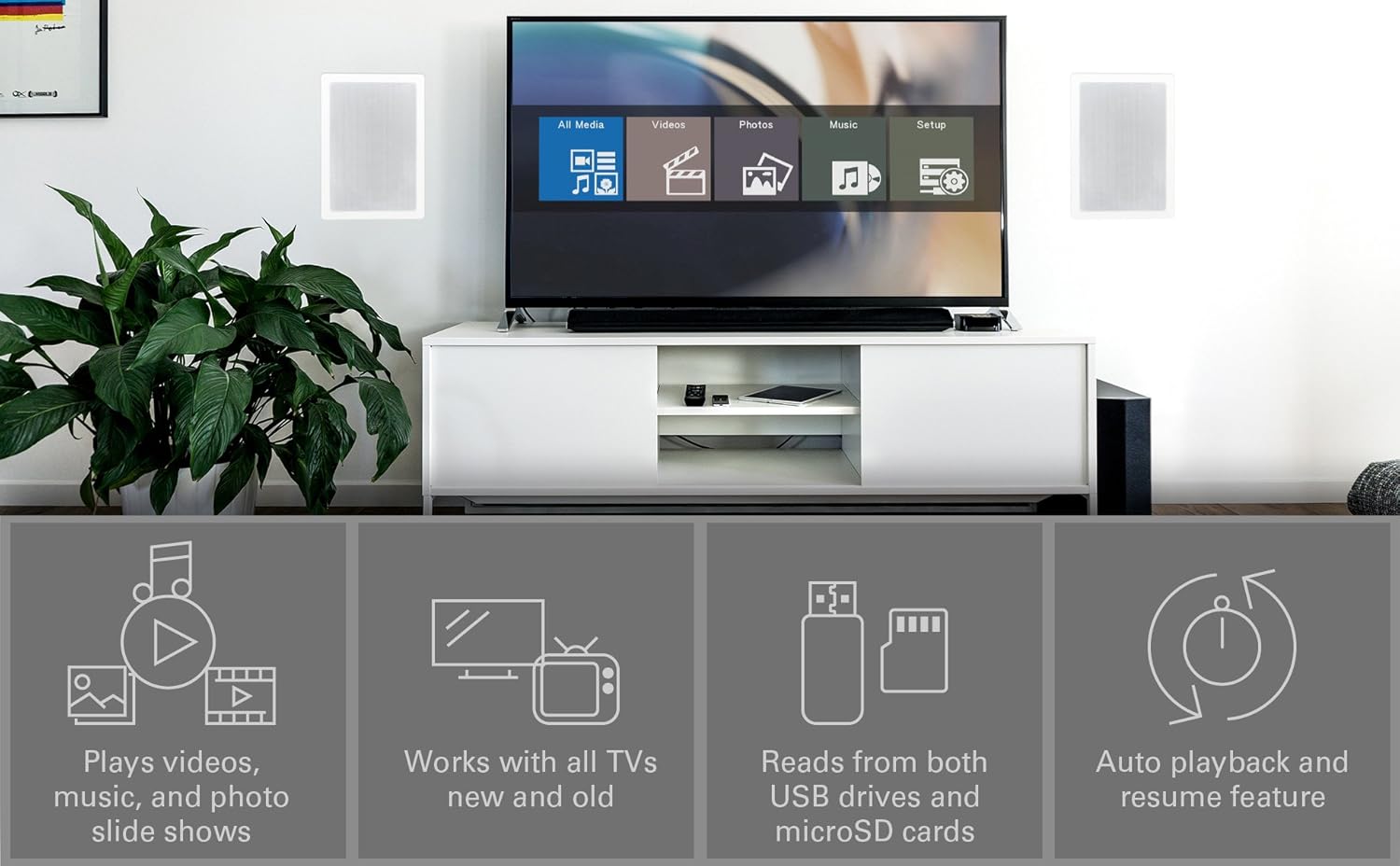
Upon powering on, the player will display a main menu with options such as "All Media", "Videos", "Photos", "Music", and "Setup". Use the arrow keys on the remote to navigate and the "OK" button to select.

Slika 4.1: Example of the main menu interface on a connected display.
4.2. Reprodukcija medija Files
- From the main menu, select the desired media type (e.g., "Videos").
- Navigate through your connected USB drive or microSD card to locate the desired file ili folder.
- Press "OK" to select and play the file.
- Use the remote control buttons for playback functions: Play/Pause, Stop, Fast Forward, Rewind, Next/Previous Track.
The MPLAY-HD Mini supports automatic playback, which can be configured in the settings to start playing media immediately after power on. It also features a resume capability, allowing you to continue watching a video from where you left off.
4.3. Supported Media Formats
The player supports a wide range of media formats:
- video: MKV, AVI, MOV, MP4, ISO with MPEG4 or H.264/AVC encoding, up to 1920x1080p resolution and 30fps.
- audio: MP3, WMA, OGG, FLAC, APE, AAC.
- foto: JPG, JPEG, BMP, GIF, PNG.
- titlovi: SRT, SSA, SMI, SUB.
Važna napomena: The MPLAY-HD Mini does ne support HEVC/H.265, 10-bit MKV, and 4K videos.
5. Održavanje
Pravilna njega osigurava dugotrajnost i optimalne performanse vašeg uređaja.
- čišćenje: Za čišćenje vanjske strane uređaja koristite meku, suhu krpu. Ne koristite tekuća sredstva za čišćenje ili aerosole.
- ventilacija: Osigurajte da je uređaj postavljen u dobro prozračenom prostoru kako biste spriječili pregrijavanje. Ne blokirajte ventilacijske otvore.
- Skladištenje: Kada se ne koristi duži period, isključite adapter za napajanje i čuvajte plejer na hladnom i suhom mjestu.
- Održavanje luke: Keep USB and microSD card slots free from dust and debris.
6. Otkrivanje problema
Pogledajte ovaj odjeljak za rješenja uobičajenih problema.
6.1. Nema napajanja / Nema prikaza
- Ensure the power adapter is securely connected to the player and a working power outlet.
- Verify that your TV is set to the correct input source (HDMI or AV).
- Check all cable connections between the player and the TV.
6.2. No Audio
- Provjerite nivo jačine zvuka na televizoru i plejeru.
- Ensure audio cables (HDMI or AV stereo) are correctly connected.
- Neki video files may have unsupported audio codecs. Try playing a different file.
6.3. Daljinski upravljač ne reaguje
- Ensure fresh AAA batteries are correctly inserted into the remote.
- Point the remote directly at the IR receiver on the front of the player.
- Remove any obstructions between the remote and the player.
- Consider updating the firmware if available, as some remote issues (e.g., fast forward functionality) have been addressed in updates.
6.4. Mediji Files Not Playing / Recognized
- Provjerite da li mediji file format is supported (refer to Section 4.3).
- Ensure the USB drive or microSD card is properly inserted and recognized by the player.
- Provjerite file system of your USB drive/microSD card (FAT32, NTFS, exFAT are supported).
- Large USB drives (128GB or larger) might take longer to be recognized or display files.
- Osigurati files are not corrupted. Try playing them on a computer.
6.5. Ažuriranje firmvera
Periodically check the official Micca website for firmware updates. Firmware updates can improve performance, add features, and resolve known issues. Instructions for updating firmware are typically provided on the Micca support page for your specific model.
7. Specifikacije
| Brand | Micca |
| Naziv modela | MPLAY-HD Mini |
| Rezolucija | 1080p (Full-HD) |
| Tehnologija povezivanja | HDMI, USB |
| Tip konektora | HDMI, AV (Composite Video + Stereo Audio) |
| Media Storage | USB Drives, MicroSD Cards |
| Podržano File Sistemi | FAT32, NTFS, exFAT |
| Video Encoding | MPEG4, H.264/AVC (up to 1080p 30fps) |
| Dimenzije | 2.98 x 2.55 x 0.59 inča |
| Težina artikla | 3 unce |
| Boja | Crna |
| Tip kontrolera | Daljinski upravljač |
8. Podrška i garancija
For technical support, warranty information, or further assistance, please visit the official Micca website or contact Micca customer service. Details can typically be found on the product packaging or the manufacturer's website.
Official Micca Webstranica: miccatron.com


