1. Uvod
This manual provides comprehensive instructions for the assembly, operation, and maintenance of your Latitude Run 4-Piece L-Shape Desk Office Suite. Please read these instructions carefully before beginning assembly and retain this manual for future reference. This desk suite is designed to provide a functional and spacious workspace for your home or office.

Figure 1.1: Fully assembled Latitude Run 4-Piece L-Shape Desk Office Suite, showcasing its spacious design and integrated features in a typical office environment.
2. Sadržaj paketa i komponente
Before assembly, ensure all parts are present and undamaged. Unpack all components and lay them out on a soft, clean surface to prevent scratches. While a detailed component list is not provided, the suite typically includes:
- Main L-shaped desk sections (typically two primary desk tops and supporting panels)
- Integrated keyboard tray assembly
- Storage cabinet with door
- Drawer unit with multiple drawers (e.g., file drawer, utility drawers)
- Paket hardvera (vijci, tiple, brave s ekscentrom itd.)
- Adjustable feet or glides
- Power/USB grommet (if applicable)

Figure 2.1: The complete Latitude Run L-Shape Desk Office Suite, providing a clear view of its structure and individual components before installation into a specific setting.
3. Upute za sastavljanje
Assembly requires at least two people. Use appropriate tools and follow safety guidelines. Do not overtighten screws.
- Pripremite radni prostor: Clear a large, open area. Lay down a blanket or cardboard to protect the desk components and your floor during assembly.
- Identifikujte komponente: Sort all panels and hardware according to the included parts list (if available). Familiarize yourself with the different sections of the desk.
- Sastavite osnovne jedinice: Begin by assembling the base cabinet and drawer units. Attach side panels, back panels, and bottom/top panels using the provided hardware. Ensure all connections are secure.
- Install Drawers and Cabinet Door: Once the drawer and cabinet frames are assembled, install the drawer slides and then the drawers themselves. Attach hinges and the door to the cabinet unit.
- Connect Desk Tops: Carefully position the main L-shaped desk tops. Connect them to the assembled base units and to each other using the designated connectors. Ensure the L-shape is correctly aligned.
- Pričvrstite ladicu za tastaturu: Install the keyboard tray slides underneath the designated desk section. Secure the keyboard tray to the slides.
- Install Handles and Accessories: Attach all handles to drawers and cabinet doors. Install any integrated power grommets or charging stations into their designated cutouts on the desk surface.
- Konačna podešavanja: Once fully assembled, gently move the desk to its final position. Adjust any leveling feet to ensure the desk is stable and level on your floor.
4. Operating Your Desk Suite
Your Latitude Run L-Shape Desk Office Suite is designed for optimal functionality and organization.
4.1 Ladica za tastaturu
The integrated keyboard tray provides a convenient pull-out surface for your keyboard and mouse, helping to maintain an ergonomic posture and free up desk space.
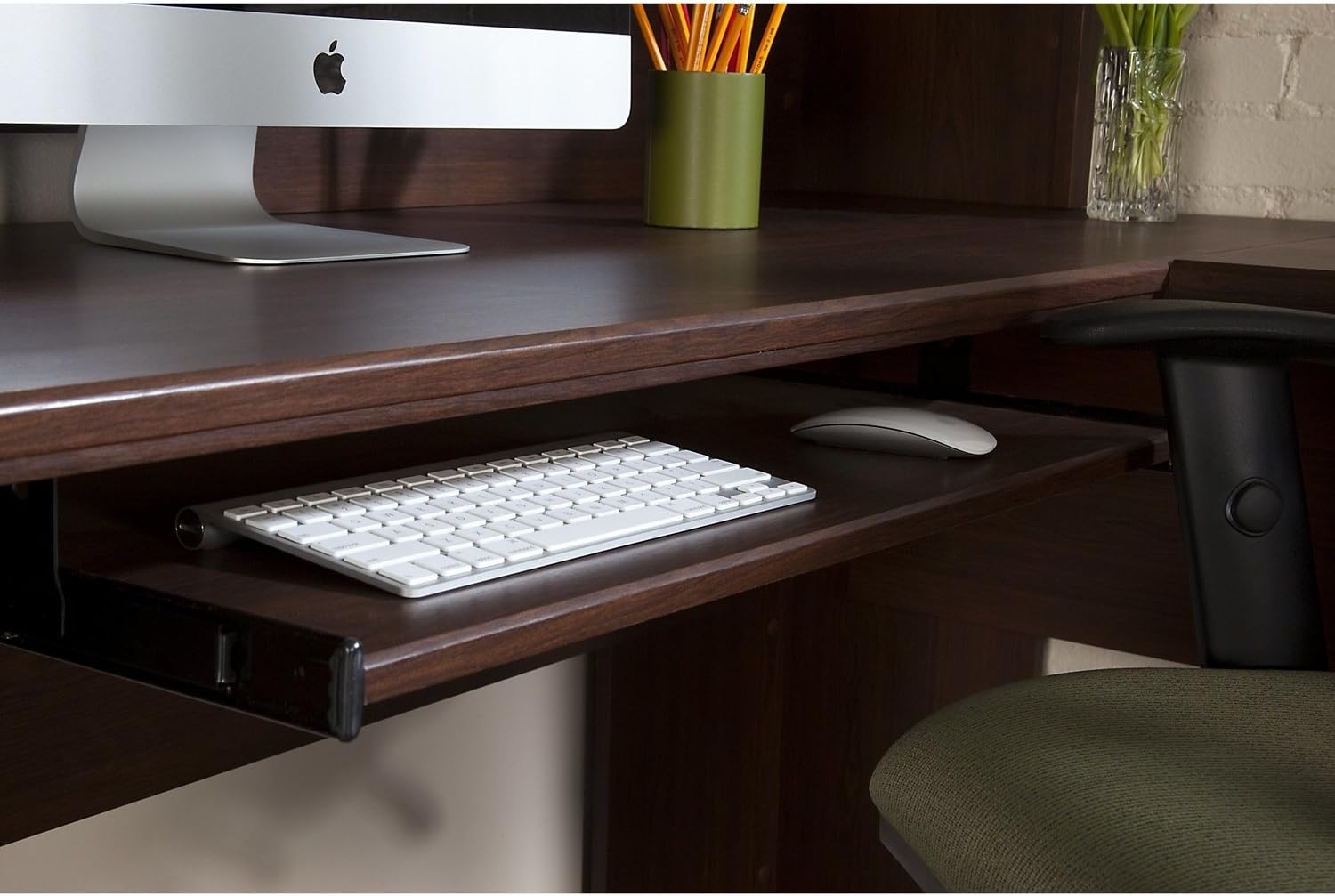
Slika 4.1: Detaljan view of the pull-out keyboard tray, showing ample space for a keyboard and mouse, designed for ergonomic comfort.
4.2 Integrated Charging Station / Device Storage
Some models feature an integrated charging station or dedicated storage area for electronic devices, allowing for convenient power access and organization.

Figure 4.2: A close-up of the integrated power grommet, featuring USB ports and standard power outlets for convenient device charging and connectivity.

Figure 4.3: A dedicated storage compartment designed to hold and organize tablets and smartphones, often with cable pass-throughs for charging.
4.3 Storage and Drawers
Utilize the various drawers and the cabinet for organizing files, office supplies, and personal items. The file drawer is typically designed to accommodate letter or legal-sized documents.

Slika 4.4: Krupni plan view of a drawer handle, highlighting the design and finish of the hardware used on the desk suite.
5. Njega i održavanje
Proper care will ensure the longevity and appearance of your desk suite.
- čišćenje: Obrišite površine mekom, damp cloth. Avoid harsh chemicals, abrasive cleaners, or polishes that may damage the finish. For the glass top (if applicable), use a standard glass cleaner.
- Prosipanje: Odmah obrišite prolivenu tečnost kako biste spriječili mrlje ili oštećenje drvene površine.
- Toplota i vlaga: Avoid placing hot items directly on the surface. Use coasters for drinks. Protect the desk from excessive moisture and direct sunlight.
- Premještanje: Prilikom premještanja stola, uvijek ga podižite, a ne vucite, kako biste spriječili oštećenje nogu i okvira.
- hardver: Povremeno provjeravajte i zategnite sve hardverske spojeve kako biste osigurali stabilnost.

Figure 5.1: A detailed texture shot of the warm oak wood finish, illustrating the material's grain and color for maintenance reference.
6. Otkrivanje problema
Evo rješenja za uobičajene probleme s kojima se možete susresti:
| Problem | Mogući uzrok | Rješenje |
|---|---|---|
| Stol se klima | Uneven floor; loose hardware | Adjust leveling feet; tighten all assembly screws. |
| Ladice se zaglavljuju ili se ne zatvaraju glatko | Misaligned slides; debris in tracks; overtightened screws | Check drawer slide alignment; clear tracks of debris; loosen screws slightly if overtightened. |
| Keyboard tray doesn't slide smoothly | Misaligned slides; debris in tracks | Check slide alignment; clean tracks. |
7. Specifikacije
Key dimensions and material specifications for the Latitude Run 4-Piece L-Shape Desk Office Suite:

Figure 7.1: Detailed technical drawing illustrating the overall dimensions of the L-shape desk suite in both inches and centimeters.
| Feature | Detalj |
|---|---|
| Brand | Latitude Run |
| Oblik | L-oblik |
| Desk Design | Executive Desk |
| Boja | Brown (Warm Oak finish) |
| Stil | Tradicionalno |
| Osnovni materijal | Oak Wood |
| Vrh Vrsta materijala | Glass (for certain sections, or as an accent) |
| Tip završetka | Brushed |
| Posebna karakteristika | Keyboard Tray Included |
| Vrsta sobe | Ured |
| Overall Dimensions (approx.) | 70.31" (178.6 cm) x 70.31" (178.2 cm) L-shape, 29.49" (74.9 cm) height |
8. Garancija i podrška
For specific warranty information and customer support, please refer to the documentation included with your purchase or contact Latitude Run customer service directly. Keep your proof of purchase for any warranty claims.
For assistance with missing parts, damaged components, or assembly questions, please visit the official Latitude Run website or contact their support line. Contact information can typically be found on the product packaging or on the brand's official website.