1. Uvod
This manual provides essential information for setting up, operating, and maintaining your VIZIO D-Series 50-inch (49.5" Diag.) Ultra HD Full-Array LED Smart TV. Please read this guide thoroughly before using your television to ensure proper functionality and safety.
The VIZIO D-Series delivers stunning picture quality and clarity from innovative features that put greater beauty into every pixel. It distributes LEDs behind the entire screen, delivering superior light uniformity and picture performance. With more than 2 million screen pixels combining to form 1080p Full HD, it produces an incredible level of radiance and crystal-clear detail. VIZIO Internet Apps Plus (V.I.A. Plus) and Wi-Fi connectivity are built into every VIZIO D-Series Smart TV, offering a wide variety of popular apps with streaming content and internet radio at your fingertips. The simplified app home and app launcher make finding your favorite entertainment effortless. This TV is also more energy efficient than conventional LCD TVs.
2. Šta se nalazi u kutiji
Carefully unpack your VIZIO D-Series Smart TV. The package should contain the following items:
- VIZIO D-Series 50"-Class UHD Smart LED TV
- Remote Control with Batteries (2 AAA batteries required)
- Informacije o ograničenoj 1-godišnjoj garanciji
3. Podešavanje
3.1 Fizička postavka
Your VIZIO D-Series TV can be placed on a stand or mounted on a wall. Ensure the TV is placed on a stable, level surface or securely mounted according to VESA standards.

Figure 3.1: VIZIO D-Series 50-inch Smart TV on its included stand.

Figure 3.2: VIZIO D-Series 50-inch Smart TV wall-mounted in a modern living space.
3.2 Veze
Connect your devices to the TV using the available ports on the back panel. The VIZIO D-Series includes multiple HDMI, USB, and Ethernet ports for versatile connectivity.
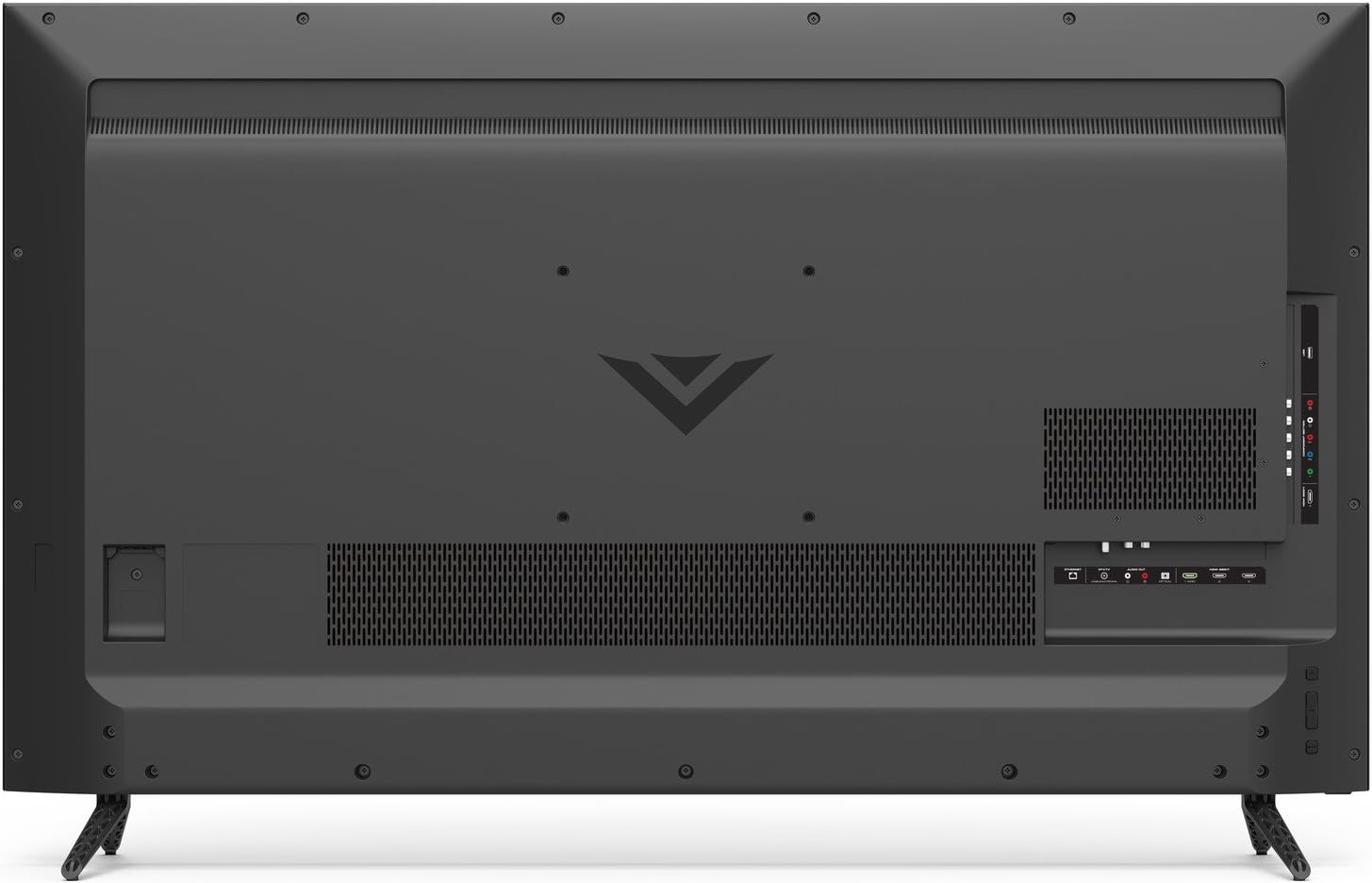
Figure 3.3: Back panel of the VIZIO D-Series TV with HDMI, USB, Ethernet, and other input/output ports clearly visible.
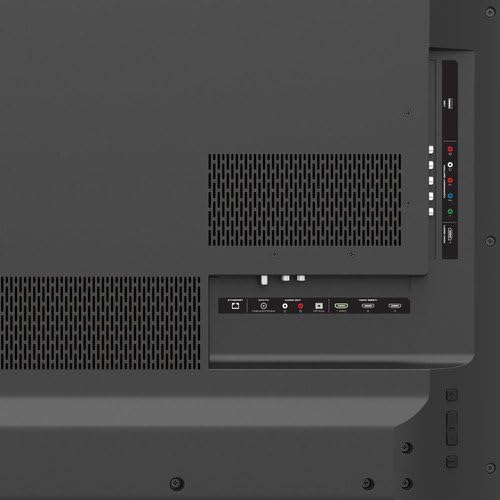
Slika 3.4: Detaljno view of the VIZIO D-Series TV's connectivity options, including HDMI, USB, and audio ports.
3.3 Početno uključivanje i podešavanje mreže
After connecting all necessary cables, plug the TV into a power outlet. Press the power button on the remote or the TV. Follow the on-screen instructions to complete the initial setup, including connecting to your Wi-Fi network for Smart TV features.
4. Operativni
4.1 Funkcije daljinskog upravljača
The included remote control provides full functionality for your VIZIO Smart TV. It features dedicated buttons for popular streaming apps and navigation controls.

Figure 4.1: The VIZIO remote control, highlighting quick access buttons for streaming services and navigation pad.
4.2 Smart TV Features (VIZIO Internet Apps Plus)
Access a wide range of streaming content and internet radio through VIZIO Internet Apps Plus. The simplified app home and app launcher make it easy to find and launch your favorite applications.
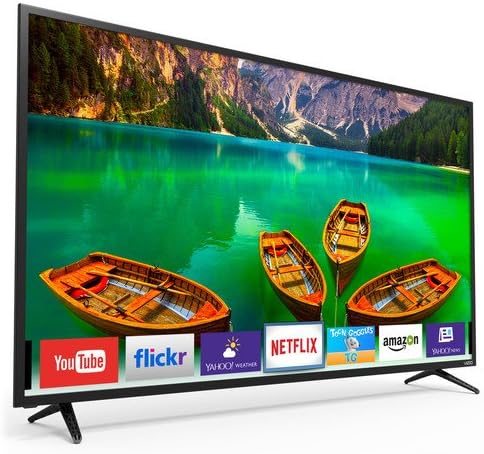
Figure 4.2: The VIZIO Smart TV interface showing available applications and content recommendations.
4.3 Postavke slike i zvuka
Prilagodite svoj viewing experience by adjusting picture and sound settings. Navigate to the settings menu to modify brightness, contrast, color, and various audio modes to suit your preferences.
4.4 Emitovanje i zrcaljenje ekrana
The VIZIO D-Series supports casting and screen mirroring features, allowing you to display content from compatible mobile devices directly onto your TV screen. Refer to your device's instructions for specific casting procedures.
5. Održavanje
To ensure the longevity and optimal performance of your VIZIO D-Series TV, follow these maintenance guidelines:
- Čišćenje ekrana: Nježno obrišite ekran mekom, suhom krpom od mikrovlakana. Za tvrdokorne mrlje, lagano prebrišiteampOperite krpu vodom ili sredstvom za čišćenje namijenjenim za ekrane. Izbjegavajte jake hemikalije ili abrazivne materijale.
- Čišćenje okvira: Koristite meku, suhu krpu za brisanje okvira i postolja televizora.
- ventilacija: Osigurajte pravilan protok zraka oko televizora. Ne blokirajte ventilacijske otvore.
- Kabl za napajanje: Regularly check the power cord for any damage. If damaged, discontinue use and contact VIZIO support.
6. Otkrivanje problema
If you encounter issues with your VIZIO D-Series TV, try the following steps:
- Nema napajanja: Provjerite je li kabel za napajanje sigurno priključen i na TV i na ispravnu električnu utičnicu. Pokušajte s drugom utičnicom.
- Nema slike/zvuka: Provjerite je li odabran ispravan ulazni izvor. Provjerite sve kablovske veze (HDMI, itd.) da li su labave ili oštećene.
- Loš kvalitet slike: Adjust picture settings (brightness, contrast, sharpness). Ensure your content source is providing a high-quality signal.
- Daljinski ne radi: Zamijenite baterije u daljinskom upravljaču. Provjerite da nema prepreka između daljinskog upravljača i infracrvenog senzora televizora.
- Aplikacije za pametne televizore se ne učitavaju: Check your internet connection. Restart the TV and your router.
For further assistance, refer to the VIZIO support websajtu ili kontaktirajte korisničku podršku.
7. Specifikacije
| Feature | Specifikacija |
|---|---|
| Brand | VIZIO |
| Broj modela | D50-E1 |
| Veličina ekrana | 50 Inches (49.5" Diag.) |
| Display Technology | LED, Full-Array |
| Rezolucija | 4K (Ultra HD) |
| Refresh Rate | 120 Hz |
| Aspect Ratio | 16:9 |
| Tehnologija povezivanja | Built-in Wi-Fi, HDMI, USB, Ethernet |
| Podržane Internet usluge | Browser, Netflix (and other V.I.A. Plus apps) |
| Težina artikla | 35.71 funti |
| Dimenzije proizvoda | 48.58 x 6.34 x 29.92 inča |
8. Garancija i podrška
Your VIZIO D-Series 50-inch Smart TV comes with a Limited 1-Year Warranty. For detailed warranty terms, conditions, and to register your product, please visit the official VIZIO support webweb-mjesto ili pogledajte dokumentaciju koja se nalazi u pakiranju vašeg proizvoda.
For technical support, troubleshooting, or service inquiries, please contact VIZIO Customer Support.


