1. Uvod
Thank you for choosing the Ardes PP1603 UV LED Suction Mosquito Trap. This device is designed to attract and capture mosquitoes and other flying insects using ultraviolet light and a powerful fan. It operates without chemicals, odors, or pollutants, making it safe for use around people and pets. Please read this manual carefully before use to ensure proper operation and maintenance.
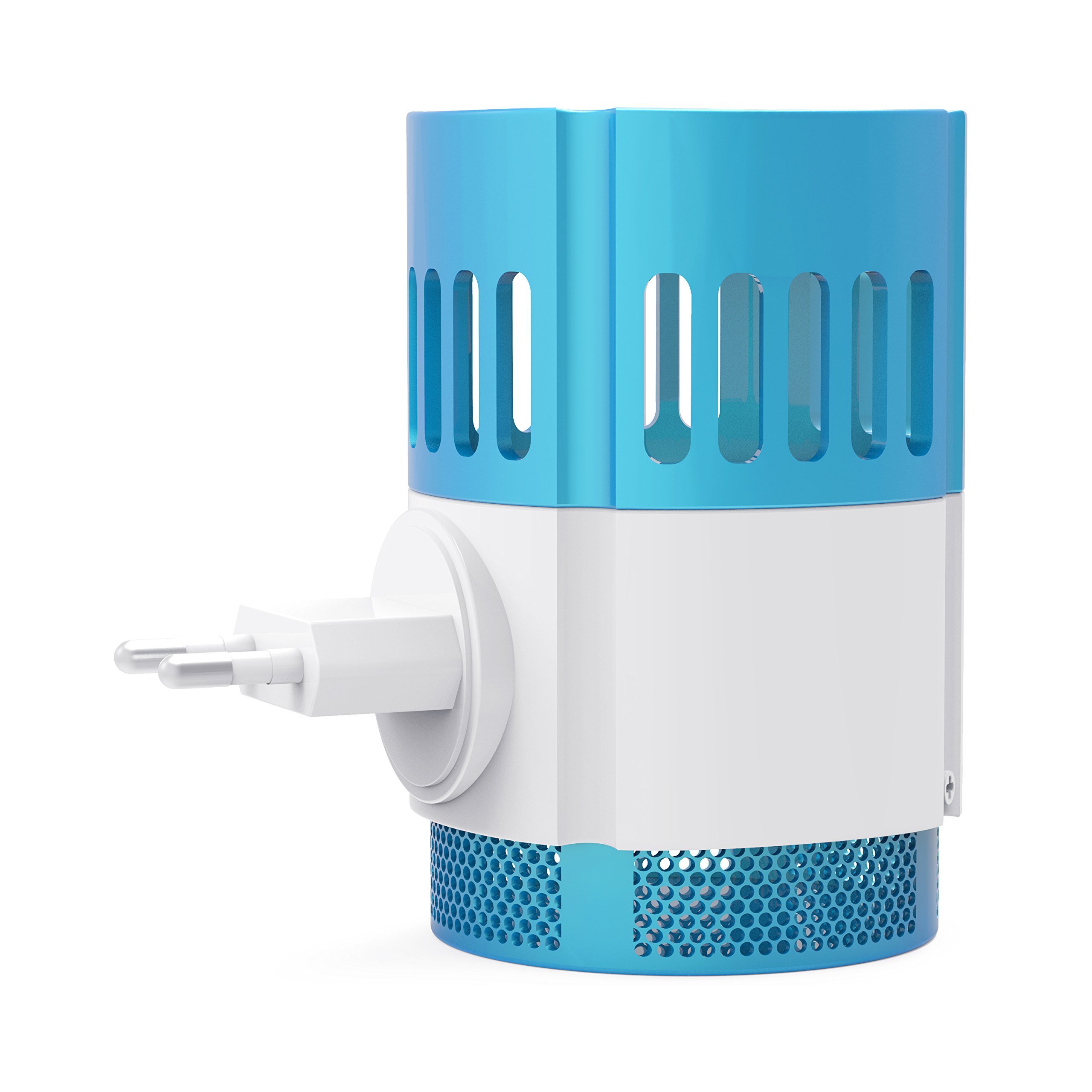
Slika 1.1: Prednja strana view of the Ardes PP1603 UV LED Suction Mosquito Trap, showing its blue and white casing with the plug on the side.
2. Sigurnosna uputstva
Da biste spriječili povrede ili oštećenja, uvijek se pridržavajte ovih osnovnih sigurnosnih mjera opreza:
- Prije korištenja uređaja pročitajte sva uputstva.
- Osigurajte napajanje voltage matches the rating label on the device (230V~).
- Ne uranjajte uređaj u vodu ili bilo koju drugu tečnost.
- Do not operate the device with a damaged cord or plug, or if it has been dropped or damaged in any manner.
- Keep the device out of reach of children. The plug contacts are equipped with appropriate protections for child safety.
- Do not insert fingers or foreign objects into the device while it is operating.
- Unplug the device from the outlet before cleaning or performing any maintenance.
- Do not use the device in areas where flammable liquids or gases are present.
- Ovaj uređaj je samo za upotrebu u zatvorenom prostoru.
- Izbjegavajte postavljanje uređaja u blizini izvora vode ili u damp okruženja.
3. Proizvod je gotovview
The Ardes PP1603 consists of several key components working together to effectively trap insects.
- UV LED Light: Attracts mosquitoes and other flying insects.
- Suction Fan: Draws insects into the collection container.
- Removable Collection Container: Holds captured insects for easy disposal.
- Orientable Plug: Omogućava fleksibilno pozicioniranje u različitim utičnicama.
4. Podešavanje
Follow these steps to set up your mosquito trap for first use:
- Raspakirajte: Carefully remove the mosquito trap from its packaging. Retain packaging for future storage or transport.
- plasman: Choose a suitable indoor location. For optimal performance, place the trap in a dark area, away from competing light sources, and at a height of approximately 1 to 1.5 meters (3 to 5 feet) from the floor. Avoid placing it directly in front of open windows or doors where strong air currents might interfere with the fan's suction. The device is effective for areas up to 25m².
- Priključak: Insert the orientable 10A 2P plug into a standard 230V~ wall outlet. Ensure the plug is securely seated. The device will automatically turn on once plugged in.
5. Uputstvo za upotrebu
The Ardes PP1603 is designed for simple operation.
- Uključeno: Once plugged into an electrical outlet, the UV LED light will illuminate, and the fan will begin to operate. There is no separate on/off switch.
- Attraction and Capture: The UV LED light attracts mosquitoes and other flying insects. As they approach the light, the integrated fan creates a suction force, drawing them into the removable collection container at the bottom of the device.
- Kontinuirani rad: For best results, allow the device to operate continuously, especially during peak insect activity hours (e.g., dusk and night).
- Iskljuciti: To turn off the device, simply unplug it from the wall outlet.
6. Održavanje
Regular cleaning of the collection container is essential for maintaining the trap's effectiveness.
- Isključite: Uvijek isključite uređaj iz utičnice prije čišćenja.
- Ukloni kontejner za kolekciju: Gently twist or pull the bottom section of the device to detach the removable collection container.
- Empty Insects: Dispose of the captured insects from the container.
- Clean Container: Wash the collection container with mild soap and water. Ensure it is completely dry before reattaching. Do not use harsh chemicals or abrasive cleaners.
- Čista spoljašnjost: Wipe the exterior of the device with a soft, dry cloth. Do not use water directly on the main unit.
- ponovo sastaviti: Reattach the dry collection container to the main unit, ensuring it is securely fastened.
- Učestalost: Clean the collection container regularly, depending on the volume of captured insects, to prevent blockages and maintain efficiency.
7. Otkrivanje problema
If you encounter issues with your Ardes PP1603, refer to the following common problems and solutions:
| Problem | Mogući uzrok | Rješenje |
|---|---|---|
| Uređaj se ne uključuje. | Not properly plugged in; no power from outlet. | Ensure the plug is fully inserted. Test the outlet with another appliance. |
| Ventilator ne radi ili je slab. | Obstruction in the fan area; motor issue. | Unplug the device and check for any debris blocking the fan. If the issue persists, contact customer support. |
| UV light is not illuminating. | Kvar LED sijalice; problem sa napajanjem. | Ensure the device is receiving power. If the light still does not work, the LED may need replacement (contact support). |
| Ineffective at catching insects. | Poor placement; competing light sources; dirty collection container. | Relocate the trap to a darker area. Ensure the collection container is clean and empty. Operate continuously. |
| Device is unusually noisy. | Začepljenje ventilatora; labava komponenta. | Unplug and check for obstructions around the fan. If noise persists, contact customer support. |
8. Specifikacije
Technical details for the Ardes PP1603 UV LED Suction Mosquito Trap:
- Broj modela: PP1603
- Brand: Ardes
- Napajanje: 230V~
- Potrošnja energije: 2.2 W
- Područje pokrivenosti: Do 25 m²
- Materijal: polipropilen (PP)
- Boja: White / Light Blue
- Dimenzije proizvoda (približno): 13 cm (prečnik) x 7.5 cm (visina)
- Dimenzije paketa: 13.8 x 13.4 x 8.5 cm
- Težina proizvoda (približno): 160 grama
- Vrsta utikača: Orientable 10A 2P (Italian standard)
- Karakteristike: UV LED light, Suction fan, Removable collection container, Child-safe plug contacts.

Slika 8.1: Bočna strana view of the Ardes PP1603 mosquito trap with approximate dimensions of 13 cm diameter and 7.5 cm height indicated.
9. Garancija i podrška
For information regarding warranty coverage, technical support, or spare parts availability, please refer to the warranty card included with your purchase or contact Ardes customer service directly.
Note: The provided product information does not include specific warranty details or direct support contact information. Please consult your product packaging or the manufacturer's official webstranica za najažurnije informacije.