1. Uvod
Thank you for choosing the Logitech MK275 Wireless Keyboard and Mouse Set. This combo provides a reliable 2.4 GHz wireless connection, offering convenience and efficiency for your computing needs. The full-size keyboard features quiet, low-profile keys and dedicated multimedia controls, while the compact mouse ensures comfortable and precise navigation. This manual will guide you through the setup, operation, and maintenance of your new wireless set.

Image: The Logitech MK275 Wireless Keyboard and Mouse Set, showcasinoba uređaja.
2. Sadržaj paketa
Provjerite da li su sve stavke prisutne u vašem paketu:
- Bežična tastatura Logitech MK275
- Logitech bežični miš
- USB nano prijemnik
- Korisnička dokumentacija
- AA and AAA Batteries (pre-installed or included)

Image: The USB Nano Receiver, typically found within the product packaging or a dedicated slot.
3. Vodič za postavljanje
3.1. Instalacija baterije
The keyboard requires two AAA batteries, and the mouse requires one AA battery. Batteries are typically included with the product. If not already installed, open the battery compartments on the underside of both the keyboard and mouse, insert the batteries according to the polarity indicators (+/-), and close the compartments. Remove any plastic pull tabs if present.
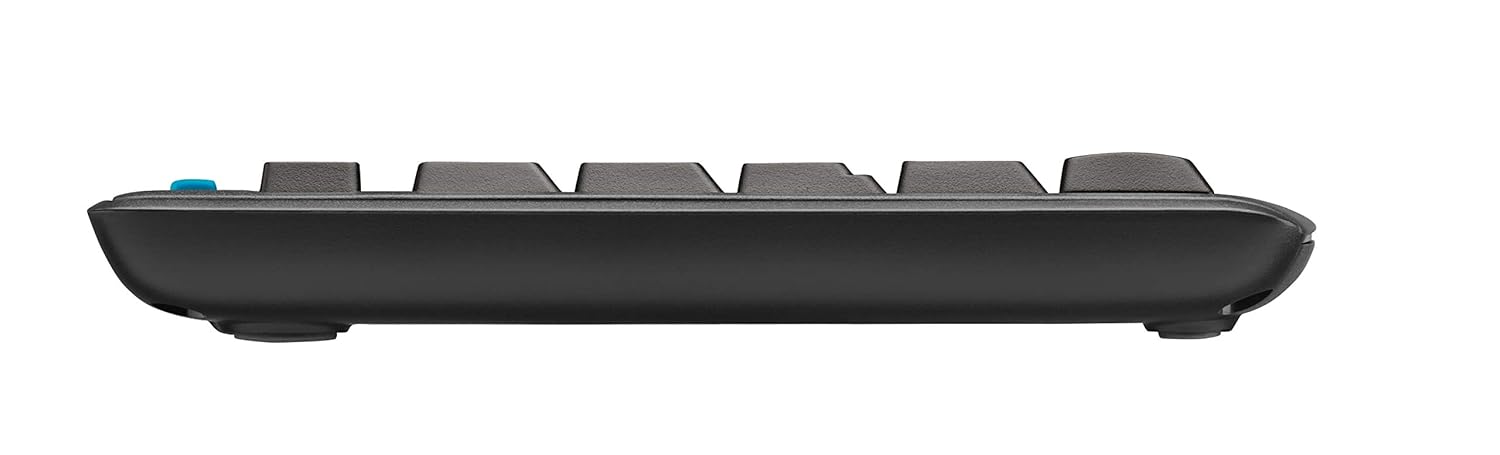
Slika: Bočni profesionalacfile of the keyboard, showing its slim design and indicating the location of the battery compartment on the underside.
3.2. Povezivanje prijemnika
The Logitech MK275 uses a single USB Nano Receiver for both the keyboard and mouse. This allows you to use only one USB port on your computer.
- Locate the USB Nano Receiver. It is small and designed to be left in your computer.
- Plug the USB Nano Receiver into an available USB port on your desktop PC or laptop.
- Turn on the keyboard and mouse using their respective On/Off switches, usually located on the underside of each device.
- Your computer should automatically detect and install the necessary drivers. No software installation is typically required for Windows XP, Vista, Windows 7, and Windows 8.
4. Uputstvo za upotrebu
4.1. Osnovna upotreba
Once the USB Nano Receiver is connected and the devices are powered on, your keyboard and mouse are ready for immediate use. The 2.4 GHz wireless connection provides a strong and reliable signal, minimizing lag and interference.
4.2. Multimedija i tipke prečica
The Logitech MK275 keyboard features 8 convenient multimedia and shortcut keys located above the function keys (F1-F12). These keys provide quick access to frequently used functions:
- Početna: Otvara vaše zadane web browser's home page.
- Email: Pokreće vaš zadani klijent e-pošte.
- PC Sleep: Prebacuje vaš računar u režim spavanja.
- Isključi zvuk: Isključuje ili uključuje zvuk.
- Smanjivanje jačine zvuka: Smanjuje jačinu zvuka.
- Povećavanje glasnoće: Povećava jačinu zvuka.
- Pusti/pauza: Kontrolira reprodukciju medija.
- Kalkulator: Otvara aplikaciju kalkulatora.

Image: The Logitech MK275 keyboard, highlighting the dedicated multimedia and shortcut keys for quick access to common functions.
5. Održavanje i njega
To ensure the longevity and optimal performance of your Logitech MK275 set, follow these maintenance guidelines:
- čišćenje: Koristite meku krpu koja ne ostavlja dlačiceampOperite vodom ili blagim sredstvom za čišćenje površina tastature i miša. Izbjegavajte jake hemikalije ili abrazivne materijale.
- Otpornost na prosipanje: The keyboard is designed to be spill-resistant. In case of accidental spills, immediately turn off the keyboard, disconnect it, and allow it to dry completely before reuse. Do not immerse the keyboard in liquid.
- Trajanje baterije: The keyboard offers up to 24 months of battery life, and the mouse up to 12 months. Battery life may vary based on usage. Replace batteries when performance degrades.
- Skladištenje: When not in use for extended periods, turn off both the keyboard and mouse to conserve battery life. Store the USB Nano Receiver in the dedicated slot within the mouse (if available) or in a safe place to prevent loss.
- Okruženje: Izbjegavajte izlaganje uređaja ekstremnim temperaturama, direktnoj sunčevoj svjetlosti ili visokoj vlažnosti.
6. Otkrivanje problema
If you encounter issues with your Logitech MK275 set, try the following solutions:
- Nema veze/Kašnjenje:
- Provjerite je li USB Nano prijemnik sigurno priključen u ispravan USB priključak.
- Provjerite da li su i tastatura i miš uključeni.
- Replace the batteries in both devices. Low battery can cause connection issues.
- Move the keyboard and mouse closer to the receiver. The effective range is approximately 10 meters (33 feet).
- Try plugging the receiver into a different USB port or a different computer to rule out port issues.
- Avoid placing the receiver near other electrical devices that might cause interference (e.g., cordless phones, Wi-Fi routers).
- Tipke ne reagiraju:
- Provjerite nivoe baterije.
- Uvjerite se da je tastatura uključena.
- If specific keys are not working, check for debris under the keycaps.
- Kursor miša skače ili je nepravilan:
- Očistite optički senzor na donjoj strani miša.
- Koristite miš na čistoj, nereflektirajućoj površini.
- Provjerite nivoe baterije.
7. Tehničke specifikacije
| Feature | Detalj |
|---|---|
| Model | MK275 |
| Povezivanje | 2.4 GHz bežično (USB Nano prijemnik) |
| bežični domet | Do 10 metara (33 stope) |
| Trajanje baterije tastature | Do 24 mjeseci |
| Trajanje baterije miša | Do 12 mjeseci |
| Keyboard Battery Type | 2 x AAA (Alkaline) |
| Vrsta baterije za miš | 1 x AA (alkalne) |
| Kompatibilni operativni sistemi | Windows XP, Windows Vista, Windows 7, Windows 8, Windows 10, Windows 11 |
| Dimenzije tastature (DxŠxV) | Pribl. 50 x 15.6 x 4.4 cm |
| Težina artikla | Pribl. 726 g |
| Boja | Crna |
8. Garancija i podrška
Logitech products are manufactured to the highest quality standards. For detailed warranty information and technical support, please visit the official Logitech webstranica:
Na website, you can find product registration, FAQs, driver downloads, and contact information for customer service.


