1. Uvod
This manual provides instructions for the proper setup, operation, maintenance, and troubleshooting of your Onn ONA11HO089 Soft-Touch USB Keyboard. Please read this manual thoroughly before using the product to ensure optimal performance and longevity.
The Onn ONA11HO089 is a full-sized, black USB keyboard designed for comfortable and efficient typing across various compatible devices.
2. Podešavanje
Setting up your Onn ONA11HO089 keyboard is a simple plug-and-play process. No additional drivers are typically required for most operating systems.
- Raspakujte tastaturu: Pažljivo izvadite tastaturu iz ambalaže.
- Pronađite USB priključak: Identify an available USB-A port on your computer, laptop, gaming console, or tablet.
- Povežite USB kabl: Insert the USB connector of the keyboard cable into the chosen USB port.
- Prepoznavanje sistema: Vaš operativni sistem bi trebao automatski prepoznati i instalirati potrebne upravljačke programe za tastaturu. Ovaj proces može potrajati nekoliko trenutaka.
- Test the Keyboard: Open a text editor or any application that accepts text input and type to confirm the keyboard is functioning correctly.
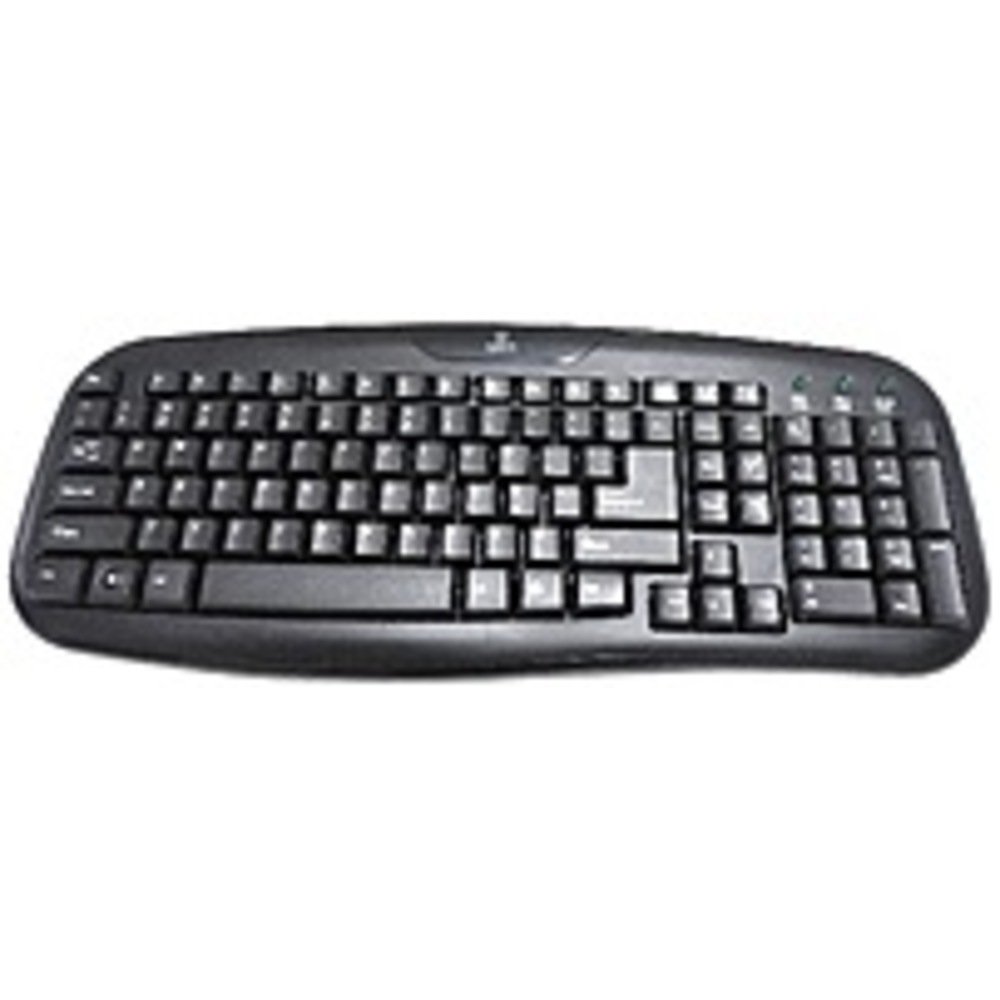
Figure 2.1: The Onn ONA11HO089 USB Keyboard. Connect the USB cable to an available port on your device.
3. Upravljanje tastaturom
The Onn ONA11HO089 keyboard offers a standard layout for intuitive typing. Its soft-touch keys are designed for comfortable and responsive input.
- Osnovno kucanje: Use the alphanumeric keys for standard text input. The keyboard features a full QWERTY layout, including a numeric keypad for data entry.
- Funkcijski tasteri: The F1-F12 keys provide various functions, often used in combination with the Fn key on laptops, though this keyboard is a standalone unit and these keys typically perform their standard functions directly.
- Specijalni ključevi: Utilize keys like Ctrl, Alt, Shift, i the Windows/Command key for shortcuts and system commands.
- Soft-Touch Experience: The tactile switches provide a comfortable typing experience, reducing fatigue during extended use.
- Kompatibilnost: This keyboard is compatible with various devices including PCs, laptops, gaming consoles, and tablets that support USB keyboard input.
Figure 3.1: The key layout of the Onn ONA11HO089 keyboard, showing the standard QWERTY arrangement and numeric keypad.
4. Održavanje
Proper maintenance can extend the life of your keyboard and ensure consistent performance.
- čišćenje:
- Prije čišćenja isključite tastaturu iz uređaja.
- Koristite meku krpu koja ne ostavlja dlačiceampened with water or a mild cleaning solution to wipe the surface of the keys and casing.
- Za prašinu i nečistoće između tipki koristite komprimirani zrak.
- Izbjegavajte upotrebu jakih hemikalija, abrazivnih sredstava za čišćenje ili prekomjernu vlagu, jer to može oštetiti tastaturu.
- Keycap Wear: Over time and with heavy use, the lettering on the keycaps may show signs of wear. This is a common characteristic of printed keycaps. Gentle use and regular cleaning can help minimize this, but it is not indicative of a functional defect.
- Skladištenje: Kada se ne koristi, tastaturu čuvajte na čistom i suhom mjestu, dalje od ekstremnih temperatura i direktne sunčeve svjetlosti.
5. Otkrivanje problema
If you encounter issues with your Onn ONA11HO089 keyboard, refer to the following common troubleshooting steps:
| Problem | Mogući uzrok | Rješenje |
|---|---|---|
| Tastatura ne reaguje. |
|
|
| Određeni tasteri ne rade. |
|
|
| Keyboard input is delayed or erratic. |
|
|
6. Specifikacije
Below are the technical specifications for the Onn ONA11HO089 Soft-Touch USB Keyboard:
- Model: ONA11HO089
- Brand: Onn
- Tehnologija povezivanja: USB
- Opis tastature: Ergonomski
- Tip prekidača: Taktilno
- Boja: Crna
- Izvor napajanja: Pokreće se USB
- Kompatibilni uređaji: Igraća konzola, laptop, računar, tablet
- Dimenzije proizvoda: 18 x 1.25 x 7 inča (približno 45.7 x 3.2 x 17.8 cm)
- Težina artikla: 1.38 funte (otprilike 0.63 kg)
- Datum prve dostupnosti: 5. januara 2017
7. Garancija i podrška
For warranty information regarding your Onn ONA11HO089 Soft-Touch USB Keyboard, please refer to the documentation included with your purchase or visit the official Onn webstranica. Uslovi i odredbe garancije mogu se razlikovati u zavisnosti od regije i prodavca.
If you require technical support or have questions not covered in this manual, please contact Onn customer service through their official webweb-mjesto ili kontakt informacije koje ste dobili uz proizvod.


