Uvod
This manual provides instructions for the proper setup, operation, and maintenance of your Targus W600 Wireless Optical Mouse. Please read this manual thoroughly before using the device to ensure optimal performance and longevity.
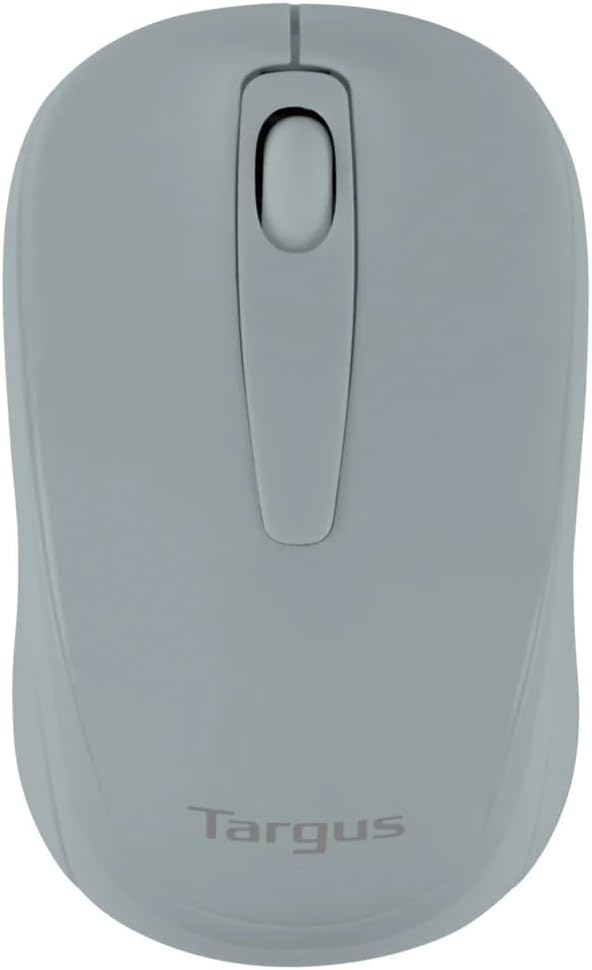
Figure 1: Targus W600 Wireless Optical Mouse (Quarry Gray)
Sadržaj paketa
Provjerite da li su sve stavke prisutne u paketu:
- Targus W600 Wireless Optical Mouse
- USB prijemnik
- Korisnički priručnik (ovaj dokument)
Note: 1 AA battery is required and sold separately.
Karakteristike proizvoda
- 2.4 GHz Wireless Technology for reliable connection
- 1600 DPI Optical Sensor for precise tracking
- Ergonomski dizajn za udobnu upotrebu
- Kompatibilan sa operativnim sistemima Windows i Mac
- Integrated USB receiver storage compartment
Setup
1. Instaliranje baterije
- Turn the mouse over to locate the battery compartment cover.
- Gently slide the cover off.
- Umetnite jednu (1) AA bateriju, pazeći na ispravan polaritet (+/-).
- Vratite poklopac odeljka za baterije.
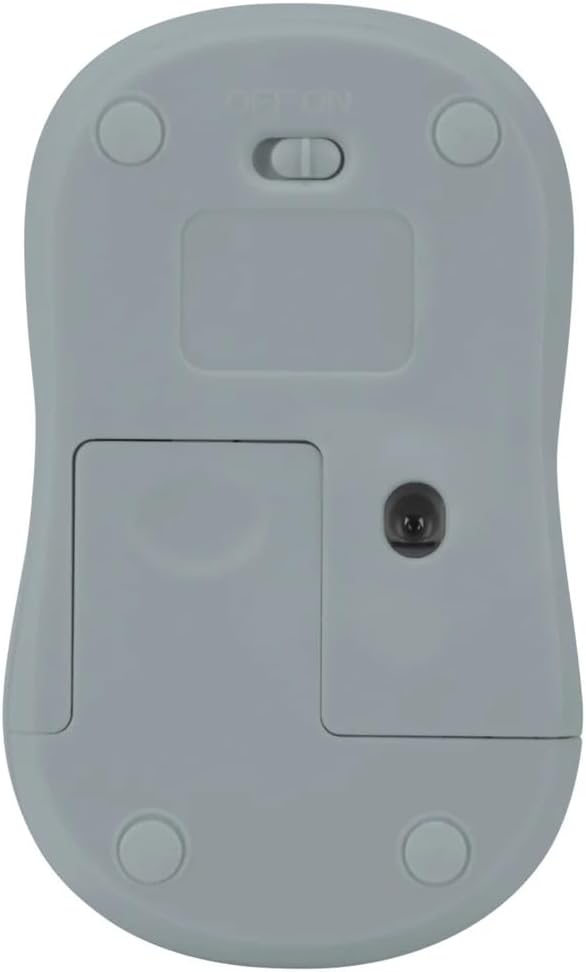
Slika 2: Dno view of the mouse with battery compartment and power switch.
2. Povezivanje USB prijemnika
- Locate the USB receiver, typically stored inside the mouse's battery compartment or a dedicated slot.
- Uključite USB prijemnik u slobodan USB port na vašem računaru.
- Vaš računar bi trebao automatski prepoznati i instalirati potrebne upravljačke programe. Ovo može potrajati nekoliko trenutaka.
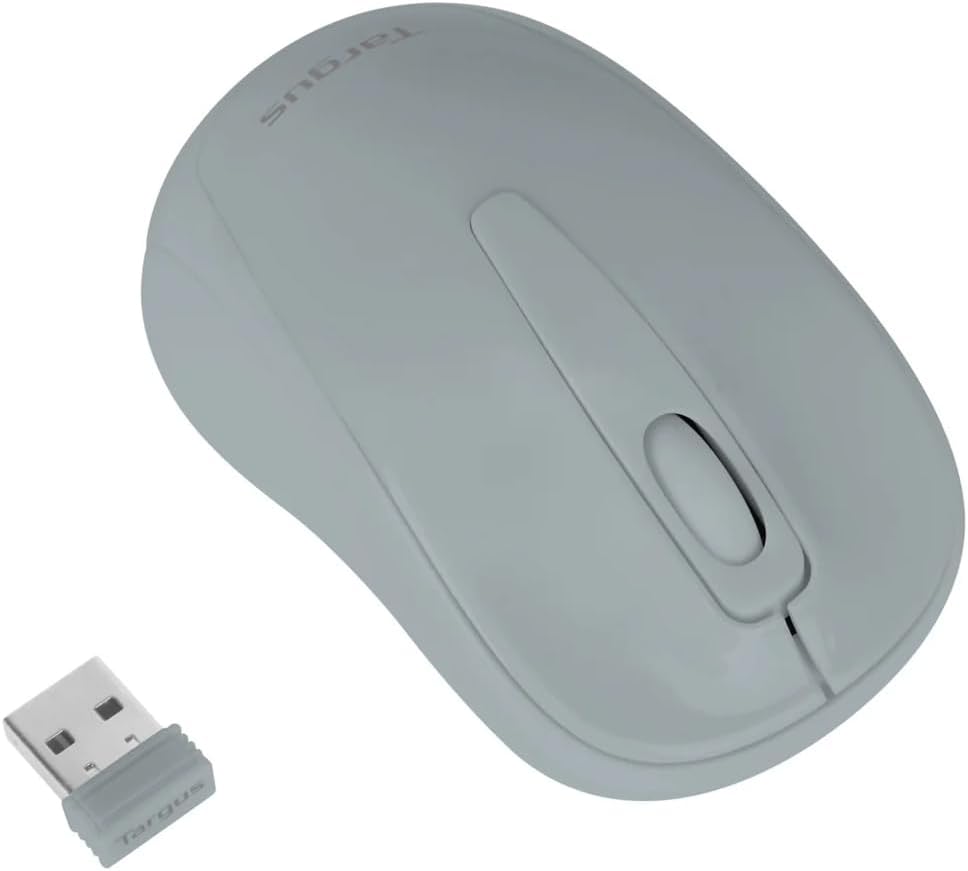
Figure 3: Targus W600 mouse and its USB receiver.

Figure 4: USB receiver plugged into a laptop, with the mouse nearby.
3. Uključivanje miša
On the bottom of the mouse, slide the ON/OFF switch to the "ON" position. The mouse is now ready for use.
Upravljanje mišem
The Targus W600 Wireless Optical Mouse functions like a standard 3-button mouse. It features a left button, a right button, and a scroll wheel that also acts as a middle button.
- Lijevi klik: Primarna radnja, odabir, otvaranje stavki.
- Desni klik: Otvara kontekstualne menije.
- Točak za pomicanje: Pomiče dokumente i web pages vertically. Pressing the scroll wheel acts as a middle click, often used for opening links in new tabs or specific application functions.
The 1600 DPI optical sensor provides smooth and accurate cursor control on most surfaces. For best performance, use on a mouse pad or a non-reflective, uniform surface.
Održavanje
Čišćenje
To clean your mouse, gently wipe the surface with a soft, damp cloth. Avoid using harsh chemicals or abrasive cleaners, as these can damage the finish or internal components. Ensure no liquid enters the mouse.
Zamjena baterije
When the mouse performance degrades or stops responding, it may be time to replace the battery. Follow the steps outlined in the "Installing the Battery" section to replace the AA battery. Dispose of used batteries responsibly according to local regulations.
Rješavanje problema
| Problem | Rješenje |
|---|---|
| Miš ne reaguje |
|
| Nepravilno kretanje kursora |
|
| Kratak bežični domet |
|
Specifikacije
| Broj modela | AMW60006AP-55 |
| Povezivanje | 2.4 GHz bežično (USB prijemnik) |
| Senzorna tehnologija | Optički |
| DPI | 1600 DPI |
| Broj dugmadi | 3 (Lijeva, Desna, Kotačić za pomicanje/Srednji klik) |
| Izvor napajanja | 1 x AA baterije (nisu uključene) |
| Kompatibilni operativni sistemi | Windows, Mac |
Napomena: Specifikacije se mogu promijeniti bez prethodne najave.
Garancija i podrška
For warranty information and technical support, please refer to the official Targus webweb-mjesto ili kontaktirajte njihovu korisničku službu. Sačuvajte račun kao dokaz o kupovini za reklamacije u slučaju garancije.
Targus Official Webstranica: www.targus.com


