Uvod
Thank you for choosing the Logitech M331 SILENT PLUS Wireless Mouse. This manual provides detailed instructions for setting up, operating, maintaining, and troubleshooting your new wireless mouse. Designed for comfort and quiet operation, the M331 SILENT PLUS offers a reliable and precise navigation experience.
Sadržaj paketa
- Logitech M331 SILENT PLUS bežični miš
- Nano prijemnik
- 1 AA baterija (unaprijed instalirana)
- Korisnička dokumentacija

Image: The Logitech M331 SILENT PLUS Wireless Mouse in red, showing its top view with the scroll wheel and Logitech logo.
Vodič za postavljanje
1. Instaliranje baterije
The Logitech M331 SILENT PLUS mouse comes with one AA battery pre-installed. If you need to replace it:
- Pronađite poklopac pretinca za bateriju na donjoj strani miša.
- Otvorite poklopac.
- Insert a new AA battery, ensuring the positive (+) and negative (-) terminals align correctly with the indicators inside the compartment.
- Čvrsto zatvorite poklopac odeljka za baterije.
2. Povezivanje nano prijemnika
The Nano Receiver provides the wireless connection between your mouse and computer.
- Locate the Nano Receiver. It is typically stored inside the battery compartment of the mouse for safekeeping during transport.
- Priključite Nano prijemnik u dostupan USB priključak na računaru.
- Vaš računar bi trebao automatski prepoznati i instalirati potrebne upravljačke programe. Ovo može potrajati nekoliko trenutaka.
3. Turning the Mouse On/Off
To conserve battery life, the mouse features an on/off switch.
- Pronađite prekidač za napajanje na donjoj strani miša.
- Slide the switch to the "ON" position to use the mouse.
- Slide the switch to the "OFF" position when not in use for extended periods, such as overnight or during travel.

Image: A diagram highlighting key features of the Logitech M331 mouse, including silent clicks, wide rubber scroll wheel, contoured grips, high precision tracking, the storage location for the unifying receiver, and its 10-meter wireless range.
Uputstvo za upotrebu
Osnovne funkcije miša
- Lijevi klik: Press the left mouse button to select items, open files ili aktivirajte funkcije.
- Desni klik: Press the right mouse button to open context menus or access additional options.
- Točak za pomicanje: Pomičite kotačić za pomicanje gore ili dolje za navigaciju kroz dokumente i web stranice. Kotačić za pomicanje također funkcionira kao srednje dugme za klik.
Tiha operacija
The M331 SILENT PLUS mouse is engineered for quiet operation, offering over 90% noise reduction on click sounds compared to standard Logitech mice. This feature ensures a quiet environment for you and those around you.
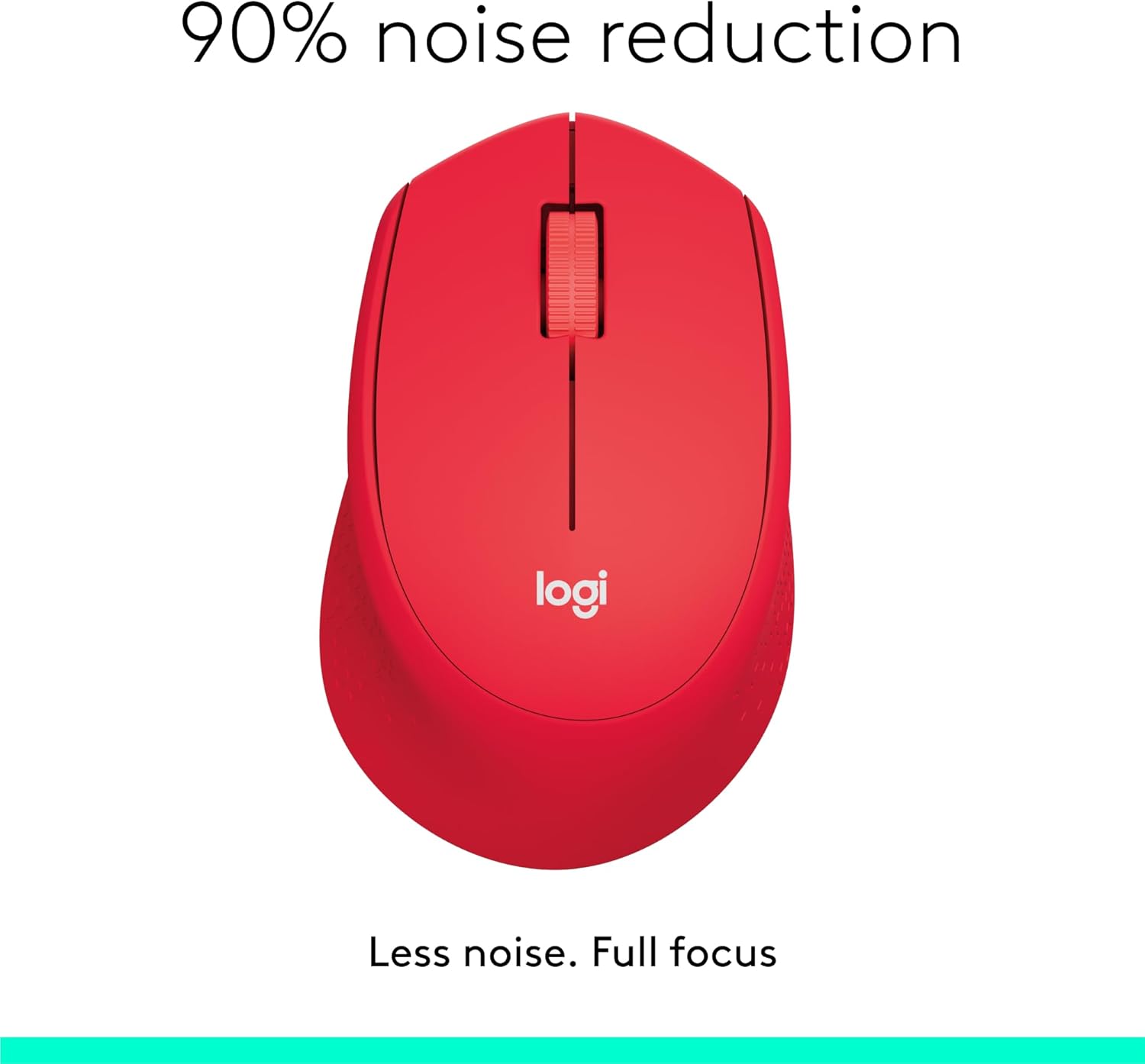
Image: The Logitech M331 mouse illustrating its 90% noise reduction capability, promoting a focused work environment.
Ergonomski dizajn
The mouse is crafted with contoured grips and a curved shape to fit comfortably in your right hand, providing improved control and reducing strain during extended use.

Image: A hand demonstrating the comfortable grip on the Logitech M331 mouse, highlighting its contoured side grips designed for right-hand use.
Održavanje
Čišćenje vašeg miša
Da biste održali optimalne performanse i higijenu, redovno čistite miš:
- Turn off the mouse and unplug the Nano Receiver from your computer.
- Lagano koristite meku krpu koja ne ostavlja dlačice dampened with water or an electronics-safe cleaning solution to wipe the surface of the mouse.
- Izbjegavajte ulazak vlage u bilo kakve otvore.
- For the optical sensor on the underside, use a dry cotton swab to gently remove any dust or debris.
Zamjena baterije
The M331 SILENT PLUS mouse boasts an impressive battery life of up to 24 months. When the battery is low, you may notice erratic behavior or the mouse becoming unresponsive. Refer to the "Installing the Battery" section under Setup Guide for replacement instructions.
Rješavanje problema
| Problem | Mogući uzrok | Rješenje |
|---|---|---|
| Mouse is unresponsive or not moving. |
|
|
| Nepravilno ili nepredvidivo kretanje kursora. |
|
|
| Clicks are not registering. |
|
|
Specifikacije
| Feature | Detalj |
|---|---|
| Model | 910-004916 |
| Dimenzije (miš) | 105.4 mm (visina) x 67.9 mm (širina) x 38.4 mm (dubina) |
| Weight (Mouse) | 91.0 g (with battery: 78 g / 2.75 oz) |
| Nano Receiver Dimensions | 14.4 mm x 18.7 mm x 6.1 mm |
| Nano Receiver Weight | 1.8 g |
| Vrsta veze | 2.4GHz Wireless connection |
| bežični domet | 10 metara (33 stopa) |
| Senzorna tehnologija | Logitech Advanced Optical Tracking |
| Rezolucija senzora | 1000 dpi |
| Broj dugmadi | 3 (Left/Right-click, Middle click/Scroll wheel) |
| Scroll Wheel | Yes, 2D, optical, wide rubber wheel |
| Vrsta baterije | 1 x AA baterija |
| Trajanje baterije | Do 24 mjeseca (može varirati ovisno o korisniku i uvjetima rada računala) |
| On/Off prekidač | Da |
| Sistemski zahtjevi | Windows 10 or later, Windows 8, Windows RT, Windows 7, Mac OS X 10.5 or later, Chrome OS, Linux Kernel 2.6+2, USB connection (available USB port required) |
| Hand Orientation | U redu |
| Vrsta materijala | Plastic (58% Recycled Plastic) |

Image: Detailed dimensions of the Logitech M331 mouse, showing its length, width, height, and weight with batteries.
Garancija i podrška
For warranty information and technical support, please refer to the user documentation included in your package or visit the official Logitech support website. Logitech products typically come with a limited hardware warranty. Please retain your proof of purchase for warranty claims.
For further assistance, you may visit the Logitech support page: support.logi.com


