1. Uvod
The Equinox Qba Body Composition Analyser EQ-EB-iF912B is an advanced personal health device designed to provide comprehensive insights into your body's composition. This analyser measures various key characteristics including weight, body fat percentage, hydration percentage, muscle mass, bone mass, and Body Mass Index (BMI). It also advises on your daily calorie intake requirements. The device features a clear LCD display and seamlessly integrates with the iFittr mobile application via Bluetooth, allowing you to track your health data over time and make informed lifestyle choices.
2. Sigurnosne informacije
- Ne koristite ovaj uređaj ako imate pacemaker ili neki drugi interni medicinski uređaj.
- Posavjetujte se sa svojim ljekarom prije nego što započnete bilo koju dijetu ili program vježbanja.
- Keep the device dry. Do not immerse in water or other liquids.
- Place the analyser on a hard, flat surface for accurate measurements. Avoid carpets or uneven floors.
- Do not jump on the scale or use it for purposes other than body composition analysis.
- Čuvati van domašaja djece.
- Handle with care. The glass platform can break if dropped or subjected to excessive force.
3. Sadržaj paketa
Molimo označite kućicu za sljedeće stavke:
- Equinox Qba Body Composition Analyser EQ-EB-iF912B
- Baterije
- Garantni list
- Uputstvo za upotrebu
4. Proizvod je gotovview i karakteristike
The Equinox Qba Body Composition Analyser is designed for ease of use and comprehensive data tracking.
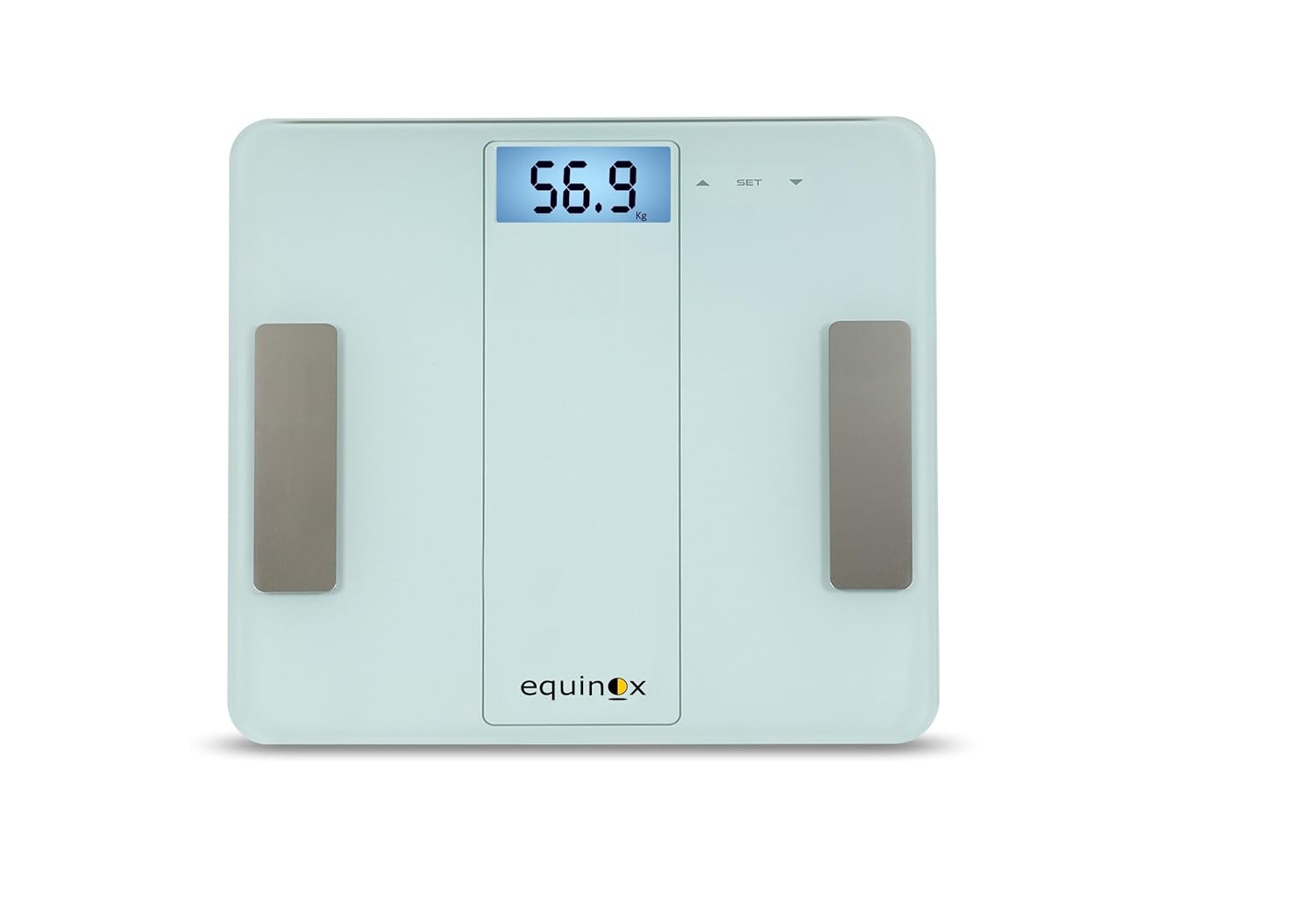
Slika 4.1: Front view of the Equinox Qba Body Composition Analyser, showing the digital display and electrode pads.
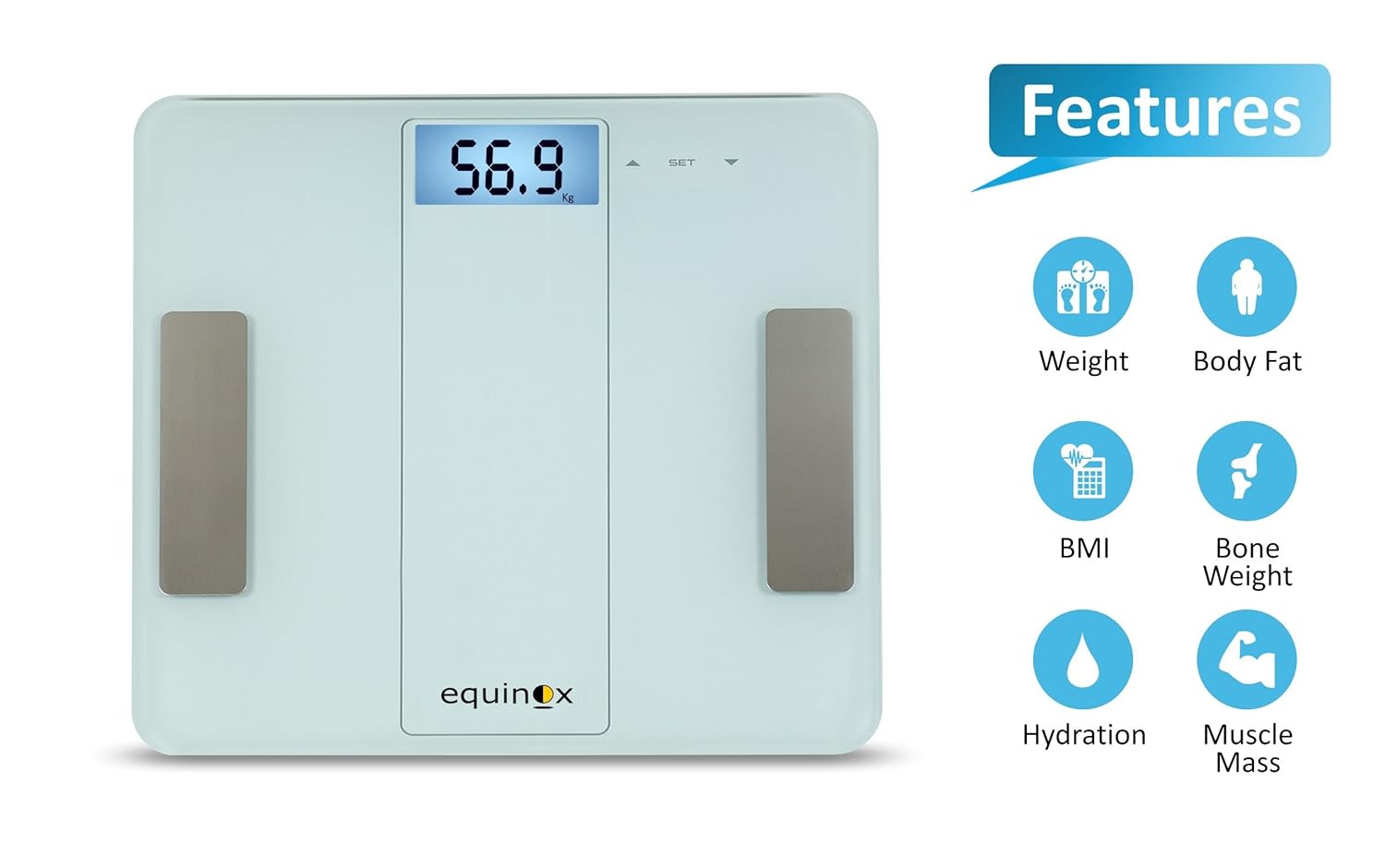
Slika 4.2: The analyser highlighting its key measurement capabilities: Weight, Body Fat, BMI, Bone Weight, Hydration, and Muscle Mass.

Slika 4.3: Screenshots demonstrating the iFittr app's interface for pairing, tracking weight trends, and viewing detailed body composition data.
Ključne karakteristike:
- Bluetooth omogućen: For seamless data synchronization with the iFittr app.
- LCD ekran sa pozadinskim osvetljenjem: Pruža jasne i lako čitljive mjere.
- Indikatori: Includes low battery, error, overload, low fat, and high fat indicators for user convenience.
- Evaluates Key Body Composition Characteristics: Measures Weight, Body Fat, Hydration, Bone Weight, Muscle Mass, BMI, and advises on Daily Calorie Intake.
- iFittr App Synchronization: Keeps a comprehensive record of your day-to-day measurements for long-term tracking.
5. Podešavanje
5.1. Instalacija baterije
- Locate the battery compartment on the underside of the analyser.
- Otvorite poklopac odeljka za baterije.
- Insert the provided batteries, ensuring correct polarity (+/-) as indicated inside the compartment.
- Čvrsto zatvorite poklopac odeljka za baterije.
5.2. Početno smještaj
Place the Equinox Qba Body Composition Analyser on a firm, flat, and stable surface. Avoid placing it on soft surfaces like carpets, rugs, or uneven flooring, as this can affect measurement accuracy.
5.3. iFittr App Download and Pairing
- Download the 'iFittr' app from your smartphone's app store (Google Play Store for Android or Apple App Store for iOS).
- Open the iFittr app and follow the on-screen instructions to create your user profile. You will need to enter personal details such as age, gender, height, and activity level for accurate body composition calculations.
- Provjerite je li Bluetooth omogućen na vašem pametnom telefonu.
- Step onto the analyser to activate it. The display will light up.
- Within the iFittr app, navigate to the device pairing section. The app should automatically detect the Equinox Qba Analyser.
- Confirm the pairing within the app. Once paired, your measurements will automatically sync to your profile.
6. Uputstvo za upotrebu
6.1. Mjerenje
- Ensure the analyser is on a flat, hard surface.
- Step onto the analyser with bare, dry feet. Ensure your feet are positioned on the metal electrode pads.
- Stand still and balanced on the analyser. The display will show your weight first, then cycle through other body composition metrics.
- Wait for the display to stabilize and show all measurements. If connected to the iFittr app, the data will automatically transfer.
- Step off the analyser. It will automatically turn off after a few seconds of inactivity.
6.2. Razumijevanje ekrana
The LCD display will show your measurements in sequence. Common indicators include:
- Težina: Displayed in kilograms (kg) or pounds (lb).
- Fat%: Procenat telesne mastitage.
- Hydration%: Body Water Percentage.
- Muscle%: Muscle Mass Percentage.
- Bone%: Bone Mass Percentage.
- BMI: Body Mass Index.
- CAL: Estimated Daily Calorie Intake.
Refer to the iFittr app for a more detailed breakdown and interpretation of these metrics.
7. iFittr App Integration
The iFittr app is crucial for maximizing the utility of your Equinox Qba Analyser. It allows you to:
- Pratite napredak: View historical data for all measured parameters over days, weeks, or months.
- Set Goals: Establish personal health goals and monitor your progress towards them.
- User Profiles: Kreirajte profesionalce za više korisnikafiles within the app, allowing different family members to track their individual data.
- Analiza podataka: The app provides graphical representations and insights into your body composition trends.
Ensure your app is open and Bluetooth is active on your phone when taking measurements for automatic synchronization.
8. Održavanje i njega
8.1. Čišćenje
Wipe the surface of the analyser with a soft, damp cloth. Do not use abrasive cleaners or immerse the device in water. Ensure the surface is dry before storage or next use.
8.2. Skladištenje
Store the analyser in a cool, dry place, away from direct sunlight and extreme temperatures. Avoid placing heavy objects on the analyser.
8.3. Zamjena baterije
If the low battery indicator appears on the display, replace all batteries with new ones of the same type. Ensure correct polarity during installation.
9. Otkrivanje problema
| Problem | Mogući uzrok | Rješenje |
|---|---|---|
| Analyser does not turn on. | Baterije su prazne ili nepravilno instalirane. | Provjerite polaritet baterija ili zamijenite baterije. |
| Netačna ili nedosljedna očitanja. | Analyser on uneven surface; feet not bare/dry; movement during measurement; calibration needed. | Place on hard, flat surface. Ensure bare, dry feet on electrodes. Stand still. Step off and on again to re-calibrate. |
| Battery drains quickly (e.g., in 10 days). | Faulty batteries; continuous power draw; environmental factors. | Try a different brand of high-quality batteries. Ensure analyser turns off completely after use. If problem persists, contact customer support. |
| No data syncs to iFittr app. | Bluetooth off; app not open; analyser not paired; app issues. | Ensure Bluetooth is on. Open iFittr app before measurement. Re-pair the device if necessary. Restart app/phone. |
| Error message on display (e.g., 'Err', 'OL'). | Overload (weight exceeds max capacity); internal error. | Ensure weight is within 180 kg limit. Step off and on again. If error persists, contact customer support. |
10. Specifikacije
| Specifikacija | Detalj |
|---|---|
| Broj modela | EQ-EB-iF912B |
| Proizvođač | Ekvinocija |
| Dimenzije proizvoda | 30 x 30 x 3 cm |
| Težina artikla | 1.55 kg (1 kg 560 g) |
| Maksimalni kapacitet | 180 kg (as per product description) |
| Display Type | LCD sa pozadinskim osvetljenjem |
| Povezivanje | Bluetooth |
| Mjerenja | Weight, Body Fat, Hydration, Bone Weight, Muscle Mass, BMI, Daily Calorie Intake |
11. Garancija i podrška
11.1. Informacije o garanciji
The Equinox Qba Body Composition Analyser EQ-EB-iF912B comes with an 18-mjesečna garancija od datuma kupovine. Molimo sačuvajte račun za slučaj reklamacije.
11.2. Korisnička podrška
In case of any issues, queries, or technical support requirements, please contact Equinox customer care:
- Email: support@equinox-india.com
- Telefon: 011-46051516


